The JSN-SR04T is a waterproof ultrasonic sensor designed to measure distances or detect objects using ultrasonic waves. It is specifically engineered to operate in wet or harsh environments, making it ideal for outdoor applications or areas exposed to moisture. The sensor emits ultrasonic sound waves and calculates the distance to an object by measuring the time it takes for the echo to return. Its waterproof design ensures reliable performance in challenging conditions.
Explore Projects Built with waterproof ultrasonic sensor
Use Cirkit Designer to design, explore, and prototype these projects online. Some projects support real-time simulation. Click "Open Project" to start designing instantly!
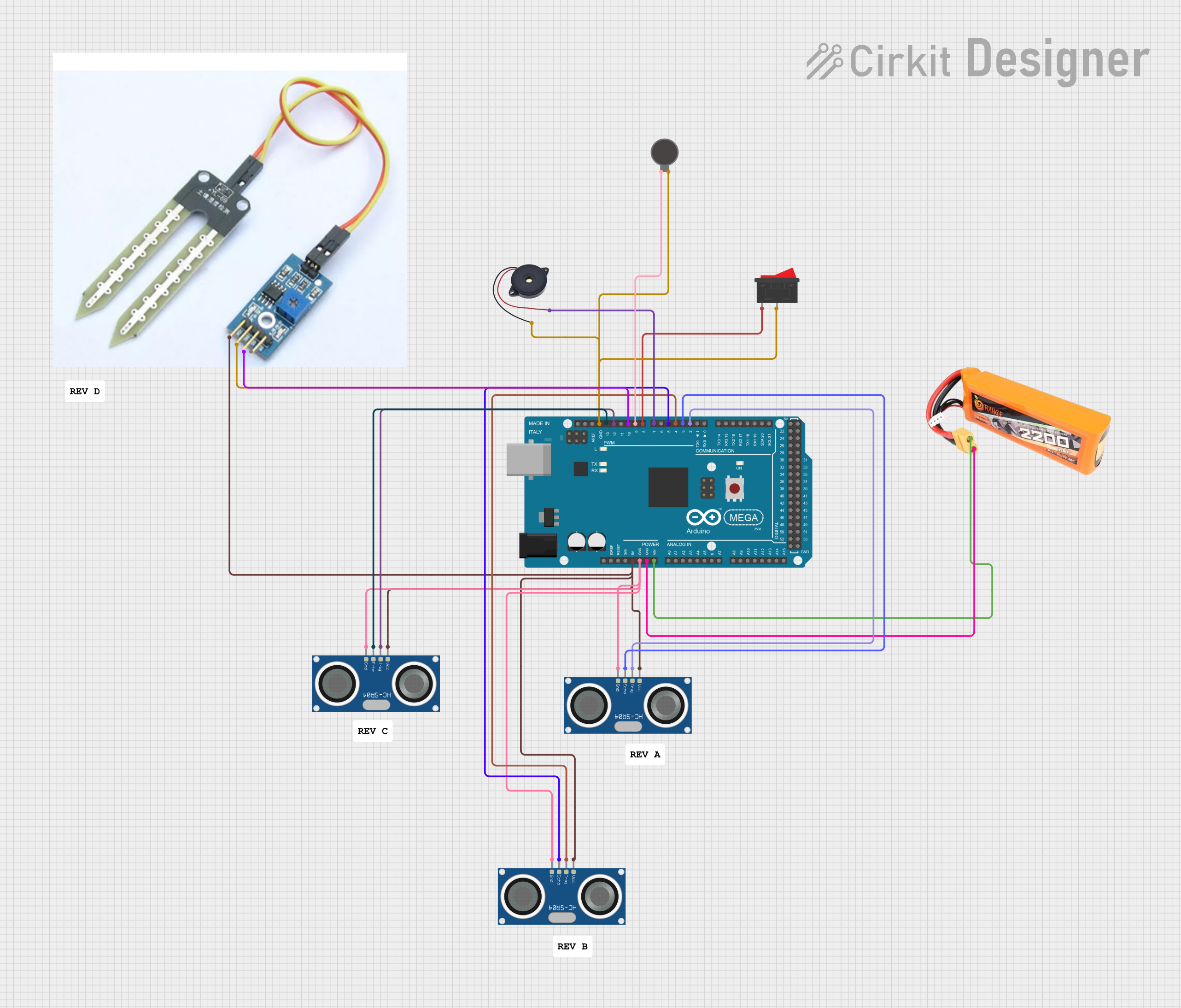
This circuit is a multi-sensor obstacle and water detection system controlled by an Arduino Mega 2560. It uses multiple HC-SR04 ultrasonic sensors to detect obstacles at different heights and a soil sensor for water detection, triggering a vibration motor and a buzzer for alerts. An emergency rocker switch is included to activate an emergency mode, overriding normal operations.
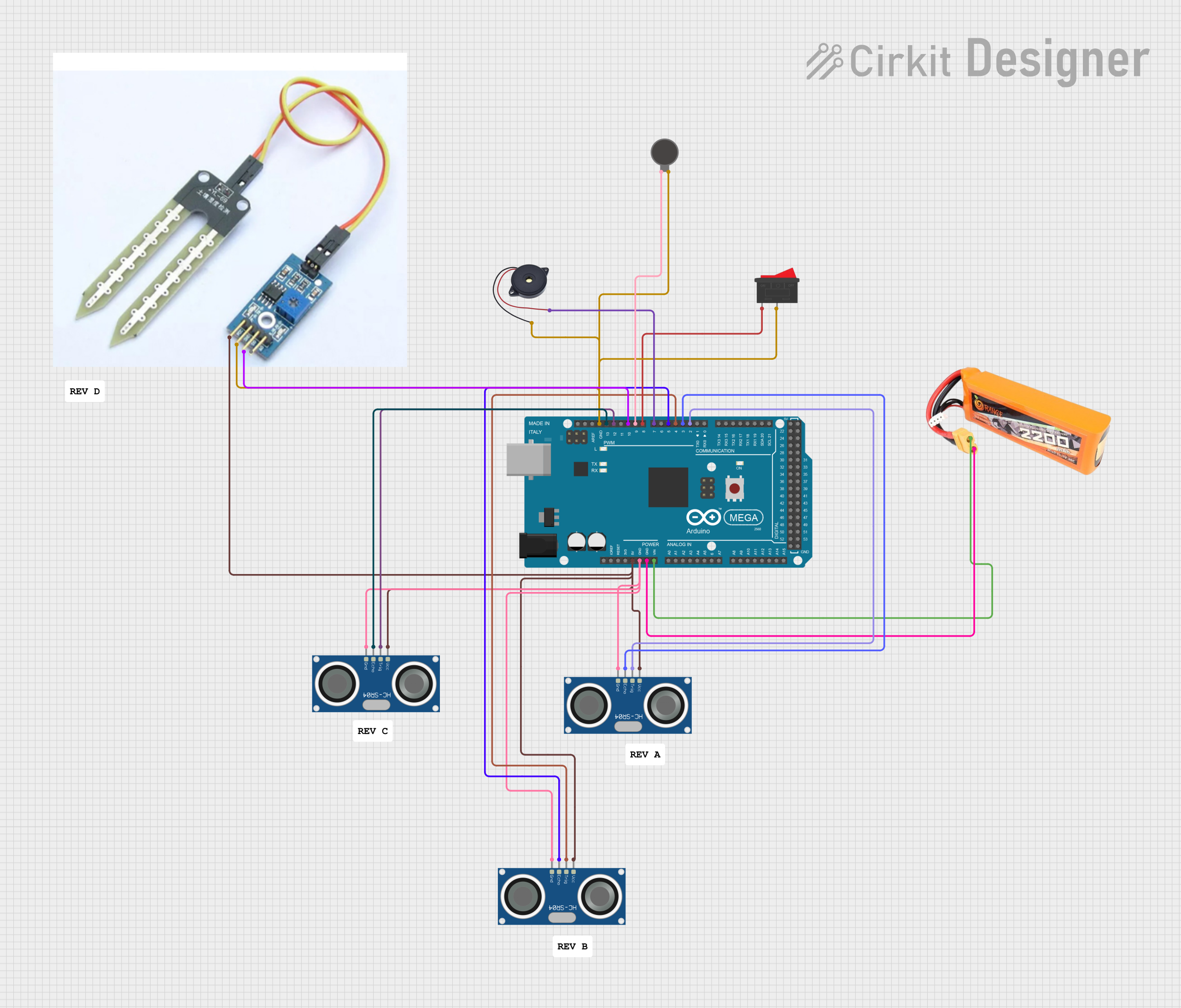
This circuit is an obstacle and water detection system using an Arduino Mega 2560, multiple HC-SR04 ultrasonic sensors, a soil sensor, a vibration motor, and a buzzer. The system detects obstacles at different heights and water presence, providing feedback through the vibration motor and buzzer, with an emergency rocker switch to activate an alert mode.
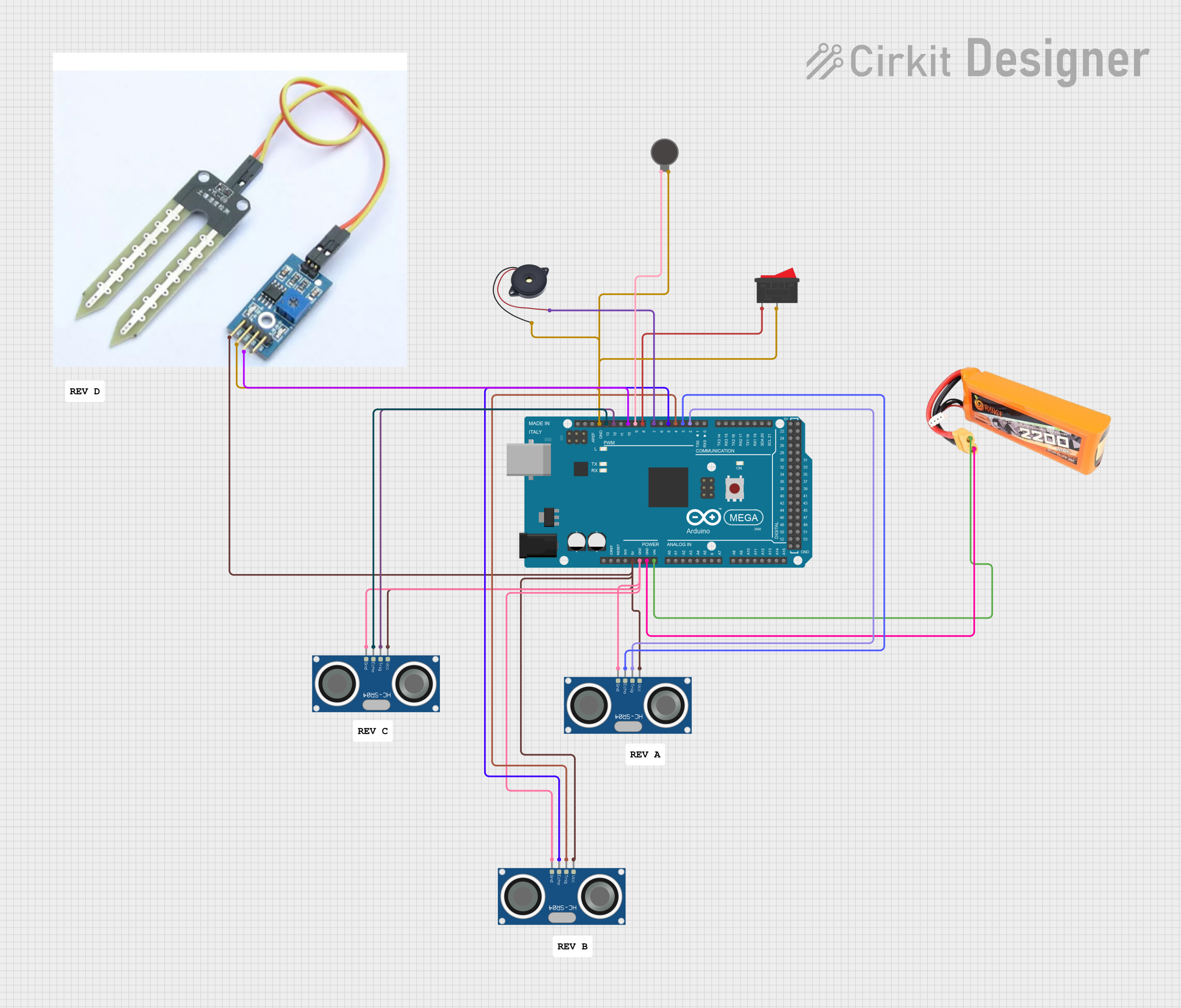
This circuit is an obstacle and water detection system using an Arduino Mega 2560, multiple HC-SR04 ultrasonic sensors, a soil sensor, a vibration motor, and a buzzer. The system detects obstacles at different heights and water presence, providing feedback through the vibration motor and buzzer, with an emergency rocker switch to activate an alert mode.
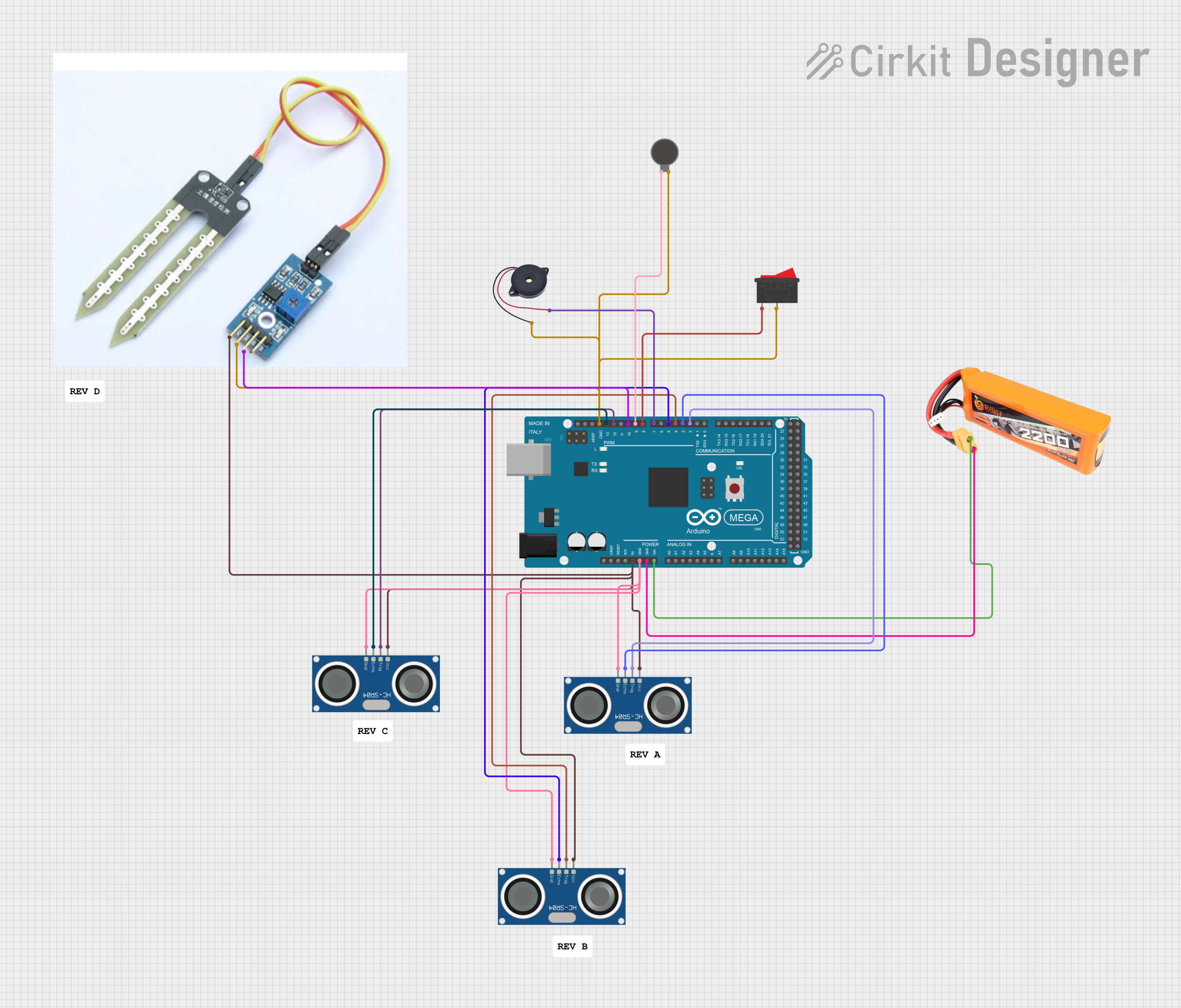
This circuit is a multi-sensor obstacle and moisture detection system controlled by an Arduino Mega 2560. It uses three HC-SR04 ultrasonic sensors to detect obstacles at different heights, a soil sensor for moisture detection, and activates a vibration motor and buzzer for alerts. The system includes an emergency rocker switch to trigger an immediate alert.
The JSN-SR04T is a robust and versatile sensor with the following key specifications:
Parameter
Value
Operating Voltage
5V DC
Operating Current
30 mA
Measuring Range
20 cm to 600 cm (0.2 m to 6 m)
Accuracy
±1 cm
Operating Frequency
40 kHz
Waterproof Rating
IP67
Operating Temperature
-20°C to 70°C
Trigger Input Signal
10 µs TTL pulse
Echo Output Signal
TTL pulse, proportional to distance
Pin Configuration and Descriptions
The JSN-SR04T has a 4-pin interface for easy integration into circuits:
Pin
Name
Description
1
VCC
Power supply input (5V DC)
2
Trig
Trigger pin: Sends a 10 µs pulse to initiate distance measurement
3
Echo
Echo pin: Outputs a pulse width proportional to the measured distance
4
GND
Ground connection
Usage Instructions
How to Use the JSN-SR04T in a Circuit
Power the Sensor: Connect the VCC pin to a 5V DC power source and the GND pin to ground.
Trigger the Sensor: Send a 10 µs HIGH pulse to the Trig pin to initiate a measurement.
Read the Echo: Measure the duration of the HIGH pulse on the Echo pin. The pulse width is proportional to the distance of the object.
Calculate Distance: Use the formula below to calculate the distance:
[
\text{Distance (cm)} = \frac{\text{Pulse Duration (µs)} \times 0.034}{2}
]
The factor 0.034 accounts for the speed of sound in air (340 m/s), and the division by 2 accounts for the round trip of the sound wave.
Important Considerations and Best Practices
Ensure the sensor is mounted securely to avoid inaccurate readings due to vibrations.
Avoid placing the sensor near ultrasonic noise sources, as they may interfere with measurements.
Use a pull-down resistor on the Echo pin if the signal is unstable.
For outdoor applications, ensure the sensor is installed in a way that prevents water pooling around the connections.
Example Code for Arduino UNO
Below is an example of how to use the JSN-SR04T with an Arduino UNO:
// Define pins for the JSN-SR04T sensor
const int trigPin = 9; // Trigger pin connected to digital pin 9
const int echoPin = 10; // Echo pin connected to digital pin 10

void setup() {
  // Initialize serial communication for debugging
  Serial.begin(9600);

  // Set pin modes for the sensor
  pinMode(trigPin, OUTPUT);
  pinMode(echoPin, INPUT);
}

void loop() {
  // Send a 10 µs HIGH pulse to the Trig pin
  digitalWrite(trigPin, LOW);
  delayMicroseconds(2);
  digitalWrite(trigPin, HIGH);
  delayMicroseconds(10);
  digitalWrite(trigPin, LOW);

  // Measure the duration of the HIGH pulse on the Echo pin
  long duration = pulseIn(echoPin, HIGH);

  // Calculate the distance in cm
  float distance = (duration * 0.034) / 2;

  // Print the distance to the Serial Monitor
  Serial.print("Distance: ");
  Serial.print(distance);
  Serial.println(" cm");

  // Wait before taking the next measurement
  delay(500);
}
Troubleshooting and FAQs
Common Issues and Solutions
No Output or Incorrect Readings
Cause: Incorrect wiring or loose connections.
Solution: Double-check all connections, ensuring VCC is connected to 5V and GND is properly grounded.
Unstable Distance Measurements
Cause: Electrical noise or interference.
Solution: Use a pull-down resistor on the Echo pin and ensure the sensor is not near ultrasonic noise sources.
Sensor Not Responding
Cause: Insufficient power supply.
Solution: Ensure the power supply provides a stable 5V DC and sufficient current (at least 30 mA).
Short Measuring Range
Cause: Obstructions or incorrect mounting.
Solution: Ensure the sensor has a clear line of sight and is mounted securely.
FAQs
Q: Can the JSN-SR04T be used underwater?
A: No, the sensor is waterproof but not designed for underwater use. It is suitable for wet environments but must remain above water.
Q: What is the maximum range of the sensor?
A: The JSN-SR04T can measure distances up to 600 cm (6 meters) with an accuracy of ±1 cm.
Q: Can I use the JSN-SR04T with a 3.3V microcontroller?
A: The sensor requires a 5V power supply. If using a 3.3V microcontroller, a level shifter is recommended for the Trig and Echo pins.
Q: How do I protect the sensor in outdoor installations?
A: Ensure the sensor is mounted in a way that prevents water pooling around the connections and use a weatherproof enclosure for additional protection.


 Open Project in Cirkit Designer