
How to Use solar charge controller: Examples, Pinouts, and Specs
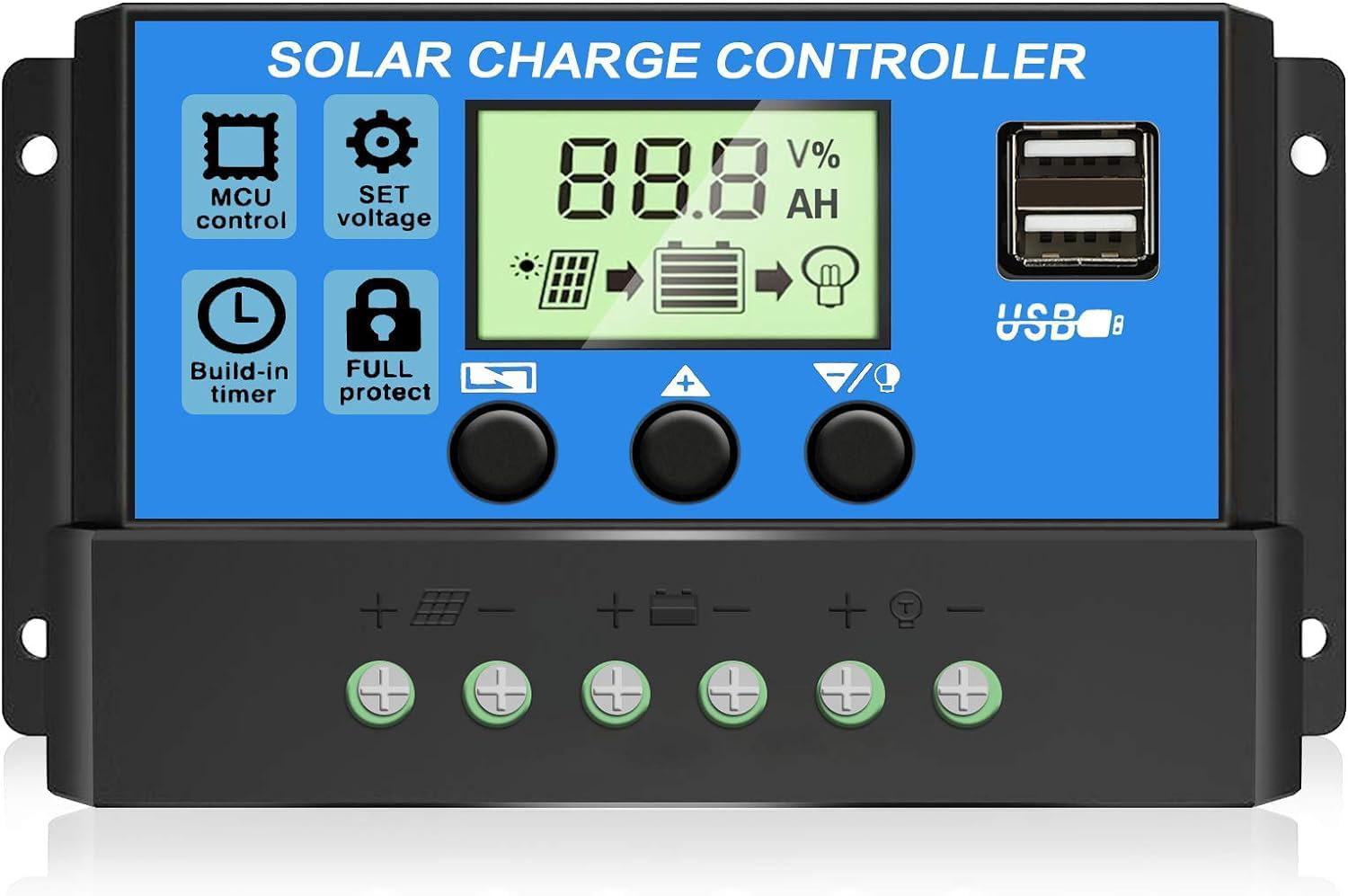
 Design with solar charge controller in Cirkit Designer
Introduction
A solar charge controller is an essential component in solar power systems. It regulates the voltage and current coming from solar panels to the batteries, ensuring safe charging and preventing overcharging. By managing the energy flow, it protects the batteries from damage, extends their lifespan, and improves the overall efficiency of the solar power system.
Explore Projects Built with solar charge controller
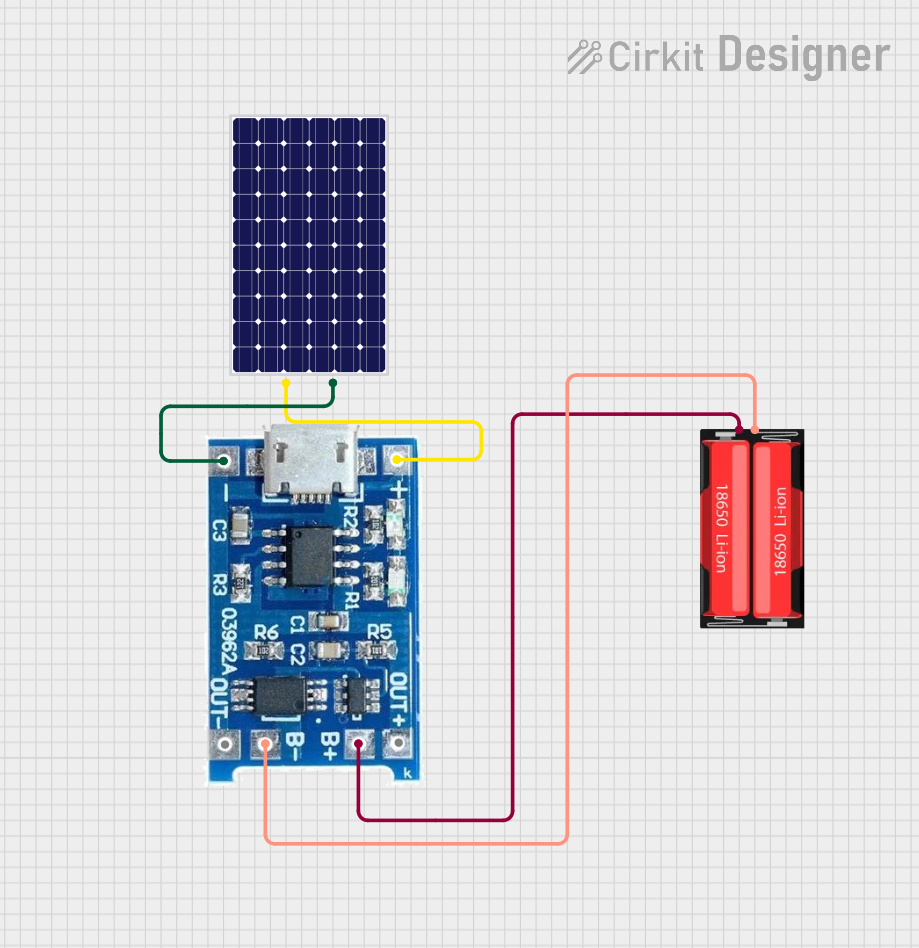 Open Project in Cirkit Designer
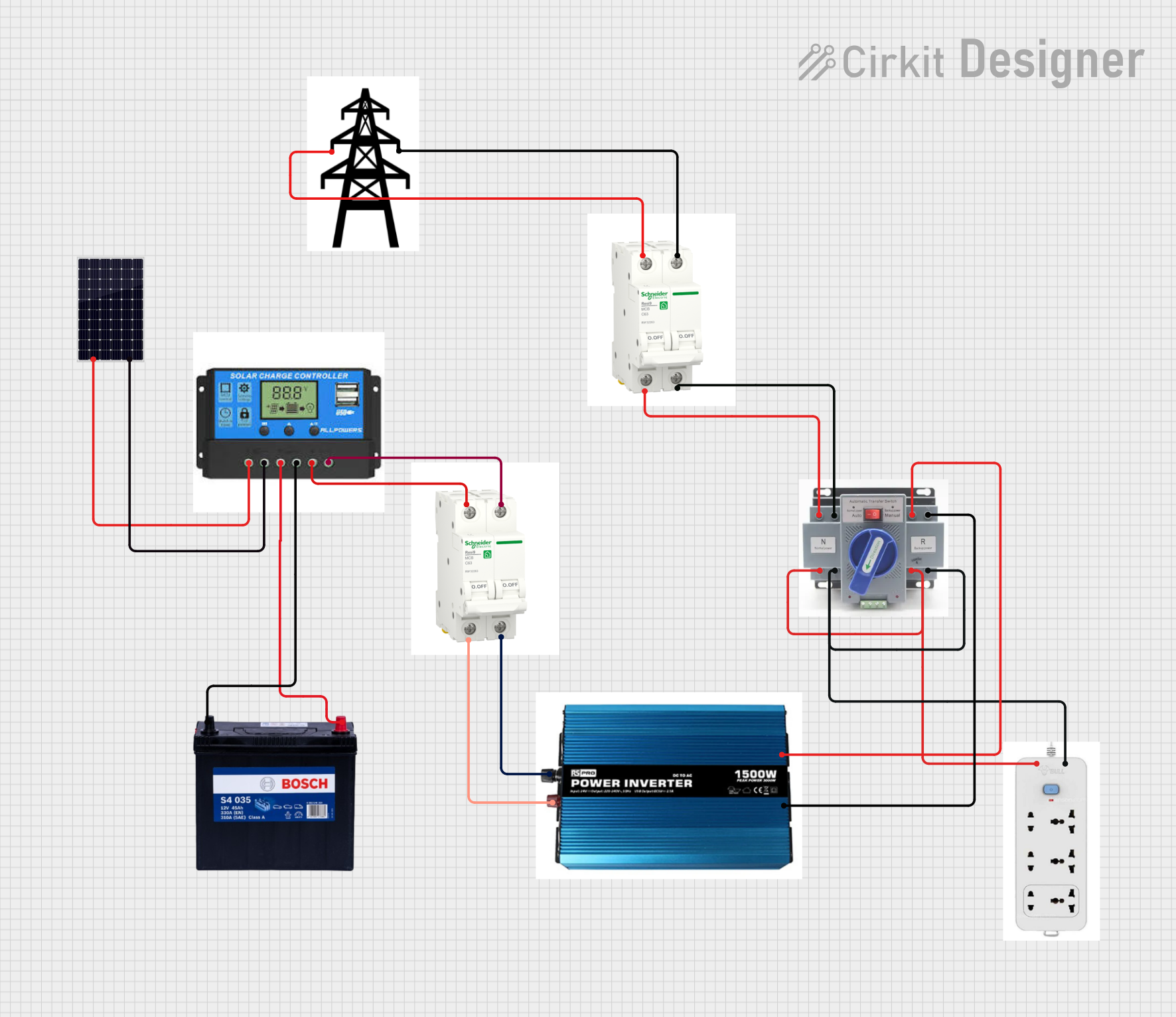 Open Project in Cirkit Designer
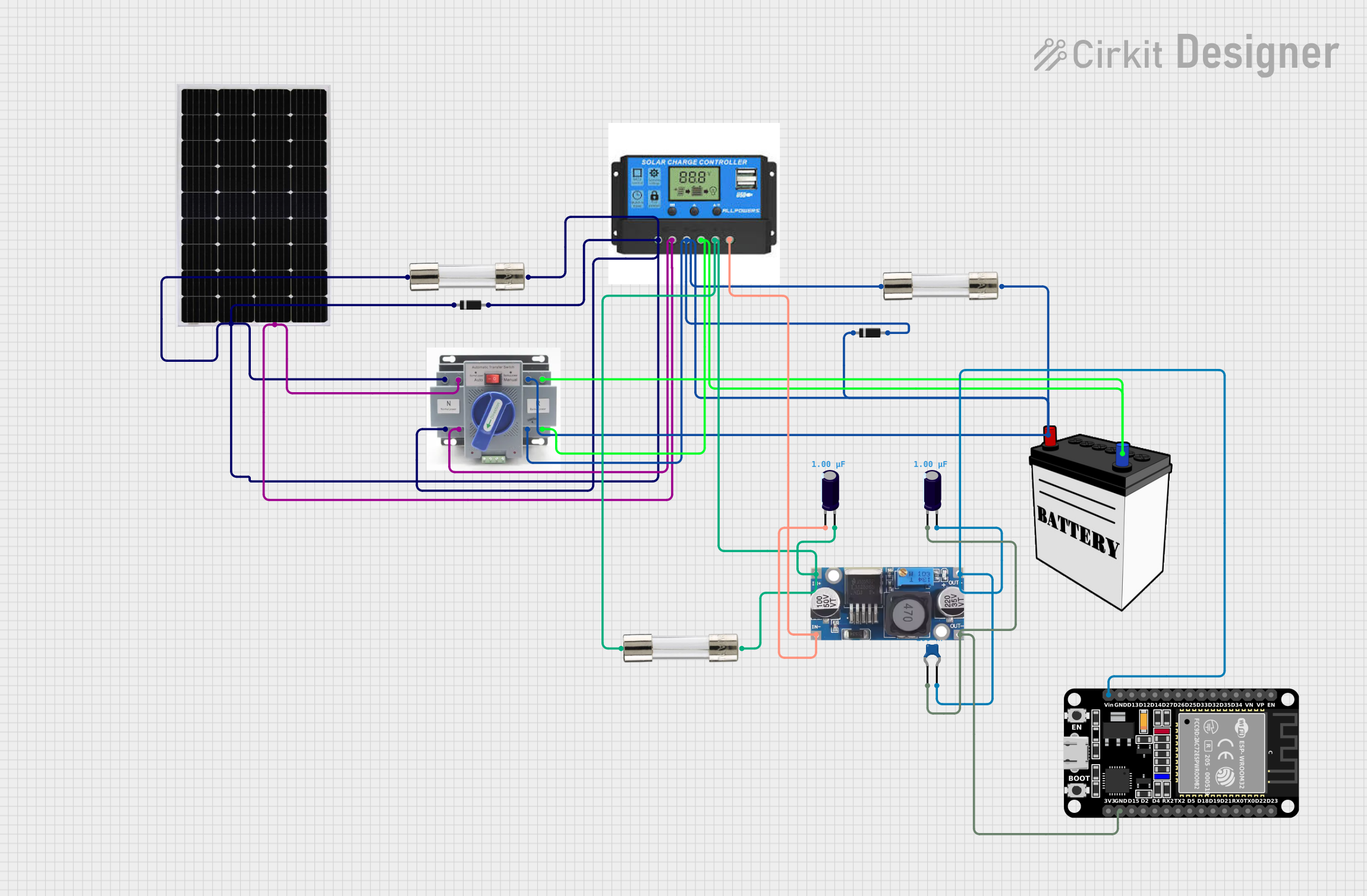 Open Project in Cirkit Designer
 Open Project in Cirkit Designer
Explore Projects Built with solar charge controller
Open Project in Cirkit DesignerOpen Project in Cirkit DesignerOpen Project in Cirkit DesignerOpen Project in Cirkit DesignerCommon Applications and Use Cases
- Off-grid solar power systems
- Solar-powered lighting systems
- RVs, boats, and caravans with solar setups
- Backup power systems with battery storage
- Solar water pumping systems
Technical Specifications
Below are the general technical specifications for a typical solar charge controller. Always refer to the datasheet of your specific model for precise details.
Key Technical Details
- Input Voltage Range: 12V/24V/48V (auto-detect in some models)
- Maximum Input Current: 10A to 60A (varies by model)
- Battery Voltage: 12V/24V (common configurations)
- Charging Technology: PWM (Pulse Width Modulation) or MPPT (Maximum Power Point Tracking)
- Operating Temperature: -20°C to 60°C
- Efficiency: Up to 98% (for MPPT models)
- Load Control: Direct DC load output with overcurrent protection
Pin Configuration and Descriptions
The solar charge controller typically has the following terminals:
| Pin/Terminal | Label | Description |
|---|---|---|
| 1 | Solar Panel (+) | Positive terminal for connecting the solar panel. |
| 2 | Solar Panel (-) | Negative terminal for connecting the solar panel. |
| 3 | Battery (+) | Positive terminal for connecting the battery. |
| 4 | Battery (-) | Negative terminal for connecting the battery. |
| 5 | Load (+) | Positive terminal for connecting the DC load (e.g., lights, fans). |
| 6 | Load (-) | Negative terminal for connecting the DC load. |
| 7 (optional) | RS485/COM Port | Communication port for monitoring and configuring the controller (if available). |
Usage Instructions
How to Use the Solar Charge Controller in a Circuit
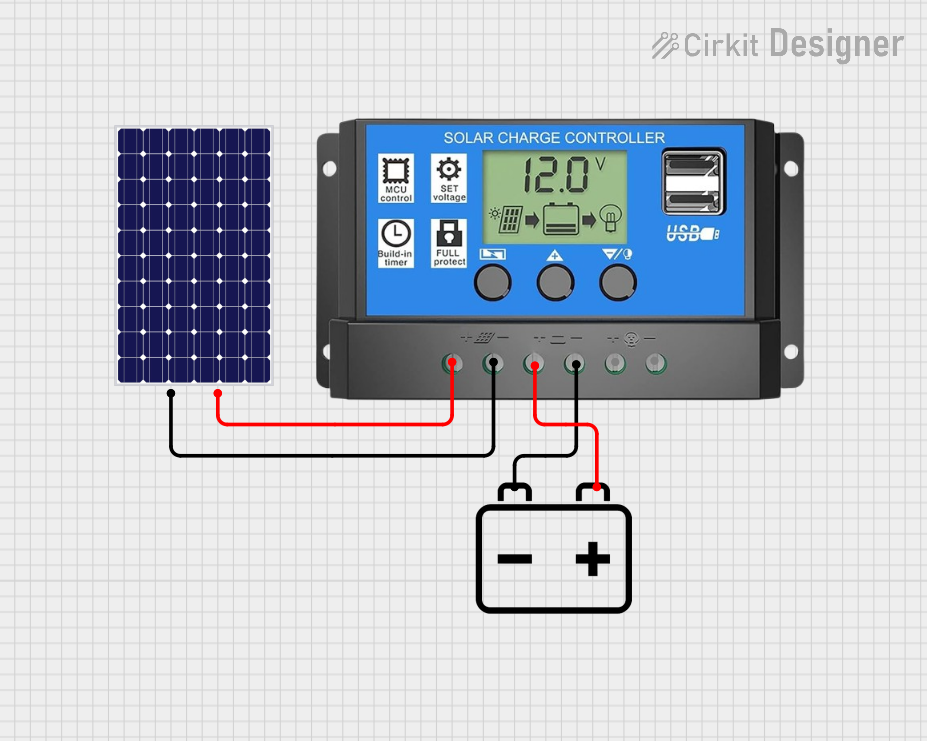
Connect the Battery First:
- Connect the battery's positive terminal to the controller's Battery (+) pin.
- Connect the battery's negative terminal to the controller's Battery (-) pin.
- This step is crucial to power the controller and initialize its settings.
Connect the Solar Panel:
- Connect the solar panel's positive terminal to the controller's Solar Panel (+) pin.
- Connect the solar panel's negative terminal to the controller's Solar Panel (-) pin.
- Ensure the solar panel voltage is within the controller's input range.
Connect the Load (Optional):
- If you want to power DC devices directly, connect the load's positive terminal to the Load (+) pin.
- Connect the load's negative terminal to the Load (-) pin.
Power On:
- Once all connections are secure, the controller will automatically detect the system voltage and begin operation.
Important Considerations and Best Practices
- Battery Type: Ensure the controller is compatible with your battery type (e.g., lead-acid, lithium-ion).
- System Voltage: Use a controller that matches your system voltage (e.g., 12V or 24V).
- Wire Gauge: Use appropriately sized wires to handle the current without overheating.
- Fuses: Install fuses between the solar panel, battery, and controller for added protection.
- Placement: Mount the controller in a well-ventilated area to prevent overheating.
Example Code for Monitoring with Arduino UNO
If your solar charge controller supports communication (e.g., via RS485), you can monitor its data using an Arduino UNO. Below is an example code snippet for reading data via an RS485 module:
#include <ModbusMaster.h>

// Create an instance of the ModbusMaster library
ModbusMaster node;

// Define the RS485 communication pins
#define RE_PIN 2  // Receiver Enable pin
#define DE_PIN 3  // Driver Enable pin

void preTransmission() {
  digitalWrite(RE_PIN, HIGH); // Enable transmission mode
  digitalWrite(DE_PIN, HIGH);
}

void postTransmission() {
  digitalWrite(RE_PIN, LOW);  // Enable receive mode
  digitalWrite(DE_PIN, LOW);
}

void setup() {
  Serial.begin(9600);         // Initialize serial communication
  pinMode(RE_PIN, OUTPUT);    // Set RE_PIN as output
  pinMode(DE_PIN, OUTPUT);    // Set DE_PIN as output
  digitalWrite(RE_PIN, LOW);  // Start in receive mode
  digitalWrite(DE_PIN, LOW);

  node.begin(1, Serial);      // Set Modbus slave ID to 1
  node.preTransmission(preTransmission);
  node.postTransmission(postTransmission);
}

void loop() {
  uint8_t result;
  uint16_t data;

  // Read a register (e.g., battery voltage) from the controller
  result = node.readInputRegisters(0x3100, 1); // Replace 0x3100 with the correct register address
  if (result == node.ku8MBSuccess) {
    data = node.getResponseBuffer(0);
    Serial.print("Battery Voltage: ");
    Serial.println(data / 100.0); // Convert to volts (example scaling)
  } else {
    Serial.println("Failed to read data");
  }

  delay(1000); // Wait 1 second before the next read
}
Note: Replace the register address (
0x3100) with the appropriate address for your controller. Consult the controller's communication protocol documentation for details.
Troubleshooting and FAQs
Common Issues and Solutions
Controller Not Powering On:
- Ensure the battery is connected properly and has sufficient charge.
- Check for loose or reversed connections.
Battery Not Charging:
- Verify the solar panel voltage and current are within the controller's input range.
- Inspect the wiring for any loose or damaged connections.
- Ensure the controller is configured for the correct battery type.
Load Not Working:
- Check if the load exceeds the controller's maximum output current.
- Ensure the load terminals are connected correctly.
Overheating:
- Place the controller in a well-ventilated area.
- Reduce the load or ensure the solar panel is not exceeding the controller's capacity.
FAQs
Q: Can I use the controller without a battery?
- A: No, most solar charge controllers require a battery to function properly.
Q: What is the difference between PWM and MPPT controllers?
- A: PWM controllers are simpler and less expensive but less efficient. MPPT controllers are more advanced and extract maximum power from the solar panels, especially in varying sunlight conditions.
Q: How do I know if my battery is fully charged?
- A: Most controllers have LED indicators or an LCD screen to display the battery's charge status.
Q: Can I connect multiple solar panels to one controller?
- A: Yes, but ensure the combined voltage and current do not exceed the controller's input limits. Use series or parallel connections as needed.
This concludes the documentation for the solar charge controller. Always refer to the manufacturer's manual for specific details about your model.