
How to Use hx711: Examples, Pinouts, and Specs
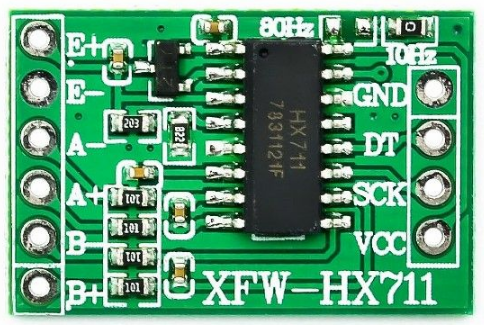
 Design with hx711 in Cirkit Designer
Introduction
The HX711 is a precision 24-bit analog-to-digital converter (ADC) designed for applications requiring high accuracy and stability, such as weigh scales and industrial control systems. It features an integrated low-noise programmable gain amplifier (PGA) that allows direct interfacing with load cells, making it an ideal choice for weight measurement systems. The HX711 simplifies the process of converting small analog signals from load cells into digital data that can be processed by microcontrollers.
Explore Projects Built with hx711
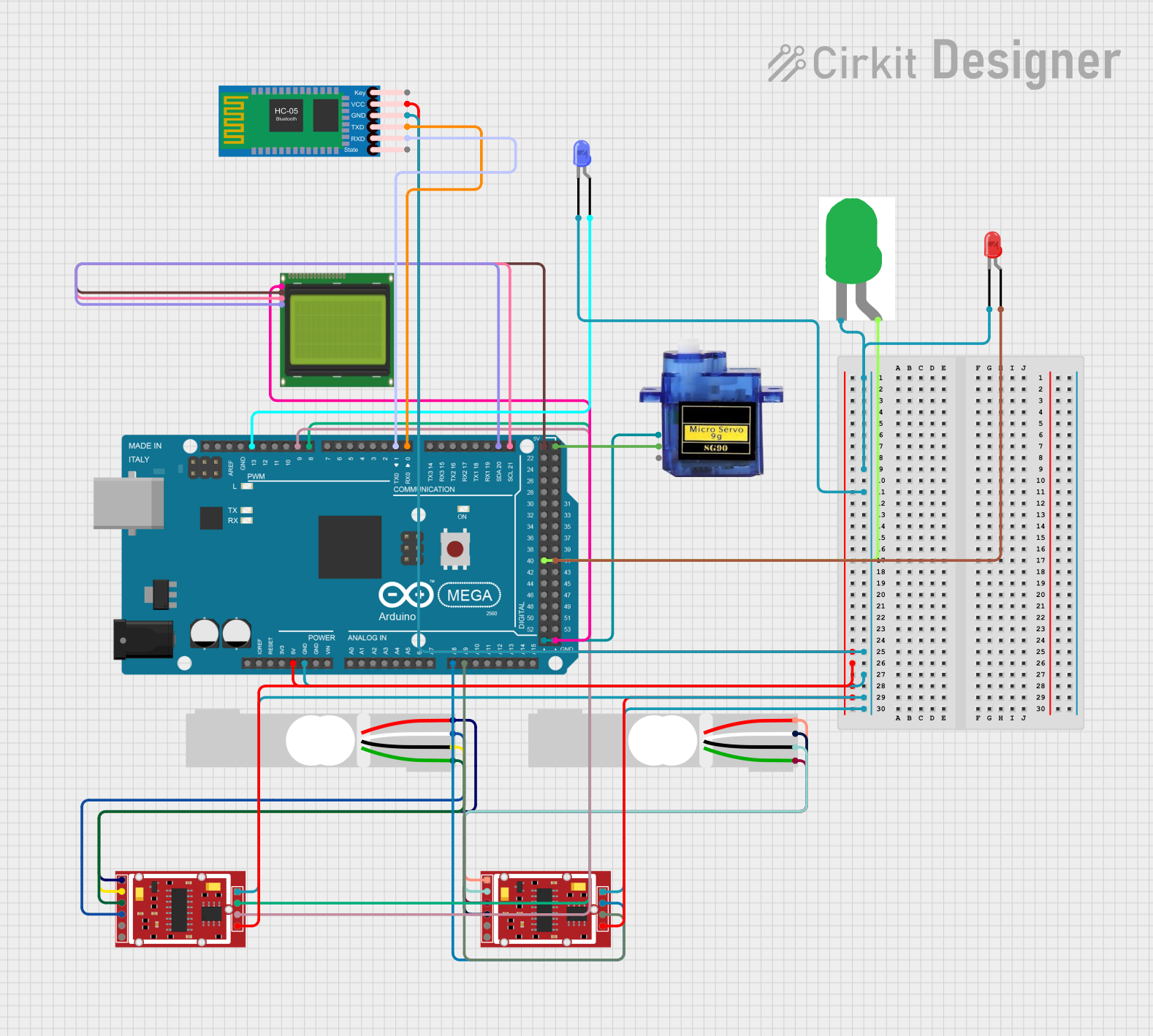 Open Project in Cirkit Designer
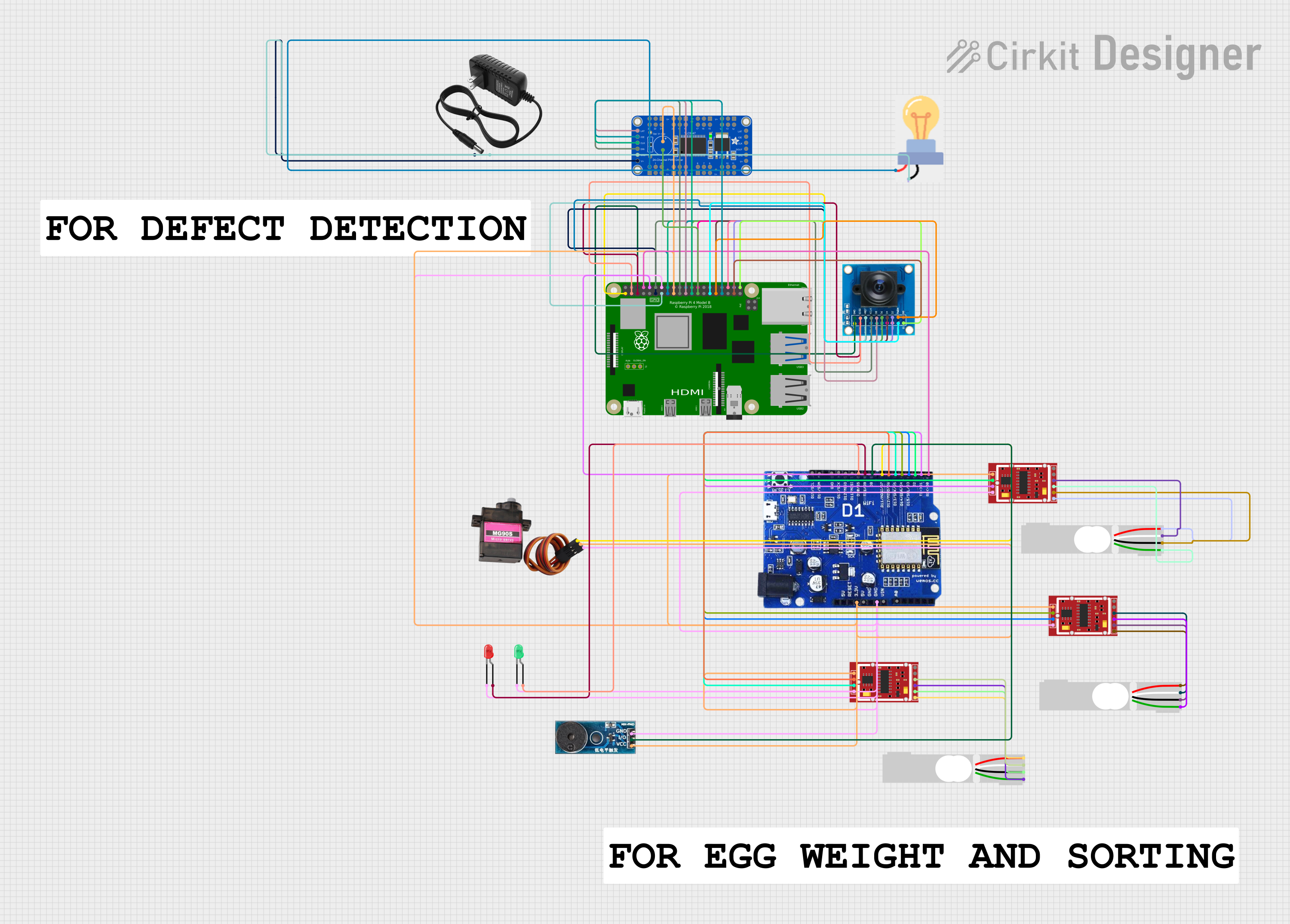 Open Project in Cirkit Designer
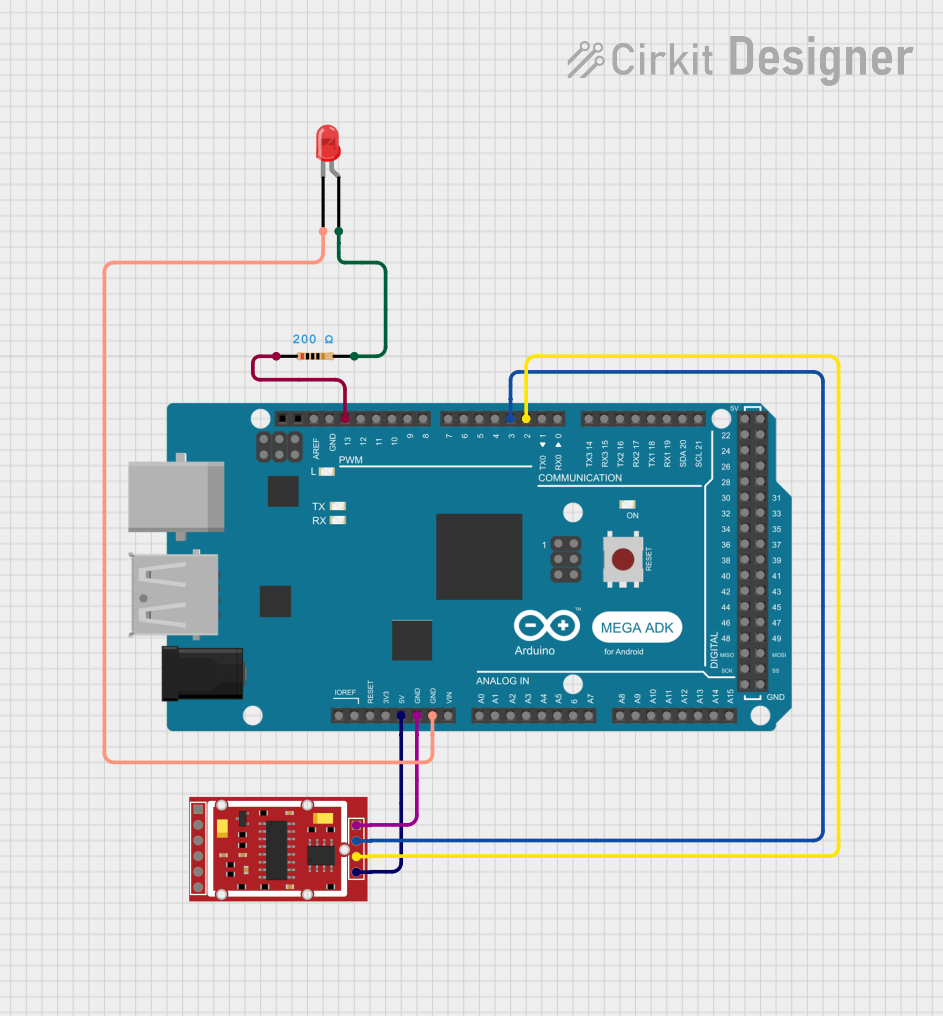 Open Project in Cirkit Designer
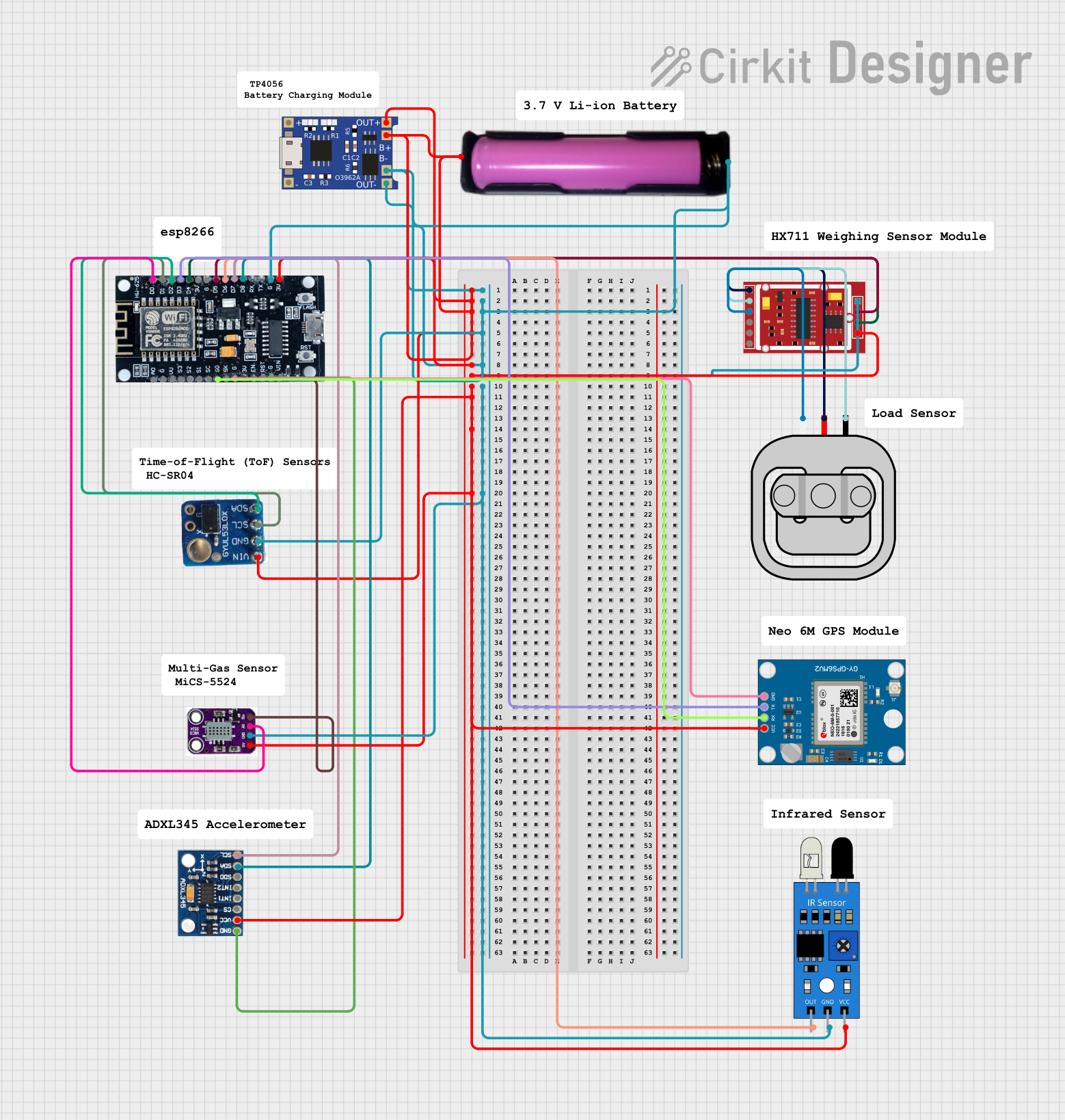 Open Project in Cirkit Designer
Explore Projects Built with hx711
Open Project in Cirkit DesignerOpen Project in Cirkit DesignerOpen Project in Cirkit DesignerOpen Project in Cirkit DesignerCommon Applications
- Digital weigh scales
- Industrial process control
- Force measurement systems
- IoT-based weight monitoring
- Laboratory equipment
Technical Specifications
The HX711 is designed to provide high precision and ease of use. Below are its key technical details:
| Parameter | Value |
|---|---|
| Supply Voltage | 2.6V to 5.5V |
| Operating Current | ~1.5mA |
| Standby Current | <1µA |
| ADC Resolution | 24-bit |
| Input Channels | 2 (Channel A and Channel B) |
| PGA Gain | 32, 64, or 128 (programmable) |
| Data Rate | 10 Hz or 80 Hz |
| Input Voltage Range | ±40mV (at Gain = 128) |
| Communication Interface | Serial (Clock and Data pins) |
| Operating Temperature Range | -40°C to +85°C |
Pin Configuration
The HX711 has 16 pins, but only 4 are typically used in most applications. Below is the pin configuration:
| Pin Name | Description |
|---|---|
| VCC | Power supply input (2.6V to 5.5V). |
| GND | Ground connection. |
| DT (Data) | Serial data output. Used to transmit ADC data to the microcontroller. |
| SCK (Clock) | Serial clock input. Used to synchronize data transfer and configure the device. |
| A+ / A- | Differential input for Channel A (high-precision input). |
| B+ / B- | Differential input for Channel B (low-precision input). |
Usage Instructions
The HX711 is straightforward to use with microcontrollers like Arduino. Below are the steps to integrate it into your circuit:
Circuit Connection
- Power Supply: Connect the VCC pin to a 3.3V or 5V power source and the GND pin to ground.
- Load Cell Connection: Connect the load cell's output wires to the A+ and A- pins (for high-precision measurements). If using Channel B, connect the load cell to B+ and B-.
- Microcontroller Interface: Connect the DT pin to a digital input pin on the microcontroller and the SCK pin to another digital output pin.
- Pull-up Resistors: Ensure proper pull-up resistors are used if required by your microcontroller.
Arduino Example Code
Below is an example of how to use the HX711 with an Arduino UNO to read weight data from a load cell:
#include "HX711.h" // Include the HX711 library

// Define HX711 pins
#define DT_PIN 3  // Data pin connected to Arduino digital pin 3
#define SCK_PIN 2 // Clock pin connected to Arduino digital pin 2

HX711 scale; // Create an instance of the HX711 class

void setup() {
  Serial.begin(9600); // Initialize serial communication
  scale.begin(DT_PIN, SCK_PIN); // Initialize the HX711 with the defined pins
  scale.set_scale(); // Set the scale factor (calibration required)
  scale.tare(); // Reset the scale to zero
  Serial.println("HX711 initialized. Place weight on the scale.");
}

void loop() {
  if (scale.is_ready()) { // Check if the HX711 is ready
    long weight = scale.get_units(); // Get the weight in units
    Serial.print("Weight: ");
    Serial.print(weight);
    Serial.println(" units");
  } else {
    Serial.println("HX711 not ready. Check connections.");
  }
  delay(500); // Wait for 500ms before the next reading
}
Important Considerations
- Calibration: The HX711 requires calibration to convert raw ADC values into meaningful weight measurements. Use a known weight to determine the scale factor.
- Noise Reduction: Keep the wiring between the load cell and HX711 as short as possible to minimize noise.
- Power Supply: Use a stable power supply to ensure accurate readings.
- Data Rate: The HX711 supports two data rates (10 Hz and 80 Hz). The default is 10 Hz, which provides higher noise immunity.
Troubleshooting and FAQs
Common Issues
No Data Output:
- Cause: Incorrect wiring or loose connections.
- Solution: Verify all connections, especially the DT and SCK pins.
Inconsistent Readings:
- Cause: Electrical noise or unstable power supply.
- Solution: Use a decoupling capacitor across the VCC and GND pins. Ensure the load cell wiring is shielded.
HX711 Not Ready:
- Cause: Faulty HX711 module or incorrect initialization.
- Solution: Check the module's power supply and ensure the
scale.begin()function is called correctly.
Incorrect Weight Measurements:
- Cause: Calibration not performed or incorrect scale factor.
- Solution: Perform calibration using a known weight and adjust the scale factor.
FAQs
Q: Can I use the HX711 with a 3.3V microcontroller?
A: Yes, the HX711 operates with a supply voltage as low as 2.6V, making it compatible with 3.3V systems.
Q: How do I switch between Channel A and Channel B?
A: The HX711 automatically selects the channel based on the gain setting. Gain = 128 or 64 selects Channel A, while Gain = 32 selects Channel B.
Q: What is the maximum weight the HX711 can measure?
A: The maximum weight depends on the load cell used. The HX711 itself does not impose a weight limit but converts the load cell's output.
Q: Can I connect multiple load cells to the HX711?
A: The HX711 supports two channels, but only one can be read at a time. For multiple load cells, use additional HX711 modules.
By following this documentation, you can effectively integrate the HX711 into your projects for precise weight measurement.