
How to Use Monacor line transformer: Examples, Pinouts, and Specs
 Design with Monacor line transformer in Cirkit Designer
Introduction
The Monacor LTR-110 is a high-quality audio line transformer designed to match impedance and provide electrical isolation in audio systems. It ensures minimal signal loss and distortion, making it ideal for professional audio applications. This transformer is commonly used in public address (PA) systems, audio distribution networks, and long-distance audio signal transmission. Its robust design ensures reliable performance in demanding environments.
Explore Projects Built with Monacor line transformer
 Open Project in Cirkit Designer
 Open Project in Cirkit Designer
 Open Project in Cirkit Designer
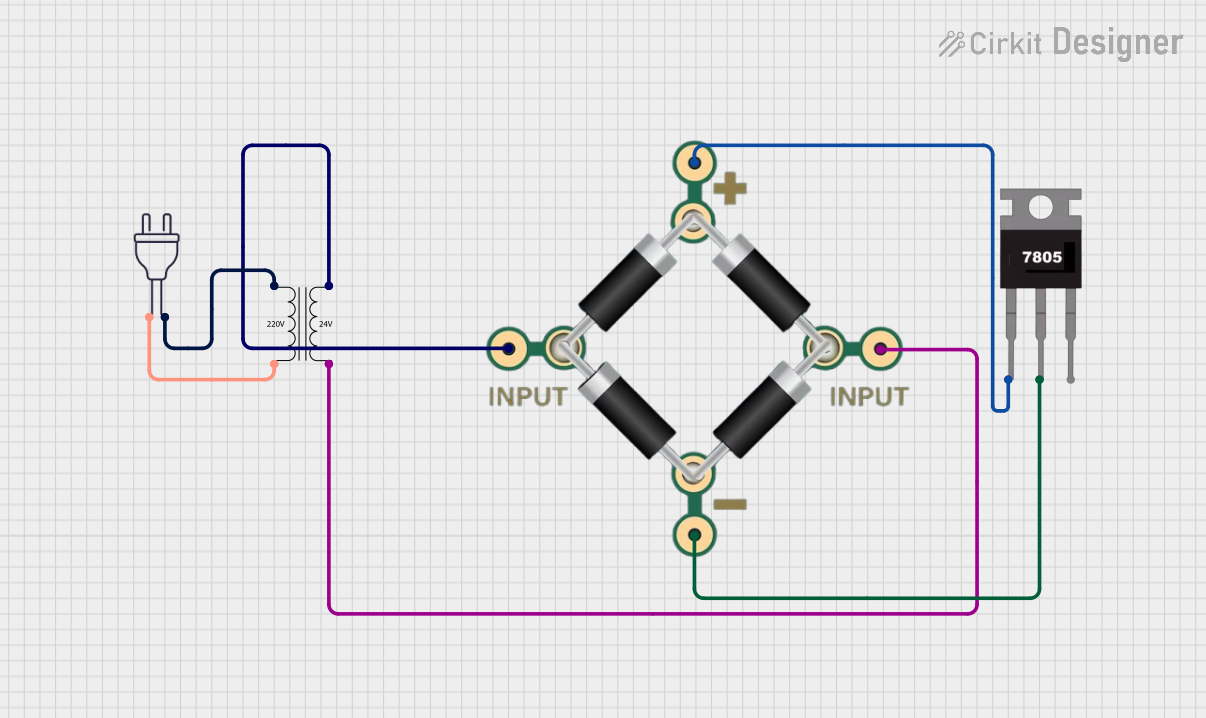 Open Project in Cirkit Designer
Explore Projects Built with Monacor line transformer
Open Project in Cirkit DesignerOpen Project in Cirkit DesignerOpen Project in Cirkit DesignerOpen Project in Cirkit DesignerCommon Applications
- Impedance matching between audio devices
- Electrical isolation to prevent ground loops
- Long-distance audio signal transmission in PA systems
- Audio distribution in commercial and industrial setups
- Noise reduction in audio systems
Technical Specifications
The following table outlines the key technical details of the Monacor LTR-110 line transformer:
| Parameter | Specification |
|---|---|
| Manufacturer | Monacor |
| Part Number | LTR-110 |
| Frequency Response | 50 Hz – 15 kHz |
| Impedance Ratio | 100 V / 8 Ω |
| Power Rating | 10 W |
| Dimensions | 70 mm x 50 mm x 40 mm |
| Weight | 0.3 kg |
| Primary Voltage | 100 V |
| Secondary Impedance | 8 Ω |
| Isolation | Galvanic isolation |
Pin Configuration and Descriptions
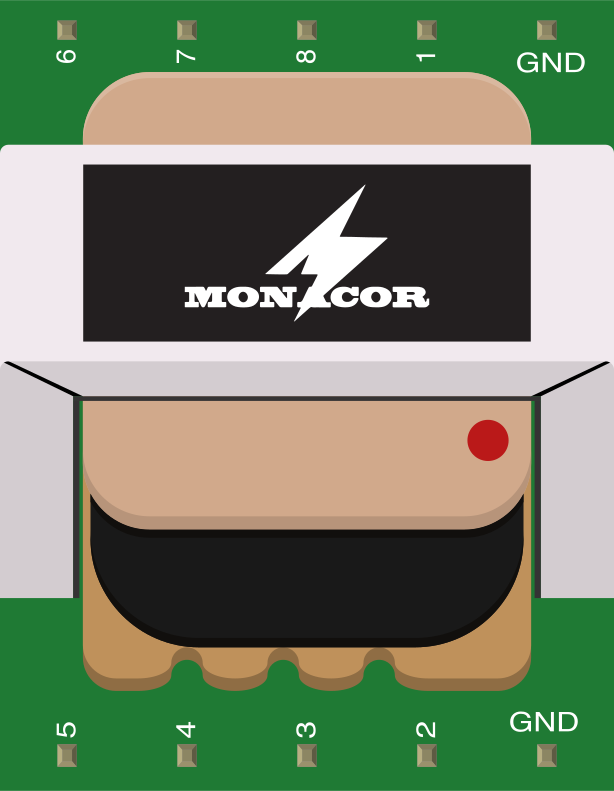
The Monacor LTR-110 features a simple wiring interface for easy integration into audio systems. The pin configuration is as follows:
| Pin | Description |
|---|---|
| 1 | Primary input (+) – Connect to the 100 V line |
| 2 | Primary input (-) – Connect to the 100 V line ground |
| 3 | Secondary output (+) – Connect to the 8 Ω load |
| 4 | Secondary output (-) – Connect to the load ground |
Usage Instructions
How to Use the LTR-110 in a Circuit
- Connect the Primary Side:
- Connect the primary input pins (1 and 2) to the 100 V audio line. Ensure proper polarity to avoid phase issues.
- Connect the Secondary Side:
- Connect the secondary output pins (3 and 4) to the 8 Ω speaker or load. Match the impedance for optimal performance.
- Mounting:
- Secure the transformer in a stable location using screws or brackets to prevent vibration or movement.
- Testing:
- After wiring, test the system to ensure proper signal transmission and audio quality.
Important Considerations
- Impedance Matching: Ensure the connected load matches the transformer's secondary impedance (8 Ω) for efficient power transfer.
- Isolation: Use the transformer to eliminate ground loops and reduce noise in the audio system.
- Power Handling: Do not exceed the transformer's power rating of 10 W to avoid overheating or damage.
- Environment: Install the transformer in a dry, ventilated area to prevent moisture or overheating.
Example: Connecting to an Arduino UNO
While the LTR-110 is not directly compatible with microcontrollers like the Arduino UNO, it can be used in conjunction with an audio amplifier circuit to interface with Arduino-based audio projects. Below is an example of how to generate an audio signal using an Arduino and feed it into an amplifier connected to the LTR-110:
/*
  Example: Generating a simple audio tone with Arduino
  This code generates a 1 kHz square wave on pin 9, which can be fed into
  an audio amplifier connected to the LTR-110 transformer.
*/

const int audioPin = 9; // Pin connected to the audio amplifier input

void setup() {
  pinMode(audioPin, OUTPUT); // Set the pin as an output
}

void loop() {
  tone(audioPin, 1000); // Generate a 1 kHz tone
  delay(1000);          // Play the tone for 1 second
  noTone(audioPin);     // Stop the tone
  delay(1000);          // Wait for 1 second before repeating
}
Note: Use an appropriate amplifier circuit between the Arduino and the LTR-110 to ensure proper signal levels.
Troubleshooting and FAQs
Common Issues and Solutions
| Issue | Possible Cause | Solution |
|---|---|---|
| No sound output from the speaker | Incorrect wiring or loose connections | Verify all connections and ensure proper wiring. |
| Distorted audio signal | Impedance mismatch or overloading | Check the load impedance and ensure it matches the transformer's rating. |
| Transformer overheating | Exceeding the power rating | Ensure the connected load does not exceed 10 W. |
| Noise or hum in the audio signal | Ground loop or poor isolation | Verify proper grounding and use the transformer for isolation. |
FAQs
Can the LTR-110 be used with a 70 V audio line?
No, the LTR-110 is specifically designed for 100 V audio lines. Using it with a 70 V line may result in improper performance.What is the maximum cable length for the primary side?
The maximum cable length depends on the cable type and gauge, but the transformer is optimized for long-distance transmission in 100 V systems.Can the transformer handle stereo audio signals?
No, the LTR-110 is designed for mono audio signals. For stereo applications, use two transformers.Is the transformer suitable for outdoor use?
The LTR-110 is not weatherproof. Use it in indoor or protected environments only.
By following this documentation, users can effectively integrate the Monacor LTR-110 line transformer into their audio systems for reliable and high-quality performance.