Cirkit Designer LogoCirkit DesignerYour all-in-one circuit design IDE Launch Cirkit Designer App

How to Use T250 Terminal: Examples, Pinouts, and Specs

Image of T250 TerminalDesign with T250 Terminal in Cirkit Designer

Introduction

The T250 Terminal is a versatile electrical connector designed to join electrical terminations and create reliable electrical circuits. It is widely used in various applications, including automotive, industrial, and consumer electronics. The T250 Terminal ensures secure and stable connections, making it an essential component for both simple and complex electrical systems.

Explore Projects Built with T250 Terminal

Use Cirkit Designer to design, explore, and prototype these projects online. Some projects support real-time simulation. Click "Open Project" to start designing instantly!
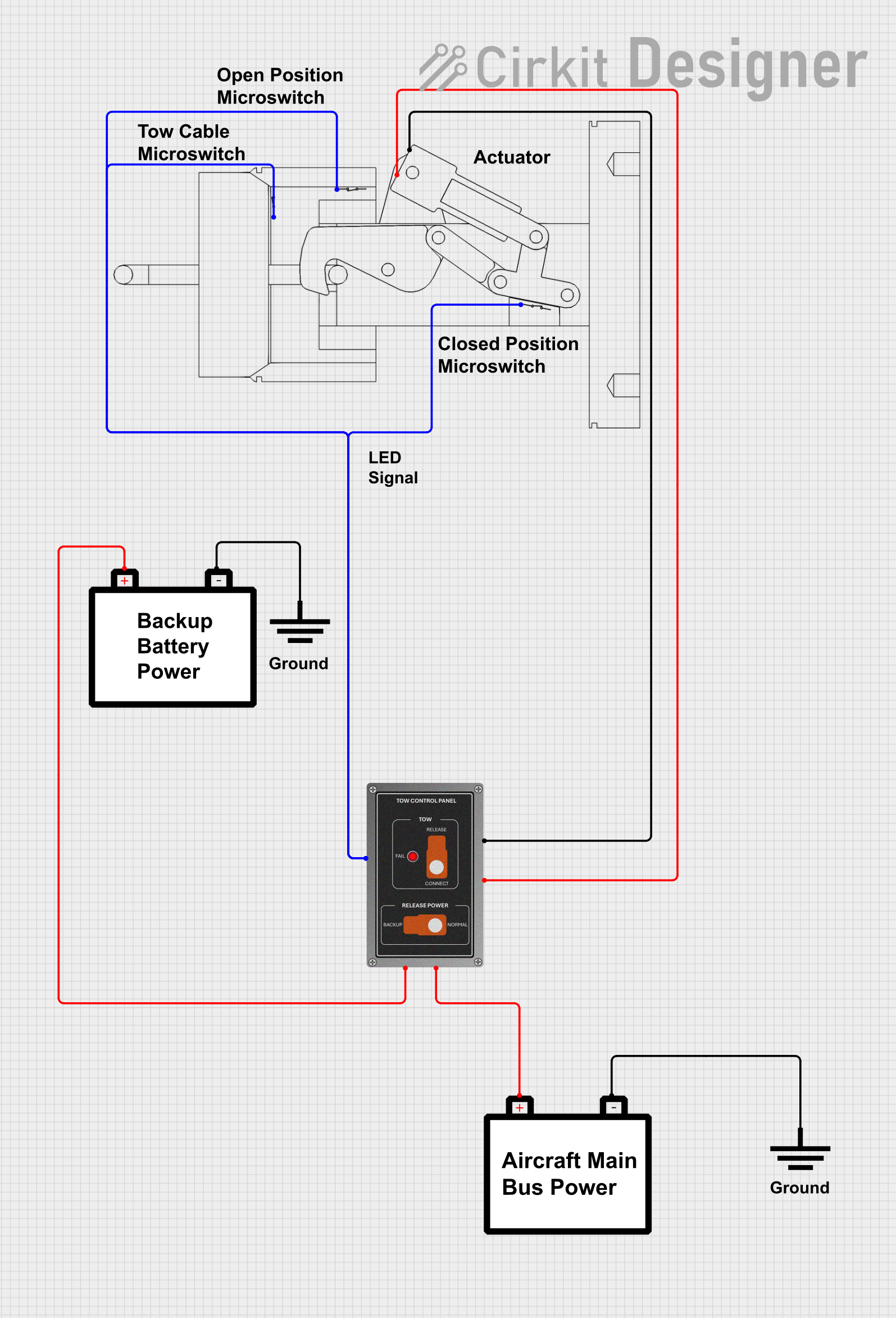
Image of Aircraft Tow Release Control System with Dual Battery Backup: A project utilizing T250 Terminal in a practical application
Aircraft Tow Release Control System with Dual Battery Backup

This circuit is designed for a tow release control system in an aircraft, featuring a P68 Tow Control Panel and a Tow Release With Switches assembly. The control panel receives power from two separate aircraft batteries, with one providing main power and the other serving as a backup. The Tow Release With Switches assembly is connected to the control panel, allowing for the actuation of the tow mechanism and providing feedback via an LED indicator.

Open Project in Cirkit Designer
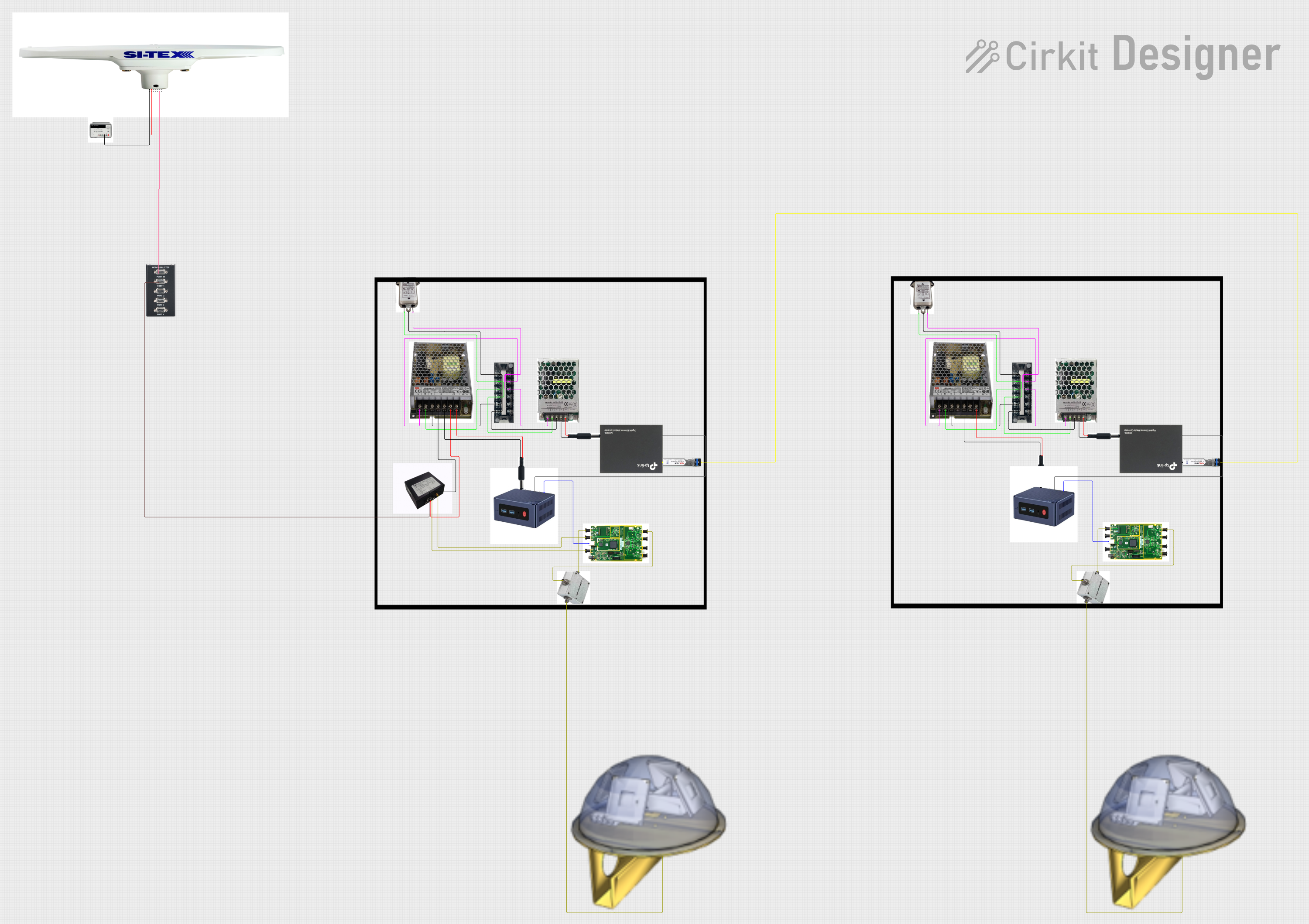
Image of Satellite-Based Timing and Navigation System with SDR and Atomic Clock Synchronization: A project utilizing T250 Terminal in a practical application
Satellite-Based Timing and Navigation System with SDR and Atomic Clock Synchronization

This circuit appears to be a complex system involving power supply management, GPS and timing synchronization, and data communication. It includes a SI-TEX G1 Satellite Compass for GPS data, an XHTF1021 Atomic Rubidium Clock for precise timing, and Ettus USRP B200 units for software-defined radio communication. Power is supplied through various SMPS units and distributed via terminal blocks and DC jacks. Data communication is facilitated by Beelink MINI S12 N95 computers, RS232 splitters, and a 1000BASE-T Media Converter for network connectivity. RF Directional Couplers are used to interface antennas with the USRP units, and the entire system is likely contained within cases for protection and organization.

Open Project in Cirkit Designer

Technical Specifications

Key Technical Details

Parameter Specification
Material Copper, Tin-plated
Wire Gauge 22-18 AWG
Voltage Rating 600V
Current Rating 15A
Temperature Range -40°C to 105°C
Insulation Type Nylon
Terminal Type Male/Female

Pin Configuration and Descriptions

Pin Number Description
1 Wire Insertion Point
2 Crimping Area
3 Connection Interface

Usage Instructions

How to Use the T250 Terminal in a Circuit

  1. Strip the Wire:

    • Strip approximately 1/4 inch of insulation from the end of the wire.
  2. Insert the Wire:

    • Insert the stripped end of the wire into the wire insertion point (Pin 1) of the T250 Terminal.
  3. Crimp the Terminal:

    • Use a crimping tool to crimp the terminal at the crimping area (Pin 2). Ensure a secure and firm crimp to avoid loose connections.
  4. Connect the Terminal:

    • Connect the T250 Terminal to its corresponding male or female counterpart at the connection interface (Pin 3).

Important Considerations and Best Practices

Troubleshooting and FAQs

Common Issues Users Might Face

  1. Loose Connections:

    • Solution: Ensure that the wire is properly stripped and securely crimped. Use a reliable crimping tool to avoid loose connections.
  2. Overheating:

    • Solution: Check the current rating of the terminal (15A). Ensure that the current flowing through the terminal does not exceed this rating.
  3. Corrosion:

    • Solution: Use terminals with tin-plated copper to resist corrosion. Ensure that the terminals are used in environments within the specified temperature range.

FAQs

Q1: Can I use the T250 Terminal for high-voltage applications?

Q2: What type of crimping tool should I use?

Q3: Can the T250 Terminal be used in outdoor applications?

Q4: How do I know if the crimp is secure?

By following these guidelines and best practices, you can ensure reliable and efficient use of the T250 Terminal in your electrical projects.