
How to Use polarizedheader 4pin 0.156in: Examples, Pinouts, and Specs
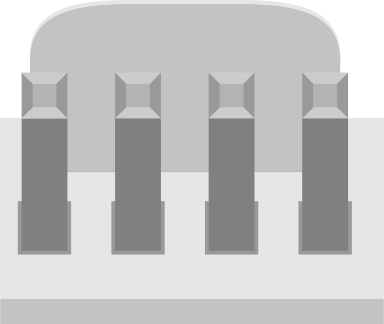
 Design with polarizedheader 4pin 0.156in in Cirkit Designer
Introduction
The polarized header 4-pin 0.156-inch connector is a reliable and widely used component in electronic circuits. It features a 4-pin configuration with a 0.156-inch (3.96mm) pitch between pins, ensuring secure and precise connections. The polarization feature prevents incorrect orientation during mating, reducing the risk of damage to the circuit or connected devices.
This connector is commonly used in power supply connections, control systems, and other applications where secure and error-free connections are critical. Its robust design makes it suitable for both hobbyist projects and industrial applications.
Explore Projects Built with polarizedheader 4pin 0.156in
 Open Project in Cirkit Designer
 Open Project in Cirkit Designer
 Open Project in Cirkit Designer
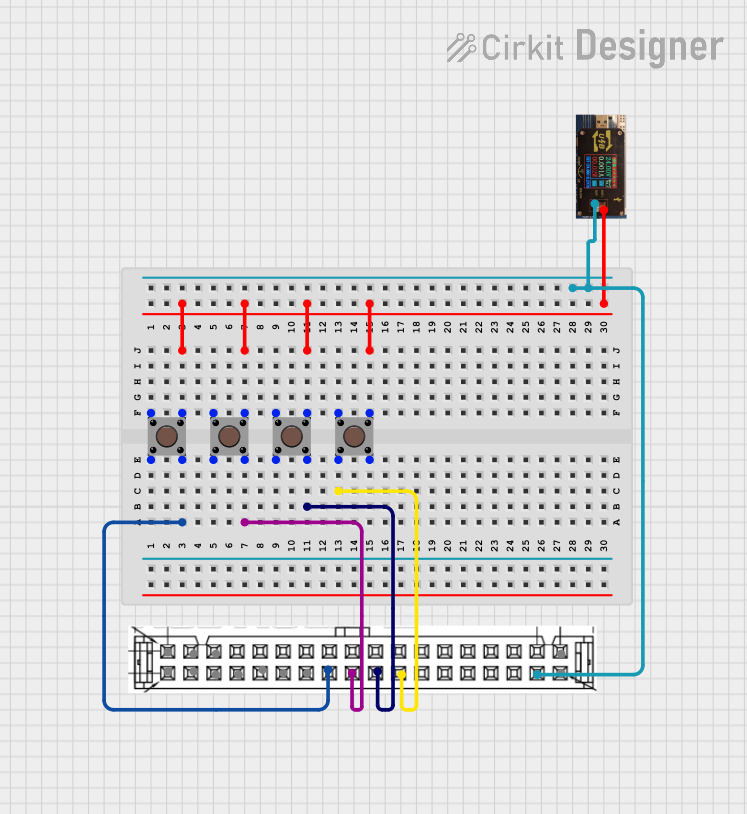 Open Project in Cirkit Designer
Explore Projects Built with polarizedheader 4pin 0.156in
Open Project in Cirkit DesignerOpen Project in Cirkit DesignerOpen Project in Cirkit DesignerOpen Project in Cirkit DesignerTechnical Specifications
- Number of Pins: 4
- Pitch: 0.156 inches (3.96mm)
- Rated Voltage: Up to 250V (varies by manufacturer)
- Rated Current: Typically 5A per pin (check specific product datasheet)
- Material:
- Insulator: Thermoplastic (UL94V-0 rated for flame resistance)
- Contacts: Tin or gold-plated copper alloy
- Operating Temperature: -40°C to +105°C
- Mounting Style: Through-hole or PCB mount
- Polarization: Keyed design to prevent incorrect mating
Pin Configuration and Descriptions
The 4-pin polarized header has the following pin layout:
| Pin Number | Description | Notes |
|---|---|---|
| 1 | Power (VCC) | Supplies power to the circuit |
| 2 | Ground (GND) | Common ground connection |
| 3 | Signal/Data Line 1 | For data or control signal |
| 4 | Signal/Data Line 2 | For data or control signal |
Note: The pin assignments may vary depending on the specific application. Always refer to the circuit design or schematic for proper connections.
Usage Instructions
How to Use the Component in a Circuit
Mounting the Header:
- Solder the header onto a PCB using the through-hole pads.
- Ensure the polarization key aligns with the mating connector to prevent misalignment.
Connecting Wires:
- Use a compatible polarized connector housing with crimped terminals.
- Insert the crimped wires into the housing, ensuring they snap securely into place.
- Mate the housing with the header, ensuring the keyed design aligns correctly.
Power and Signal Connections:
- Connect the power supply to the VCC and GND pins.
- Route signal or data lines to the appropriate pins (Signal/Data Line 1 and 2).
Important Considerations and Best Practices
- Check Voltage and Current Ratings: Ensure the header's voltage and current ratings match your circuit requirements.
- Use Proper Crimping Tools: For reliable connections, use a high-quality crimping tool to attach wires to terminals.
- Avoid Excessive Force: Do not force the connector into the header; ensure proper alignment before mating.
- Inspect Connections: Verify that all connections are secure and free of debris or oxidation.
Example: Connecting to an Arduino UNO
The polarized header can be used to connect external components, such as sensors or power supplies, to an Arduino UNO. Below is an example of connecting a 5V power supply and a sensor:
// Example: Reading a sensor connected via a polarized header
// Pin 1: VCC (5V from Arduino)
// Pin 2: GND (Ground)
// Pin 3: Sensor Signal (connected to A0 on Arduino)
// Pin 4: Not used in this example

const int sensorPin = A0; // Analog pin connected to the sensor signal

void setup() {
  Serial.begin(9600); // Initialize serial communication
  pinMode(sensorPin, INPUT); // Set sensor pin as input
}

void loop() {
  int sensorValue = analogRead(sensorPin); // Read sensor value
  Serial.print("Sensor Value: ");
  Serial.println(sensorValue); // Print sensor value to Serial Monitor
  delay(500); // Wait for 500ms before next reading
}
Note: Ensure the sensor's power and ground connections are properly aligned with the header's VCC and GND pins.
Troubleshooting and FAQs
Common Issues
Connector Does Not Fit:
- Cause: Misalignment of the polarization key.
- Solution: Check the orientation of the connector and realign it with the header.
Loose Connections:
- Cause: Poor crimping or damaged terminals.
- Solution: Re-crimp the wires using a proper tool or replace damaged terminals.
Intermittent Signal Loss:
- Cause: Oxidation or debris on the pins.
- Solution: Clean the pins with isopropyl alcohol and ensure a secure connection.
Overheating:
- Cause: Exceeding current rating.
- Solution: Verify the current draw of your circuit and ensure it is within the header's rated capacity.
FAQs
Q1: Can I use this header for high-frequency signals?
A1: While the header can handle moderate-frequency signals, it is not designed for high-frequency RF applications. Use specialized connectors for such cases.
Q2: Is the header compatible with breadboards?
A2: No, the 0.156-inch pitch is larger than the standard 0.1-inch breadboard pitch. Use a PCB or custom adapter for prototyping.
Q3: Can I use this header for AC connections?
A3: Yes, as long as the voltage and current ratings are not exceeded. Ensure proper insulation and safety precautions.
Q4: What tools are recommended for crimping?
A4: Use a ratcheting crimping tool designed for the specific terminal type used with the polarized connector housing.
By following this documentation, you can effectively integrate the polarized header 4-pin 0.156-inch connector into your electronic projects with confidence and reliability.