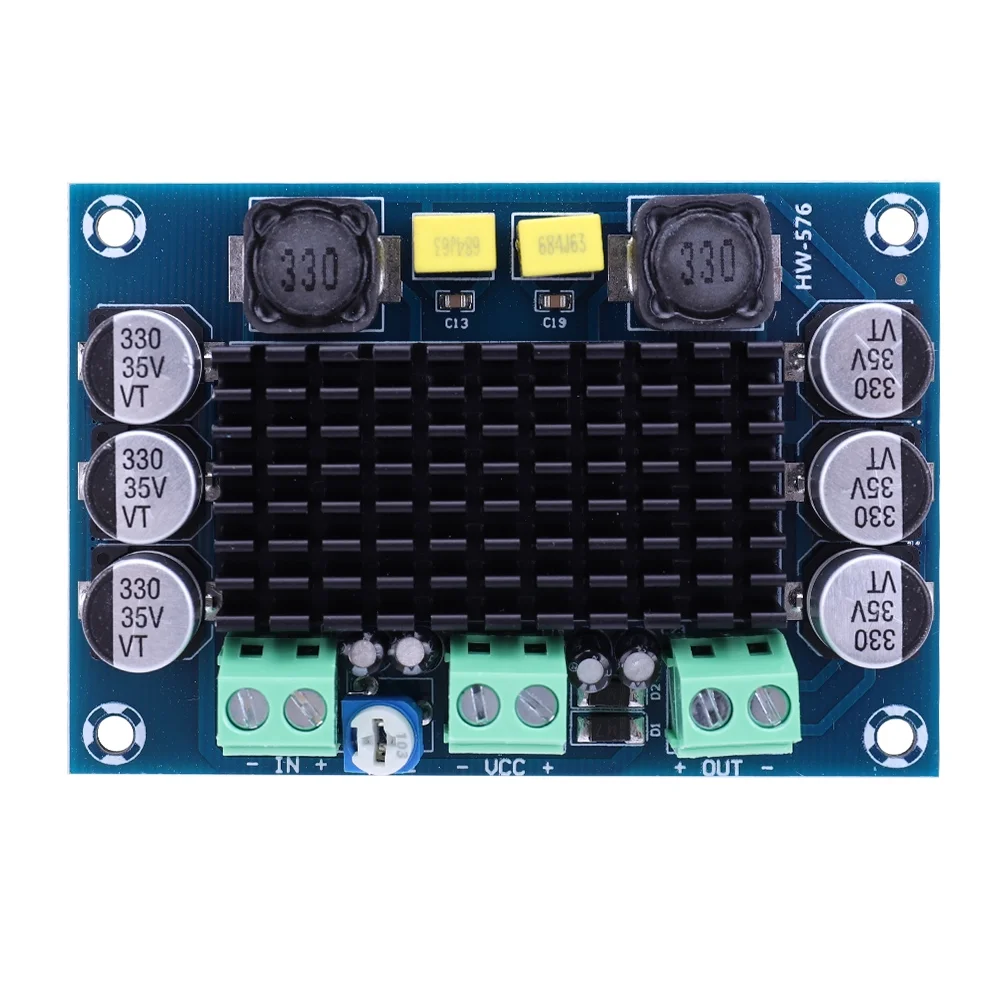
The HW-576 is a high-performance microcontroller designed for embedded applications. It is optimized for low power consumption, making it ideal for battery-powered devices. With multiple I/O ports and integrated communication interfaces, the HW-576 is versatile and suitable for a wide range of applications, including IoT devices, home automation, robotics, and industrial control systems.
Explore Projects Built with HW-576
Use Cirkit Designer to design, explore, and prototype these projects online. Some projects support real-time simulation. Click "Open Project" to start designing instantly!
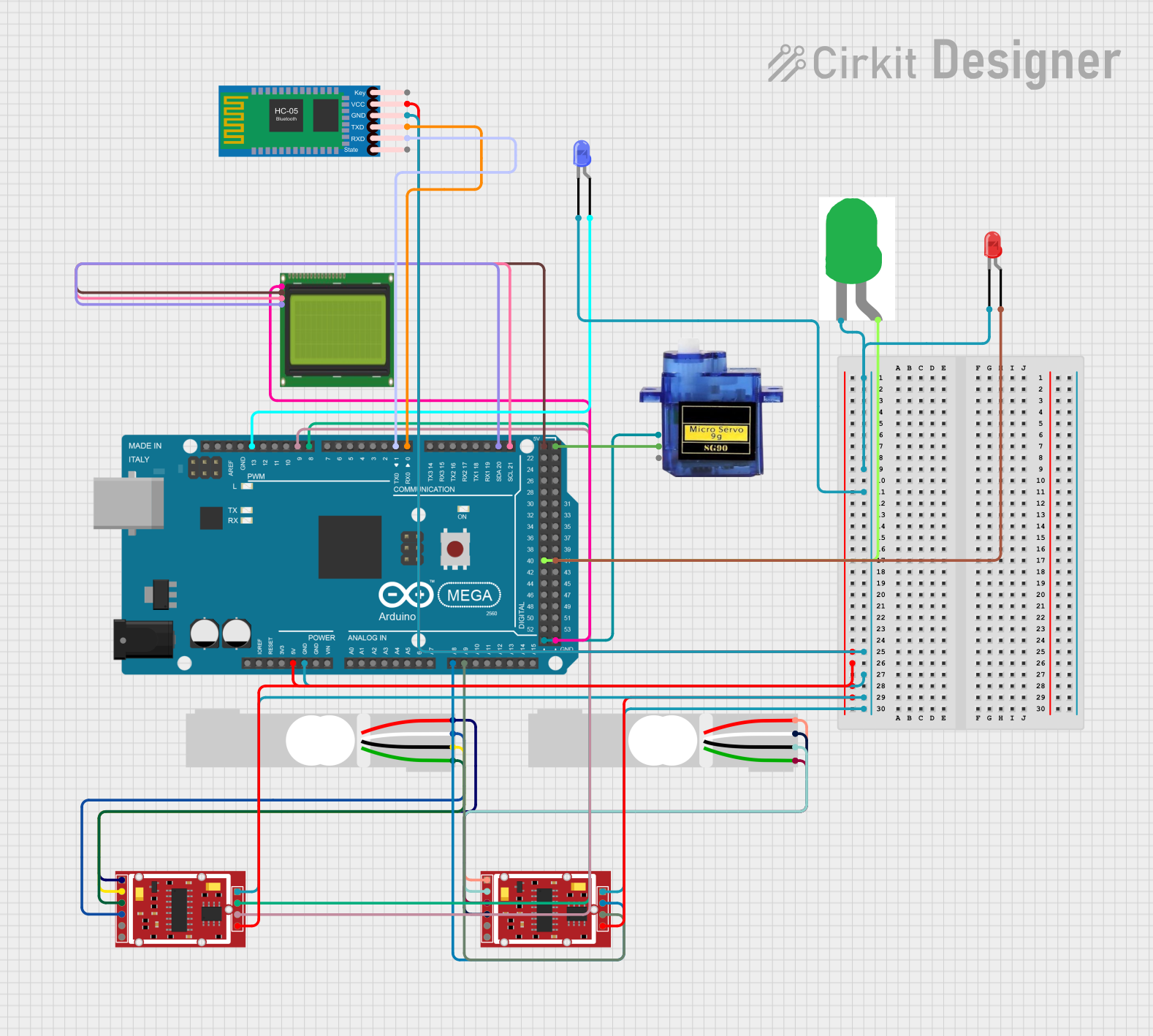
This circuit is a weighing system that uses two load cells connected to HX711 modules for weight measurement, interfaced with an Arduino Mega 2560. The system includes an LCD for displaying weight, a Bluetooth module for wireless communication, and LEDs for status indication, with a micro servo for additional mechanical control.
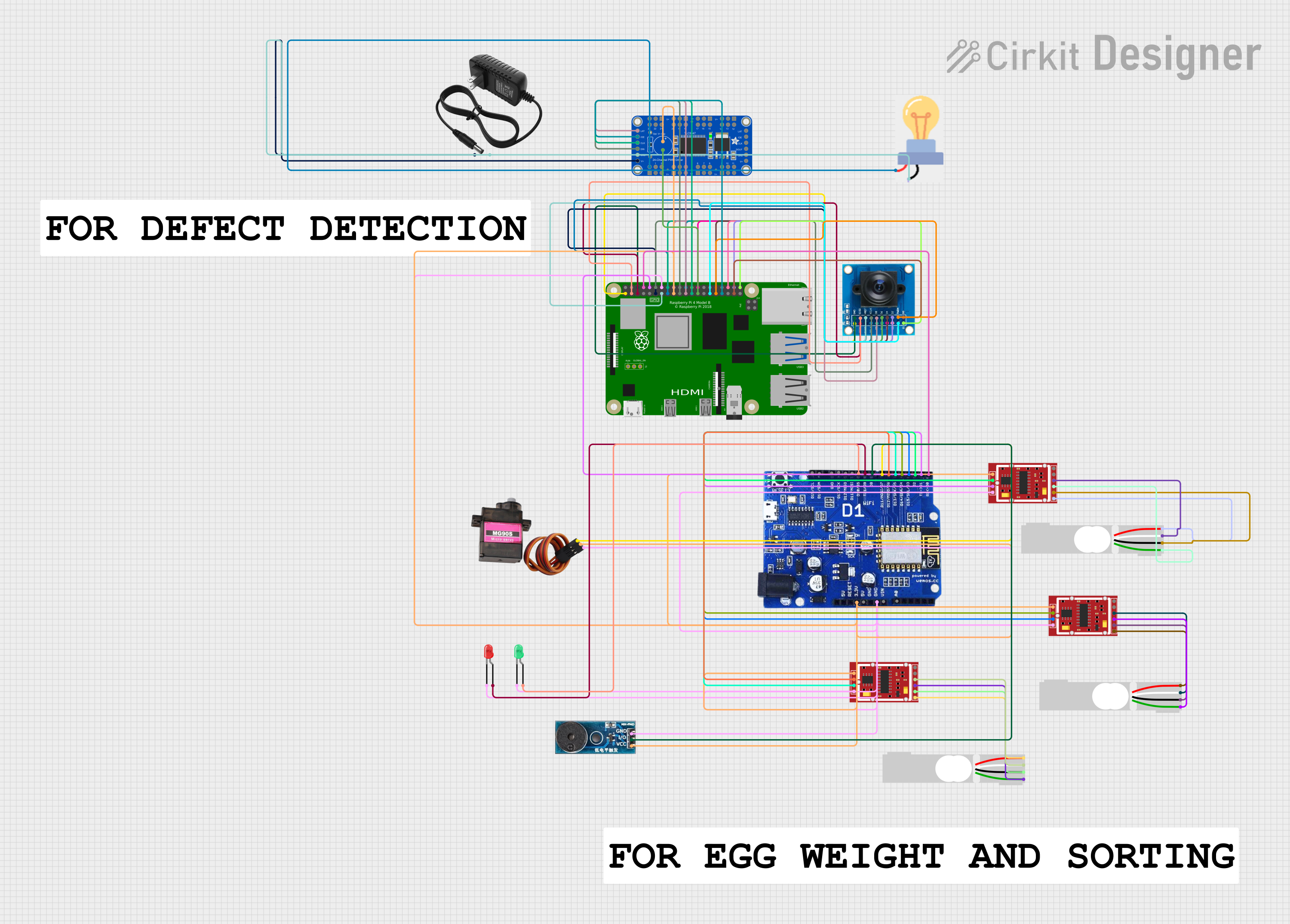
This circuit integrates multiple HX711 weighing sensor modules connected to load cells for weight measurement, an OV7725 camera module interfaced with a Raspberry Pi 4B for image capture, and a WeMOS ESP8266 for wireless communication. Additionally, it includes an Adafruit 24-Channel PWM LED driver for controlling LEDs and a buzzer module for audio alerts.
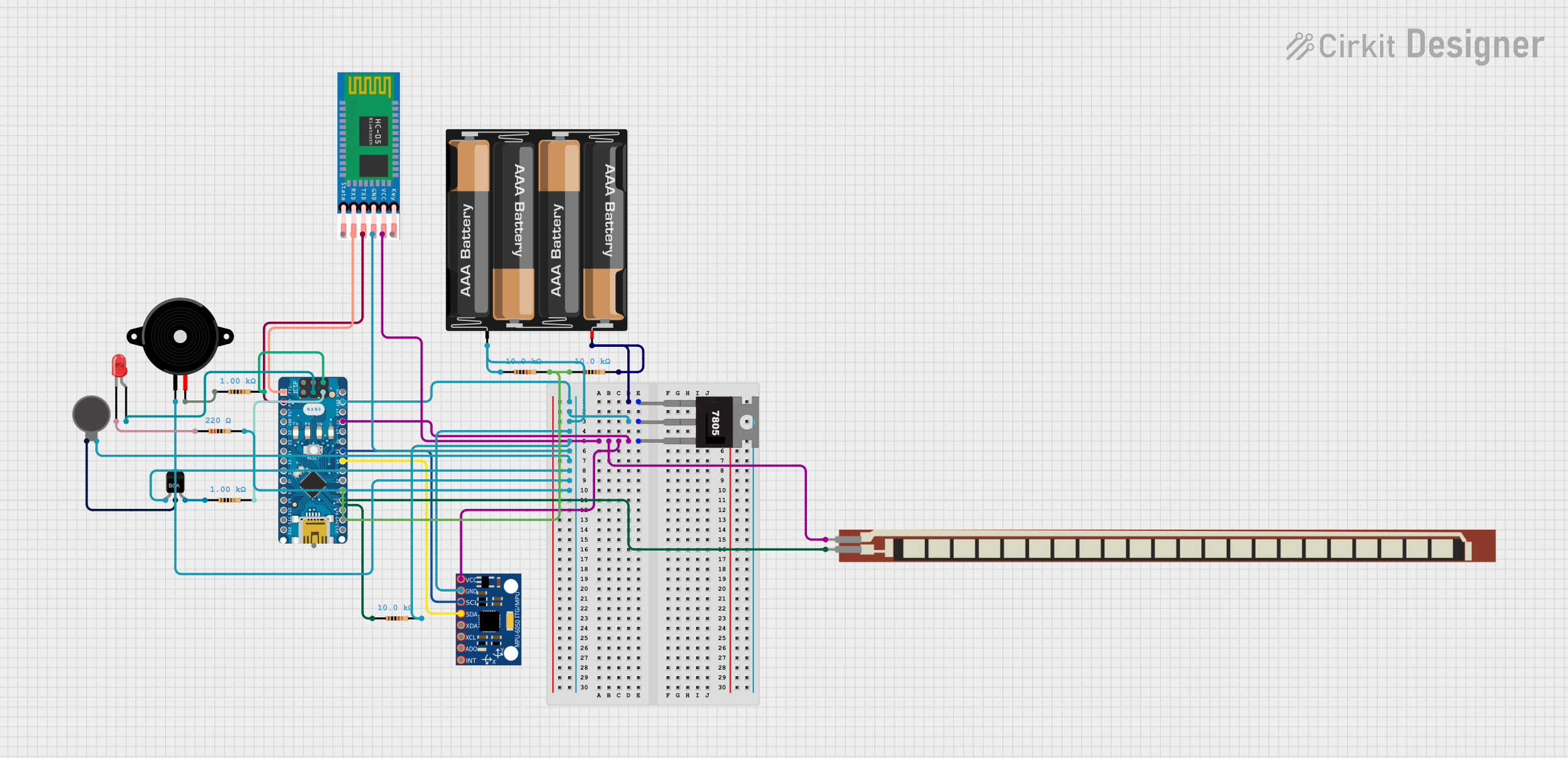
This is a battery-powered sensor system with Bluetooth communication, featuring an Arduino Nano for control, an MPU-6050 for motion sensing, and an HC-05 module for wireless data transmission. It includes a vibration motor for haptic feedback, a flex resistor as an additional sensor, and a piezo speaker and LED for alerts or status indication.
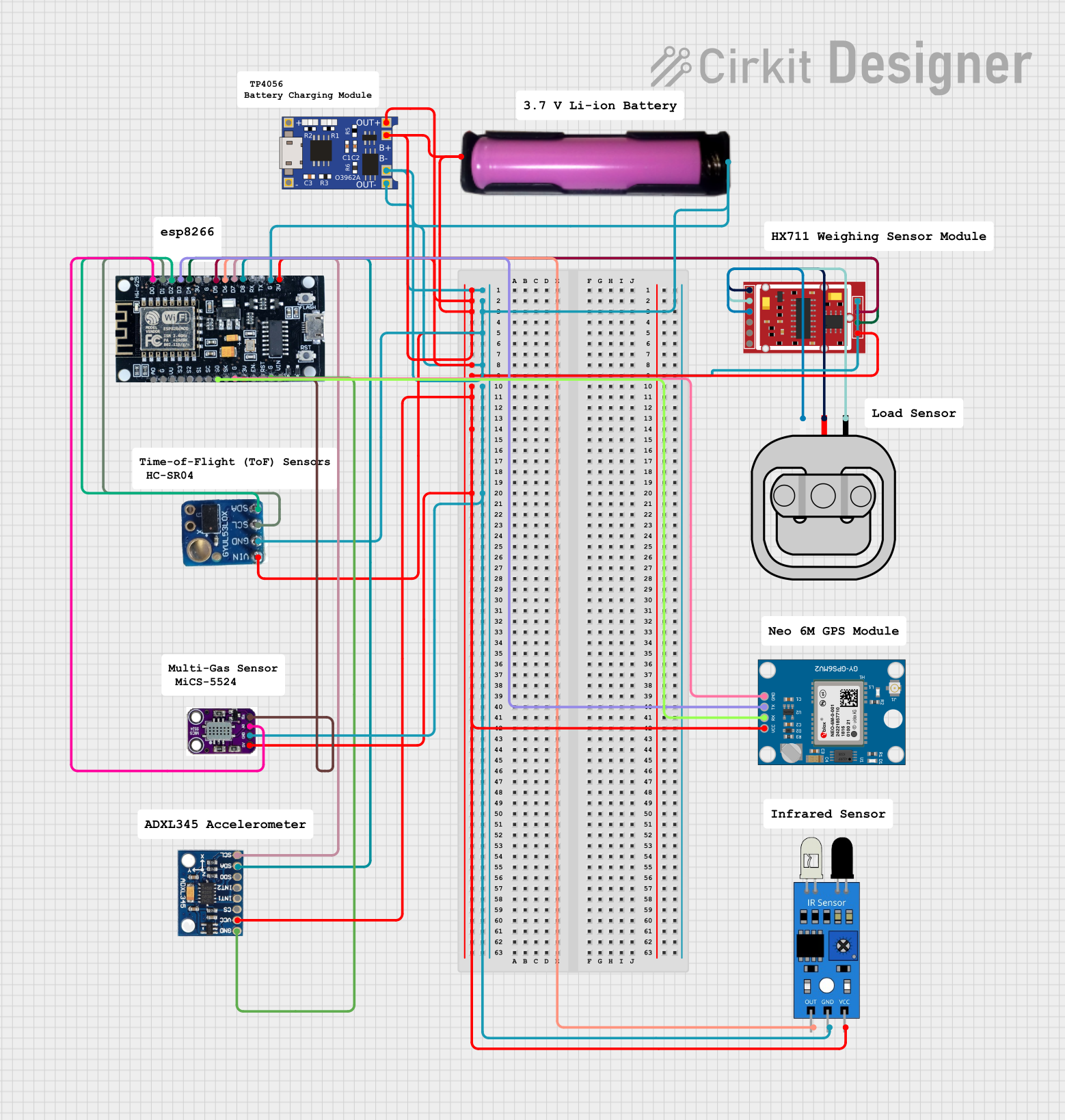
This circuit is a multi-sensor data acquisition system powered by a 18650 battery and managed by an ESP8266 microcontroller. It includes a load sensor interfaced with an HX711 module for weight measurement, an IR sensor, an ADXL345 accelerometer, a VL53L0X distance sensor, and a Neo 6M GPS module for location tracking. The system is designed for wireless data transmission and is supported by a TP4056 module for battery charging.
The HW-576 microcontroller offers robust performance and flexibility. Below are its key technical details:
General Specifications
Parameter
Value
Operating Voltage
3.3V to 5V
Clock Speed
48 MHz
Flash Memory
64 KB
SRAM
8 KB
GPIO Pins
20
Communication Interfaces
UART, SPI, I2C
ADC Resolution
10-bit
Power Consumption
< 1 mA in low-power mode
Operating Temperature
-40°C to 85°C
Pin Configuration and Descriptions
The HW-576 has a total of 28 pins, with the following configuration:
Pin Number
Pin Name
Description
1
VCC
Power supply input (3.3V to 5V)
2
GND
Ground
3
GPIO1
General-purpose I/O pin
4
GPIO2
General-purpose I/O pin
5
GPIO3
General-purpose I/O pin
6
GPIO4
General-purpose I/O pin
7
UART_TX
UART Transmit
8
UART_RX
UART Receive
9
SPI_MOSI
SPI Master Out Slave In
10
SPI_MISO
SPI Master In Slave Out
11
SPI_SCK
SPI Clock
12
SPI_CS
SPI Chip Select
13
I2C_SDA
I2C Data Line
14
I2C_SCL
I2C Clock Line
15
ADC_IN1
Analog-to-Digital Converter Input 1
16
ADC_IN2
Analog-to-Digital Converter Input 2
17
PWM_OUT1
PWM Output 1
18
PWM_OUT2
PWM Output 2
19
RESET
Reset pin
20
NC
Not connected
Usage Instructions
The HW-576 microcontroller is easy to integrate into a variety of circuits. Below are the steps and best practices for using it effectively:
How to Use the HW-576 in a Circuit
Power Supply: Connect the VCC pin to a stable 3.3V or 5V power source and the GND pin to ground.
I/O Configuration: Configure the GPIO pins as input or output based on your application. Use pull-up or pull-down resistors if necessary.
Communication Interfaces:
For UART communication, connect the UART_TX and UART_RX pins to the corresponding pins on your device.
For SPI, connect SPI_MOSI, SPI_MISO, SPI_SCK, and SPI_CS to the SPI bus.
For I2C, connect I2C_SDA and I2C_SCL to the I2C bus with appropriate pull-up resistors.
Analog Inputs: Use the ADC_IN pins for reading analog signals. Ensure the input voltage does not exceed the operating voltage range.
PWM Outputs: Use the PWM_OUT pins for applications like motor control or LED dimming.
Important Considerations and Best Practices
Power Supply Stability: Use decoupling capacitors (e.g., 0.1 µF) near the VCC pin to ensure stable operation.
Pin Protection: Avoid exceeding the voltage and current ratings of the pins to prevent damage.
Low-Power Mode: Utilize the low-power mode for battery-powered applications to extend battery life.
Reset Pin: Connect the RESET pin to a push-button or external circuit for manual resets.
Example: Connecting HW-576 to an Arduino UNO
The HW-576 can be interfaced with an Arduino UNO for prototyping. Below is an example of using the UART interface:
Arduino Code Example
// Example: Communicating with HW-576 via UART
// Connect HW-576 UART_TX to Arduino RX (Pin 0)
// Connect HW-576 UART_RX to Arduino TX (Pin 1)

void setup() {
  Serial.begin(9600); // Initialize UART communication at 9600 baud
  Serial.println("HW-576 Communication Initialized");
}

void loop() {
  if (Serial.available()) {
    // Read data from HW-576 and echo it back
    char data = Serial.read();
    Serial.print("Received: ");
    Serial.println(data);
  }
}
Troubleshooting and FAQs
Common Issues and Solutions
Microcontroller Not Powering On
Cause: Insufficient or unstable power supply.
Solution: Verify the power source and ensure proper connections to the VCC and GND pins.
No Communication via UART
Cause: Incorrect baud rate or wiring.
Solution: Ensure the baud rate matches on both devices and check the TX/RX connections.
Analog Readings Are Inaccurate
Cause: Noise or incorrect input voltage.
Solution: Use a low-pass filter to reduce noise and ensure the input voltage is within the ADC range.
Microcontroller Overheating
Cause: Excessive current draw or short circuit.
Solution: Check for shorts and ensure the current draw is within the specified limits.
FAQs
Q1: Can the HW-576 operate at 5V?
A1: Yes, the HW-576 supports an operating voltage range of 3.3V to 5V.
Q2: Does the HW-576 support external interrupts?
A2: Yes, the GPIO pins can be configured to handle external interrupts.
Q3: How do I update the firmware on the HW-576?
A3: Firmware updates can be performed via the UART interface using a bootloader.
Q4: Can I use the HW-576 for wireless communication?
A4: The HW-576 does not have built-in wireless capabilities, but you can interface it with external wireless modules like ESP8266 or NRF24L01.
This concludes the documentation for the HW-576 microcontroller.

 Open Project in Cirkit Designer