
How to Use High voltage generator: Examples, Pinouts, and Specs
 Design with High voltage generator in Cirkit Designer
Introduction
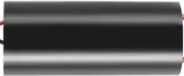
The High Voltage Generator (Manufacturer: Sandeep, Part ID: voltage) is a specialized electronic component designed to produce high-voltage electricity from a low-voltage input. This device is commonly used in applications requiring high voltage, such as particle accelerators, X-ray machines, electrostatic devices, and other scientific or industrial equipment. Its compact design and efficient operation make it a versatile choice for high-voltage applications.
Explore Projects Built with High voltage generator
 Open Project in Cirkit Designer
 Open Project in Cirkit Designer
 Open Project in Cirkit Designer
 Open Project in Cirkit Designer
Explore Projects Built with High voltage generator
Open Project in Cirkit DesignerOpen Project in Cirkit DesignerOpen Project in Cirkit DesignerOpen Project in Cirkit DesignerCommon Applications and Use Cases
- Particle accelerators
- X-ray machines
- Electrostatic precipitators
- High-voltage testing equipment
- Scientific experiments requiring high voltage
- Plasma generation and ionization
Technical Specifications
The following table outlines the key technical details of the High Voltage Generator:
| Parameter | Value |
|---|---|
| Input Voltage | 3V to 12V DC |
| Output Voltage | Up to 50kV DC |
| Output Current | 0.5mA to 1mA |
| Power Consumption | ≤ 10W |
| Operating Temperature | -10°C to 50°C |
| Dimensions | 70mm x 25mm x 20mm |
| Weight | 50g |
Pin Configuration and Descriptions
The High Voltage Generator typically has four pins or wires for connection. The table below describes each pin:
| Pin/Wire | Name | Description |
|---|---|---|
| 1 | Input (+) | Positive DC input voltage (3V to 12V). Connect to the positive terminal of the power source. |
| 2 | Input (-) | Negative DC input voltage. Connect to the ground of the power source. |
| 3 | Output (+) | High-voltage positive output. Use appropriate insulation and safety precautions. |
| 4 | Output (-) | High-voltage negative output. Use appropriate insulation and safety precautions. |
Usage Instructions
How to Use the Component in a Circuit
- Power Supply: Connect the input pins to a DC power source within the specified voltage range (3V to 12V). Ensure the power source can supply sufficient current (at least 1A) for stable operation.
- Output Connections: Connect the high-voltage output pins to the desired load or application. Use high-voltage-rated wires and insulation to prevent arcing or electrical hazards.
- Safety Precautions: Always handle the high-voltage output with extreme care. Avoid direct contact with the output terminals, and ensure the circuit is powered off before making any adjustments.
Important Considerations and Best Practices
- Insulation: Use high-quality insulation materials for all high-voltage connections to prevent accidental discharge or arcing.
- Heat Dissipation: Ensure adequate ventilation or heat sinking to prevent the generator from overheating during prolonged use.
- Load Matching: Avoid operating the generator without a load, as this may cause damage to the internal circuitry.
- Safety First: Always follow proper safety protocols when working with high-voltage equipment. Use insulated tools and wear protective gear if necessary.
Example: Connecting to an Arduino UNO
The High Voltage Generator can be controlled using an Arduino UNO to turn it on or off via a relay module. Below is an example circuit and code:
Circuit Setup
- Connect the input pins of the High Voltage Generator to the relay module's output.
- Connect the relay module's control pin to an Arduino digital pin (e.g., pin 7).
- Power the Arduino and the High Voltage Generator with appropriate power supplies.
Arduino Code
// High Voltage Generator Control with Arduino UNO
// This code toggles the high voltage generator on and off every 5 seconds.

const int relayPin = 7; // Pin connected to the relay module

void setup() {
  pinMode(relayPin, OUTPUT); // Set relay pin as output
  digitalWrite(relayPin, LOW); // Ensure the relay is off at startup
}

void loop() {
  digitalWrite(relayPin, HIGH); // Turn on the high voltage generator
  delay(5000); // Keep it on for 5 seconds
  digitalWrite(relayPin, LOW); // Turn off the high voltage generator
  delay(5000); // Keep it off for 5 seconds
}
Note: Ensure the relay module is rated for the input voltage and current of the High Voltage Generator.
Troubleshooting and FAQs
Common Issues and Solutions
| Issue | Possible Cause | Solution |
|---|---|---|
| No output voltage | Insufficient input voltage or current | Verify the input voltage is within the 3V-12V range and the power source can supply at least 1A. |
| Overheating | Prolonged operation or inadequate cooling | Ensure proper ventilation or add a heat sink to dissipate heat effectively. |
| Arcing or electrical discharge | Poor insulation or loose connections | Use high-voltage-rated wires and ensure all connections are secure and insulated. |
| Output voltage lower than expected | Load mismatch or insufficient input power | Check the load requirements and ensure the input power source is adequate. |
FAQs
Can I use this generator with an AC power source?
- No, the High Voltage Generator requires a DC input voltage. Using an AC source may damage the component.
What safety precautions should I take when using this component?
- Always handle the high-voltage output with care. Use insulated tools, avoid direct contact with the output terminals, and ensure the circuit is powered off before making adjustments.
Can I operate the generator without a load?
- It is not recommended to operate the generator without a load, as this may cause internal damage or instability.
What is the maximum safe operating time for this generator?
- The generator can operate continuously as long as it is within the specified input voltage range and has adequate cooling to prevent overheating.
By following this documentation, users can safely and effectively integrate the High Voltage Generator into their projects. Always prioritize safety when working with high-voltage components.