
How to Use Circuit Playground Express (CPX): Examples, Pinouts, and Specs
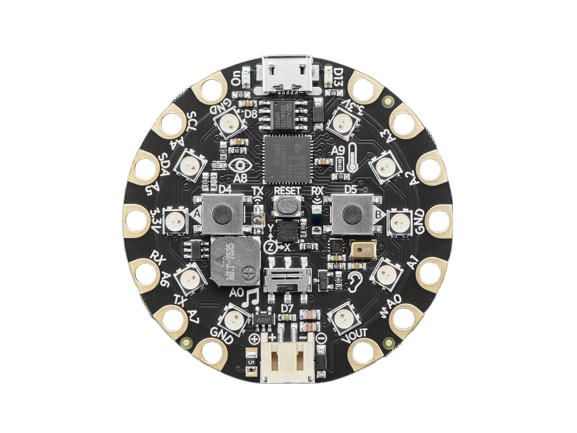
 Design with Circuit Playground Express (CPX) in Cirkit Designer
Introduction
The Circuit Playground Express (CPX), manufactured by Adafruit (Part ID: 3333), is a versatile microcontroller board designed for education, prototyping, and creative projects. It features a rich set of built-in sensors, LEDs, and connectivity options, making it an excellent tool for learning programming, electronics, and interactive design.
Explore Projects Built with Circuit Playground Express (CPX)
 Open Project in Cirkit Designer
 Open Project in Cirkit Designer
 Open Project in Cirkit Designer
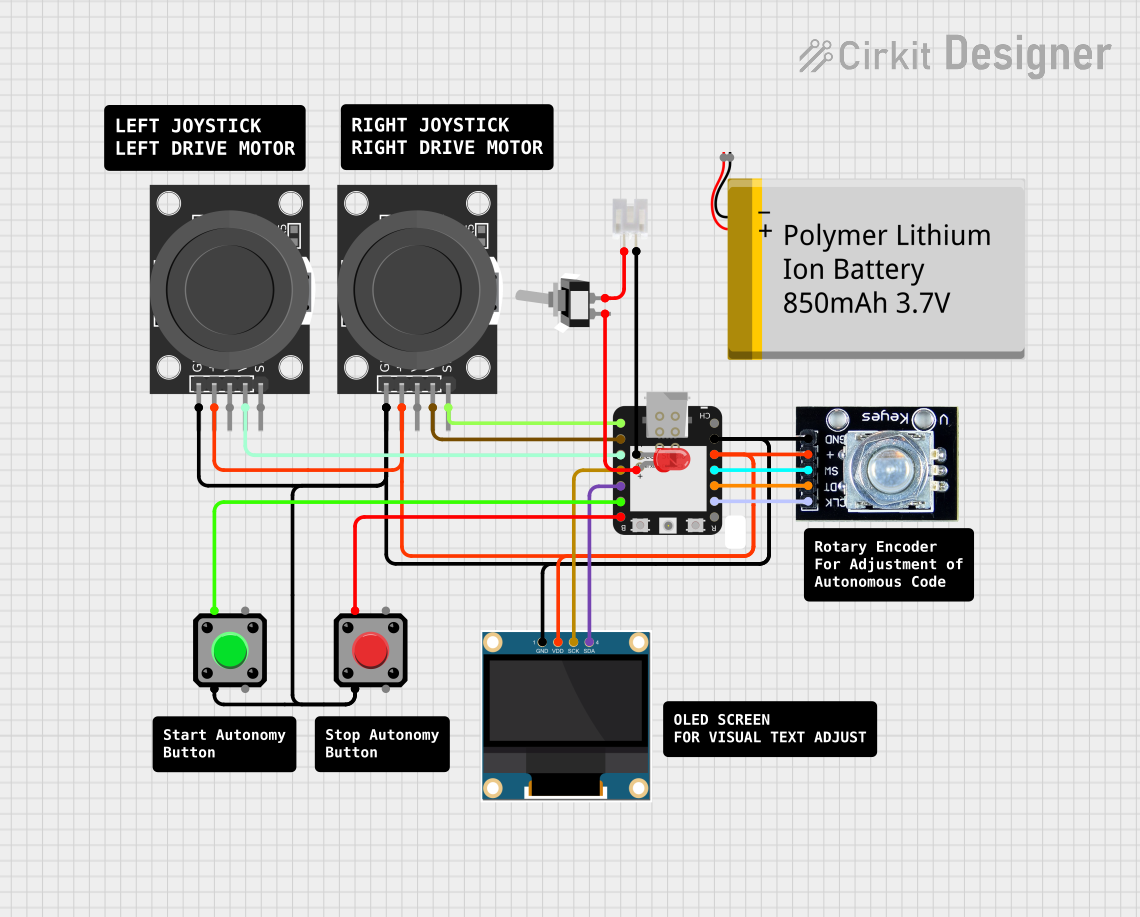 Open Project in Cirkit Designer
Explore Projects Built with Circuit Playground Express (CPX)
Open Project in Cirkit DesignerOpen Project in Cirkit DesignerOpen Project in Cirkit DesignerOpen Project in Cirkit DesignerCommon Applications and Use Cases
- STEM Education: Ideal for teaching programming and electronics to beginners.
- Wearable Electronics: Compact size and onboard LEDs make it suitable for wearable projects.
- Prototyping: Built-in sensors and connectors simplify rapid prototyping.
- Interactive Art: Use the onboard LEDs and sensors to create interactive installations.
- IoT Projects: With its connectivity options, CPX can be used in Internet of Things applications.
Technical Specifications
The Circuit Playground Express is packed with features to support a wide range of projects. Below are its key technical details:
General Specifications
| Feature | Description |
|---|---|
| Microcontroller | ATSAMD21 ARM Cortex-M0+ 32-bit processor |
| Flash Memory | 2 MB SPI Flash for file storage |
| Operating Voltage | 3.3V (logic level) |
| Power Supply | USB, JST battery connector, or external power (3.3V–6V) |
| Dimensions | 50mm diameter, 5.6mm thick |
Built-in Components
| Component | Description |
|---|---|
| LEDs | 10 RGB NeoPixels (individually addressable) |
| Buttons | 2 push buttons (A and B) |
| Switch | 1 slide switch |
| Sensors | Light, temperature, sound, motion (accelerometer), and capacitive touch |
| Speaker | Mini speaker for audio output |
| Microphone | MEMS microphone for sound input |
| IR Communication | Infrared transmitter and receiver |
Pin Configuration
The CPX does not have traditional pins but instead features pads around its edge. These pads are labeled and can be used for alligator clips or soldering.
| Pad Label | Function |
|---|---|
| A1–A7 | Analog/Digital I/O pins |
| TX/RX | UART communication pins |
| 3.3V | 3.3V power output |
| GND | Ground |
| SDA/SCL | I2C communication pins |
Usage Instructions
The Circuit Playground Express is designed to be beginner-friendly and versatile. Below are the steps and best practices for using it in a circuit.
Getting Started
Powering the CPX:
- Connect via USB to a computer for programming and power.
- Use a 3.7V LiPo battery with the JST connector for portable projects.
- Supply external power (3.3V–6V) to the pads labeled
3.3VandGND.
Programming the CPX:
- The CPX supports multiple programming environments:
- MakeCode: A block-based coding platform for beginners.
- CircuitPython: A Python-based environment for more advanced users.
- Arduino IDE: For those familiar with Arduino programming.
- The CPX supports multiple programming environments:
Connecting Components:
- Use alligator clips or solder wires to the edge pads for connecting external components.
- Ensure proper polarity when connecting power or external devices.
Example: Using CPX with Arduino IDE
Below is an example of controlling the onboard NeoPixels using the Arduino IDE:
#include <Adafruit_CircuitPlayground.h> // Include the CPX library

void setup() {
  CircuitPlayground.begin(); // Initialize the CPX board
}

void loop() {
  // Turn all NeoPixels red
  CircuitPlayground.setPixelColor(0, 255, 0, 0); // Set pixel 0 to red
  delay(500); // Wait for 500ms

  // Turn all NeoPixels green
  CircuitPlayground.setPixelColor(0, 0, 255, 0); // Set pixel 0 to green
  delay(500); // Wait for 500ms
}
Best Practices
- Avoid shorting the edge pads to prevent damage to the board.
- Use the onboard sensors and LEDs to prototype before adding external components.
- When using external power, ensure the voltage does not exceed 6V.
Troubleshooting and FAQs
Common Issues and Solutions
CPX Not Recognized by Computer:
- Ensure the USB cable is data-capable (not just for charging).
- Check that the CPX is in bootloader mode (double-tap the reset button).
NeoPixels Not Lighting Up:
- Verify that the
CircuitPlayground.begin()function is called in your code. - Ensure the CPX is properly powered.
- Verify that the
Code Not Uploading:
- Confirm that the correct board and port are selected in the Arduino IDE.
- If using CircuitPython, ensure the CPX is in the correct mode for programming.
Sensors Not Responding:
- Check the code for proper initialization of the sensor.
- Ensure no external components are interfering with the onboard sensors.
FAQs
Q: Can I use the CPX with a breadboard?
A: The CPX is not breadboard-compatible due to its circular design, but you can use alligator clips or solder wires to connect it to a breadboard.
Q: What is the maximum current draw of the NeoPixels?
A: Each NeoPixel can draw up to 60mA at full brightness (white). Use external power if driving all LEDs at high brightness.
Q: Can I use the CPX for wireless communication?
A: The CPX does not have built-in Wi-Fi or Bluetooth, but you can add wireless modules via the edge pads.
By following this documentation, you can unlock the full potential of the Circuit Playground Express for your projects!