Cirkit Designer LogoCirkit DesignerYour all-in-one circuit design IDE Launch Cirkit Designer App

How to Use Ultrasonic Distance Measurement Control Board Rangefinder 3 Bit LED Display: Examples, Pinouts, and Specs

Image of Ultrasonic Distance Measurement Control Board Rangefinder 3 Bit LED DisplayDesign with Ultrasonic Distance Measurement Control Board Rangefinder 3 Bit LED Display in Cirkit Designer

Introduction

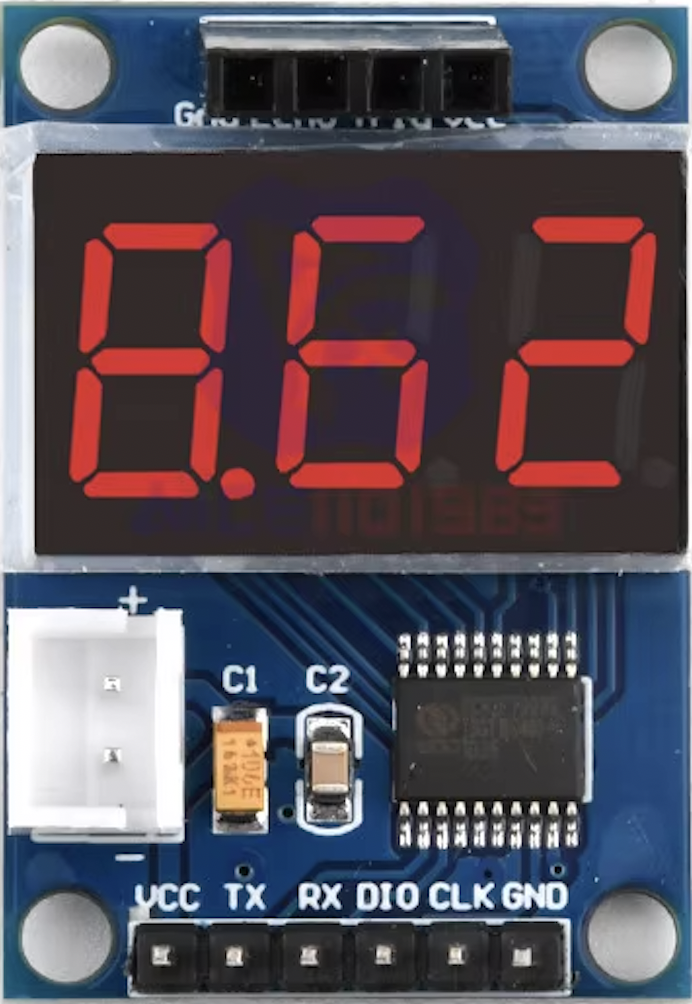
The Ultrasonic Distance Measurement Control Board, manufactured by diymore, is an electronic device designed to measure distances using ultrasonic waves. It integrates an HC-SR04 ultrasonic sensor with an 8-bit microcontroller unit (MCU) and a 3-bit LED display to provide immediate visual feedback. This component is commonly used in robotics, obstacle avoidance systems, parking sensors, and various automation projects where precise distance measurements are required.

Explore Projects Built with Ultrasonic Distance Measurement Control Board Rangefinder 3 Bit LED Display

Use Cirkit Designer to design, explore, and prototype these projects online. Some projects support real-time simulation. Click "Open Project" to start designing instantly!
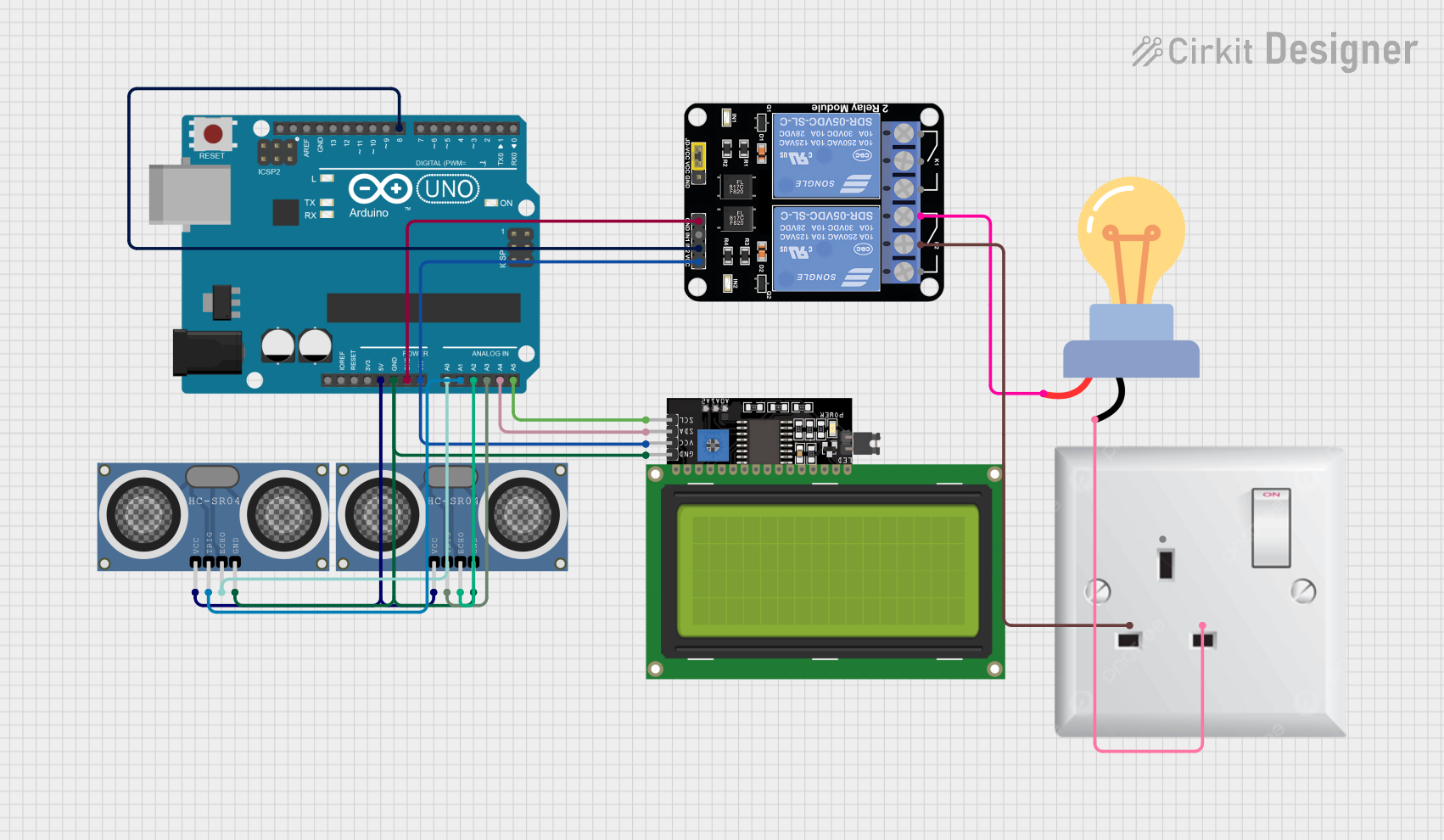
Image of Arduino UNO Based Ultrasonic Distance Measurement with Relay-Controlled AC Lighting and I2C LCD Display: A project utilizing Ultrasonic Distance Measurement Control Board Rangefinder 3 Bit LED Display in a practical application
Arduino UNO Based Ultrasonic Distance Measurement with Relay-Controlled AC Lighting and I2C LCD Display

This circuit features an Arduino UNO microcontroller interfaced with two HC-SR04 ultrasonic distance sensors and a 20x4 LCD display over I2C for output. The Arduino controls a 2-channel relay module, which in turn switches an AC-powered LED bulb. The purpose of the circuit is likely to measure distances with the ultrasonic sensors and display the results or trigger the LED bulb based on certain conditions.

Open Project in Cirkit Designer
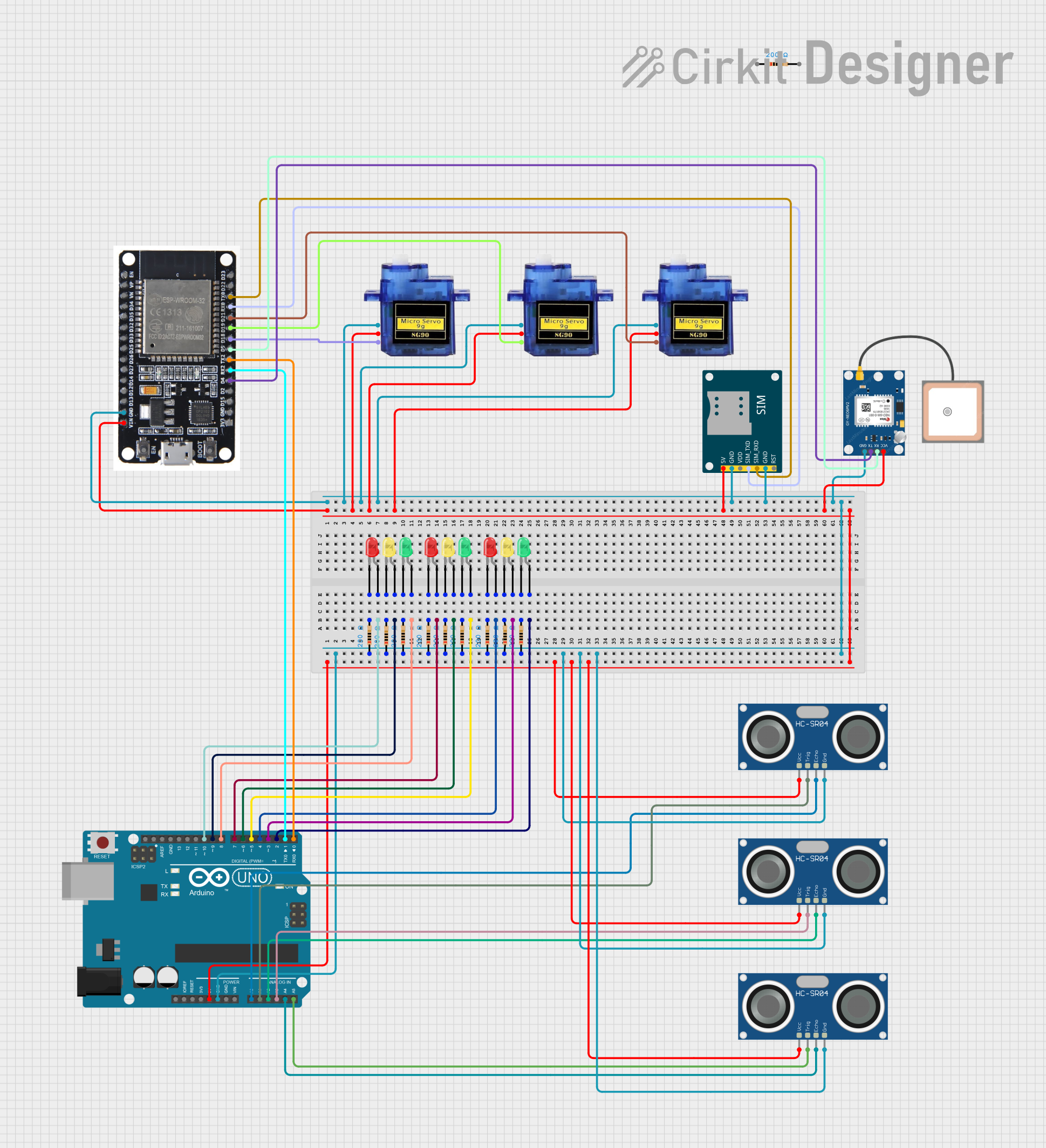
Image of Arduino-Controlled Distance Monitoring System with Multi-Color LED Feedback: A project utilizing Ultrasonic Distance Measurement Control Board Rangefinder 3 Bit LED Display in a practical application
Arduino-Controlled Distance Monitoring System with Multi-Color LED Feedback

This circuit features an Arduino UNO microcontroller interfaced with three HC-SR04 ultrasonic sensors and multiple LEDs (red, yellow, green) to indicate different distance ranges detected by the sensors. The Arduino controls the LEDs based on the distance measurements, lighting up green for distances greater than 30 cm, yellow for distances between 10 and 30 cm, and red for distances less than 10 cm. Additionally, the circuit includes an ESP32 module for wireless communication, servos for actuation, a SIM800L GSM module for cellular connectivity, and a GPS module for location tracking.

Open Project in Cirkit Designer

Technical Specifications

Key Technical Details

Pin Configuration and Descriptions

Pin Number Pin Name Description
1 VCC Power supply (5V DC)
2 TRIG Trigger input (TTL pulse)
3 ECHO Echo output (TTL level signal)
4 GND Ground
5 OUT Digital output (optional, not always used)

Usage Instructions

Integrating with a Circuit

  1. Power Supply: Connect the VCC pin to a 5V power source and the GND pin to the ground.
  2. Triggering the Sensor: Send a 10 µs TTL pulse to the TRIG pin to initiate the measurement.
  3. Reading the Distance: Monitor the ECHO pin; the duration of the high signal will be proportional to the distance measured.
  4. Display: The 3-bit LED display will automatically show the distance measurement.

Important Considerations and Best Practices

Example Code for Arduino UNO

// Define the pins for the ultrasonic sensor
const int trigPin = 9;
const int echoPin = 10;

void setup() {
  // Initialize serial communication
  Serial.begin(9600);
  // Define sensor pins as input/output
  pinMode(trigPin, OUTPUT);
  pinMode(echoPin, INPUT);
}

void loop() {
  // Clear the trigPin by setting it LOW
  digitalWrite(trigPin, LOW);
  delayMicroseconds(2);

  // Trigger the sensor by setting the trigPin high for 10 microseconds
  digitalWrite(trigPin, HIGH);
  delayMicroseconds(10);
  digitalWrite(trigPin, LOW);

  // Read the echoPin; pulseIn returns the duration (length of the pulse)
  long duration = pulseIn(echoPin, HIGH);

  // Calculate the distance
  int distance = duration * 0.034 / 2; // Speed of sound wave divided by 2 (go and back)

  // Display the distance on the Serial Monitor
  Serial.print("Distance: ");
  Serial.println(distance);

  // Delay between measurements
  delay(500);
}

Troubleshooting and FAQs

Common Issues

Solutions and Tips for Troubleshooting

FAQs

Q: Can the sensor measure distances beyond 4 meters? A: No, the maximum reliable range for the HC-SR04 is 4 meters.

Q: Is it possible to use this sensor with a 3.3V system? A: The sensor is designed for 5V operation. Using it with 3.3V may result in unreliable performance or no operation at all.

Q: How can I increase the refresh rate of the sensor? A: The refresh rate can be increased by reducing the delay between measurements, but ensure that the sensor has enough time to process the signal and provide a stable reading.