
How to Use ESP32-S Chip: Examples, Pinouts, and Specs
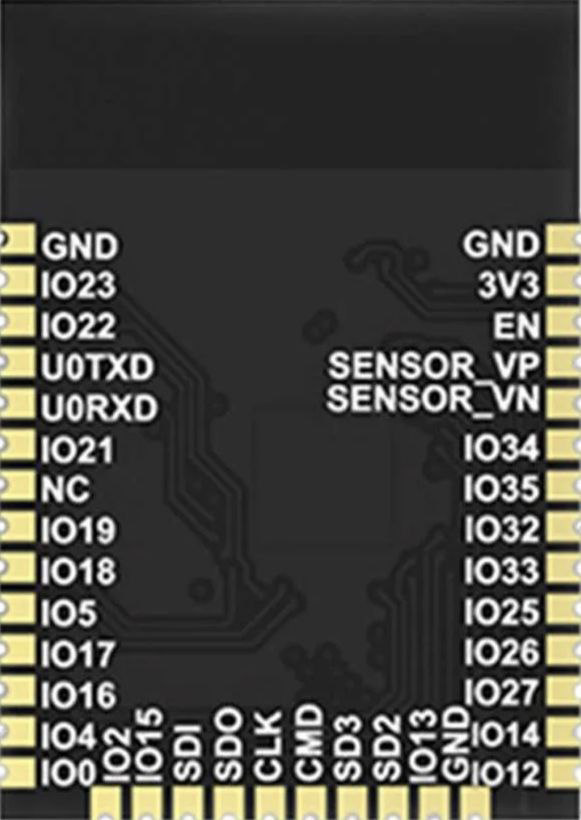
 Design with ESP32-S Chip in Cirkit Designer
Introduction
The ESP32-S is a low-cost, low-power system on a chip (SoC) developed by Espressif Systems. It integrates both Wi-Fi and Bluetooth capabilities, making it an ideal choice for a wide range of IoT (Internet of Things) applications. The ESP32-S is designed to provide robust wireless communication, high processing power, and energy efficiency, all in a compact package.
Explore Projects Built with ESP32-S Chip
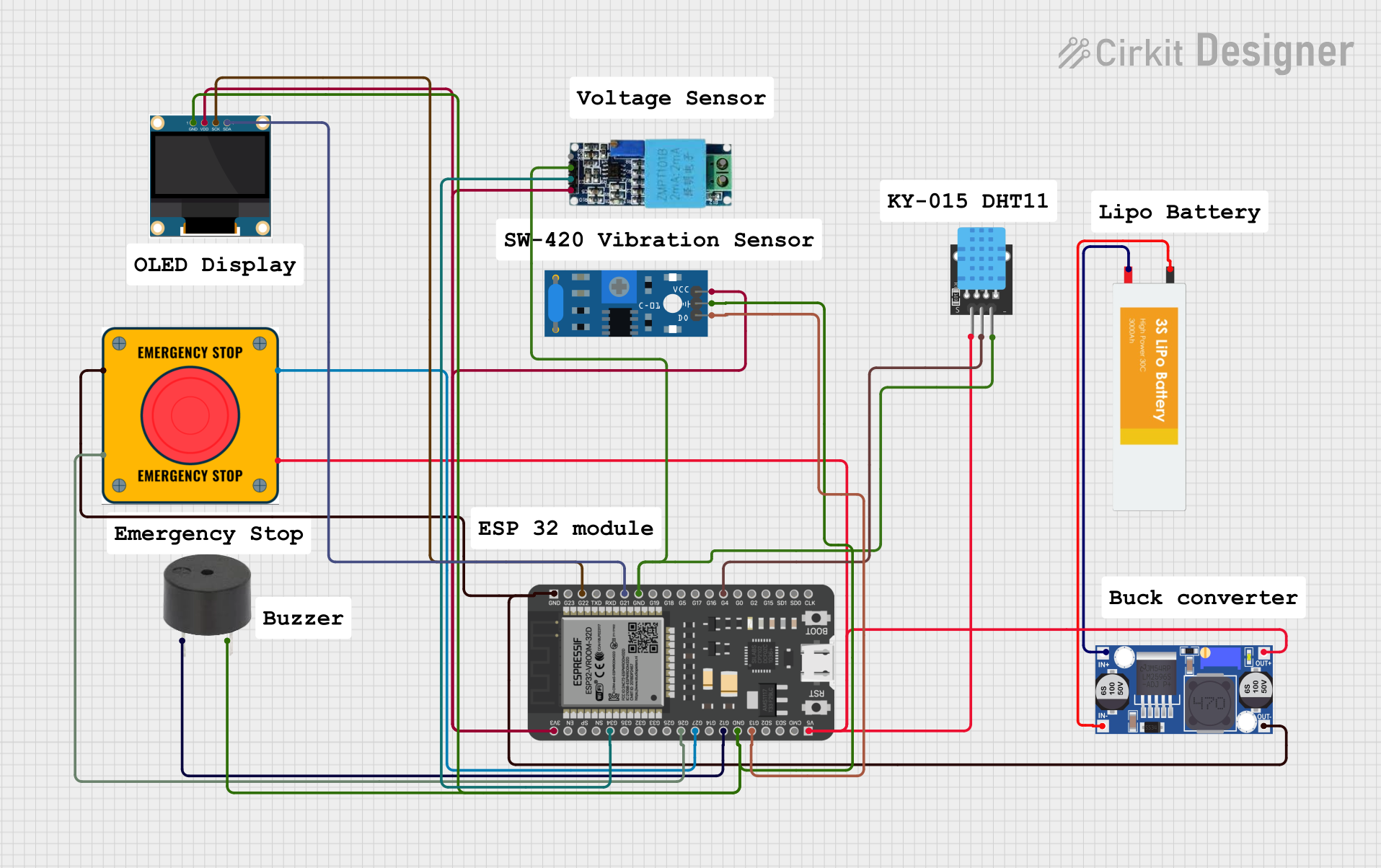 Open Project in Cirkit Designer
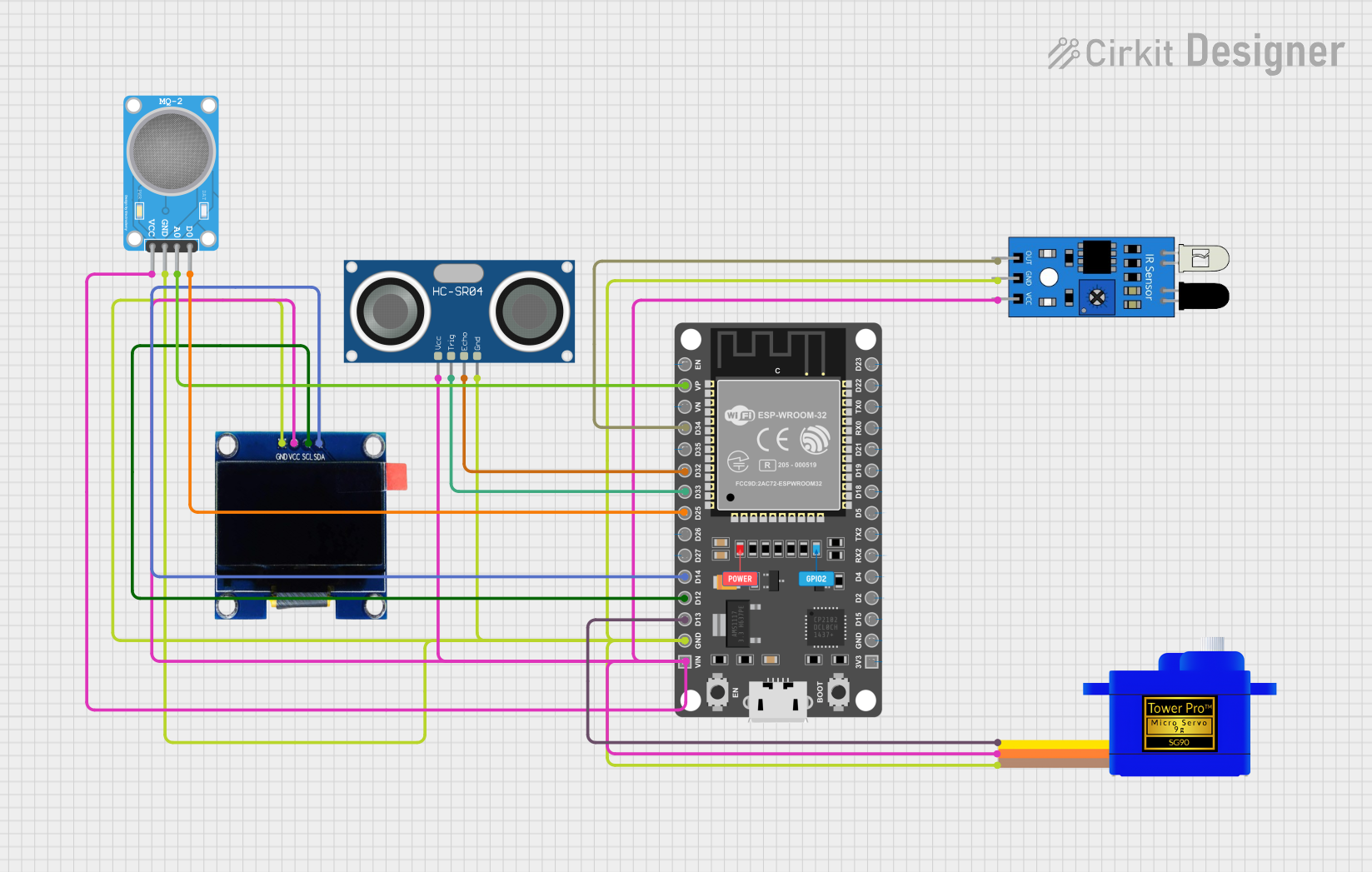 Open Project in Cirkit Designer
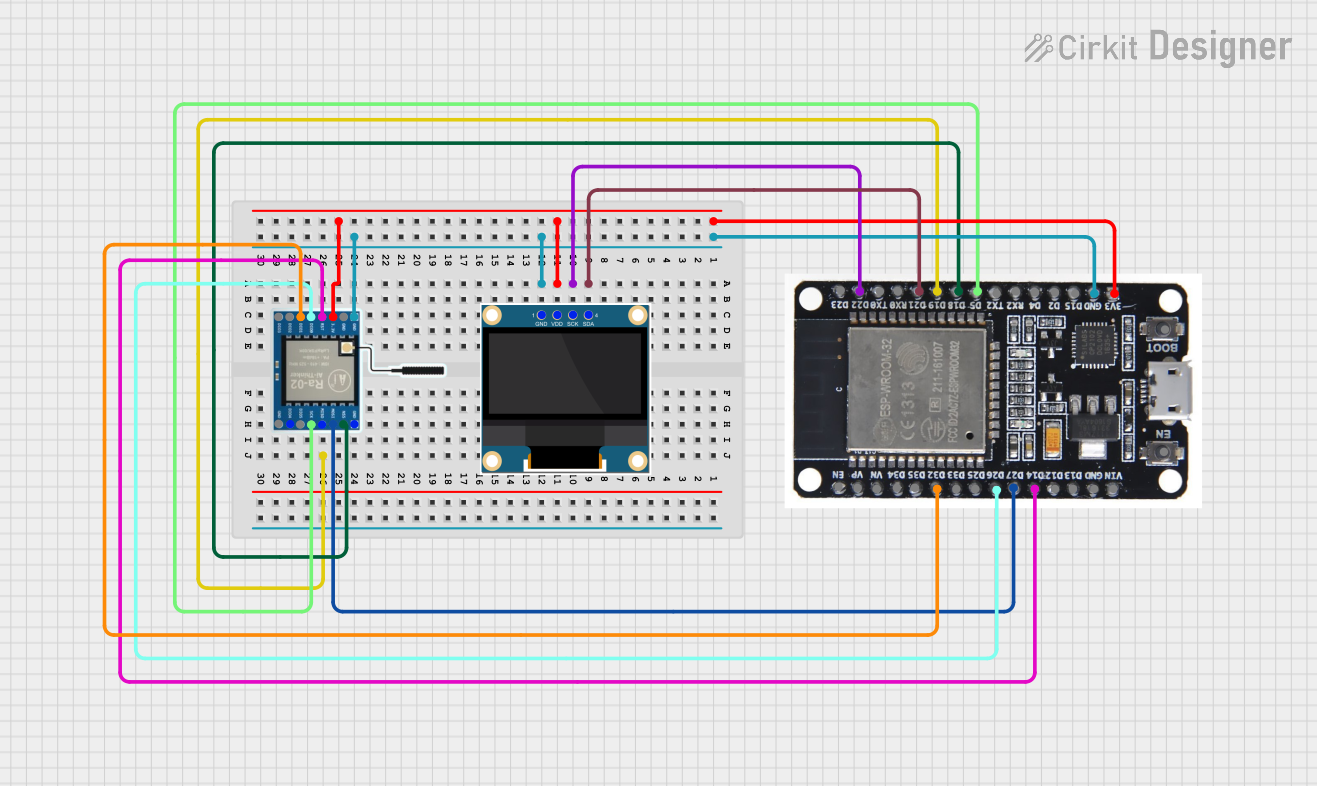 Open Project in Cirkit Designer
 Open Project in Cirkit Designer
Explore Projects Built with ESP32-S Chip
Open Project in Cirkit DesignerOpen Project in Cirkit DesignerOpen Project in Cirkit DesignerOpen Project in Cirkit DesignerCommon Applications and Use Cases
- Smart home devices (e.g., smart plugs, thermostats, and lighting systems)
- Wearable electronics
- Industrial IoT systems
- Wireless sensor networks
- Remote monitoring and control systems
- Robotics and automation
- Prototyping and development of IoT projects
Technical Specifications
The ESP32-S chip is packed with features that make it versatile and powerful. Below are its key technical specifications:
General Specifications
| Parameter | Value |
|---|---|
| Manufacturer | Espressif Systems |
| Part ID | ESP32-S |
| Core Architecture | Dual-core Xtensa® 32-bit LX6 |
| Clock Speed | Up to 240 MHz |
| Wireless Connectivity | Wi-Fi 802.11 b/g/n, Bluetooth v4.2 BR/EDR |
| Operating Voltage | 3.0V to 3.6V |
| Flash Memory | Up to 4 MB |
| SRAM | 520 KB |
| GPIO Pins | Up to 34 |
| Operating Temperature | -40°C to +85°C |
Pin Configuration and Descriptions
The ESP32-S chip has multiple pins for various functionalities. Below is a table summarizing the key pins and their descriptions:
| Pin Name | Pin Number | Functionality |
|---|---|---|
| GPIO0 | 1 | General-purpose I/O, boot mode selection |
| GPIO2 | 2 | General-purpose I/O, ADC2 channel |
| GPIO12 | 12 | General-purpose I/O, ADC2 channel, touch pad |
| GPIO13 | 13 | General-purpose I/O, ADC2 channel, touch pad |
| GPIO15 | 15 | General-purpose I/O, ADC2 channel, touch pad |
| EN | 21 | Chip enable (active high) |
| 3V3 | 25 | 3.3V power supply input |
| GND | 26 | Ground |
Note: The ESP32-S has many more pins with specific functionalities. Refer to the full datasheet for a complete pinout.
Usage Instructions
The ESP32-S chip is highly versatile and can be used in a variety of circuits. Below are the steps and best practices for using the ESP32-S in your projects:
Basic Circuit Setup
- Power Supply: Provide a stable 3.3V power supply to the
3V3pin. Ensure the current rating of the power source meets the chip's requirements. - Boot Mode: Connect GPIO0 to ground during boot to enable flashing mode.
- Programming: Use a USB-to-serial adapter to program the ESP32-S. Connect the adapter's TX and RX pins to the RX and TX pins of the ESP32-S, respectively.
- External Components: Add decoupling capacitors (e.g., 0.1 µF) near the power pins to reduce noise.
Example: Connecting to an Arduino UNO
The ESP32-S can communicate with an Arduino UNO via serial communication. Below is an example of how to connect and program the ESP32-S to send data to the Arduino:
Wiring Diagram
| ESP32-S Pin | Arduino UNO Pin |
|---|---|
| RX | TX (Pin 1) |
| TX | RX (Pin 0) |
| GND | GND |
| 3V3 | 3.3V |
Example Code for ESP32-S
#include <WiFi.h>

// Replace with your network credentials
const char* ssid = "Your_SSID";
const char* password = "Your_PASSWORD";

void setup() {
  Serial.begin(115200); // Initialize serial communication at 115200 baud
  WiFi.begin(ssid, password); // Connect to Wi-Fi network

  // Wait for connection
  while (WiFi.status() != WL_CONNECTED) {
    delay(1000);
    Serial.println("Connecting to WiFi...");
  }

  Serial.println("Connected to WiFi!");
}

void loop() {
  // Send a message to the Arduino UNO
  Serial.println("Hello from ESP32-S!");
  delay(1000); // Wait for 1 second before sending the next message
}
Best Practices
- Use level shifters if interfacing the ESP32-S with 5V logic devices.
- Avoid powering the ESP32-S directly from USB without proper regulation.
- Use an external antenna for better Wi-Fi range if the onboard antenna is insufficient.
Troubleshooting and FAQs
Common Issues and Solutions
ESP32-S Not Connecting to Wi-Fi
- Solution: Double-check the SSID and password. Ensure the router is within range and supports 2.4 GHz Wi-Fi (ESP32-S does not support 5 GHz).
Serial Communication Not Working
- Solution: Verify the TX and RX connections. Ensure the baud rate in the code matches the serial monitor settings.
Chip Not Entering Flash Mode
- Solution: Ensure GPIO0 is connected to ground during boot. Check the USB-to-serial adapter connections.
Overheating
- Solution: Ensure proper ventilation and avoid overloading the GPIO pins. Use a heatsink if necessary.
FAQs
Q: Can the ESP32-S operate on battery power?
A: Yes, the ESP32-S can be powered by a battery. Use a 3.3V regulator if the battery voltage exceeds the operating range.
Q: Does the ESP32-S support OTA (Over-the-Air) updates?
A: Yes, the ESP32-S supports OTA updates, allowing you to update firmware wirelessly.
Q: Can I use the ESP32-S for Bluetooth audio applications?
A: Yes, the ESP32-S supports Bluetooth Classic and BLE, making it suitable for audio streaming and other Bluetooth applications.
Q: How do I reset the ESP32-S?
A: Pull the EN pin low momentarily to reset the chip.
By following this documentation, you can effectively integrate the ESP32-S into your projects and troubleshoot common issues. For more advanced features, refer to the official Espressif Systems datasheet.