
How to Use EWP32-S3 Supermini: Examples, Pinouts, and Specs
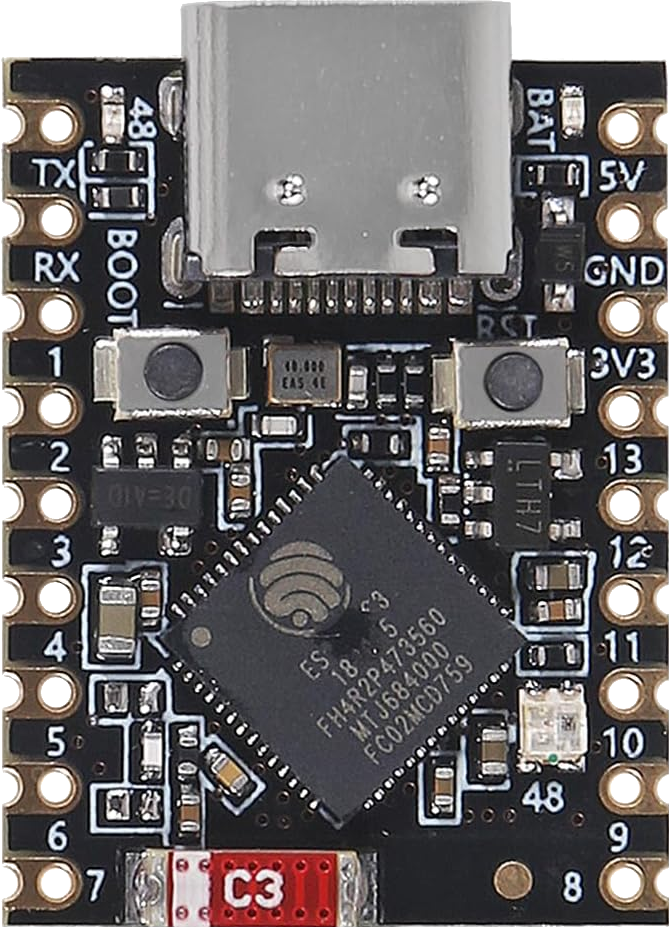
 Design with EWP32-S3 Supermini in Cirkit Designer
Introduction
The EWP32-S3 Supermini, manufactured by ACEIRMC (Part ID: ESP32-S3), is a compact, low-power microcontroller module tailored for Internet of Things (IoT) applications. It combines built-in Wi-Fi and Bluetooth connectivity, making it an excellent choice for wireless communication in small, energy-efficient devices. Its small form factor and robust performance make it suitable for a wide range of projects, from smart home devices to wearable technology.
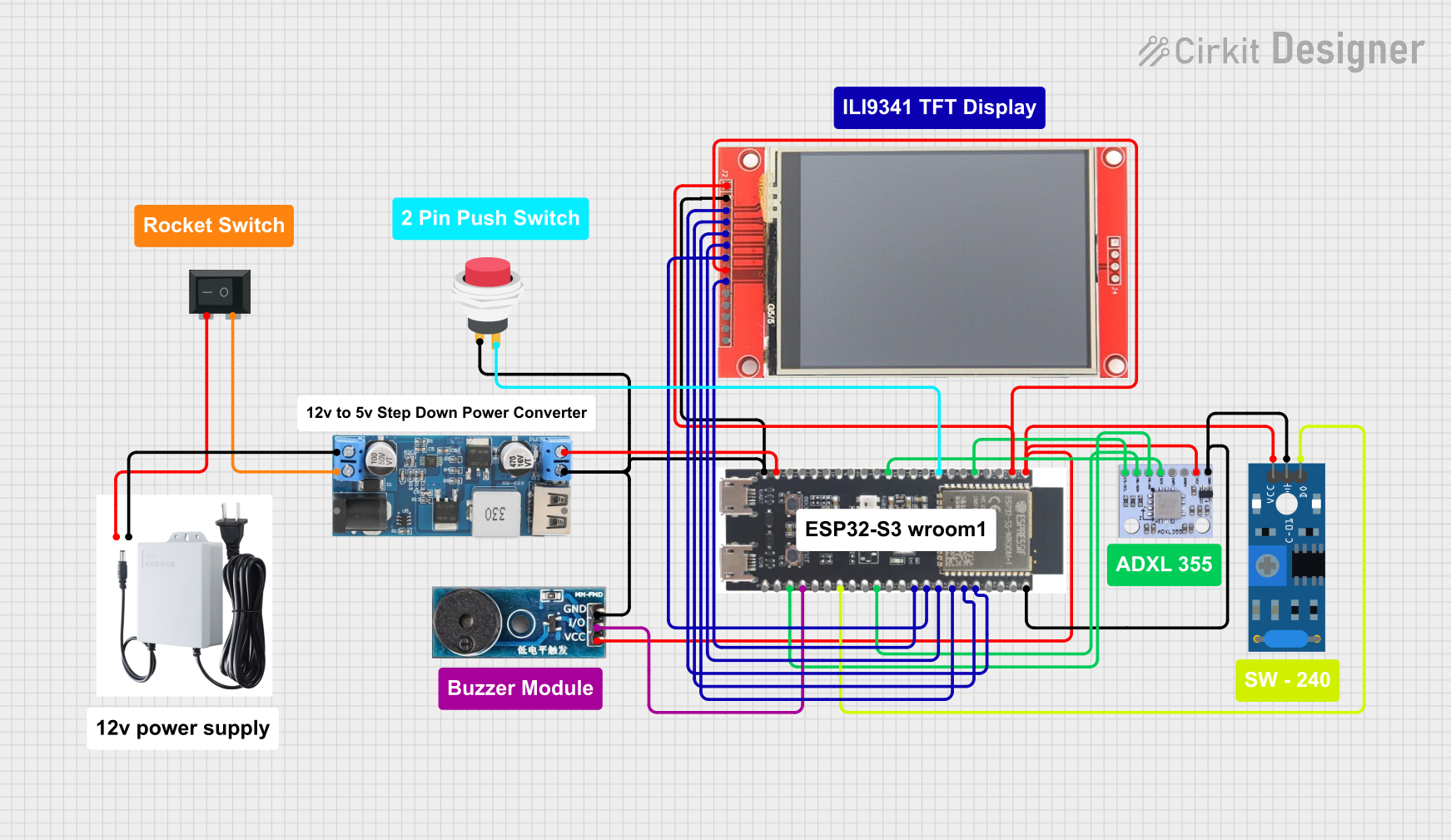
Explore Projects Built with EWP32-S3 Supermini
 Open Project in Cirkit Designer
 Open Project in Cirkit Designer
 Open Project in Cirkit Designer
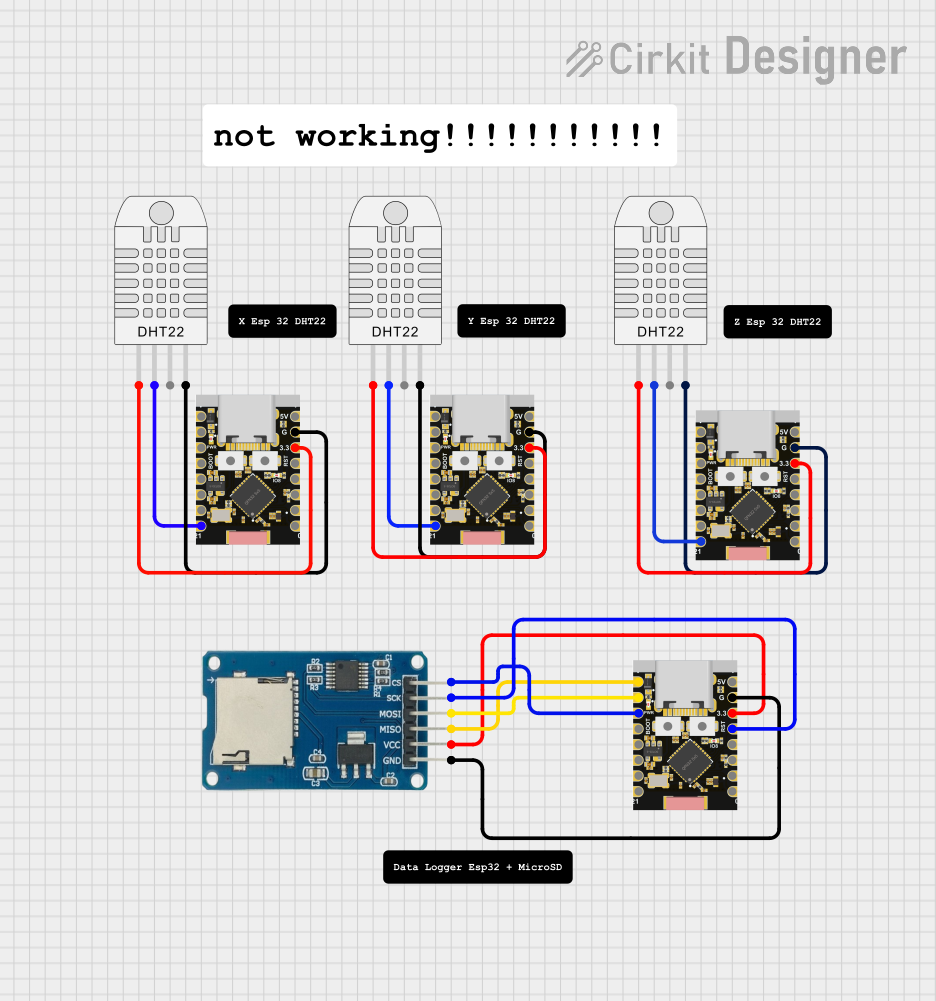 Open Project in Cirkit Designer
Explore Projects Built with EWP32-S3 Supermini
Open Project in Cirkit DesignerOpen Project in Cirkit DesignerOpen Project in Cirkit DesignerOpen Project in Cirkit DesignerCommon Applications and Use Cases
- Smart home automation (e.g., connected lights, thermostats)
- Wearable devices and fitness trackers
- Industrial IoT sensors and controllers
- Wireless data logging and monitoring
- Prototyping for IoT and embedded systems
- Low-power, battery-operated devices
Technical Specifications
Key Technical Details
| Parameter | Specification |
|---|---|
| Microcontroller | ESP32-S3 |
| Processor | Dual-core Xtensa® LX7 @ 240 MHz |
| Wireless Connectivity | Wi-Fi 802.11 b/g/n, Bluetooth 5.0 LE |
| Flash Memory | 8 MB (external) |
| SRAM | 512 KB |
| GPIO Pins | 14 |
| Operating Voltage | 3.3V |
| Power Consumption | Ultra-low power (deep sleep: ~10 µA) |
| Dimensions | 18 mm x 25 mm |
| Operating Temperature | -40°C to +85°C |
Pin Configuration and Descriptions
The EWP32-S3 Supermini features a 14-pin layout. Below is the pinout and description:
| Pin Number | Pin Name | Description |
|---|---|---|
| 1 | GND | Ground |
| 2 | 3V3 | 3.3V Power Input |
| 3 | EN | Enable Pin (Active High) |
| 4 | IO0 | GPIO0 (Boot Mode Selection) |
| 5 | IO1 | GPIO1 (General Purpose I/O) |
| 6 | IO2 | GPIO2 (General Purpose I/O) |
| 7 | IO3 | GPIO3 (General Purpose I/O) |
| 8 | IO4 | GPIO4 (General Purpose I/O) |
| 9 | IO5 | GPIO5 (General Purpose I/O) |
| 10 | IO6 | GPIO6 (General Purpose I/O) |
| 11 | IO7 | GPIO7 (General Purpose I/O) |
| 12 | RXD | UART Receive |
| 13 | TXD | UART Transmit |
| 14 | RST | Reset Pin (Active Low) |
Usage Instructions
How to Use the Component in a Circuit
Powering the Module:
- Connect the
3V3pin to a 3.3V power source. - Connect the
GNDpin to the ground of your circuit.
- Connect the
Programming the Module:
- Use the UART pins (
RXDandTXD) to upload code to the module. - Connect the
ENpin to 3.3V to enable the module. - For boot mode, pull
IO0low during reset.
- Use the UART pins (
GPIO Usage:
- The GPIO pins (
IO0toIO7) can be used for digital input/output, PWM, or other peripheral functions. - Ensure the pins are not overloaded beyond their current limits (12 mA per pin).
- The GPIO pins (
Wireless Communication:
- Use the built-in Wi-Fi and Bluetooth capabilities for wireless data transfer.
- Configure the wireless settings in your code (e.g., SSID, password for Wi-Fi).
Important Considerations and Best Practices
- Voltage Levels: Ensure all connected devices operate at 3.3V logic levels to avoid damage.
- Power Supply: Use a stable power source to prevent unexpected resets or malfunctions.
- Antenna Placement: Avoid placing the module near metal objects or enclosures that may interfere with wireless signals.
- Deep Sleep Mode: Utilize the deep sleep mode for battery-powered applications to minimize power consumption.
Example Code for Arduino UNO
Below is an example of how to connect and program the EWP32-S3 Supermini using the Arduino IDE:
#include <WiFi.h> // Include Wi-Fi library for ESP32-S3

// Replace with your network credentials
const char* ssid = "Your_SSID";
const char* password = "Your_PASSWORD";

void setup() {
  Serial.begin(115200); // Initialize serial communication
  delay(1000); // Wait for serial monitor to initialize

  // Connect to Wi-Fi
  Serial.println("Connecting to Wi-Fi...");
  WiFi.begin(ssid, password);

  while (WiFi.status() != WL_CONNECTED) {
    delay(500); // Wait for connection
    Serial.print(".");
  }

  Serial.println("\nWi-Fi connected!");
  Serial.print("IP Address: ");
  Serial.println(WiFi.localIP()); // Print the device's IP address
}

void loop() {
  // Main loop does nothing in this example
}
Troubleshooting and FAQs
Common Issues and Solutions
Module Not Powering On:
- Ensure the
3V3pin is connected to a stable 3.3V power source. - Verify the
ENpin is pulled high.
- Ensure the
Unable to Upload Code:
- Check the connections to the
RXDandTXDpins. - Ensure the
IO0pin is pulled low during reset for boot mode. - Verify the correct COM port and board settings in the Arduino IDE.
- Check the connections to the
Wi-Fi Not Connecting:
- Double-check the SSID and password in your code.
- Ensure the router is within range and supports 2.4 GHz Wi-Fi.
Unstable Operation:
- Use a decoupling capacitor (e.g., 10 µF) near the power pins to stabilize the supply voltage.
- Avoid exceeding the GPIO current limits.
FAQs
Q: Can the EWP32-S3 Supermini operate at 5V?
A: No, the module operates at 3.3V. Connecting 5V may damage the module.
Q: How do I reset the module?
A: Pull the RST pin low momentarily to reset the module.
Q: Does the module support OTA updates?
A: Yes, the ESP32-S3 supports Over-The-Air (OTA) updates. You can implement this feature in your code.
Q: Can I use the module for Bluetooth audio?
A: The ESP32-S3 supports Bluetooth Low Energy (BLE) but is not optimized for high-quality audio streaming.
This concludes the documentation for the EWP32-S3 Supermini. For further assistance, refer to the official ACEIRMC datasheet or community forums.