The Lipo Charger and Boost Module is a versatile electronic component designed to charge lithium polymer (LiPo) batteries and boost their output voltage to a higher, regulated level. This module is widely used in portable electronic devices where efficient power management is critical. It combines charging functionality with a step-up converter, making it ideal for applications requiring a stable voltage output from a single-cell LiPo battery.
Explore Projects Built with Lipo Charger and Boost Module
Use Cirkit Designer to design, explore, and prototype these projects online. Some projects support real-time simulation. Click "Open Project" to start designing instantly!
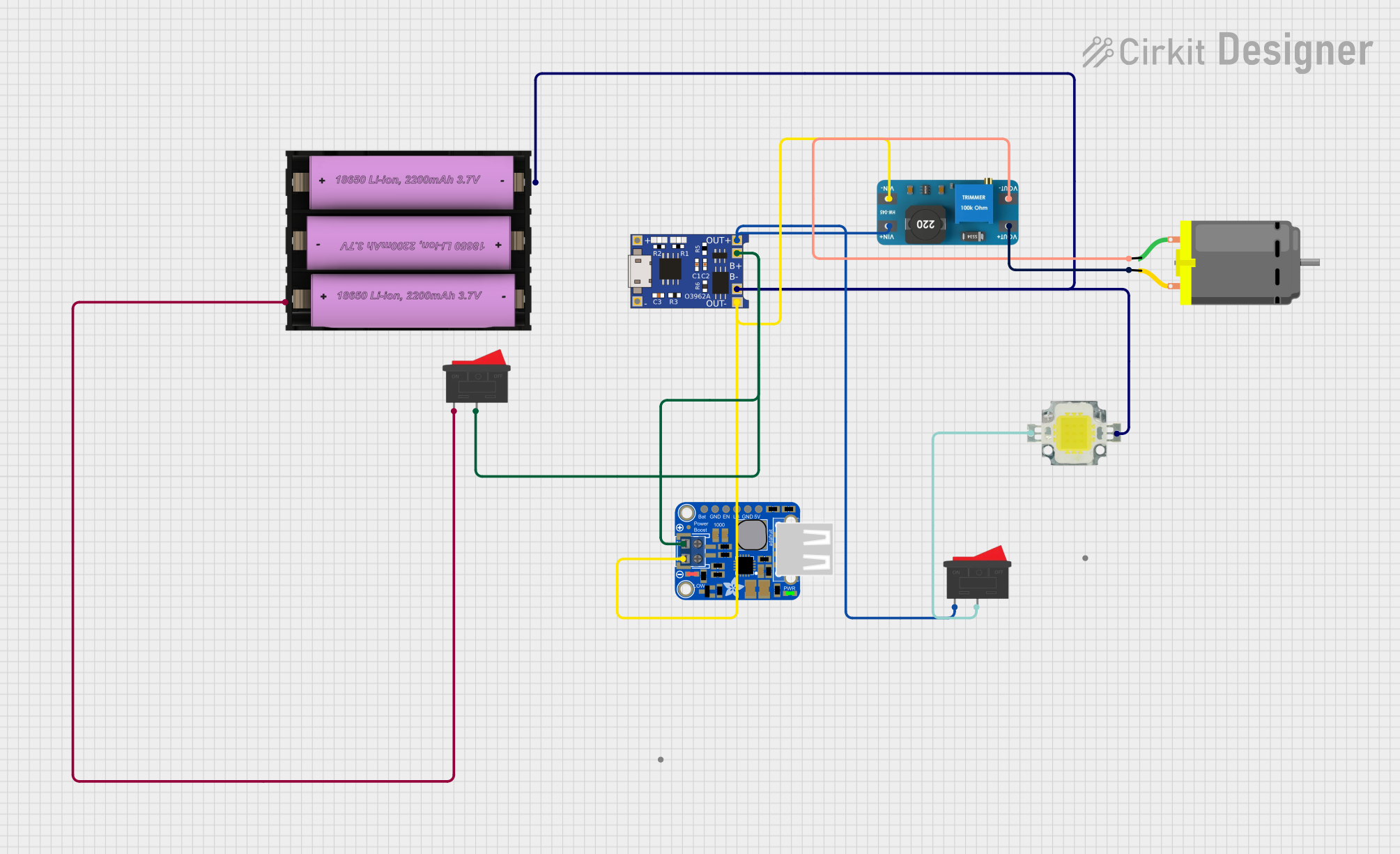
This circuit is designed to charge a Li-ion battery and power a DC motor and a 12V LED. The TP4056 module manages the battery charging process, while the PowerBoost 1000 and MT3608 boost converters step up the voltage to drive the motor and LED, respectively. Two rocker switches control the power flow to the LED and the charging circuit.
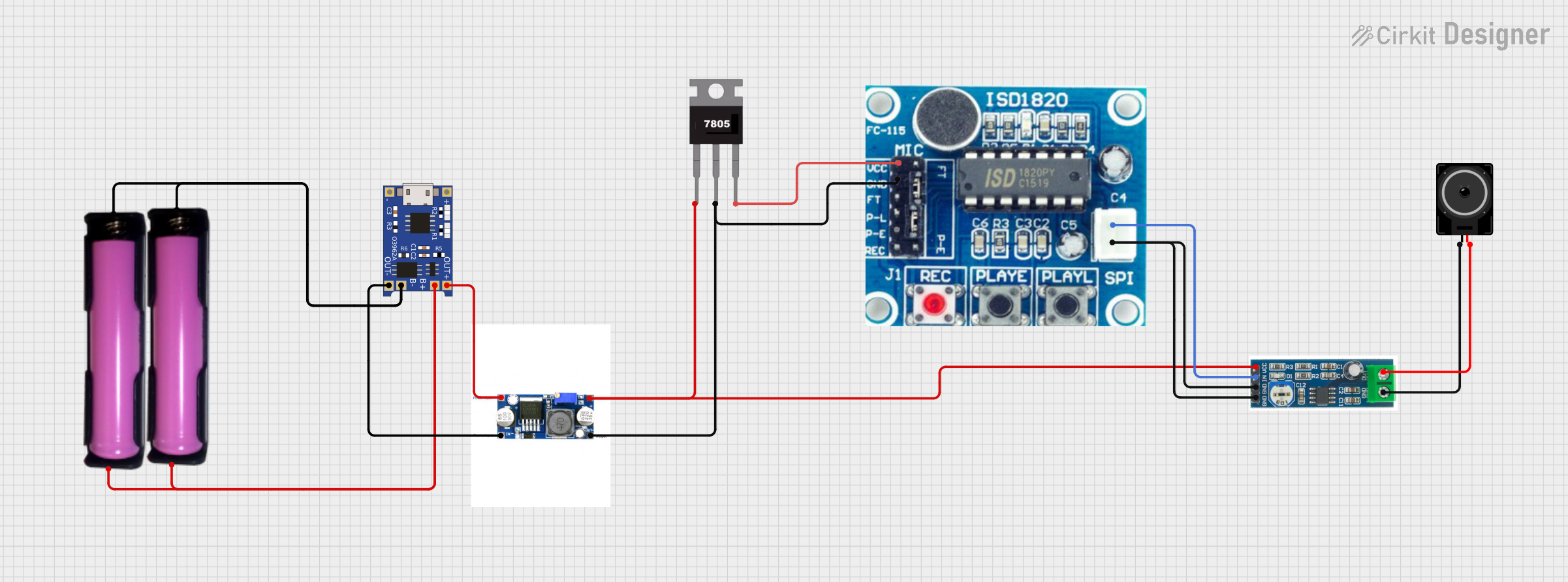
This circuit is designed to charge 18650 lithium-ion batteries using a TP4056 charger module, and then boost the voltage using an XL 6009 Boost Module. The boosted voltage is regulated by a 7805 voltage regulator to provide a stable 5V output, which powers an ISD1820 voice recording and playback module. The audio signal from the ISD1820 is then amplified by an LM386 audio amplifier module and output through a loudspeaker.
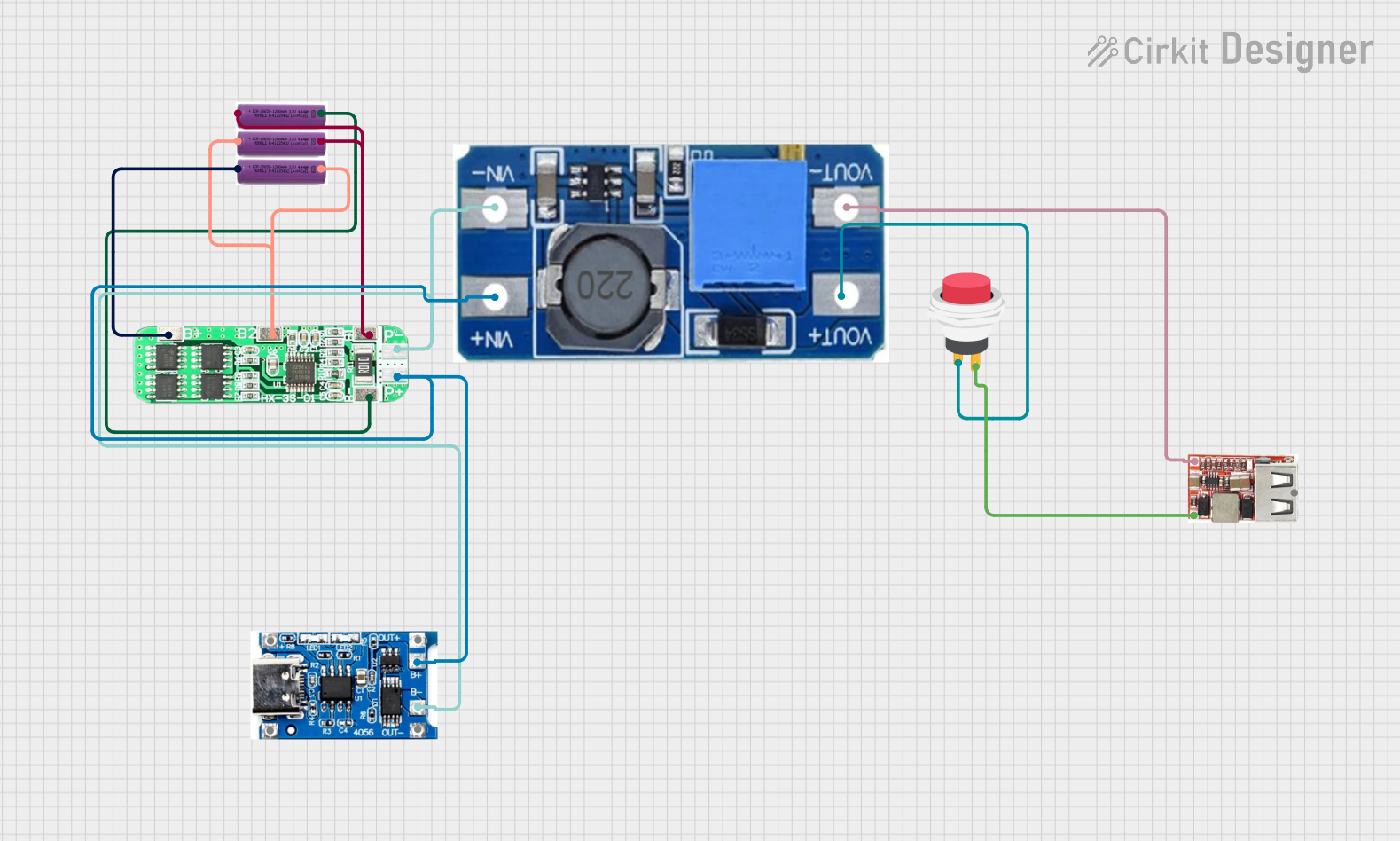
This circuit is a battery management and power supply system that uses three 3.7V batteries connected to a 3S 10A Li-ion 18650 Charger Protection Board Module for balanced charging and protection. The system includes a TP4056 Battery Charging Protection Module for additional charging safety, a Step Up Boost Power Converter to regulate and boost the voltage, and a USB regulator to provide a stable 5V output, controlled by a push switch.
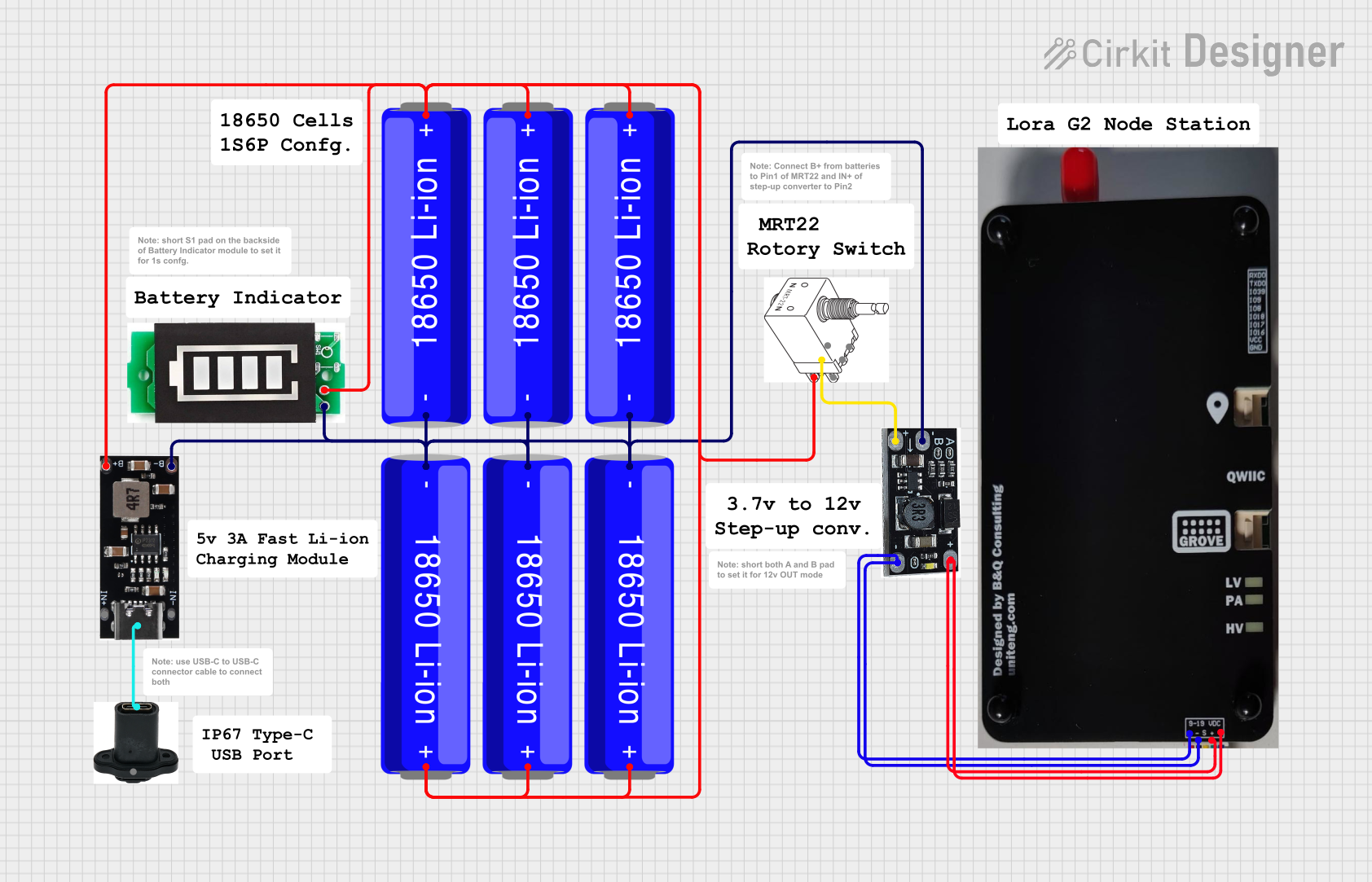
This circuit is a portable power supply system that uses multiple 18650 Li-ion batteries to provide a stable 5V output through a boost converter. It includes a fast charging module with a USB-C input for recharging the batteries and a battery indicator for monitoring the battery status. The system powers a Lora G2 Node Station, making it suitable for wireless communication applications.
Below are the key technical details of the Lipo Charger and Boost Module:
Parameter
Value
Input Voltage Range
2.5V to 5.5V
Output Voltage
5V (regulated)
Output Current
Up to 1A
Charging Current
500mA (default, adjustable in some models)
Battery Type Supported
Single-cell LiPo (3.7V nominal)
Efficiency (Boost Mode)
Up to 92%
Protection Features
Overcharge, over-discharge, short-circuit
Dimensions
Typically 22mm x 17mm x 4mm
Pin Configuration and Descriptions
The module typically has the following pins:
Pin Name
Description
BAT+
Positive terminal for the LiPo battery connection
BAT-
Negative terminal for the LiPo battery connection
IN+
Positive terminal for input voltage (e.g., USB or solar panel)
IN-
Negative terminal for input voltage
OUT+
Positive terminal for boosted 5V output
OUT-
Negative terminal for boosted 5V output
CHG (optional)
Charging status indicator pin (low when charging, high when fully charged)
Usage Instructions
How to Use the Component in a Circuit
Connect the LiPo Battery:
Attach the positive terminal of the battery to the BAT+ pin and the negative terminal to the BAT- pin.
Provide Input Power:
Connect a power source (e.g., USB 5V or a solar panel) to the IN+ and IN- pins. Ensure the input voltage is within the specified range (2.5V to 5.5V).
Access the Boosted Output:
Use the OUT+ and OUT- pins to power your load. The module will regulate the output to 5V.
Monitor Charging Status (if applicable):
If the module has a CHG pin, you can connect an LED or microcontroller to monitor the charging status.
Important Considerations and Best Practices
Battery Compatibility: Ensure the connected battery is a single-cell LiPo with a nominal voltage of 3.7V.
Heat Management: The module may heat up during operation, especially at high currents. Ensure proper ventilation or heat dissipation.
Avoid Overloading: Do not exceed the maximum output current (1A) to prevent damage to the module.
Input Voltage: Ensure the input voltage does not exceed 5.5V to avoid damaging the module.
Polarity: Double-check all connections for correct polarity to prevent short circuits or damage.
Example: Using with an Arduino UNO
The Lipo Charger and Boost Module can be used to power an Arduino UNO. Below is an example circuit and code:
Circuit:
Connect the OUT+ pin of the module to the 5V pin of the Arduino UNO.
Connect the OUT- pin of the module to the GND pin of the Arduino UNO.
Connect a single-cell LiPo battery to the BAT+ and BAT- pins of the module.
Code:
// Example code to blink an LED using Arduino UNO powered by the Lipo Charger
// and Boost Module. Ensure the module is connected to the Arduino as described.

// Define the LED pin
const int ledPin = 13;

void setup() {
  pinMode(ledPin, OUTPUT); // Set the LED pin as an output
}

void loop() {
  digitalWrite(ledPin, HIGH); // Turn the LED on
  delay(1000);                // Wait for 1 second
  digitalWrite(ledPin, LOW);  // Turn the LED off
  delay(1000);                // Wait for 1 second
}
Troubleshooting and FAQs
Common Issues and Solutions
Module Not Powering On:
Cause: Incorrect input voltage or loose connections.
Solution: Verify that the input voltage is within the 2.5V to 5.5V range and check all connections.
Battery Not Charging:
Cause: Faulty battery or incorrect polarity.
Solution: Ensure the battery is functional and connected with the correct polarity.
Output Voltage Not 5V:
Cause: Overloaded output or damaged module.
Solution: Reduce the load to within the 1A limit. If the issue persists, replace the module.
Module Overheating:
Cause: High current draw or poor ventilation.
Solution: Reduce the load or improve heat dissipation by adding a heatsink or ensuring proper airflow.
FAQs
Q: Can I use this module with a 2-cell LiPo battery?
A: No, this module is designed for single-cell (3.7V nominal) LiPo batteries only.
Q: Can I adjust the output voltage?
A: Most modules have a fixed 5V output. If adjustable output is required, look for a module with a configurable boost converter.
Q: Is it safe to leave the battery connected to the module?
A: Yes, the module includes overcharge protection to prevent damage to the battery.
Q: Can I use this module to power a Raspberry Pi?
A: While the module can provide 5V, ensure the current draw of the Raspberry Pi (and peripherals) does not exceed 1A.
This concludes the documentation for the Lipo Charger and Boost Module.


 Open Project in Cirkit Designer