
How to Use ph 4502c: Examples, Pinouts, and Specs
 Design with ph 4502c in Cirkit Designer
Introduction
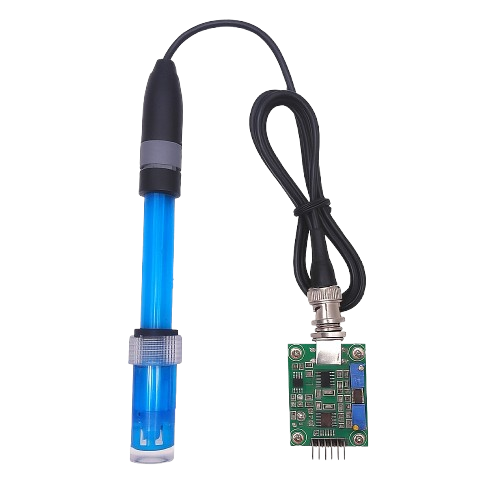
The PH 4502C is a pH sensor module designed for measuring the acidity or alkalinity of a solution. It provides accurate and reliable pH readings, making it an essential tool for applications in laboratories, aquariums, hydroponics, water treatment plants, and other industrial processes. Manufactured by Arduino, this sensor is compatible with the Arduino Uno and other microcontroller platforms, allowing for easy integration into various projects.
Explore Projects Built with ph 4502c
 Open Project in Cirkit Designer
 Open Project in Cirkit Designer
 Open Project in Cirkit Designer
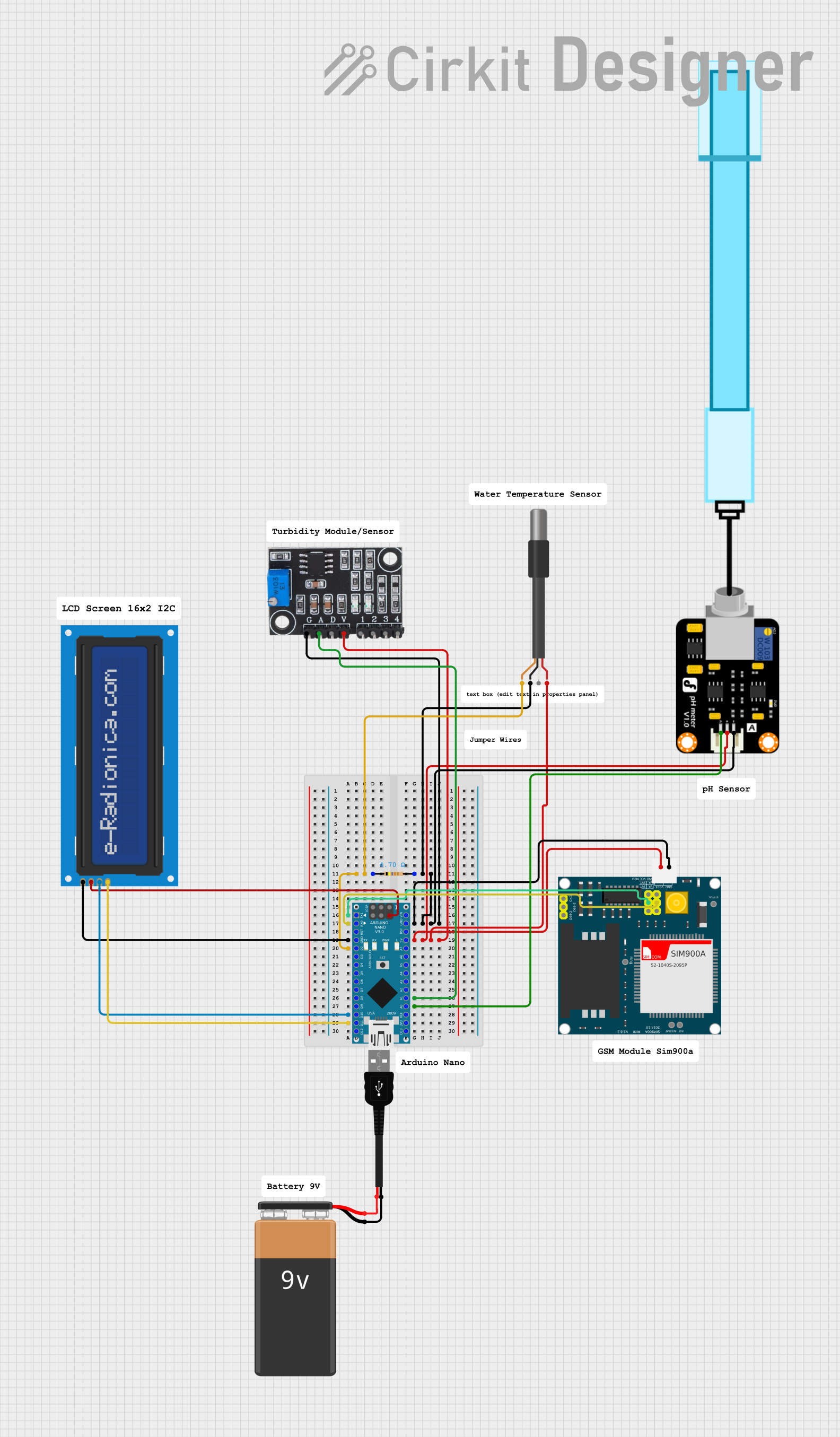 Open Project in Cirkit Designer
Explore Projects Built with ph 4502c
Open Project in Cirkit DesignerOpen Project in Cirkit DesignerOpen Project in Cirkit DesignerOpen Project in Cirkit DesignerCommon Applications and Use Cases
- Monitoring pH levels in aquariums and fish tanks
- Hydroponic systems for plant growth optimization
- Water quality testing in industrial and environmental settings
- Laboratory experiments and chemical process monitoring
- Food and beverage production for quality control
Technical Specifications
The PH 4502C sensor module consists of a pH probe and a signal conditioning board. Below are the key technical details:
Key Technical Details
- Operating Voltage: 5V DC
- Output Voltage: 0-3V (analog signal)
- Measurement Range: 0-14 pH
- Accuracy: ±0.1 pH (at 25°C)
- Response Time: ≤1 minute
- Temperature Compensation: Not included (external compensation required for temperature-sensitive applications)
- Connector Type: BNC for the pH probe
- Dimensions: 42mm x 32mm (signal conditioning board)
Pin Configuration and Descriptions
The PH 4502C module has a 3-pin interface for connecting to a microcontroller. Below is the pin configuration:
| Pin | Name | Description |
|---|---|---|
| 1 | VCC | Power supply input (5V DC) |
| 2 | GND | Ground connection |
| 3 | AO | Analog output signal (0-3V, proportional to pH) |
Usage Instructions
How to Use the PH 4502C in a Circuit
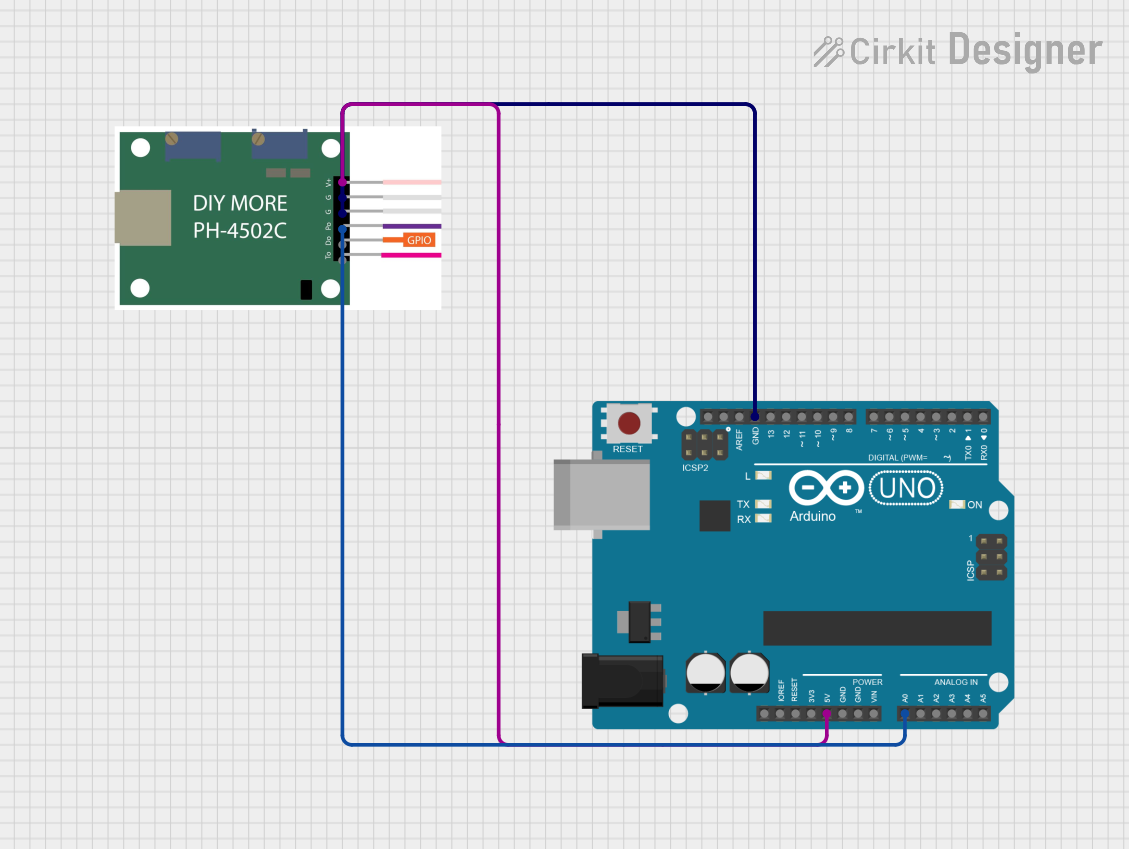
Connect the Module to the Arduino Uno:
- Connect the
VCCpin of the module to the 5V pin on the Arduino Uno. - Connect the
GNDpin of the module to the GND pin on the Arduino Uno. - Connect the
AOpin of the module to an analog input pin (e.g., A0) on the Arduino Uno.
- Connect the
Calibrate the Sensor:
- Use the onboard potentiometer to adjust the output voltage for calibration.
- Immerse the pH probe in a standard buffer solution (e.g., pH 7.0) and adjust the potentiometer until the output matches the expected value.
Write and Upload Code:
- Use the Arduino IDE to write a program that reads the analog signal from the sensor and converts it to a pH value.
Immerse the Probe:
- Place the pH probe in the solution to be measured. Ensure the probe is rinsed with distilled water before and after each use to avoid contamination.
Important Considerations and Best Practices
- Always rinse the pH probe with distilled water before and after use to maintain accuracy and prevent contamination.
- Avoid exposing the probe to extreme temperatures or harsh chemicals that could damage the glass bulb.
- For temperature-sensitive applications, use an external temperature sensor to compensate for temperature variations.
- Store the pH probe in a storage solution when not in use to prevent the glass bulb from drying out.
Example Code for Arduino Uno
Below is an example code snippet for using the PH 4502C with an Arduino Uno:
// PH 4502C pH Sensor Example Code
// Reads the analog signal from the sensor and converts it to a pH value.

const int pH_pin = A0; // Analog pin connected to the sensor's AO pin
float voltage;         // Variable to store the sensor's output voltage
float pH_value;        // Variable to store the calculated pH value

void setup() {
  Serial.begin(9600); // Initialize serial communication at 9600 baud
  pinMode(pH_pin, INPUT); // Set the pH pin as an input
}

void loop() {
  // Read the analog value from the sensor
  int sensorValue = analogRead(pH_pin);

  // Convert the analog value to voltage (assuming 5V reference)
  voltage = sensorValue * (5.0 / 1023.0);

  // Convert the voltage to a pH value
  // The formula may vary depending on calibration; adjust as needed
  pH_value = 3.5 * voltage; // Example conversion factor

  // Print the pH value to the Serial Monitor
  Serial.print("pH Value: ");
  Serial.println(pH_value);

  delay(1000); // Wait for 1 second before the next reading
}
Troubleshooting and FAQs
Common Issues and Solutions
Inaccurate Readings:
- Cause: Improper calibration or dirty probe.
- Solution: Recalibrate the sensor using standard buffer solutions and clean the probe with distilled water.
No Output Signal:
- Cause: Loose connections or damaged probe.
- Solution: Check all connections and ensure the probe is securely attached. Replace the probe if necessary.
Fluctuating Readings:
- Cause: Electrical noise or unstable power supply.
- Solution: Use a decoupling capacitor across the power supply pins and ensure a stable 5V input.
Dry Probe:
- Cause: The probe was stored without a storage solution.
- Solution: Soak the probe in a storage solution for several hours before use.
FAQs
Q1: Can the PH 4502C be used to measure pH in high-temperature solutions?
A1: No, the PH 4502C does not have built-in temperature compensation. For high-temperature solutions, use an external temperature sensor and apply compensation in your calculations.
Q2: How often should the sensor be calibrated?
A2: It is recommended to calibrate the sensor before each use or at least once a week for consistent accuracy.
Q3: Can the sensor be submerged completely in water?
A3: No, only the pH probe should be submerged. The signal conditioning board must remain dry to avoid damage.
Q4: What is the lifespan of the pH probe?
A4: The lifespan of the pH probe depends on usage and maintenance but typically ranges from 6 months to 2 years. Proper care can extend its life.