The Charging Module (Type-C) by Generic is a compact and efficient device designed to manage the charging of batteries. It ensures safe and reliable charging by regulating voltage and current, protecting batteries from overcharging, and extending their lifespan. This module is particularly useful for lithium-ion and lithium-polymer batteries, which require precise charging control.
Explore Projects Built with Charging Module
Use Cirkit Designer to design, explore, and prototype these projects online. Some projects support real-time simulation. Click "Open Project" to start designing instantly!
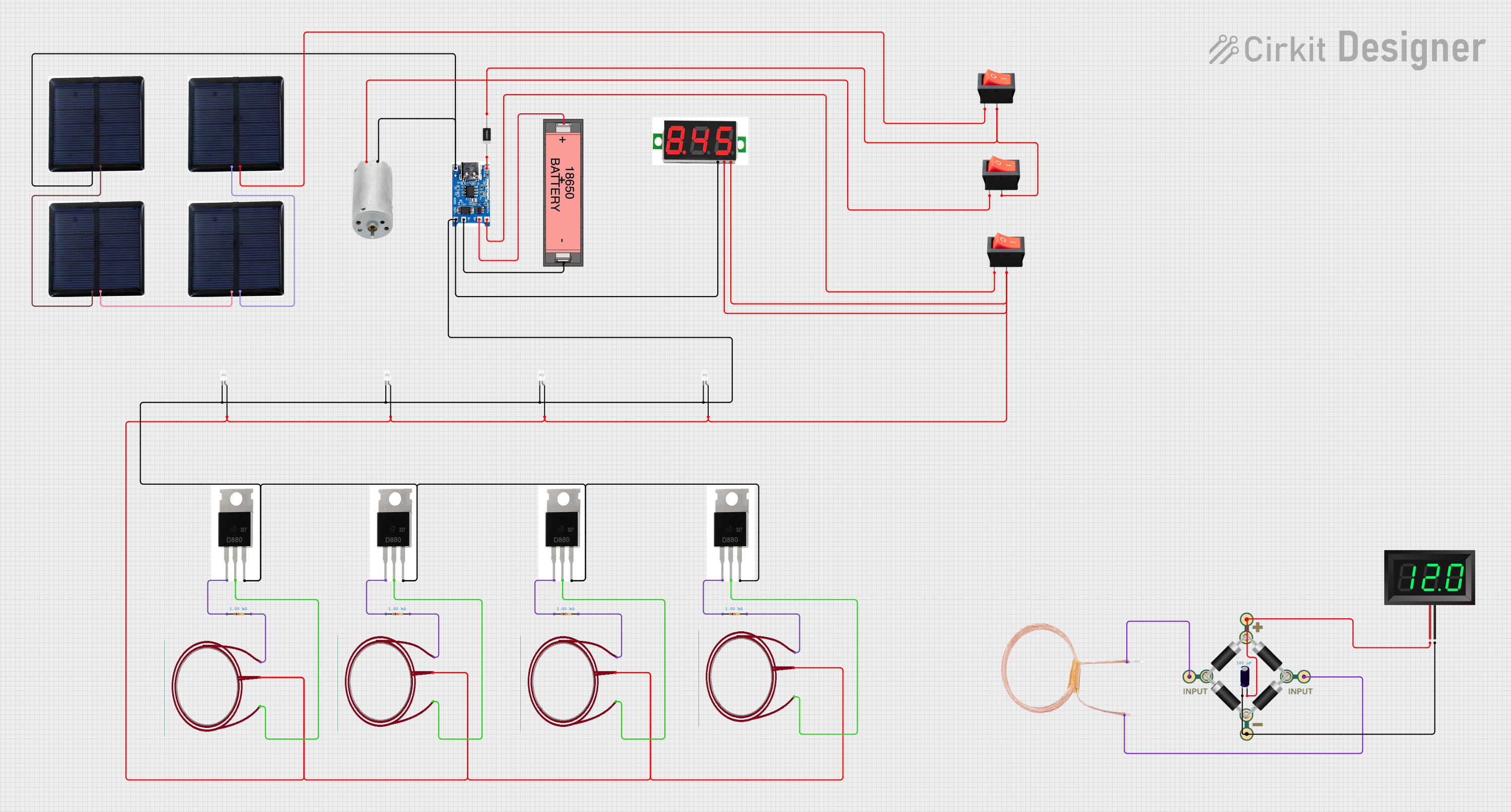
This circuit is a solar-powered battery charging and monitoring system. It uses a TP4056 module to charge a Li-ion 18650 battery from solar cells and a DC generator, with multiple LEDs and a voltmeter to indicate the charging status and battery voltage. The circuit also includes transistors and resistors to control the LEDs and a bridge rectifier for AC to DC conversion.
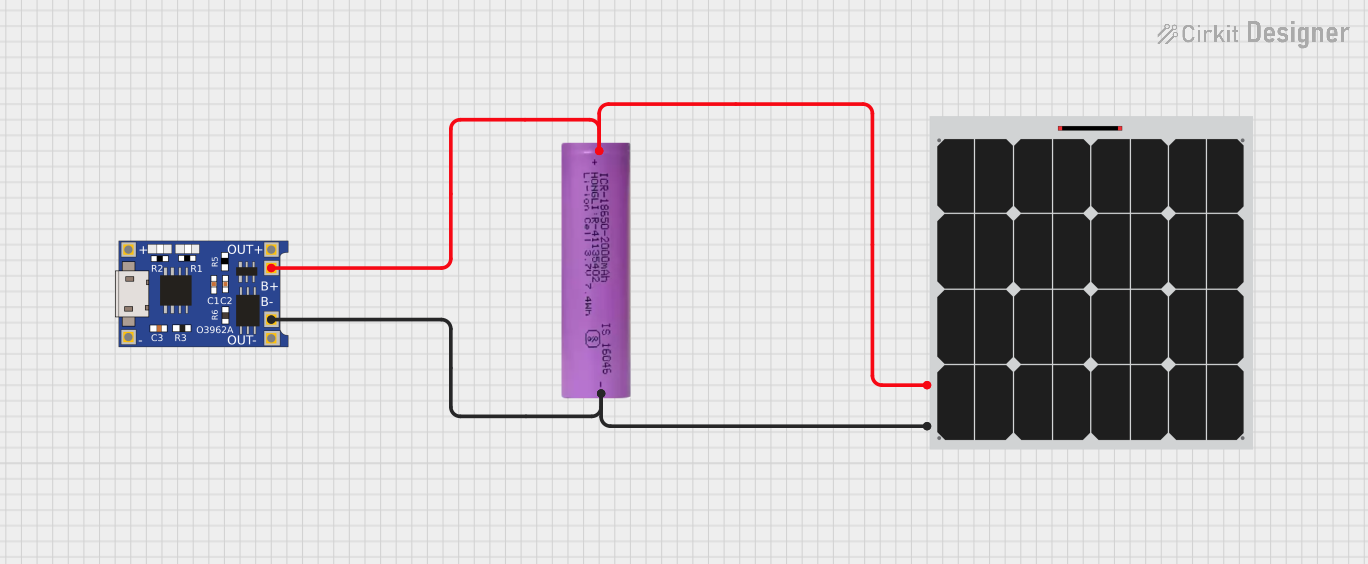
This circuit consists of a solar panel, a Li-ion battery, and a TP4056 charging module. The solar panel charges the Li-ion battery through the TP4056 module, which manages the charging process to ensure safe and efficient charging of the battery.
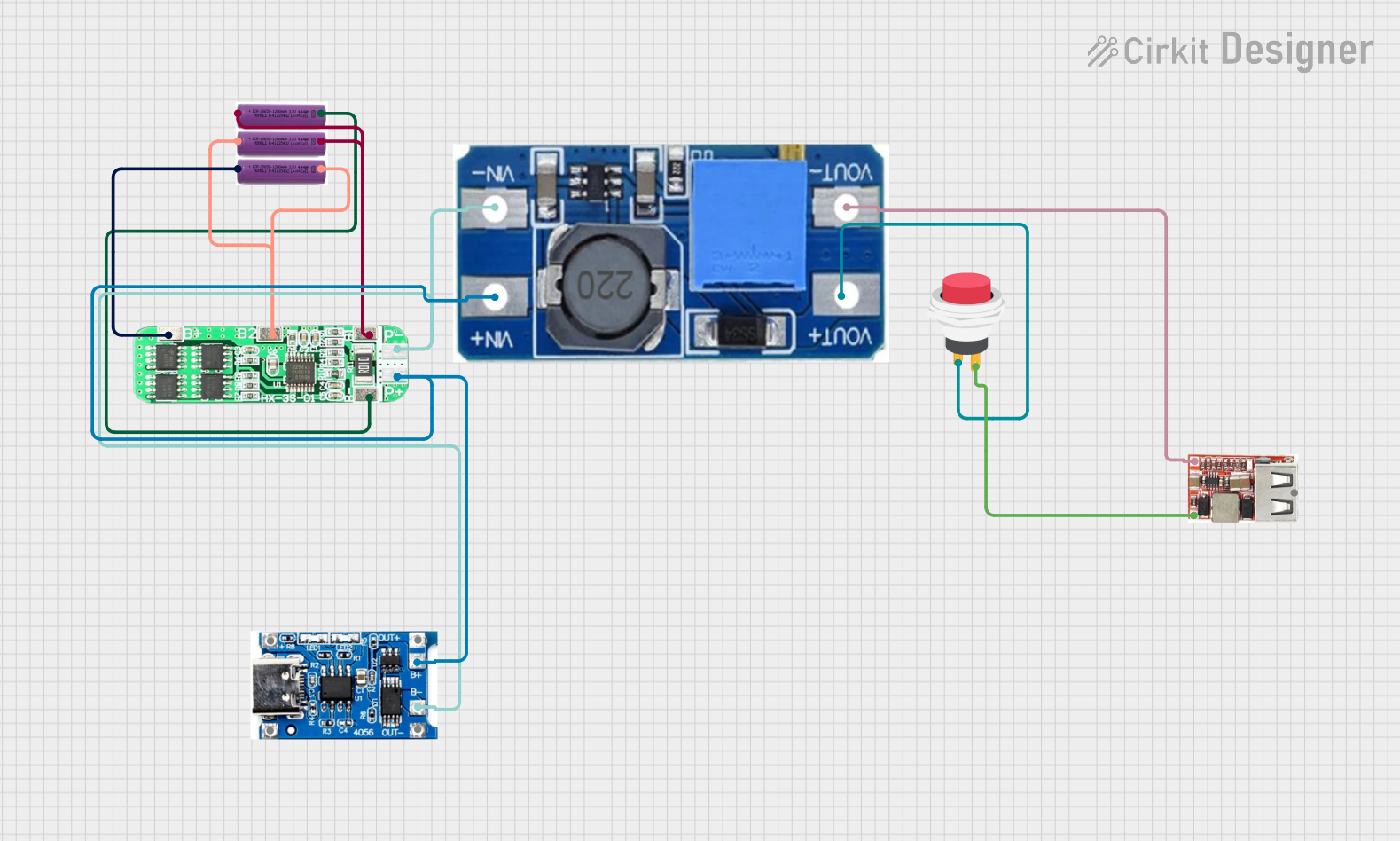
This circuit is a battery management and power supply system that uses three 3.7V batteries connected to a 3S 10A Li-ion 18650 Charger Protection Board Module for balanced charging and protection. The system includes a TP4056 Battery Charging Protection Module for additional charging safety, a Step Up Boost Power Converter to regulate and boost the voltage, and a USB regulator to provide a stable 5V output, controlled by a push switch.
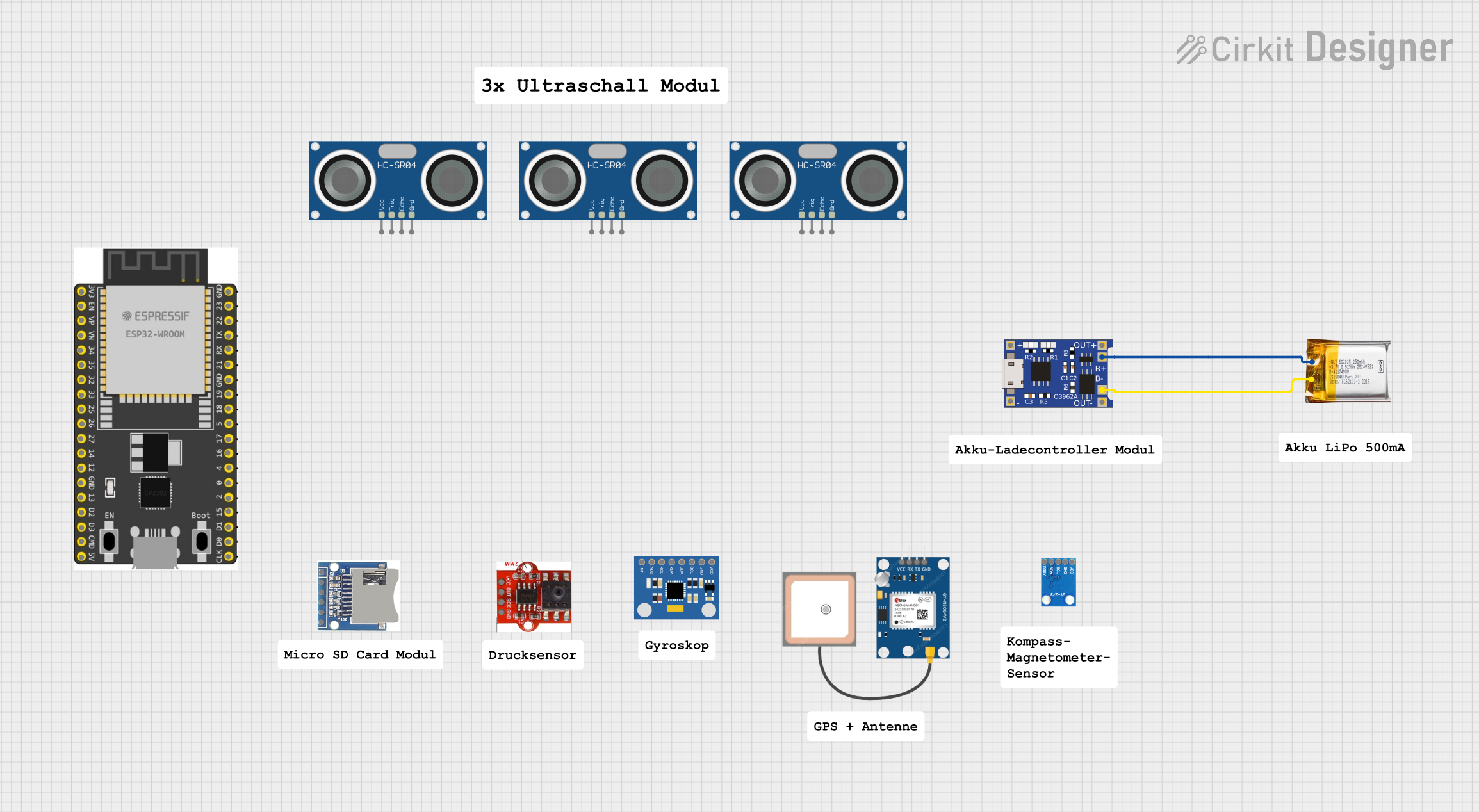
This circuit consists of a TP4056 module connected to a 3.7V LiPo battery, providing a charging interface for the battery. The TP4056 manages the charging process by connecting its B+ and B- pins to the battery's positive and ground terminals, respectively.
Charging lithium-ion and lithium-polymer batteries in portable devices
Power banks and battery-powered projects
DIY electronics and robotics
Solar-powered battery charging systems
Educational and prototyping purposes
Technical Specifications
The following table outlines the key technical details of the Charging Module (Type-C):
Parameter
Value
Input Voltage
5V DC (via USB Type-C connector)
Charging Current
1A (default), adjustable up to 2A
Battery Type Supported
Lithium-ion, Lithium-polymer
Charging Voltage
4.2V (±1%)
Protection Features
Overcharge, Overcurrent, Short Circuit
Dimensions
25mm x 19mm x 5mm
Pin Configuration and Descriptions
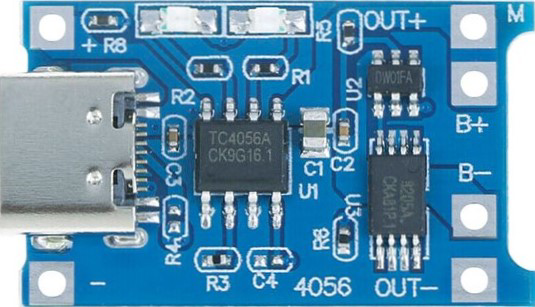
The Charging Module has the following pins and connectors:
Pin/Connector
Description
Type-C Input
USB Type-C connector for 5V DC input power.
BAT+
Positive terminal for connecting the battery.
BAT-
Negative terminal for connecting the battery.
OUT+
Positive terminal for output voltage (connected to the load).
OUT-
Negative terminal for output voltage (connected to the load).
PROG
Pin to adjust the charging current by connecting an external resistor.
STAT1/STAT2
Status indicator pins for charging (can be connected to LEDs for visual status).
Usage Instructions
How to Use the Charging Module in a Circuit
Power Input: Connect a 5V DC power source to the USB Type-C input connector. This can be a USB adapter, power bank, or any 5V DC source.
Battery Connection:
Connect the positive terminal of the battery to the BAT+ pin.
Connect the negative terminal of the battery to the BAT- pin.
Load Connection (Optional):
If you want to power a load while charging the battery, connect the load's positive terminal to OUT+ and the negative terminal to OUT-.
Adjusting Charging Current:
The default charging current is 1A. To adjust it, connect a resistor to the PROG pin. Refer to the module's datasheet for the resistor value corresponding to the desired current.
Status Indicators:
Connect LEDs to the STAT1 and STAT2 pins to monitor the charging status. Typically, one LED indicates charging, and the other indicates a fully charged battery.
Important Considerations and Best Practices
Ensure the input voltage is stable and within the specified range (5V DC).
Use appropriate wiring and connectors to handle the charging current without overheating.
Avoid short-circuiting the BAT+ and BAT- terminals.
Do not exceed the recommended charging current for your battery to prevent damage.
Place the module in a well-ventilated area to prevent overheating during operation.
Example: Using the Charging Module with an Arduino UNO
The Charging Module can be used to power an Arduino UNO while charging a battery. Below is an example circuit and code:
Circuit Connections
Connect the OUT+ and OUT- pins of the Charging Module to the Arduino UNO's VIN and GND pins, respectively.
Connect a 3.7V lithium-ion battery to the BAT+ and BAT- pins of the module.
Power the module using a USB Type-C cable connected to a 5V DC source.
Example Code
// Example code to monitor battery voltage using Arduino UNO
// Connect the battery's positive terminal to an analog pin (e.g., A0)

const int batteryPin = A0; // Analog pin connected to battery positive terminal
float batteryVoltage = 0.0;

void setup() {
  Serial.begin(9600); // Initialize serial communication
  pinMode(batteryPin, INPUT); // Set the battery pin as input
}

void loop() {
  int sensorValue = analogRead(batteryPin); // Read the analog value
  // Convert the analog value to voltage (assuming a 5V reference and 10-bit ADC)
  batteryVoltage = sensorValue * (5.0 / 1023.0) * 2;
  // Multiply by 2 if a voltage divider is used to measure higher voltages

  Serial.print("Battery Voltage: ");
  Serial.print(batteryVoltage);
  Serial.println(" V");

  delay(1000); // Wait for 1 second before the next reading
}
Troubleshooting and FAQs
Common Issues and Solutions
Module Overheating:
Cause: Excessive charging current or poor ventilation.
Solution: Reduce the charging current by adjusting the resistor on the PROG pin. Ensure proper airflow around the module.
Battery Not Charging:
Cause: Incorrect wiring or a faulty battery.
Solution: Double-check the connections to BAT+ and BAT-. Test the battery with a multimeter to ensure it is functional.
No Output Voltage:
Cause: The battery is not connected, or the module is not powered.
Solution: Ensure the battery is properly connected and the module is receiving 5V input power.
LED Indicators Not Working:
Cause: LEDs are not connected correctly or are damaged.
Solution: Verify the connections to STAT1 and STAT2. Replace the LEDs if necessary.
FAQs
Can I use this module to charge batteries other than lithium-ion or lithium-polymer?
No, this module is specifically designed for lithium-ion and lithium-polymer batteries. Using it with other battery types may result in damage.
What is the maximum battery capacity this module can charge?
The module can charge batteries of any capacity, but the charging time will increase with larger capacities.
Can I use this module without a battery, as a power supply?
Yes, you can use the OUT+ and OUT- pins to power a load directly, but ensure the load does not exceed the module's current rating.
How do I adjust the charging current?
Connect a resistor to the PROG pin. Refer to the module's datasheet for the resistor value corresponding to the desired current.
By following this documentation, you can safely and effectively use the Charging Module (Type-C) in your projects.

 Open Project in Cirkit Designer