
How to Use MAX30100 Pulse Oximeter Heart Rate Sensor Module: Examples, Pinouts, and Specs
 Design with MAX30100 Pulse Oximeter Heart Rate Sensor Module in Cirkit Designer
Introduction
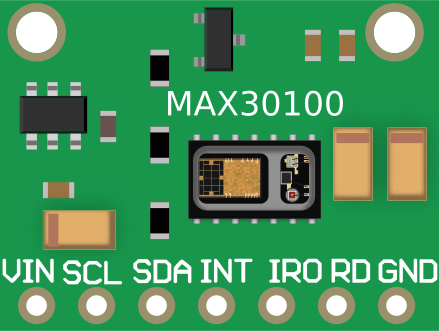
The MAX30100 is a compact and versatile sensor module designed to measure heart rate and blood oxygen saturation (SpO2) using photoplethysmography (PPG). It integrates red and infrared LEDs, a photodetector, and an analog-to-digital converter (ADC) to capture light absorption changes in blood vessels. This module is widely used in health monitoring applications, including wearable devices, fitness trackers, and medical equipment.
Explore Projects Built with MAX30100 Pulse Oximeter Heart Rate Sensor Module
 Open Project in Cirkit Designer
 Open Project in Cirkit Designer
 Open Project in Cirkit Designer
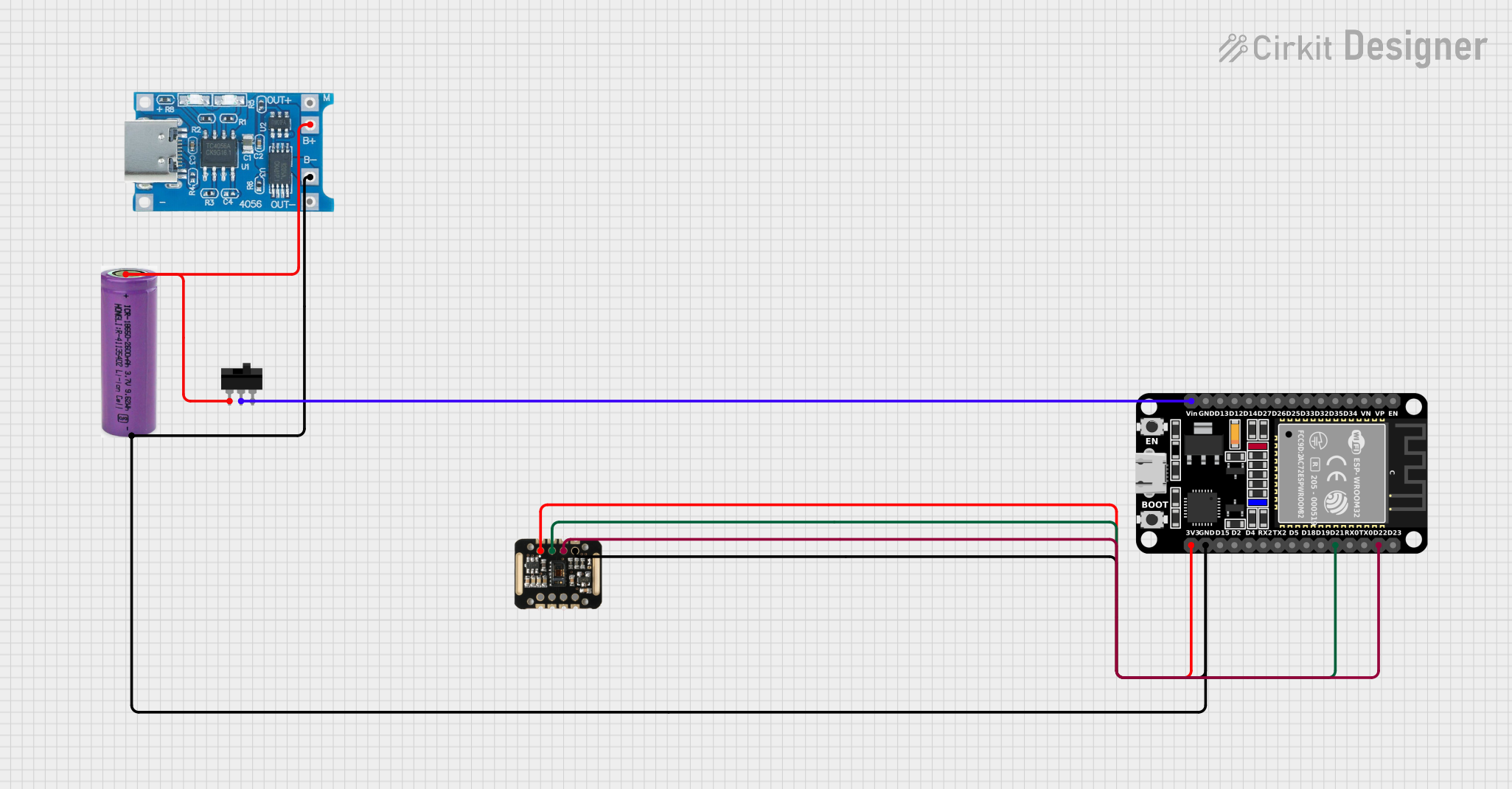 Open Project in Cirkit Designer
Explore Projects Built with MAX30100 Pulse Oximeter Heart Rate Sensor Module
Open Project in Cirkit DesignerOpen Project in Cirkit DesignerOpen Project in Cirkit DesignerOpen Project in Cirkit DesignerCommon Applications
- Wearable health monitoring devices
- Fitness trackers
- Medical diagnostic tools
- IoT-based health monitoring systems
- Educational and research projects
Technical Specifications
Key Technical Details
| Parameter | Value |
|---|---|
| Operating Voltage | 1.8V (core) and 3.3V (I/O) |
| Operating Current | 0.7mA (typical) |
| Standby Current | 0.7µA |
| Measurement Parameters | Heart Rate, SpO2 |
| Communication Interface | I2C |
| LED Wavelengths | Red: 660nm, Infrared: 880nm |
| Sampling Rate | Programmable (50Hz to 100Hz) |
| Operating Temperature Range | -40°C to +85°C |
| Dimensions | 0.75" x 0.5" (approx.) |
Pin Configuration and Descriptions
| Pin Name | Pin Number | Description |
|---|---|---|
| VIN | 1 | Power supply input (3.3V recommended) |
| GND | 2 | Ground |
| SDA | 3 | I2C data line |
| SCL | 4 | I2C clock line |
| INT | 5 | Interrupt output (optional, for alerts) |
Usage Instructions
How to Use the MAX30100 in a Circuit
- Power Supply: Connect the VIN pin to a 3.3V power source and the GND pin to ground.
- I2C Communication: Connect the SDA and SCL pins to the corresponding I2C pins on your microcontroller (e.g., Arduino UNO: A4 for SDA, A5 for SCL).
- Pull-Up Resistors: Use 4.7kΩ pull-up resistors on the SDA and SCL lines if not already included on the module.
- Interrupt Pin (Optional): Connect the INT pin to a GPIO pin on your microcontroller if you want to use interrupt-based alerts.
- Library and Code: Use an appropriate library (e.g., MAX30100 library for Arduino) to simplify communication and data processing.
Important Considerations
- Ensure the sensor is placed on a stable surface or attached to a finger for accurate readings.
- Avoid direct exposure to ambient light, as it may interfere with measurements.
- Use a low-noise power supply to minimize interference.
- Calibrate the sensor if necessary for specific applications.
Example Arduino Code
Below is an example of how to interface the MAX30100 with an Arduino UNO to read heart rate and SpO2 values:
#include <Wire.h>
#include "MAX30100_PulseOximeter.h"

// Create an instance of the PulseOximeter class
PulseOximeter pox;

// Timer variables for periodic updates
uint32_t lastUpdate = 0;

// Callback function to handle new data
void onBeatDetected() {
  Serial.println("Beat detected!");
}

void setup() {
  Serial.begin(9600); // Initialize serial communication
  Serial.println("Initializing MAX30100...");

  // Initialize the MAX30100 sensor
  if (!pox.begin()) {
    Serial.println("Failed to initialize MAX30100. Check connections!");
    while (1);
  }

  // Set the callback for beat detection
  pox.setOnBeatDetectedCallback(onBeatDetected);

  Serial.println("MAX30100 initialized successfully.");
}

void loop() {
  // Update the sensor readings
  pox.update();

  // Print heart rate and SpO2 every second
  if (millis() - lastUpdate > 1000) {
    lastUpdate = millis();
    Serial.print("Heart Rate: ");
    Serial.print(pox.getHeartRate());
    Serial.print(" bpm, SpO2: ");
    Serial.print(pox.getSpO2());
    Serial.println(" %");
  }
}
Notes:
- Install the
MAX30100_PulseOximeterlibrary in the Arduino IDE before running the code. - Ensure proper connections between the MAX30100 module and the Arduino UNO.
Troubleshooting and FAQs
Common Issues and Solutions
No Data Output:
- Verify the I2C connections (SDA and SCL).
- Check if pull-up resistors are present on the I2C lines.
- Ensure the module is powered correctly (3.3V on VIN).
Inaccurate Readings:
- Ensure the sensor is properly positioned on the finger or measurement site.
- Minimize ambient light interference by covering the sensor.
- Use a stable power supply to reduce noise.
Sensor Not Detected:
- Confirm the I2C address of the MAX30100 (default: 0x57).
- Use an I2C scanner sketch to detect the module on the bus.
Intermittent Data:
- Check for loose connections or faulty wires.
- Ensure the sampling rate is appropriate for your application.
FAQs
Q: Can the MAX30100 measure SpO2 and heart rate simultaneously?
A: Yes, the MAX30100 is designed to measure both parameters simultaneously using its dual LED and photodetector setup.
Q: What is the maximum distance between the sensor and the microcontroller?
A: The I2C bus typically supports distances up to 1 meter. For longer distances, consider using I2C extenders.
Q: Can I use the MAX30100 with a 5V microcontroller?
A: Yes, but you must use a logic level shifter to convert the 5V I2C signals to 3.3V.
Q: How do I improve measurement accuracy?
A: Ensure proper sensor placement, minimize motion artifacts, and reduce ambient light interference.
By following this documentation, you can effectively integrate the MAX30100 Pulse Oximeter Heart Rate Sensor Module into your projects for reliable health monitoring.