
How to Use IDC6 SWD: Examples, Pinouts, and Specs
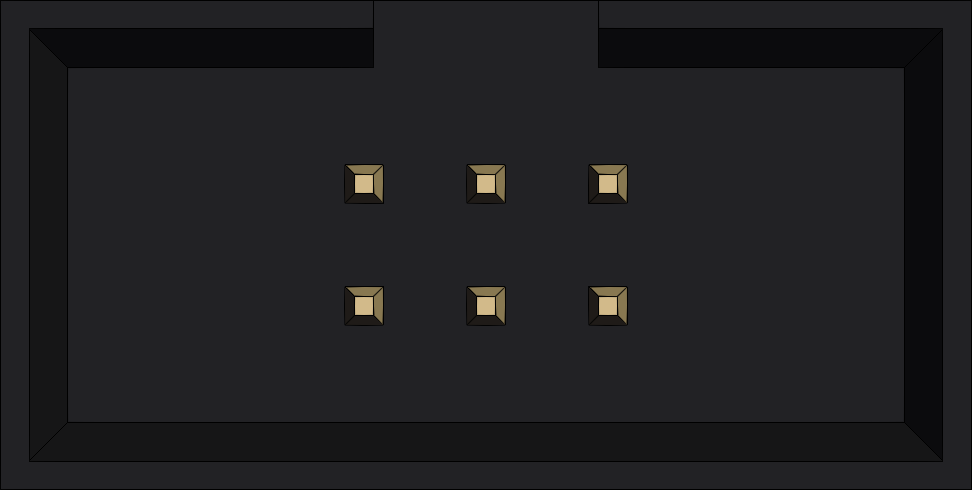
 Design with IDC6 SWD in Cirkit Designer
Introduction
The IDC6 SWD (In-Circuit Debugging Connector, 6-pin) is a compact and widely used connector designed for Serial Wire Debug (SWD) interfaces. It is commonly employed in microcontroller programming and debugging applications. The IDC6 SWD connector provides a reliable and efficient way to interface with ARM Cortex-M microcontrollers, enabling developers to program, debug, and test their embedded systems.
Explore Projects Built with IDC6 SWD
 Open Project in Cirkit Designer
 Open Project in Cirkit Designer
 Open Project in Cirkit Designer
 Open Project in Cirkit Designer
Explore Projects Built with IDC6 SWD
Open Project in Cirkit DesignerOpen Project in Cirkit DesignerOpen Project in Cirkit DesignerOpen Project in Cirkit DesignerCommon Applications and Use Cases
- Debugging and programming ARM Cortex-M microcontrollers
- Firmware development and testing
- Embedded system prototyping
- Production-level programming in manufacturing environments
Technical Specifications
Key Technical Details
- Connector Type: IDC (Insulation Displacement Connector)
- Number of Pins: 6
- Pitch: 1.27 mm (0.05 inches)
- Interface Protocol: Serial Wire Debug (SWD)
- Voltage Levels: Compatible with 1.8V to 3.3V logic levels
- Current Rating: Up to 1A per pin
- Operating Temperature: -40°C to +85°C
- Durability: Rated for 100 mating cycles
Pin Configuration and Descriptions
The IDC6 SWD connector has six pins, each serving a specific purpose in the SWD interface. The table below outlines the pin configuration:
| Pin Number | Name | Description |
|---|---|---|
| 1 | VCC | Target voltage reference (1.8V to 3.3V). Used to power the debugger interface. |
| 2 | SWDIO | Serial Wire Debug Input/Output. Bi-directional data line for SWD communication. |
| 3 | GND | Ground connection. Provides a common reference for the circuit. |
| 4 | SWCLK | Serial Wire Clock. Provides the clock signal for SWD communication. |
| 5 | GND | Additional ground connection for improved signal integrity. |
| 6 | RESET | Target microcontroller reset line. Used to reset the target device. |
Usage Instructions
How to Use the IDC6 SWD in a Circuit
Connect the IDC6 SWD to the Target Microcontroller:
- Align the connector with the corresponding SWD header on the target board.
- Ensure proper orientation by matching the pin 1 marking on the connector with the target board.
Connect the Debugger/Programmer:
- Use an SWD-compatible debugger (e.g., ST-Link, J-Link) and connect it to the IDC6 SWD.
- Verify that the debugger supports the voltage level of the target microcontroller.
Power the Circuit:
- Supply power to the target microcontroller. The VCC pin on the IDC6 SWD should match the target voltage.
Program or Debug:
- Use an Integrated Development Environment (IDE) such as Keil, STM32CubeIDE, or IAR Embedded Workbench.
- Configure the IDE to use the SWD interface for programming and debugging.
Important Considerations and Best Practices
- Signal Integrity: Keep the SWD lines (SWDIO and SWCLK) as short as possible to minimize noise and signal degradation.
- Pull-Up Resistors: Some microcontrollers may require external pull-up resistors on the SWDIO and RESET lines.
- Voltage Compatibility: Ensure the debugger and target microcontroller operate at the same voltage level.
- Pin Orientation: Double-check the pin alignment to avoid damaging the target microcontroller or debugger.
Example: Connecting IDC6 SWD to an Arduino UNO
Although the Arduino UNO does not natively support SWD, you can use an ARM-based microcontroller (e.g., STM32) with an IDC6 SWD connector. Below is an example of using an STM32 microcontroller with an SWD debugger:
// Example: Blinking an LED on an STM32 microcontroller using SWD programming
// This code assumes the STM32 is programmed via an SWD debugger and uses HAL library.

#include "stm32f1xx_hal.h"  // Include the STM32 HAL library

void SystemClock_Config(void);  // Function to configure the system clock
void GPIO_Init(void);           // Function to initialize GPIO

int main(void) {
    HAL_Init();                 // Initialize the HAL library
    SystemClock_Config();       // Configure the system clock
    GPIO_Init();                // Initialize GPIO for LED

    while (1) {
        HAL_GPIO_TogglePin(GPIOC, GPIO_PIN_13);  // Toggle LED on pin PC13
        HAL_Delay(500);                          // Delay for 500ms
    }
}

void GPIO_Init(void) {
    __HAL_RCC_GPIOC_CLK_ENABLE();  // Enable clock for GPIOC

    GPIO_InitTypeDef GPIO_InitStruct = {0};
    GPIO_InitStruct.Pin = GPIO_PIN_13;          // Configure pin PC13
    GPIO_InitStruct.Mode = GPIO_MODE_OUTPUT_PP; // Set as push-pull output
    GPIO_InitStruct.Pull = GPIO_NOPULL;         // No pull-up or pull-down
    GPIO_InitStruct.Speed = GPIO_SPEED_FREQ_LOW; // Low frequency
    HAL_GPIO_Init(GPIOC, &GPIO_InitStruct);     // Initialize GPIO
}

// Note: SystemClock_Config() function should be implemented based on your
// specific STM32 microcontroller and clock configuration.
Troubleshooting and FAQs
Common Issues and Solutions
Debugger Not Detecting the Target Microcontroller:
- Solution: Verify the connections between the debugger and the IDC6 SWD. Ensure the VCC, GND, SWDIO, and SWCLK lines are properly connected.
Programming Fails or Debugger Disconnects:
- Solution: Check for noise or interference on the SWD lines. Use shorter cables and ensure proper grounding.
Target Microcontroller Does Not Reset:
- Solution: Confirm that the RESET pin is connected and not held low by external circuitry.
Voltage Mismatch:
- Solution: Ensure the debugger and target microcontroller operate at the same voltage level. Use a level shifter if necessary.
FAQs
Q: Can I use the IDC6 SWD with 5V microcontrollers?
A: No, the IDC6 SWD is designed for 1.8V to 3.3V logic levels. Using it with 5V microcontrollers may damage the debugger or target device.Q: Is the RESET pin mandatory for SWD programming?
A: While not always mandatory, the RESET pin is recommended for reliable programming and debugging, especially in production environments.Q: Can I extend the SWD cable length?
A: It is not recommended to extend the cable length beyond 20 cm, as longer cables can introduce noise and signal degradation.
This concludes the documentation for the IDC6 SWD connector.