
How to Use Numpad4x4: Examples, Pinouts, and Specs
 Design with Numpad4x4 in Cirkit Designer
Introduction
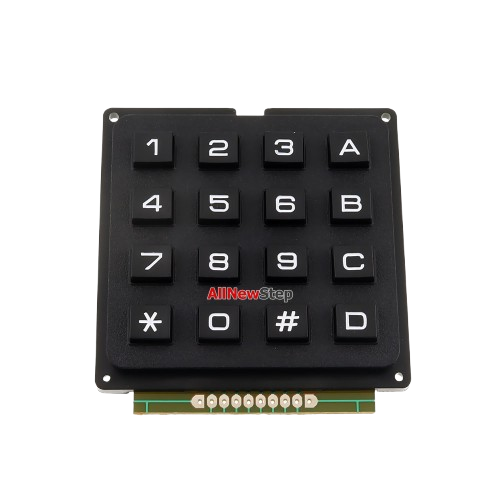
The Numpad4x4 is a 4x4 matrix keypad consisting of 16 keys arranged in a grid. It is commonly used for inputting numerical data or commands in electronic devices. Each key in the matrix is connected to a unique combination of row and column pins, allowing for efficient detection of key presses. This component is widely used in projects such as password-protected locks, calculators, and menu navigation systems.
Explore Projects Built with Numpad4x4
 Open Project in Cirkit Designer
 Open Project in Cirkit Designer
 Open Project in Cirkit Designer
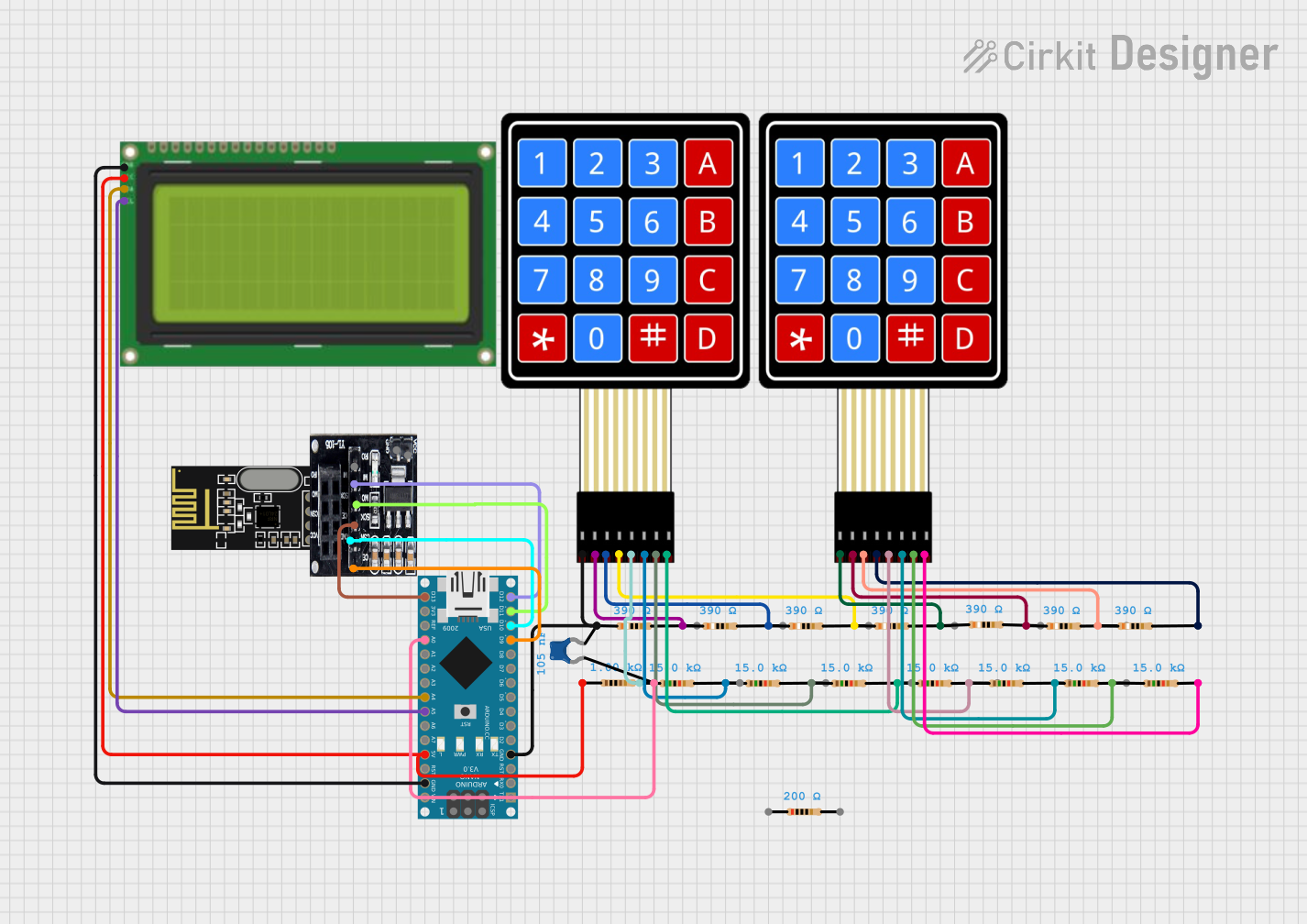 Open Project in Cirkit Designer
Explore Projects Built with Numpad4x4
Open Project in Cirkit DesignerOpen Project in Cirkit DesignerOpen Project in Cirkit DesignerOpen Project in Cirkit DesignerCommon Applications
- Password-protected security systems
- Calculators and data entry devices
- Menu navigation in embedded systems
- Home automation control panels
- Robotics and IoT projects
Technical Specifications
The Numpad4x4 is a passive input device that requires external circuitry or a microcontroller to detect key presses. Below are its key specifications:
| Parameter | Value |
|---|---|
| Number of Keys | 16 (4 rows × 4 columns) |
| Operating Voltage | 3.3V to 5V |
| Keypad Dimensions | ~7cm × 7cm |
| Interface Type | Matrix (8 pins: 4 rows, 4 columns) |
| Keypad Material | Plastic with conductive pads |
| Connector Type | Male header pins |
Pin Configuration
The Numpad4x4 has 8 pins, which are divided into 4 row pins and 4 column pins. The table below describes the pin configuration:
| Pin | Description |
|---|---|
| R1 | Row 1 |
| R2 | Row 2 |
| R3 | Row 3 |
| R4 | Row 4 |
| C1 | Column 1 |
| C2 | Column 2 |
| C3 | Column 3 |
| C4 | Column 4 |
Usage Instructions
Connecting the Numpad4x4 to a Microcontroller
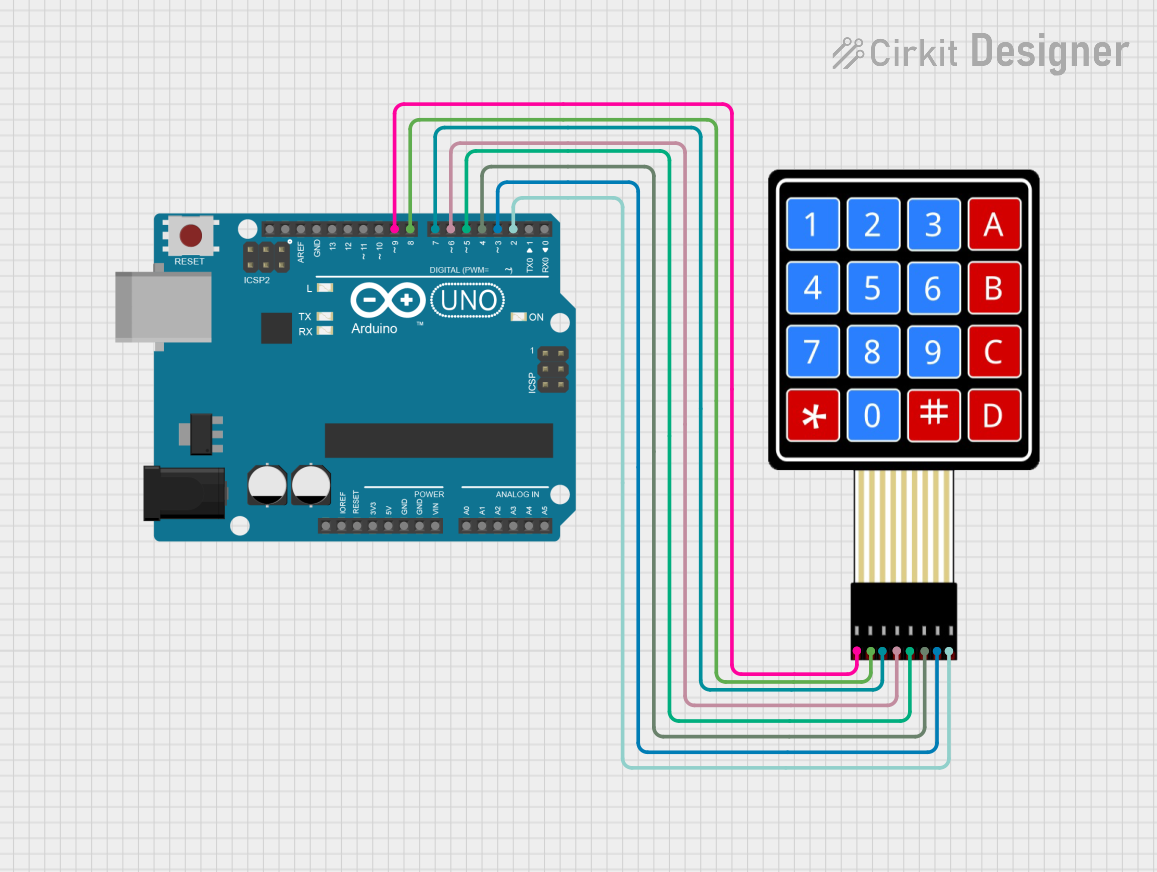
To use the Numpad4x4, connect its 8 pins to a microcontroller. The rows (R1–R4) and columns (C1–C4) are scanned to detect which key is pressed. A common approach is to use a library, such as the Arduino Keypad library, to simplify the process.
Example Circuit
- Connect the row pins (R1–R4) to digital input/output pins on the microcontroller.
- Connect the column pins (C1–C4) to additional digital input/output pins.
- Use pull-up or pull-down resistors if required by your microcontroller.
Sample Code for Arduino UNO
Below is an example of how to use the Numpad4x4 with an Arduino UNO:
#include <Keypad.h>

// Define the rows and columns of the keypad
const byte ROWS = 4; // Four rows
const byte COLS = 4; // Four columns

// Define the keymap for the keypad
char keys[ROWS][COLS] = {
  {'1', '2', '3', 'A'},
  {'4', '5', '6', 'B'},
  {'7', '8', '9', 'C'},
  {'*', '0', '#', 'D'}
};

// Define the row and column pins connected to the keypad
byte rowPins[ROWS] = {9, 8, 7, 6}; // Connect to R1, R2, R3, R4
byte colPins[COLS] = {5, 4, 3, 2}; // Connect to C1, C2, C3, C4

// Create a Keypad object
Keypad keypad = Keypad(makeKeymap(keys), rowPins, colPins, ROWS, COLS);

void setup() {
  Serial.begin(9600); // Initialize serial communication
  Serial.println("Numpad4x4 Test");
}

void loop() {
  char key = keypad.getKey(); // Check if a key is pressed

  if (key) {
    // Print the pressed key to the serial monitor
    Serial.print("Key Pressed: ");
    Serial.println(key);
  }
}
Best Practices
- Use a stable power supply to avoid erratic key detection.
- Debounce the keys in software to prevent multiple detections of a single press.
- Avoid pressing multiple keys simultaneously, as this may cause ghosting (incorrect key detection).
Troubleshooting and FAQs
Common Issues
No key press is detected:
- Ensure all connections between the keypad and microcontroller are secure.
- Verify that the row and column pins are correctly assigned in the code.
Incorrect key is detected:
- Check for loose or shorted connections.
- Ensure the keymap in the code matches the physical layout of the keypad.
Multiple keys are detected at once:
- This may be caused by ghosting. Use a microcontroller with built-in pull-up resistors or add external diodes to prevent ghosting.
FAQs
Q: Can the Numpad4x4 be used with a 3.3V microcontroller?
A: Yes, the Numpad4x4 is compatible with both 3.3V and 5V systems.
Q: How do I clean the keypad if it becomes unresponsive?
A: Use a soft, dry cloth to clean the surface. Avoid using liquids, as they may damage the conductive pads.
Q: Can I use fewer than 16 keys?
A: Yes, you can modify the keymap and only use the rows and columns corresponding to the desired keys.
By following this documentation, you can effectively integrate the Numpad4x4 into your projects and troubleshoot common issues.