The MKE-S09 MQ-135 Air Quality Sensor is an electronic device designed to detect a wide range of harmful gases in the environment. It is sensitive to gases such as ammonia, sulfide, benzene vapors, and others, making it an essential component for air quality monitoring systems, environmental safety applications, and gas leakage detectors. Its versatility allows it to be used in both industrial and residential settings to ensure the safety and well-being of individuals.
Explore Projects Built with MKE-S09 MQ-135 Air Quality Sensor
Use Cirkit Designer to design, explore, and prototype these projects online. Some projects support real-time simulation. Click "Open Project" to start designing instantly!
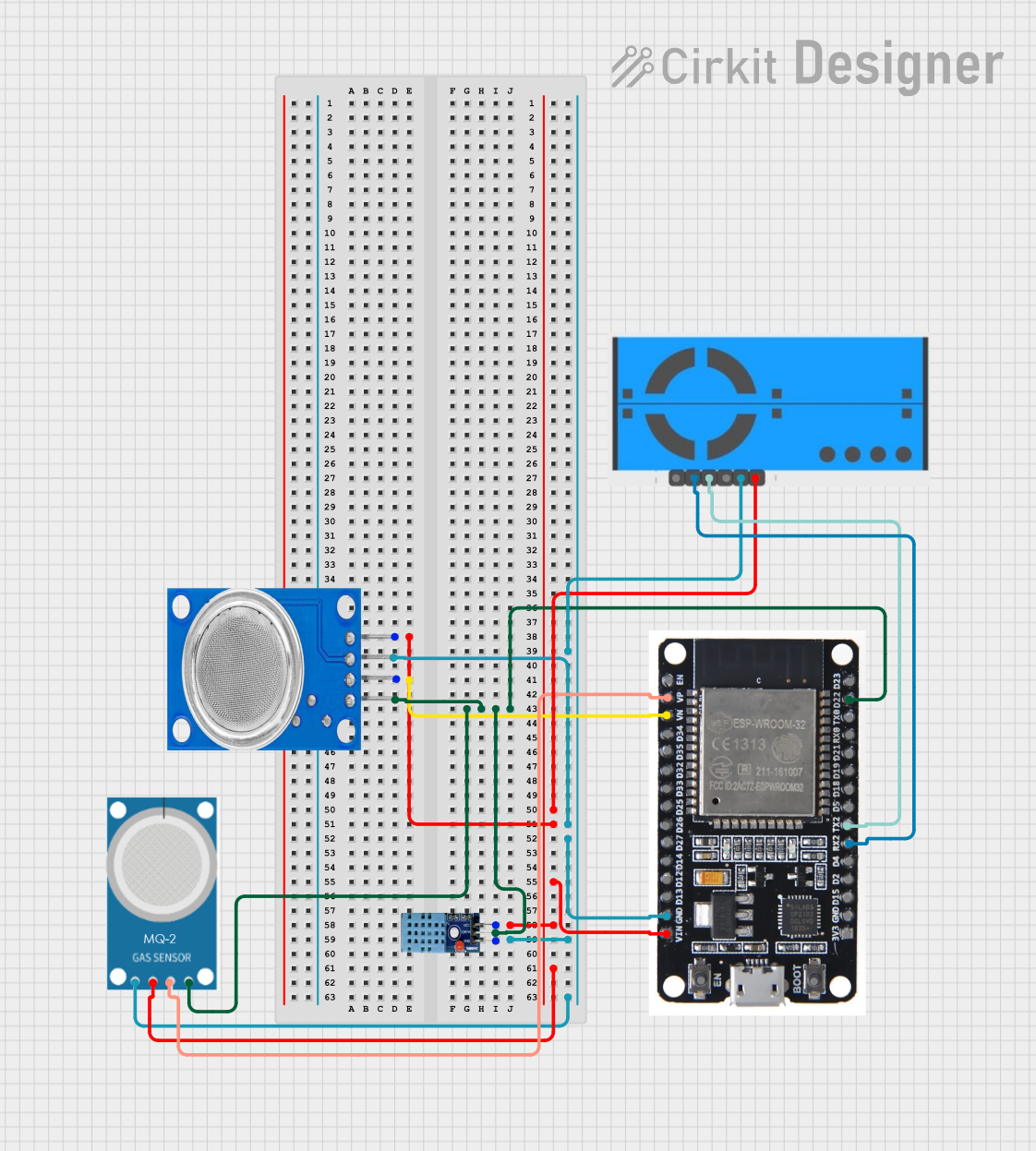
This circuit is an air quality monitoring system that uses an ESP32 microcontroller to collect data from various sensors, including the MQ135 and MQ-2 gas sensors, a DHT11 temperature and humidity sensor, and a PMS5003 PM2.5 air quality sensor. The ESP32 processes the sensor data and can potentially transmit it for further analysis or display.
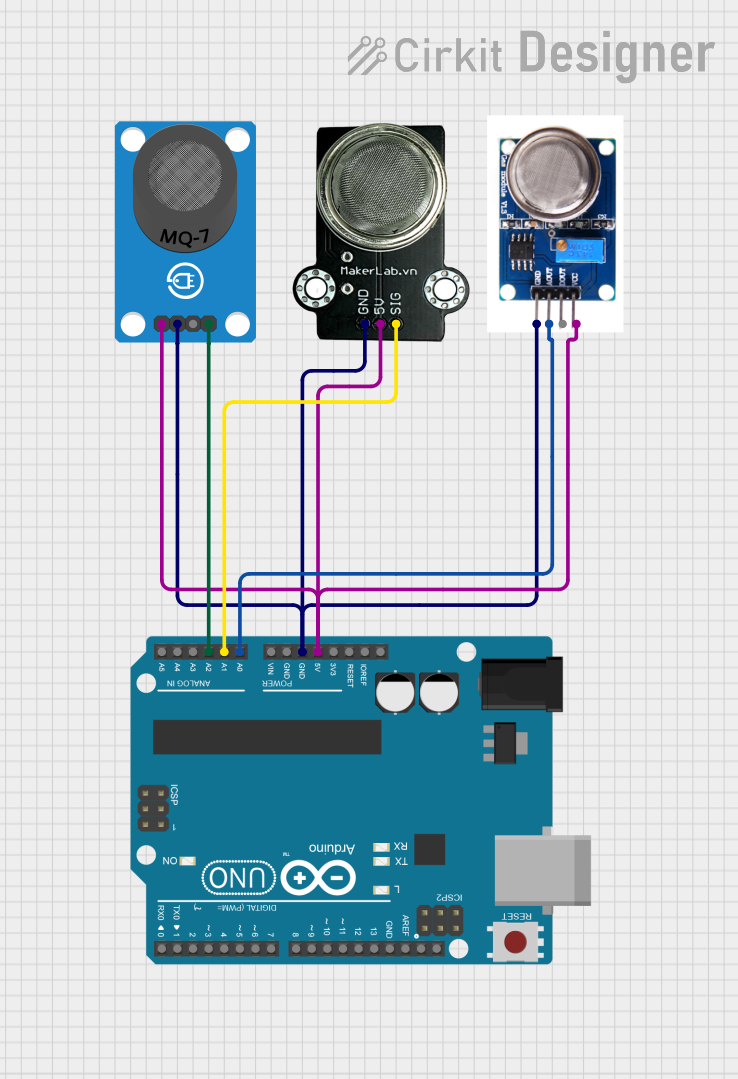
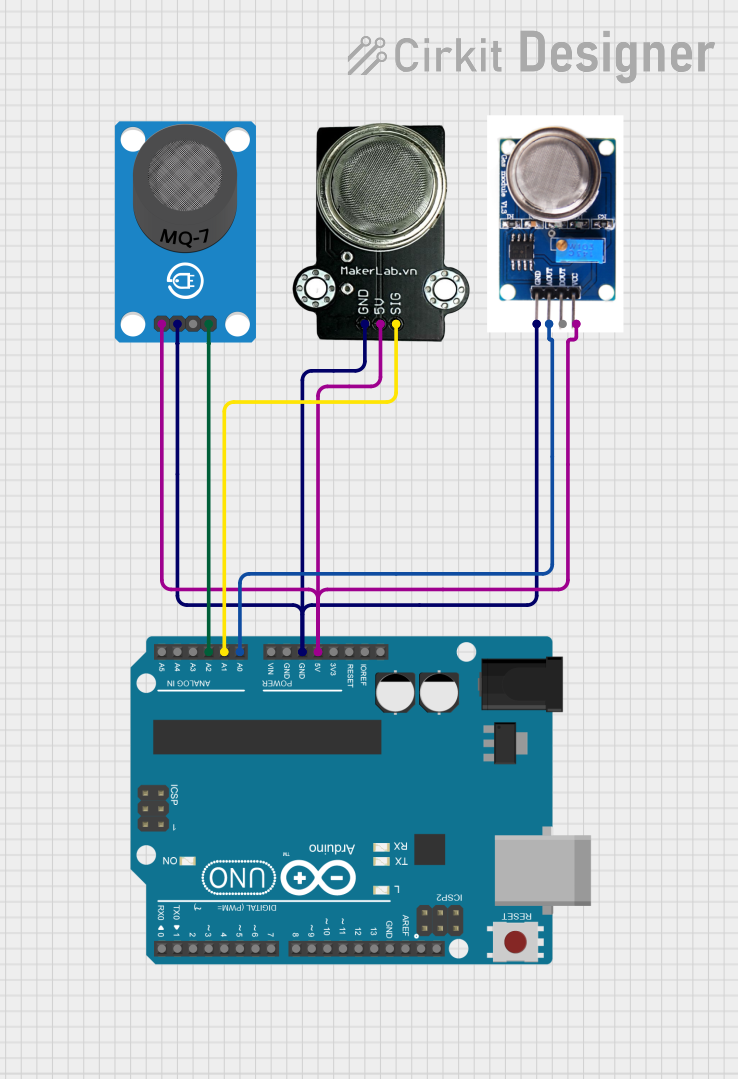
This circuit is an air quality monitoring system using an Arduino UNO microcontroller connected to three different gas sensors: MQ-7 for carbon monoxide, MQ131 for ozone, and MQ-135 for general air quality. The Arduino reads analog signals from these sensors and outputs the readings via the serial interface for monitoring purposes.
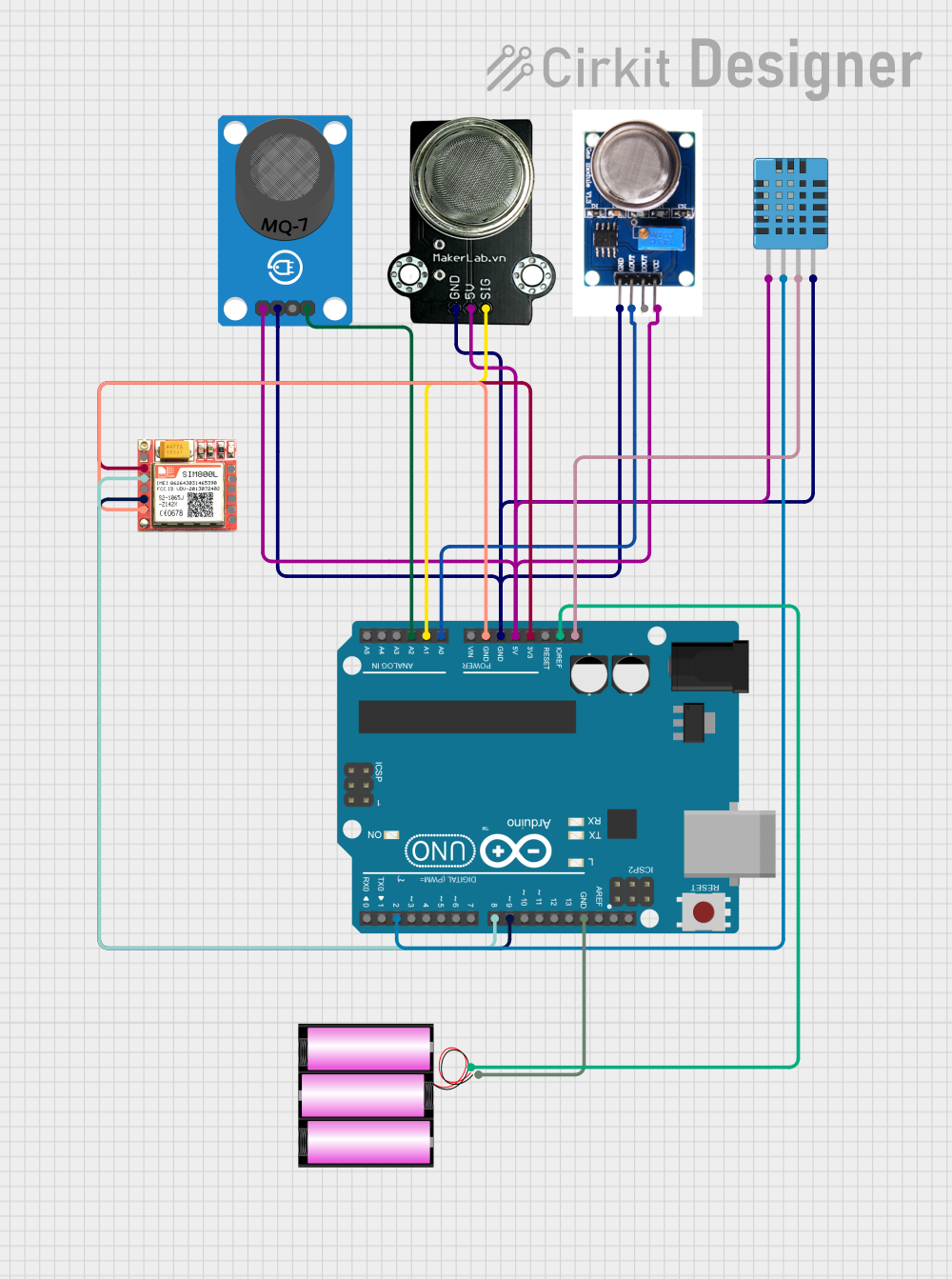
This circuit is an air quality monitoring system that uses an Arduino UNO to read data from various sensors, including the MQ-7 for CO detection, MQ131 for ozone detection, MQ-135 for general air quality, and a DHT11 for temperature and humidity. The Arduino processes the sensor data and can communicate the results via a SIM800L module for remote monitoring.
This circuit is designed for environmental monitoring, featuring an Arduino UNO microcontroller interfaced with three different gas sensors: MQ-7 for carbon monoxide (CO) detection, MQ131 for ozone (O3) measurement, and MQ-135 for general air quality assessment. The sensors are powered by the Arduino's 5V output and their analog signals are read through the Arduino's analog input pins A0, A1, and A2 respectively. The embedded code reads the analog values from the sensors and outputs the readings via the serial interface, allowing for real-time monitoring of the gases.
Sensing Resistance (Rs): 30kΩ to 200kΩ (in 100ppm NH3)
Preheat Duration: Over 24 hours recommended for initial use
Pin Configuration and Descriptions
Pin Number
Pin Name
Description
1
VCC
Power supply (5V DC)
2
GND
Ground
3
DOUT
Digital output (TTL logic level)
4
AOUT
Analog output (Voltage proportional to gas concentration)
Usage Instructions
Integration with a Circuit
Power Supply: Connect the VCC pin to a 5V power source and the GND pin to the ground.
Signal Output: The sensor provides both digital and analog outputs. Connect the DOUT pin to a digital input pin on your microcontroller if you wish to use the digital output. For the analog output, connect the AOUT pin to an analog input pin on your microcontroller.
Load Resistance Adjustment: The RL on the board can be adjusted to calibrate the sensor for different gas concentrations or sensitivity requirements.
Best Practices
Calibration: Calibrate the sensor for the specific gas and concentration range you intend to measure.
Ventilation: Ensure proper ventilation around the sensor to allow for accurate gas detection.
Temperature and Humidity: Be aware that the sensor's readings can be affected by temperature and humidity. Compensate for these factors if necessary.
Safety: When dealing with harmful gases, always follow appropriate safety protocols.
Example Code for Arduino UNO
// MQ-135 Air Quality Sensor Example Code
// Connect the AOUT pin of the MQ-135 to A0 on the Arduino

int sensorPin = A0; // Select the input pin for the MQ-135
int sensorValue = 0; // Variable to store the sensor value

void setup() {
  Serial.begin(9600); // Initialize serial communication at 9600 bits per second
}

void loop() {
  sensorValue = analogRead(sensorPin); // Read the sensor value
  Serial.print("Air Quality: ");
  Serial.println(sensorValue); // Print the sensor value to the serial monitor
  delay(1000); // Wait for a second to get stable readings
}
Troubleshooting and FAQs
Common Issues
Inaccurate Readings: If the sensor is giving inaccurate readings, ensure that it has been preheated for over 24 hours and calibrated correctly.
No Readings: Check the power supply and connections if the sensor is not providing any readings.
Solutions and Tips
Preheating: Always preheat the sensor before using it for the first time or after a long period of inactivity.
Calibration: Use a known gas concentration to calibrate the sensor for more accurate readings.
Regular Testing: Periodically test the sensor with a known gas source to ensure it is functioning correctly.
FAQs
Q: How long does the sensor last?
A: The lifespan of the sensor depends on the usage and the environment in which it is used. Typically, these sensors can last for several years with proper maintenance.
Q: Can the sensor detect carbon monoxide?
A: The MQ-135 is primarily designed for detecting ammonia, sulfide, and benzene vapors. For carbon monoxide detection, a different sensor like the MQ-7 is recommended.
Q: Is the sensor waterproof?
A: No, the MQ-135 sensor is not waterproof. Protect it from moisture and water exposure to prevent damage.
Q: How do I know if the sensor is working correctly?
A: You can test the sensor by exposing it to a known gas concentration and observing the readings. If the readings are within the expected range, the sensor is likely functioning correctly.
For further assistance or inquiries, please contact the manufacturer or your local distributor.


 Open Project in Cirkit Designer