The TEMT6000 module, manufactured by Vishay, is a high-sensitivity ambient light sensor designed to detect and measure ambient light levels. It outputs an analog voltage proportional to the intensity of the light, making it an ideal choice for applications requiring precise light measurement. The module is compact, easy to use, and integrates seamlessly into various electronic projects.
Explore Projects Built with TEMT6000 module
Use Cirkit Designer to design, explore, and prototype these projects online. Some projects support real-time simulation. Click "Open Project" to start designing instantly!
This circuit features an Arduino Mega 2560 microcontroller interfaced with a SIM800L GSM module, two fingerprint scanners, an I2C LCD display, an IR sensor, and a piezo buzzer. Power management is handled by a PowerBoost 1000 Basic Pad USB, a TP4056 charging module, and a Li-ion 18650 battery, with an option to use a Mini AC-DC 110V-230V to 5V 700mA module for direct power supply. The primary functionality appears to be a security system with GSM communication capabilities, biometric access control, and visual/audible feedback.
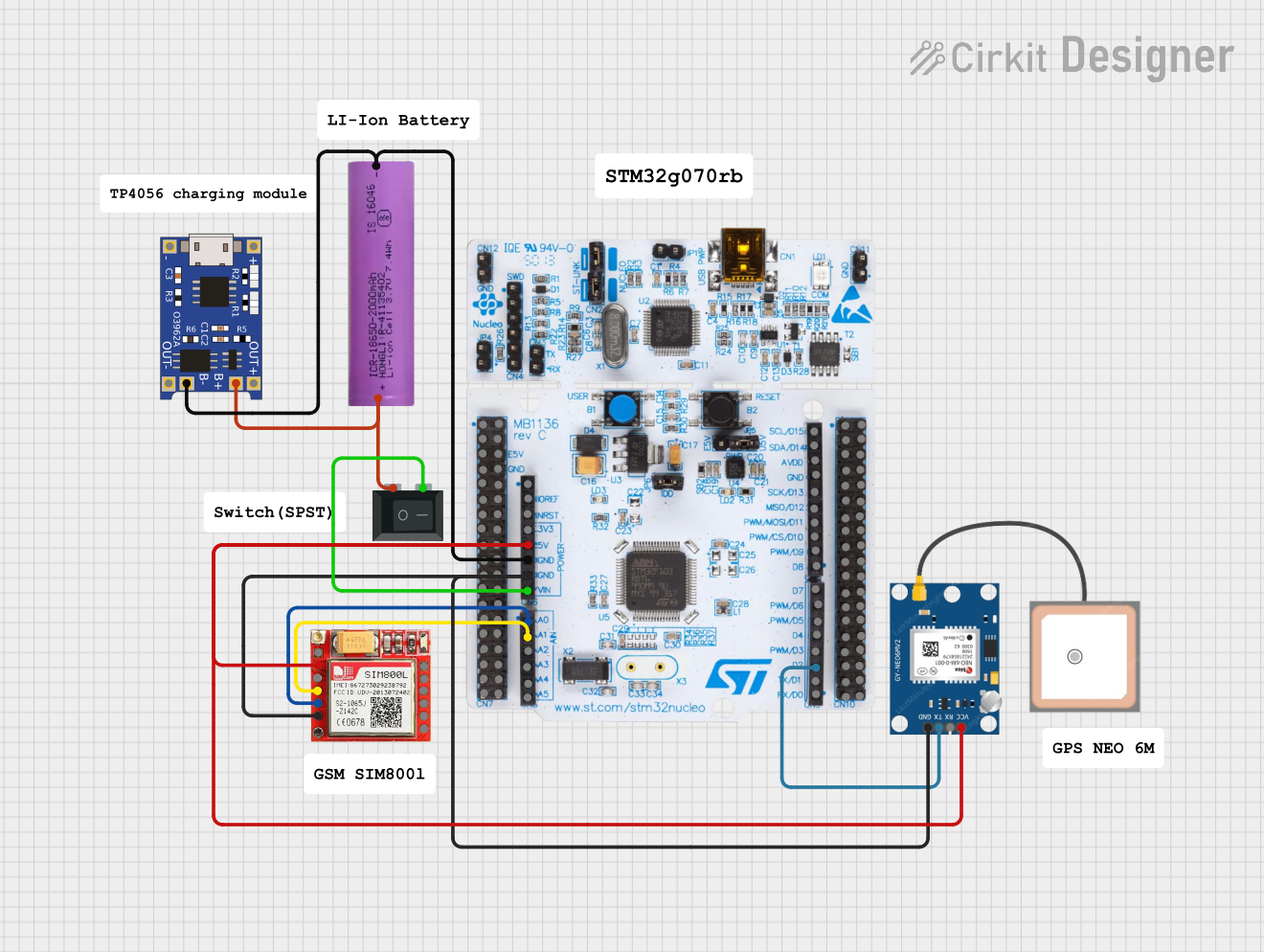
This circuit is an emergency alert system that uses a NUCLEO-F072RB microcontroller to send SMS alerts and make calls via a SIM800L GSM module, while obtaining location data from a GPS NEO 6M module. The system is powered by a Li-ion battery and includes a TP4056 module for battery charging and protection, with a rocker switch to control power to the microcontroller.
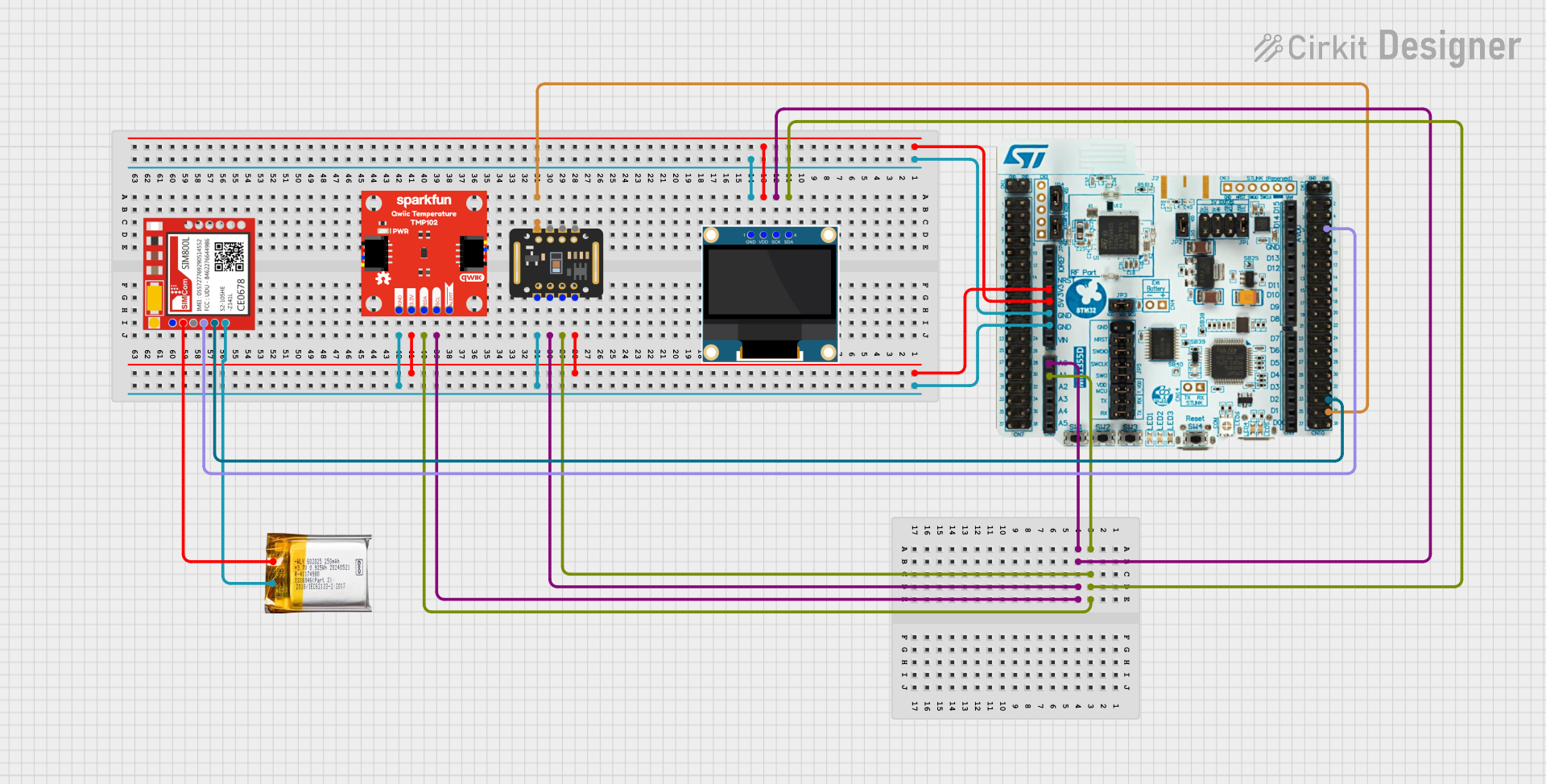
This circuit is a multi-sensor data acquisition system that uses a Nucleo WB55RG microcontroller to interface with a digital temperature sensor (TMP102), a pulse oximeter and heart-rate sensor (MAX30102), and a 0.96" OLED display via I2C. Additionally, it includes a Sim800l module for GSM communication, powered by a 3.7V LiPo battery.
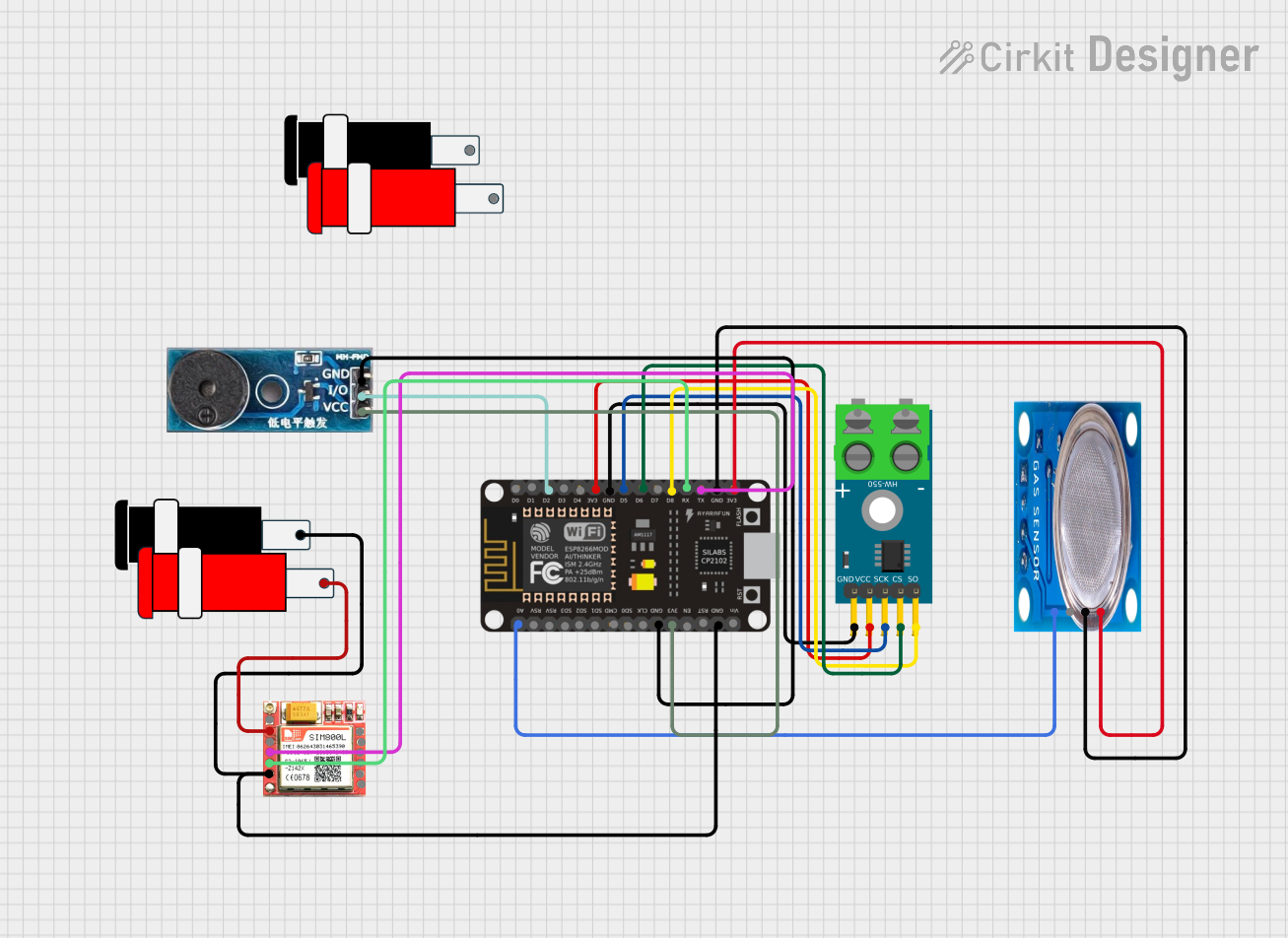
This circuit is a sensor and communication system using an ESP8266 NodeMCU microcontroller. It interfaces with a MAX6675 thermocouple module for temperature sensing, an MQ-5 gas sensor for gas detection, and a SIM800L module for GSM communication. Additionally, a buzzer module is included for audible alerts.
The TEMT6000 module is based on the TEMT6000 phototransistor, which is optimized for visible light detection. Below are the key technical details:
Parameter
Value
Operating Voltage
3.3V to 5V
Output Type
Analog voltage
Spectral Sensitivity Range
360 nm to 970 nm
Peak Sensitivity Wavelength
570 nm
Maximum Output Voltage
~Vcc (dependent on light intensity)
Operating Temperature Range
-40°C to +85°C
Dimensions
~10 mm x 10 mm x 5 mm
Pin Configuration and Descriptions
The TEMT6000 module typically has three pins for easy integration into circuits. The pinout is as follows:
Pin
Name
Description
1
VCC
Power supply input (3.3V to 5V)
2
GND
Ground connection
3
OUT
Analog output voltage proportional to light intensity
Usage Instructions
The TEMT6000 module is straightforward to use in a circuit. Follow the steps below to integrate it into your project:
Power the Module: Connect the VCC pin to a 3.3V or 5V power source and the GND pin to the ground of your circuit.
Read the Output: Connect the OUT pin to an analog input pin of your microcontroller or ADC (Analog-to-Digital Converter). The output voltage will vary with the ambient light intensity.
Calibrate for Your Application: Depending on your application, you may need to map the analog output to a specific range or scale.
Important Considerations and Best Practices
Avoid Direct Sunlight: While the TEMT6000 is designed for ambient light detection, direct exposure to intense light sources (e.g., sunlight) may saturate the sensor and affect accuracy.
Use a Stable Power Supply: Ensure the power supply is stable to avoid noise in the analog output.
Filter Noise: If the output signal is noisy, consider adding a capacitor (e.g., 0.1 µF) between the OUT pin and GND to filter high-frequency noise.
Mounting: Place the module in a location where it can accurately measure ambient light without obstructions.
Example: Using the TEMT6000 with Arduino UNO
Below is an example of how to connect and read data from the TEMT6000 module using an Arduino UNO:
Circuit Diagram
Connect VCC to the 5V pin on the Arduino.
Connect GND to the GND pin on the Arduino.
Connect OUT to the A0 analog input pin on the Arduino.
Arduino Code
// TEMT6000 Light Sensor Example with Arduino UNO
// Reads the analog output from the TEMT6000 module and prints the value to the Serial Monitor.

const int sensorPin = A0; // Define the analog pin connected to the TEMT6000 OUT pin

void setup() {
  Serial.begin(9600); // Initialize serial communication at 9600 baud
  pinMode(sensorPin, INPUT); // Set the sensor pin as an input
}

void loop() {
  int sensorValue = analogRead(sensorPin); // Read the analog value from the sensor
  float voltage = sensorValue * (5.0 / 1023.0); // Convert the value to voltage

  // Print the raw value and voltage to the Serial Monitor
  Serial.print("Raw Value: ");
  Serial.print(sensorValue);
  Serial.print(" | Voltage: ");
  Serial.print(voltage);
  Serial.println(" V");

  delay(500); // Wait for 500 milliseconds before the next reading
}
Troubleshooting and FAQs
Common Issues and Solutions
No Output or Incorrect Readings
Cause: Incorrect wiring or loose connections.
Solution: Double-check the wiring and ensure all connections are secure.
Output Voltage Stuck at Maximum
Cause: Sensor exposed to very bright light or direct sunlight.
Solution: Move the sensor to a location with ambient light or reduce the light intensity.
Fluctuating Output
Cause: Electrical noise or unstable power supply.
Solution: Add a decoupling capacitor (e.g., 0.1 µF) between OUT and GND to filter noise.
Low Sensitivity
Cause: Obstructions or incorrect placement of the sensor.
Solution: Ensure the sensor has a clear line of sight to the light source.
FAQs
Q: Can the TEMT6000 module detect infrared light?
A: The TEMT6000 is optimized for visible light detection, with peak sensitivity at 570 nm. While it can detect some infrared light, its response is significantly lower in the infrared spectrum.
Q: Can I use the TEMT6000 module with a 3.3V microcontroller?
A: Yes, the module operates within a voltage range of 3.3V to 5V, making it compatible with 3.3V systems.
Q: How do I map the sensor output to lux (light intensity)?
A: The TEMT6000 output is proportional to light intensity, but converting it to lux requires calibration with a known light source and reference lux meter.
Q: Is the TEMT6000 module waterproof?
A: No, the module is not waterproof. If used outdoors, ensure it is protected from moisture and water exposure.
By following this documentation, you can effectively integrate the TEMT6000 module into your projects and achieve accurate ambient light measurements.



 Open Project in Cirkit Designer