The 895 motor is a type of brushed DC motor widely used in robotics, small machinery, and other applications requiring compact size and efficient performance. Manufactured by various companies, this motor is known for its high torque-to-weight ratio, making it ideal for tasks that demand both power and portability. Its robust design and versatility allow it to be used in a variety of projects, including electric vehicles, conveyor belts, and DIY robotics.
Explore Projects Built with 895 motor
Use Cirkit Designer to design, explore, and prototype these projects online. Some projects support real-time simulation. Click "Open Project" to start designing instantly!
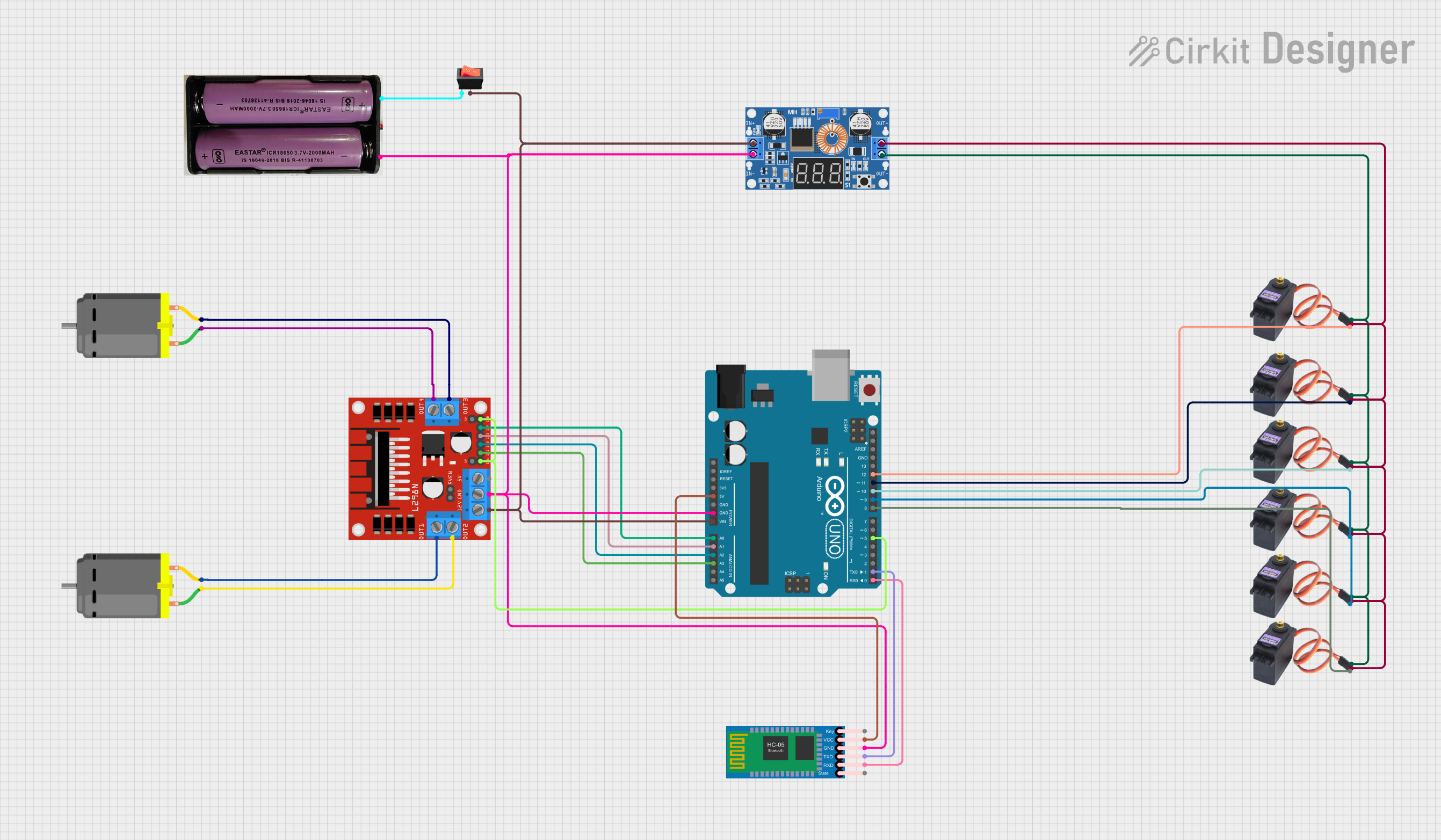
This circuit is a Bluetooth-controlled motor driver system using an Arduino UNO. It includes an L298N motor driver to control two DC motors, an HC-05 Bluetooth module for wireless communication, and multiple MG996R servos powered by an XL4015 DC-DC buck converter. The system is powered by a 7.4V battery and controlled via the Arduino, which interfaces with the motor driver and servos.
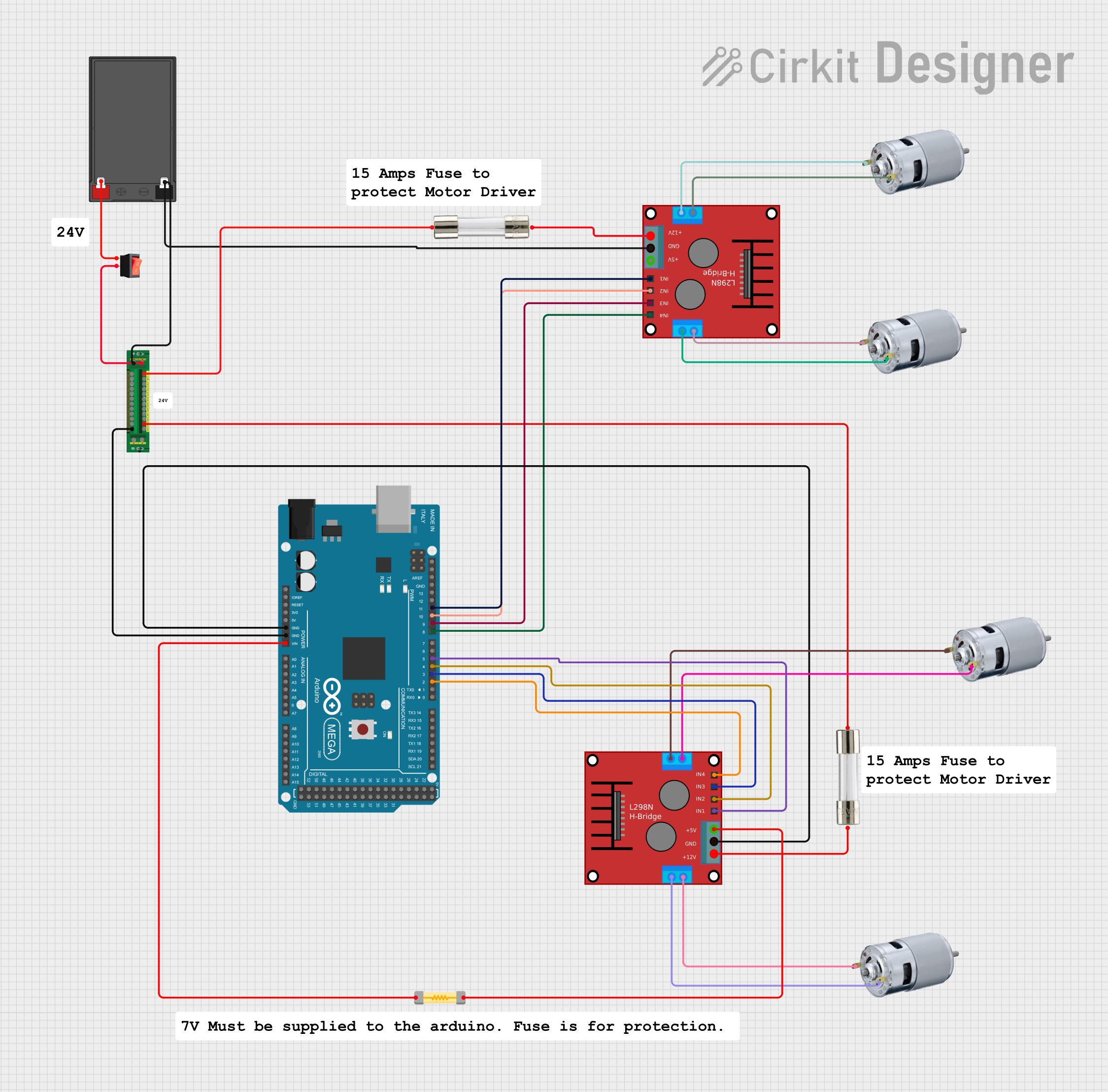
This circuit is a motor control system powered by a 12V battery, featuring an Arduino Mega 2560 microcontroller that controls multiple 775 motors through two H-bridge motor drivers. The power distribution board manages the power supply, with fuses and a rocker switch for safety and control.
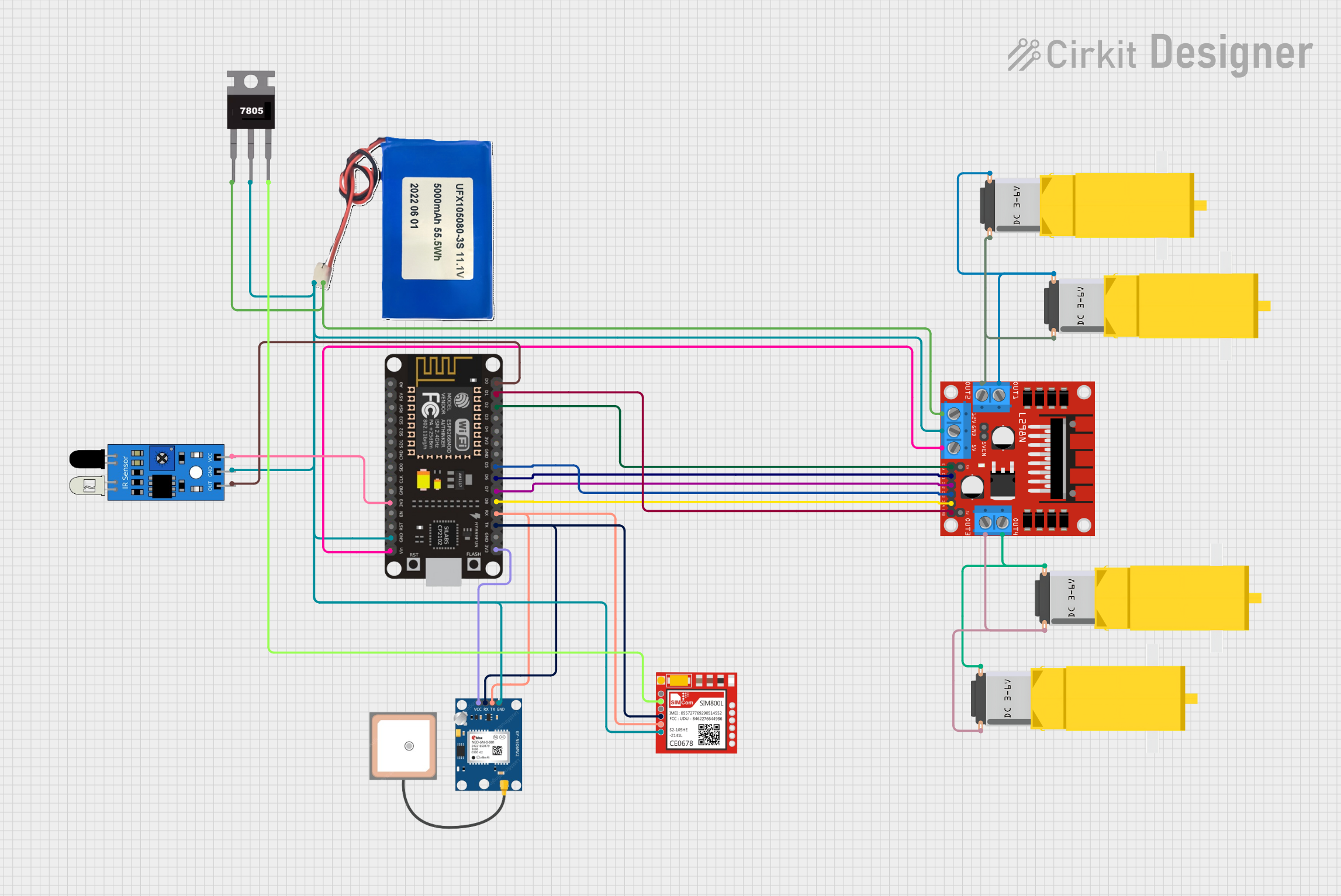
This circuit is designed for a 4-wheeled WiFi-controlled car with a basket, which uses an ESP8266 NodeMCU microcontroller for logic control. It features an IR sensor for basket full detection, a GPS module for location tracking, and a GSM module (Sim800l) for sending SMS notifications. The L298N motor driver controls four DC gearmotors for movement, and the system is powered by a Li-ion battery with a 7805 voltage regulator providing stable power to the GSM module.
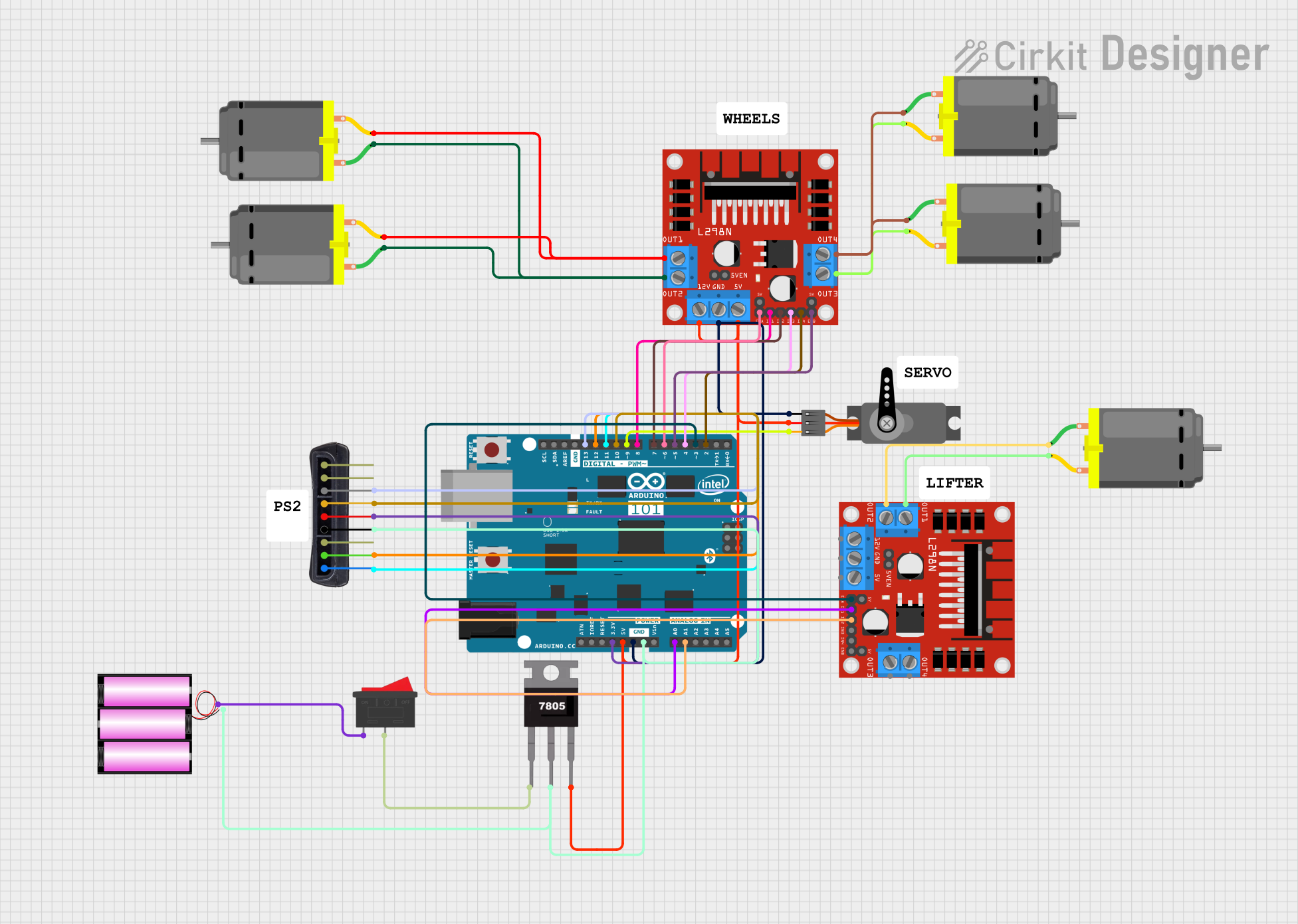
This circuit is a motor control system using an Arduino 101 to manage multiple DC motors and a servo motor via L298N motor drivers. It also includes a PS2 controller for user input and a 7805 voltage regulator to provide stable power to the components.
Below are the key technical details for the 895 motor:
Parameter
Value
Manufacturer Part ID
895
Motor Type
Brushed DC Motor
Operating Voltage
6V to 24V
Rated Voltage
12V
No-Load Speed
~3000 to 12000 RPM (varies by model)
Stall Torque
~1.5 Nm (varies by model)
Rated Current
~1.5A to 3A
Stall Current
~10A
Shaft Diameter
5 mm
Motor Dimensions
~68 mm (length) x 38 mm (diameter)
Weight
~300 g
Pin Configuration and Descriptions
The 895 motor typically has two terminals for electrical connections:
Pin
Description
+
Positive terminal (connect to Vcc)
-
Negative terminal (connect to GND)
Note: The polarity of the connections determines the direction of rotation. Reversing the polarity will reverse the motor's rotation.
Usage Instructions
How to Use the 895 Motor in a Circuit
Power Supply: Ensure the motor is powered within its operating voltage range (6V to 24V). A 12V DC power supply is commonly used.
Motor Driver: Use a motor driver (e.g., L298N, BTS7960) to control the motor. Directly connecting the motor to a microcontroller is not recommended due to high current requirements.
Connections:
Connect the motor terminals to the output pins of the motor driver.
Connect the motor driver to the power supply and control pins to the microcontroller.
Control: Use Pulse Width Modulation (PWM) signals from the microcontroller to control the motor's speed and direction.
Important Considerations
Heat Dissipation: The motor can generate significant heat during operation. Use a heat sink or cooling fan if necessary.
Current Limiting: Ensure the power supply and motor driver can handle the motor's stall current to avoid damage.
Load Matching: Avoid overloading the motor to prevent overheating or reduced lifespan.
Polarity: Double-check the polarity of connections to avoid reverse rotation or damage.
Example: Controlling the 895 Motor with Arduino UNO
Below is an example of how to control the 895 motor using an Arduino UNO and an L298N motor driver:
// Example: Controlling an 895 motor with Arduino UNO and L298N motor driver

// Define motor driver pins
const int ENA = 9;  // PWM pin for speed control
const int IN1 = 8;  // Direction control pin 1
const int IN2 = 7;  // Direction control pin 2

void setup() {
  // Set motor driver pins as outputs
  pinMode(ENA, OUTPUT);
  pinMode(IN1, OUTPUT);
  pinMode(IN2, OUTPUT);
}

void loop() {
  // Rotate motor in forward direction
  digitalWrite(IN1, HIGH);  // Set IN1 HIGH
  digitalWrite(IN2, LOW);   // Set IN2 LOW
  analogWrite(ENA, 150);    // Set speed (0-255)

  delay(3000);  // Run motor for 3 seconds

  // Rotate motor in reverse direction
  digitalWrite(IN1, LOW);   // Set IN1 LOW
  digitalWrite(IN2, HIGH);  // Set IN2 HIGH
  analogWrite(ENA, 150);    // Set speed (0-255)

  delay(3000);  // Run motor for 3 seconds

  // Stop the motor
  digitalWrite(IN1, LOW);   // Set IN1 LOW
  digitalWrite(IN2, LOW);   // Set IN2 LOW
  analogWrite(ENA, 0);      // Set speed to 0

  delay(3000);  // Wait for 3 seconds before repeating
}
Note: Adjust the analogWrite value to control the motor speed. A value of 0 stops the motor, while 255 runs it at full speed.
Troubleshooting and FAQs
Common Issues and Solutions
Motor Does Not Spin:
Check the power supply voltage and ensure it is within the operating range.
Verify the motor driver connections and ensure the control signals are correct.
Inspect the motor terminals for loose or damaged connections.
Motor Overheats:
Ensure the motor is not overloaded or stalled.
Use a heat sink or cooling fan to dissipate heat.
Verify that the power supply and motor driver can handle the motor's current requirements.
Motor Spins in the Wrong Direction:
Reverse the polarity of the motor terminals.
Adjust the control signals from the microcontroller.
Motor Vibrates but Does Not Rotate:
Check for mechanical obstructions or excessive load on the motor shaft.
Ensure the motor driver is functioning correctly and providing sufficient current.
FAQs
Q: Can the 895 motor be powered directly by a battery?
A: Yes, the motor can be powered directly by a battery within its operating voltage range. However, using a motor driver is recommended for better control and protection.
Q: What is the maximum load the 895 motor can handle?
A: The maximum load depends on the specific model and operating conditions. Refer to the stall torque specification (~1.5 Nm) and avoid exceeding it to prevent damage.
Q: Can the 895 motor be used for continuous operation?
A: Yes, but ensure proper cooling and avoid overloading to prevent overheating during continuous operation.
Q: How do I reduce motor noise?
A: Use capacitors (e.g., 0.1 µF) across the motor terminals to suppress electrical noise. Additionally, ensure the motor is mounted securely to reduce mechanical vibrations.

 Open Project in Cirkit Designer