
How to Use Reciver wireless power coil: Examples, Pinouts, and Specs
 Design with Reciver wireless power coil in Cirkit Designer
Introduction
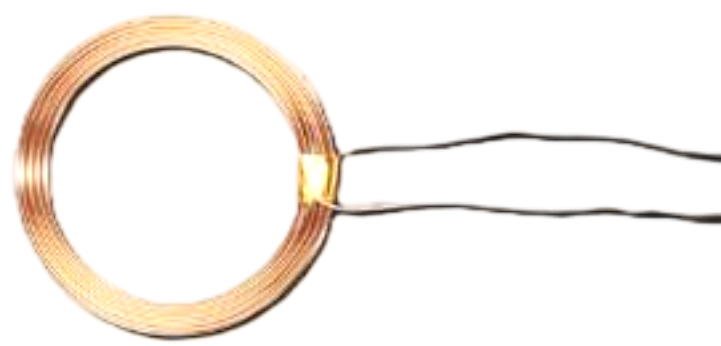
The Receiver Wireless Power Coil is a specialized electronic component designed to receive electromagnetic energy wirelessly and convert it into electrical energy. This component is commonly used in wireless power transfer systems, enabling the charging or powering of devices without the need for physical connectors. It is an essential part of modern wireless charging solutions for smartphones, wearable devices, medical implants, and other portable electronics.
Explore Projects Built with Reciver wireless power coil
 Open Project in Cirkit Designer
 Open Project in Cirkit Designer
 Open Project in Cirkit Designer
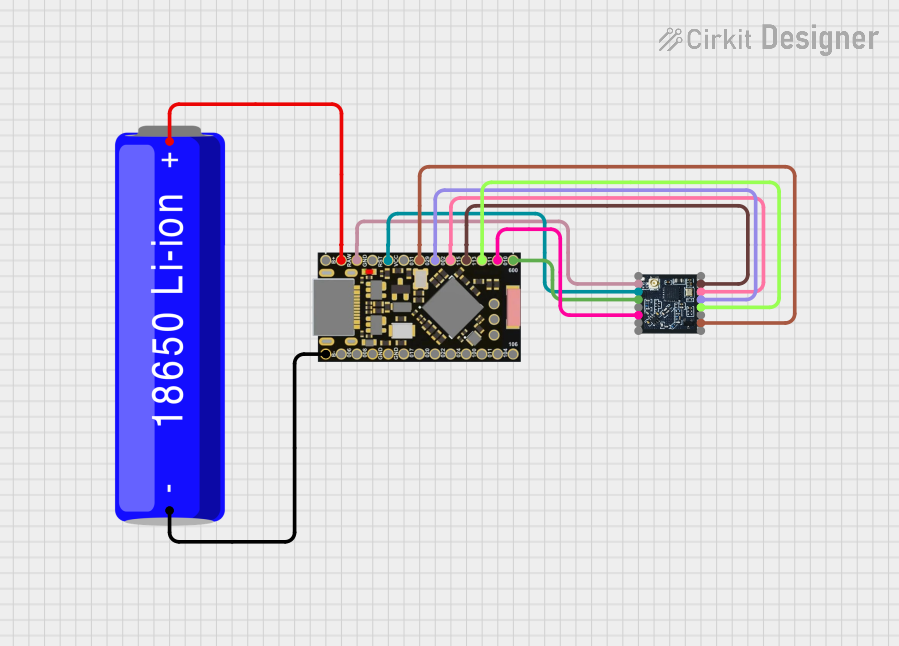 Open Project in Cirkit Designer
Explore Projects Built with Reciver wireless power coil
Open Project in Cirkit DesignerOpen Project in Cirkit DesignerOpen Project in Cirkit DesignerOpen Project in Cirkit DesignerCommon Applications and Use Cases
- Wireless charging pads for smartphones and tablets
- Wearable devices such as smartwatches and fitness trackers
- Medical devices like pacemakers and hearing aids
- Industrial applications for contactless power transfer
- Internet of Things (IoT) devices requiring wireless power
Technical Specifications
The Receiver Wireless Power Coil is designed to operate efficiently in wireless power transfer systems. Below are its key technical specifications:
| Parameter | Value |
|---|---|
| Operating Frequency | 100 kHz to 300 kHz |
| Input Voltage (Induced) | 5V to 20V (depending on system) |
| Output Voltage | 5V (regulated, typical) |
| Output Current | Up to 2A |
| Efficiency | Up to 85% (depending on alignment) |
| Coil Inductance | 10 µH to 50 µH |
| Dimensions | Varies (e.g., 30mm diameter) |
| Operating Temperature | -20°C to +85°C |
Pin Configuration and Descriptions
The Receiver Wireless Power Coil typically has two output pins for electrical connections:
| Pin | Name | Description |
|---|---|---|
| 1 | VOUT (+) | Positive output voltage terminal |
| 2 | GND (-) | Ground terminal for the output voltage |
Usage Instructions
How to Use the Component in a Circuit
- Placement and Alignment: Place the Receiver Wireless Power Coil in close proximity to the transmitter coil. Ensure proper alignment for maximum power transfer efficiency.
- Connection: Connect the
VOUTpin to the input of your device or a voltage regulator circuit. Connect theGNDpin to the ground of your circuit. - Load Matching: Ensure the load connected to the coil matches the power output specifications to avoid overloading or inefficiency.
- Testing: Use a multimeter to verify the output voltage and current before connecting sensitive devices.
Important Considerations and Best Practices
- Alignment: Misalignment between the transmitter and receiver coils can significantly reduce efficiency. Use alignment guides if available.
- Distance: Keep the distance between the transmitter and receiver coils as small as possible for optimal performance.
- Interference: Avoid placing metal objects between the coils, as they can cause interference and reduce power transfer efficiency.
- Heat Management: Ensure proper ventilation or heat dissipation if the coil operates at high power levels for extended periods.
- Regulation: If the output voltage is not regulated, use an external voltage regulator to protect sensitive devices.
Example: Connecting to an Arduino UNO
The Receiver Wireless Power Coil can be used to power an Arduino UNO wirelessly. Below is an example circuit and code:
Circuit Setup
- Connect the
VOUTpin of the coil to theVINpin of the Arduino UNO. - Connect the
GNDpin of the coil to theGNDpin of the Arduino UNO.
Example Code
// Example code for Arduino UNO powered by a wireless power coil
// This code blinks the onboard LED to verify power is being received.

void setup() {
  pinMode(LED_BUILTIN, OUTPUT); // Set the onboard LED pin as output
}

void loop() {
  digitalWrite(LED_BUILTIN, HIGH); // Turn the LED on
  delay(1000);                     // Wait for 1 second
  digitalWrite(LED_BUILTIN, LOW);  // Turn the LED off
  delay(1000);                     // Wait for 1 second
}
Troubleshooting and FAQs
Common Issues Users Might Face
No Output Voltage:
- Cause: Misalignment between the transmitter and receiver coils.
- Solution: Adjust the alignment and ensure the coils are within the specified distance.
Low Efficiency:
- Cause: Interference from nearby metal objects or poor coil design.
- Solution: Remove any metal objects near the coils and ensure proper alignment.
Overheating:
- Cause: Excessive current draw or poor ventilation.
- Solution: Reduce the load or improve heat dissipation.
Voltage Fluctuations:
- Cause: Unregulated output voltage.
- Solution: Use an external voltage regulator to stabilize the output.
FAQs
Can this coil be used with any transmitter?
- The coil must be compatible with the transmitter's frequency and power specifications. Check the datasheets for compatibility.
What is the maximum distance for power transfer?
- The effective distance depends on the coil design and power requirements, typically a few millimeters to a few centimeters.
Can I use this coil for data transfer?
- No, this coil is designed for power transfer only. Use dedicated components for wireless data transfer.
Is it safe to use near medical devices?
- Consult the manufacturer of the medical device to ensure compatibility and safety.