
Cirkit Designer
Your all-in-one circuit design IDE
Home /
Component Documentation
How to Use Bus I2C: Examples, Pinouts, and Specs
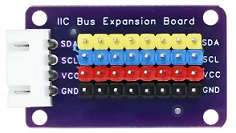
 Design with Bus I2C in Cirkit Designer
Introduction
The Bus I2C (Inter-Integrated Circuit) is a communication protocol developed for connecting low-speed devices such as sensors, microcontrollers, and other peripherals in a multi-master, multi-slave configuration. Manufactured by Chino, this protocol is widely used in embedded systems due to its simplicity, efficiency, and ability to connect multiple devices using only two wires.
Explore Projects Built with Bus I2C
Raspberry Pi 3B Controlled I2C LCD Display
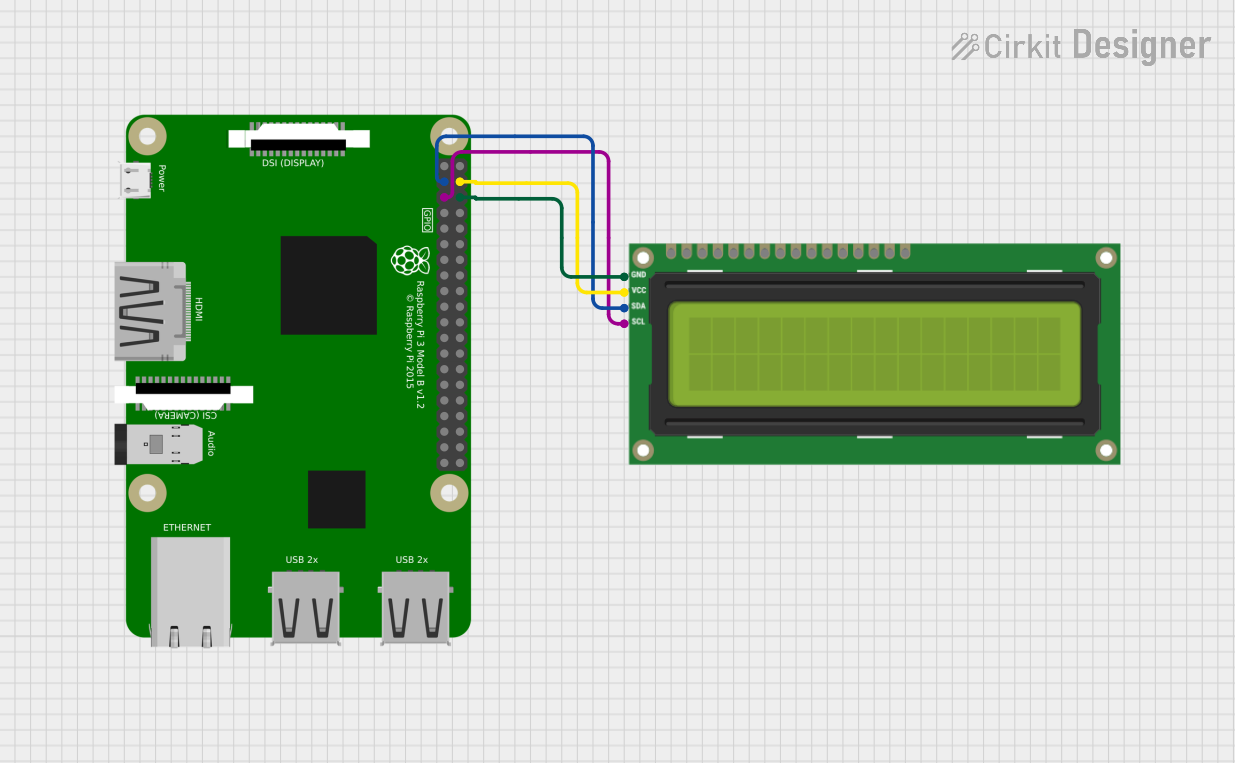
This circuit connects a Raspberry Pi 3B to an I2C LCD 16x2 Screen for display purposes. The Raspberry Pi's I2C bus (pins 3 and 5 for SDA and SCL, respectively) is interfaced with the corresponding SDA and SCL pins of the LCD to enable communication. Power (5V) and ground connections are also established between the Raspberry Pi and the LCD screen.
Open Project in Cirkit DesignerArduino UNO I2C Communication Interface
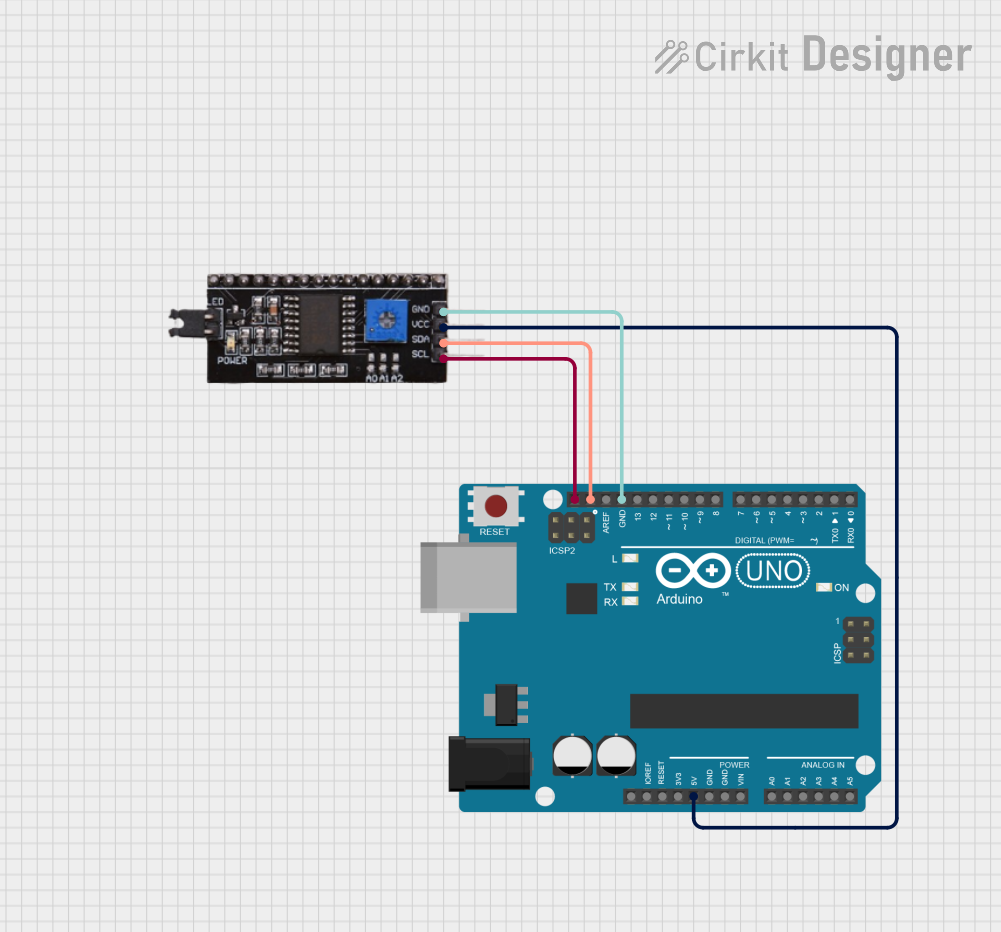
This circuit connects an Arduino UNO to an I2C module, establishing a communication interface between the two. The Arduino provides power to the I2C module via the 5V and GND pins and communicates with it using the SCL and SDA lines. The purpose of this circuit is likely to allow the Arduino to send and receive data to and from the I2C module, which could be a sensor or other peripheral device.
Open Project in Cirkit DesignerI2C LCD Display Module with Power Supply Interface
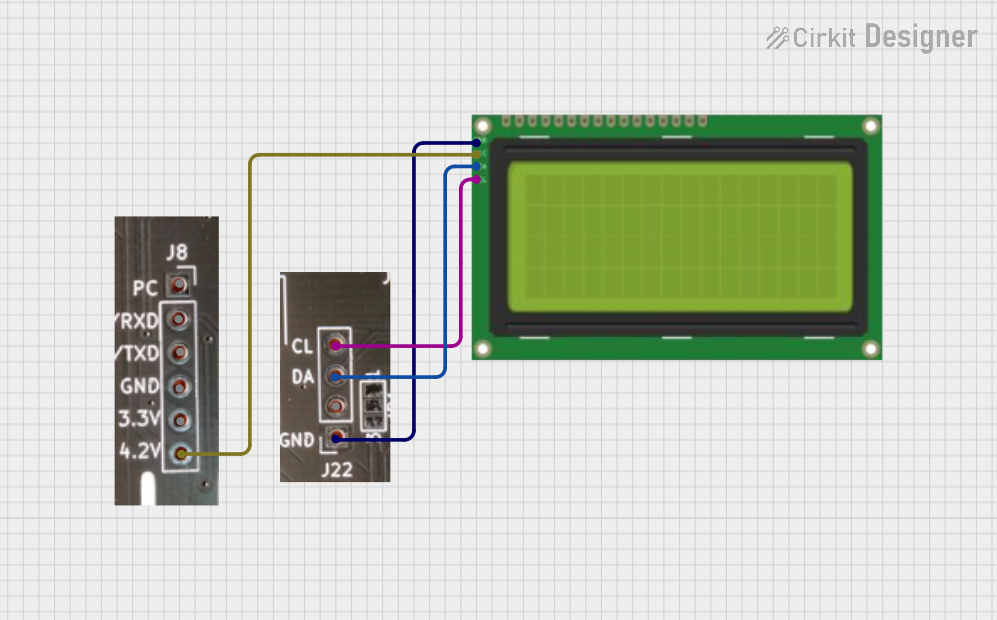
This circuit interfaces a 20x4 I2C LCD display with a power source and an I2C communication bus. The LCD is powered by a 4.2V supply from a connector and communicates via I2C through another connector, which provides the SCL and SDA lines as well as ground.
Open Project in Cirkit DesignerArduino UNO-Based Flex Sensor Reader with I2C Communication
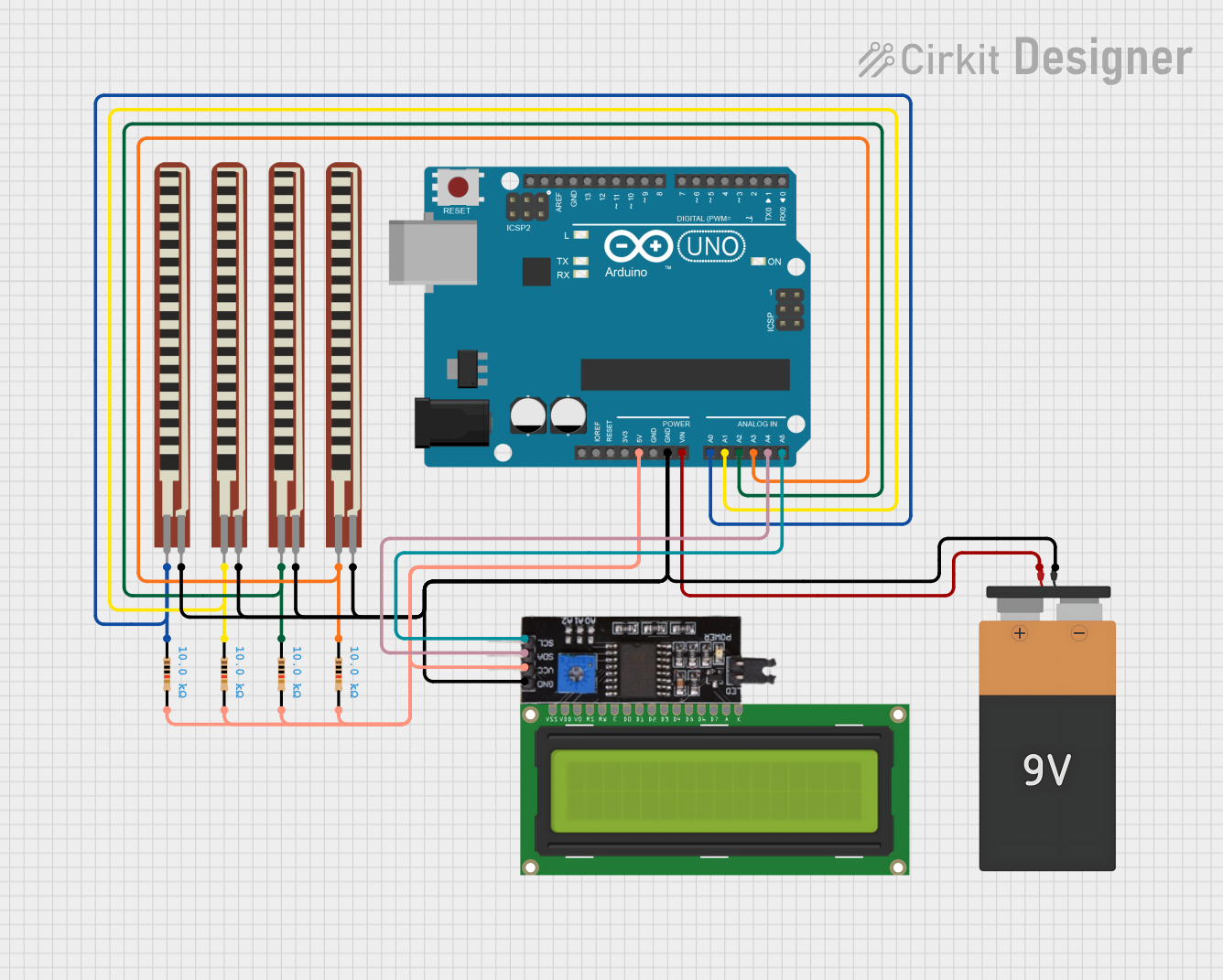
This circuit features an Arduino UNO interfacing with an I2C module, powered by a 9V battery. Flex sensors are connected to the analog inputs for flex detection, and pull-up resistors are used on the I2C lines for proper communication.
Open Project in Cirkit DesignerExplore Projects Built with Bus I2C
Raspberry Pi 3B Controlled I2C LCD Display
This circuit connects a Raspberry Pi 3B to an I2C LCD 16x2 Screen for display purposes. The Raspberry Pi's I2C bus (pins 3 and 5 for SDA and SCL, respectively) is interfaced with the corresponding SDA and SCL pins of the LCD to enable communication. Power (5V) and ground connections are also established between the Raspberry Pi and the LCD screen.
Open Project in Cirkit DesignerArduino UNO I2C Communication Interface
This circuit connects an Arduino UNO to an I2C module, establishing a communication interface between the two. The Arduino provides power to the I2C module via the 5V and GND pins and communicates with it using the SCL and SDA lines. The purpose of this circuit is likely to allow the Arduino to send and receive data to and from the I2C module, which could be a sensor or other peripheral device.
Open Project in Cirkit DesignerI2C LCD Display Module with Power Supply Interface
This circuit interfaces a 20x4 I2C LCD display with a power source and an I2C communication bus. The LCD is powered by a 4.2V supply from a connector and communicates via I2C through another connector, which provides the SCL and SDA lines as well as ground.
Open Project in Cirkit DesignerArduino UNO-Based Flex Sensor Reader with I2C Communication
This circuit features an Arduino UNO interfacing with an I2C module, powered by a 9V battery. Flex sensors are connected to the analog inputs for flex detection, and pull-up resistors are used on the I2C lines for proper communication.
Open Project in Cirkit DesignerCommon Applications and Use Cases
- Communication between microcontrollers and sensors (e.g., temperature, pressure, or light sensors)
- Interfacing with EEPROMs, ADCs, and DACs
- Connecting displays like OLED or LCD modules
- Multi-device communication in robotics and IoT systems
- Data transfer in consumer electronics such as smartphones and laptops
Technical Specifications
The I2C protocol operates using two bidirectional lines:
- SDA (Serial Data Line): Transfers data between devices.
- SCL (Serial Clock Line): Synchronizes data transfer between devices.
Key Technical Details
| Parameter | Specification |
|---|---|
| Voltage Levels | 3.3V or 5V (depending on the system) |
| Clock Speed | Standard Mode: 100 kHz |
| Fast Mode: 400 kHz | |
| Fast Mode Plus: 1 MHz | |
| High-Speed Mode: 3.4 MHz | |
| Number of Devices | Up to 127 devices (7-bit addressing) |
| Communication Type | Half-duplex |
| Pull-up Resistors | Required on both SDA and SCL lines |
Pin Configuration and Descriptions
| Pin Name | Description |
|---|---|
| SDA | Serial Data Line for bidirectional data transfer |
| SCL | Serial Clock Line for synchronization |
| GND | Ground connection |
| VCC | Power supply (3.3V or 5V) |
Usage Instructions
How to Use the Component in a Circuit
- Connect the SDA and SCL Lines:
- Connect the SDA and SCL pins of the I2C device to the corresponding pins on the microcontroller.
- Use pull-up resistors (typically 4.7 kΩ or 10 kΩ) on both SDA and SCL lines to ensure proper signal levels.
- Power the Device:
- Connect the VCC pin to the appropriate power supply (3.3V or 5V).
- Connect the GND pin to the ground of the circuit.
- Addressing:
- Each I2C device has a unique 7-bit or 10-bit address. Ensure no two devices on the same bus share the same address.
- Communication:
- Use the microcontroller's I2C library or peripheral to initiate communication with the device.
Important Considerations and Best Practices
- Pull-up Resistors: Ensure proper pull-up resistors are used on the SDA and SCL lines to avoid communication errors.
- Bus Length: Keep the bus length short to minimize signal degradation and noise.
- Address Conflicts: Verify that no two devices on the same bus have the same address.
- Clock Speed: Ensure the clock speed is compatible with all devices on the bus.
Example: Using I2C with Arduino UNO
Below is an example of interfacing an I2C temperature sensor with an Arduino UNO:
#include <Wire.h> // Include the Wire library for I2C communication

#define SENSOR_ADDRESS 0x48 // Replace with your sensor's I2C address

void setup() {
  Wire.begin(); // Initialize I2C communication
  Serial.begin(9600); // Start serial communication for debugging
}

void loop() {
  Wire.beginTransmission(SENSOR_ADDRESS); // Start communication with the sensor
  Wire.write(0x00); // Send a command to read temperature (example command)
  Wire.endTransmission(); // End transmission

  Wire.requestFrom(SENSOR_ADDRESS, 2); // Request 2 bytes of data from the sensor
  if (Wire.available() == 2) { // Check if 2 bytes are available
    int temp = Wire.read() << 8 | Wire.read(); // Combine the two bytes
    Serial.print("Temperature: ");
    Serial.println(temp / 256.0); // Convert and print the temperature
  }

  delay(1000); // Wait for 1 second before the next reading
}
Troubleshooting and FAQs
Common Issues Users Might Face
No Communication Between Devices:
- Cause: Missing or incorrect pull-up resistors.
- Solution: Verify that pull-up resistors are connected to both SDA and SCL lines.
Address Conflicts:
- Cause: Two devices on the same bus have the same address.
- Solution: Check the datasheets of all connected devices and configure unique addresses.
Data Corruption:
- Cause: Excessive noise or long bus length.
- Solution: Shorten the bus length and use proper shielding.
Clock Stretching Issues:
- Cause: Slave device holding the clock line low for too long.
- Solution: Ensure the master device supports clock stretching or reduce the clock speed.
Solutions and Tips for Troubleshooting
- Use an oscilloscope or logic analyzer to monitor the SDA and SCL lines for debugging.
- Double-check all connections and ensure proper grounding.
- Refer to the device datasheet for specific I2C commands and timing requirements.
By following this documentation, users can effectively implement and troubleshoot the Bus I2C protocol in their projects.