The Orin-TR 24 12-5 is a high-quality transformer manufactured by Victron Energy. It is designed to step down a 24V input voltage to a 12V output voltage with a maximum current rating of 5A. This component is commonly used in power supply applications where reliable voltage conversion is required, such as in automotive systems, renewable energy setups, and industrial equipment.
Explore Projects Built with Orin-TR 24 12-5
Use Cirkit Designer to design, explore, and prototype these projects online. Some projects support real-time simulation. Click "Open Project" to start designing instantly!
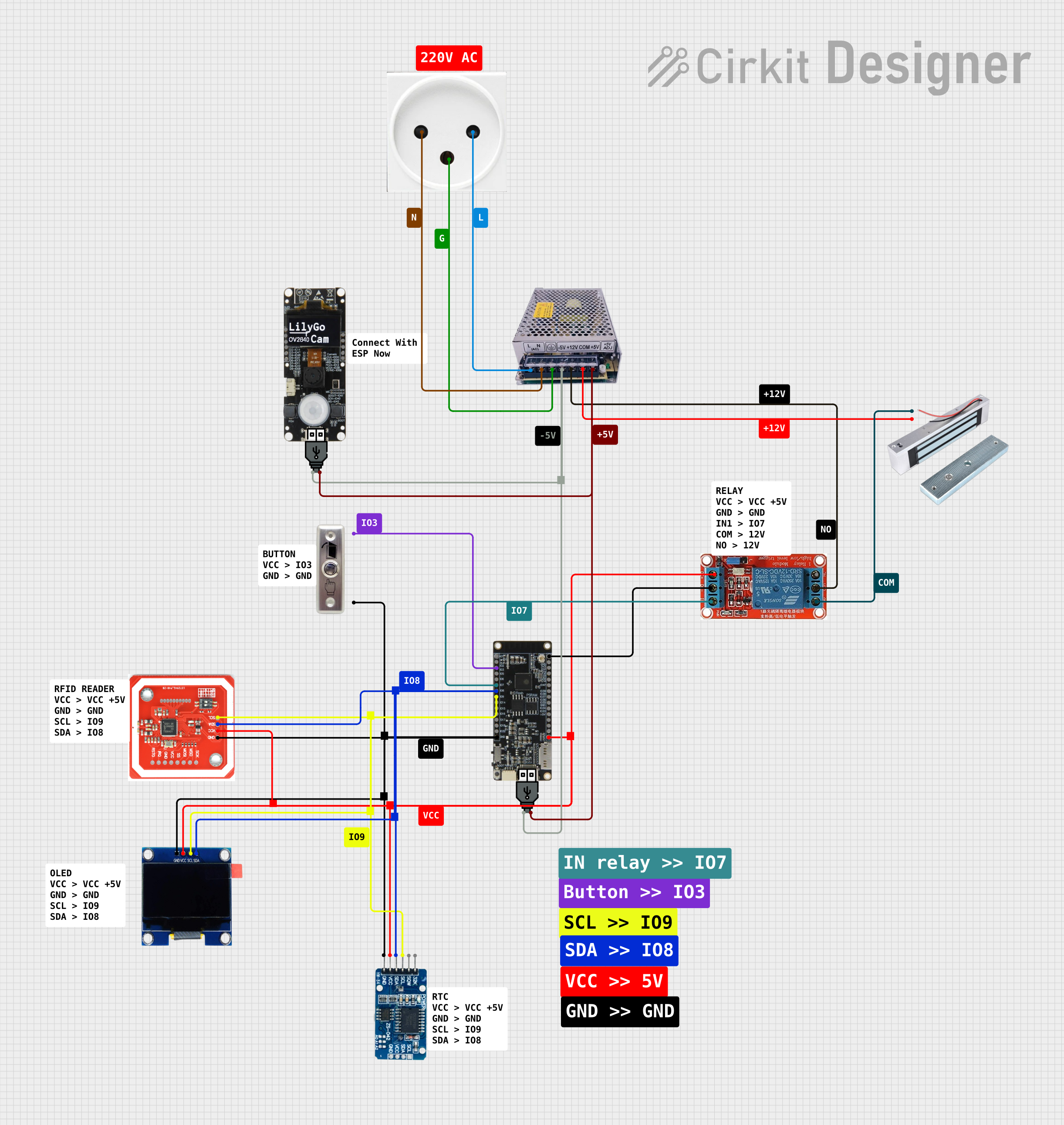
This circuit is designed as an access control system with time-tracking capabilities. It uses an NFC/RFID reader for authentication, a real-time clock for time-stamping events, and an OLED display for user interface, all controlled by a T8_S3 microcontroller. A relay module actuates a magnetic lock, and a button switch provides additional user input, with a switching power supply delivering the necessary voltages.
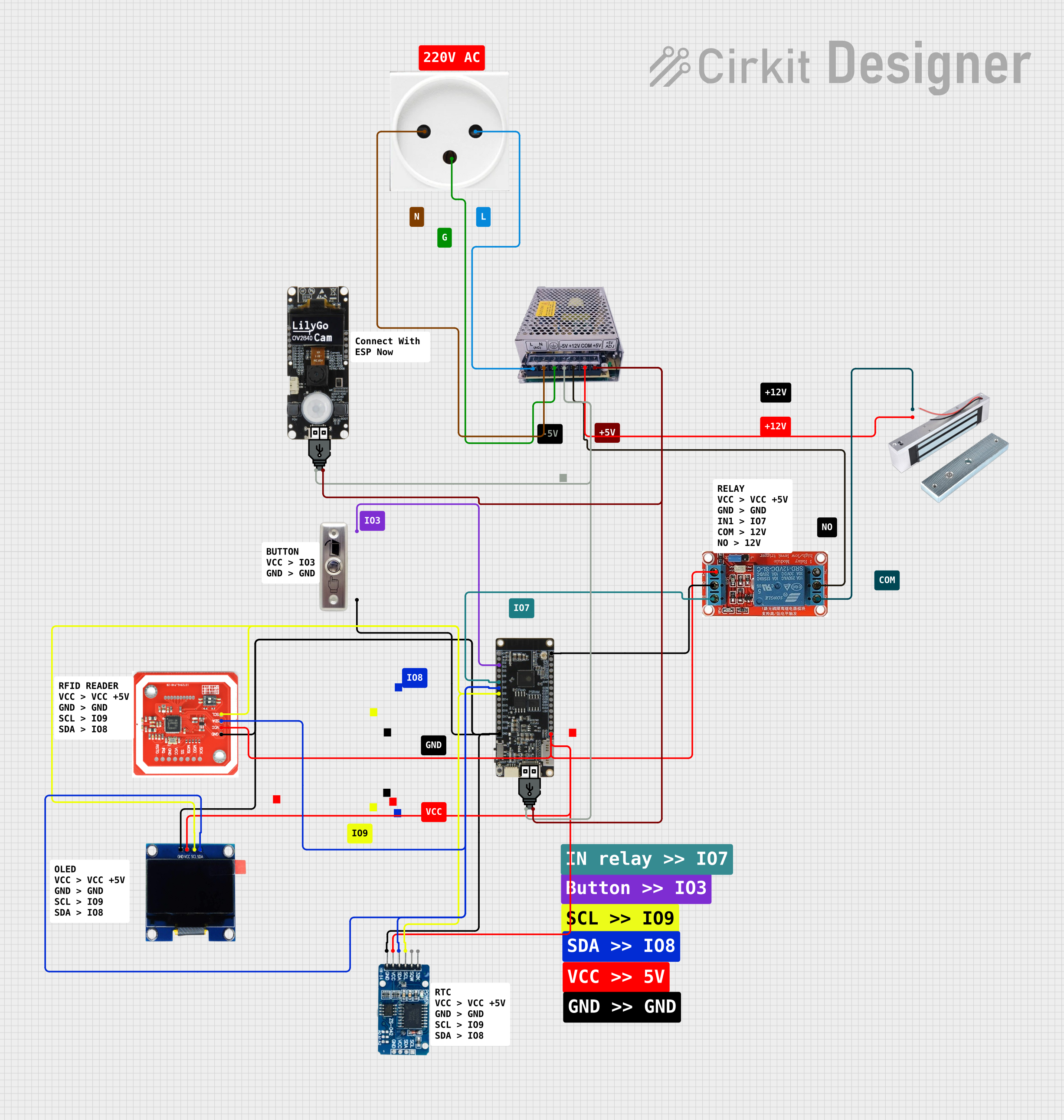
This circuit is designed for access control with time tracking capabilities. It features an NFC/RFID reader for authentication, an RTC module (DS3231) for real-time clock functionality, and an OLED display for user interaction. A 12V relay controls a magnetic lock, which is activated upon successful NFC/RFID authentication, and a button switch is likely used for manual operation or input. The T8_S3 microcontroller serves as the central processing unit, interfacing with the NFC/RFID reader, RTC, OLED, and relay to manage the access control logic.
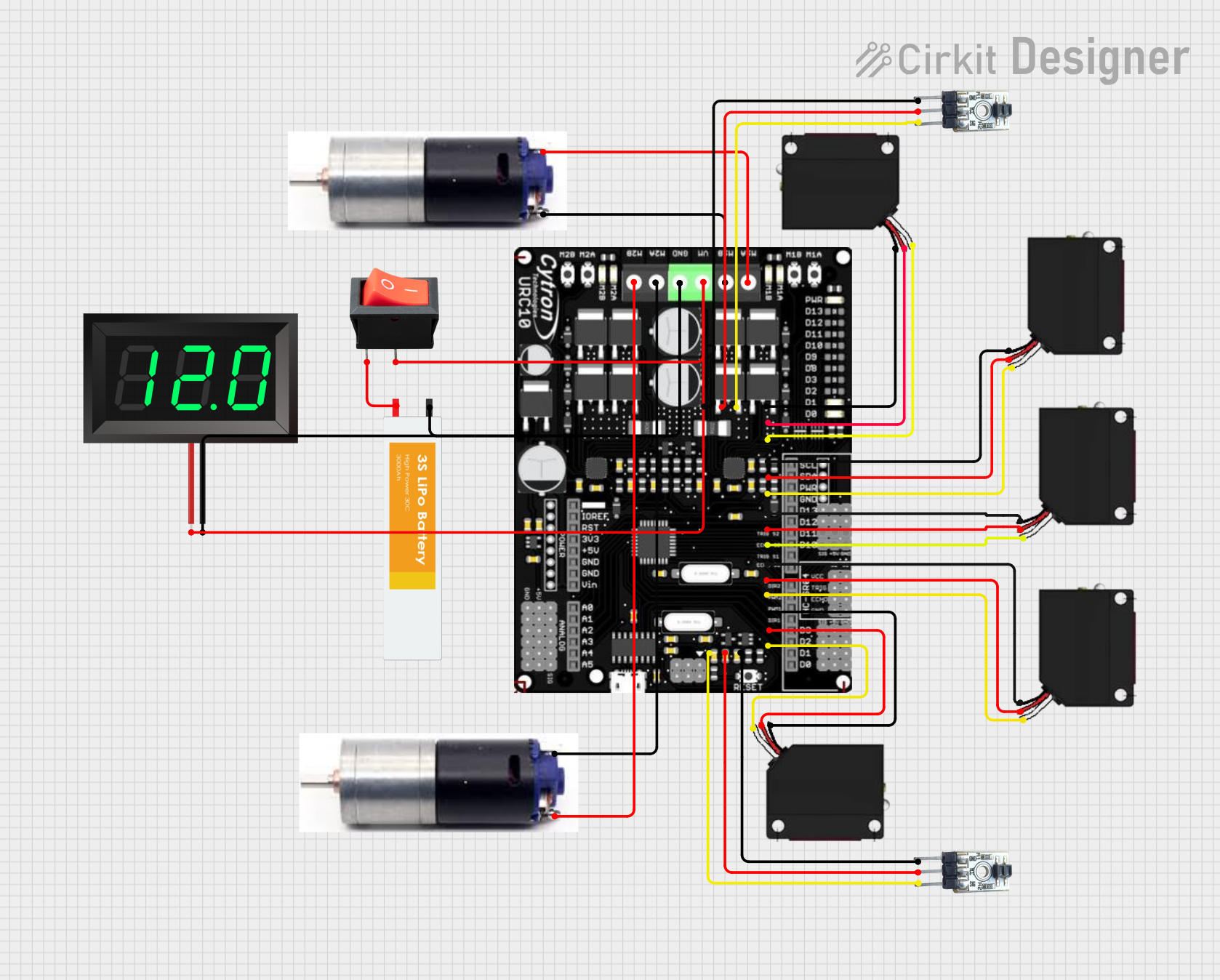
This circuit is a robotic control system that uses multiple IR sensors for line detection and obstacle avoidance, powered by a 3S LiPo battery. The Cytron URC10 motor driver, controlled by a microcontroller, drives two GM25 DC motors based on input from the sensors and a rocker switch, with a 7-segment panel voltmeter displaying the battery voltage.
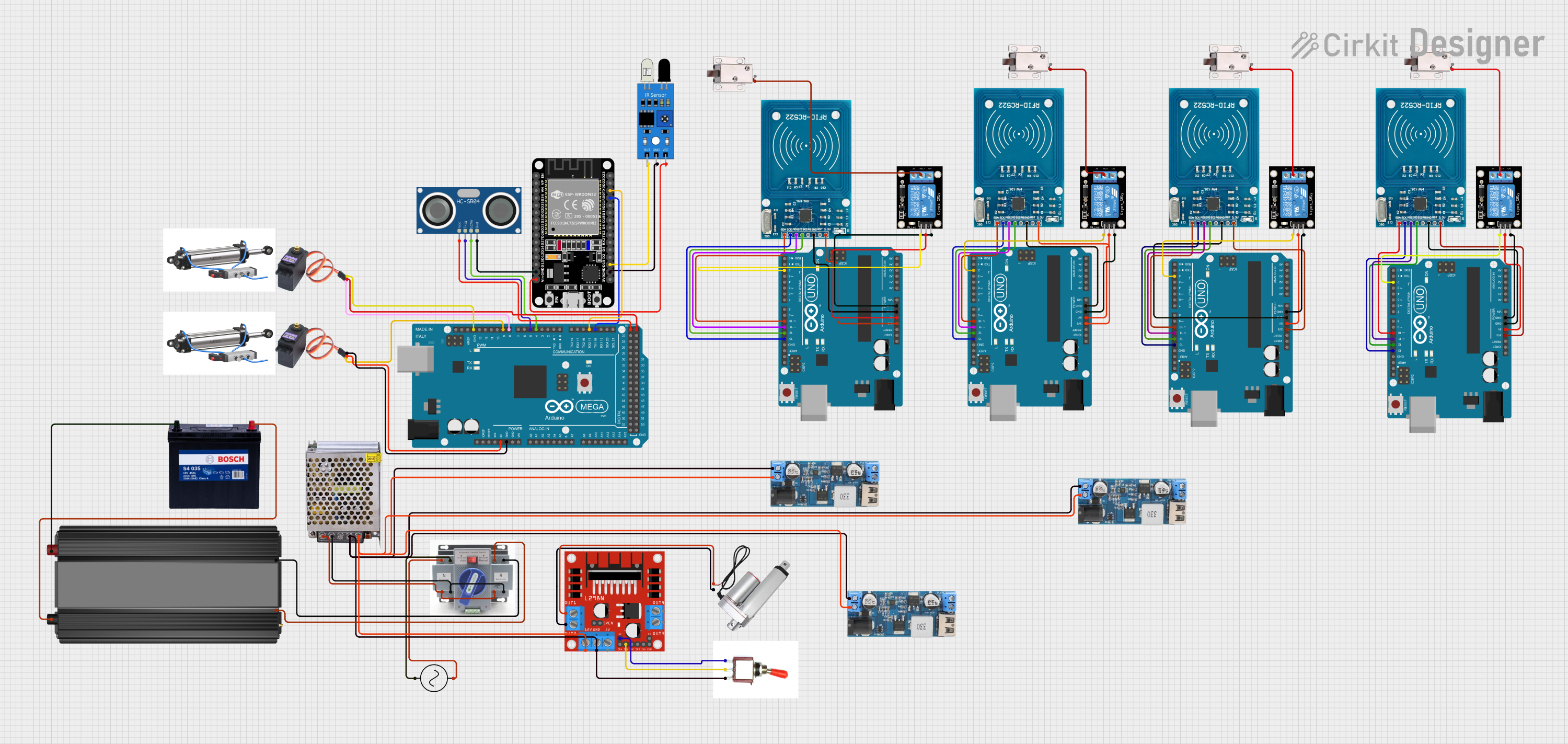
This circuit is designed for an automated access control or security system, featuring microcontroller-based control of RFID readers, ultrasonic and IR sensors, servo motors, and solenoid locks. It includes power management with a 12V supply, step-down converters, and an automatic transfer switch for backup power, indicating a robust and possibly redundant power system.
Voltage regulation in automotive and marine systems
Renewable energy systems (e.g., solar setups)
Industrial control systems requiring stable 12V power
Technical Specifications
The following table outlines the key technical details of the Orin-TR 24 12-5 transformer:
Parameter
Value
Manufacturer
Victron Energy
Model Name
Orin-TR 24 12-5
Input Voltage (Primary)
24V DC
Output Voltage
12V DC
Maximum Output Current
5A
Power Rating
60W
Efficiency
>95%
Operating Temperature
-20°C to +50°C
Dimensions
65mm x 88mm x 50mm
Weight
0.4 kg
Pin Configuration and Descriptions
The Orin-TR 24 12-5 transformer has a simple terminal block for input and output connections. The pin configuration is as follows:
Pin
Label
Description
1
+24V IN
Positive terminal for 24V input voltage
2
GND IN
Ground terminal for input voltage
3
+12V OUT
Positive terminal for 12V output voltage
4
GND OUT
Ground terminal for output voltage
Usage Instructions
How to Use the Orin-TR 24 12-5 in a Circuit
Input Connection: Connect the 24V DC power source to the +24V IN and GND IN terminals. Ensure the input voltage does not exceed 24V to avoid damage.
Output Connection: Connect the load (e.g., a 12V device) to the +12V OUT and GND OUT terminals. Ensure the load does not draw more than 5A.
Polarity Check: Double-check the polarity of all connections to prevent reverse polarity issues.
Mounting: Secure the transformer in a well-ventilated area to prevent overheating. Avoid placing it near heat sources or in enclosed spaces without airflow.
Important Considerations and Best Practices
Overcurrent Protection: Use a fuse or circuit breaker rated for 5A on the output side to protect the transformer and connected devices.
Heat Dissipation: Ensure adequate ventilation around the transformer to maintain optimal operating temperatures.
Input Voltage Range: Do not exceed the specified 24V input voltage to avoid damaging the transformer.
Wiring: Use appropriately rated wires for both input and output connections to handle the current safely.
Example: Connecting to an Arduino UNO
The Orin-TR 24 12-5 can be used to power an Arduino UNO from a 24V power source. Below is an example circuit and code:
Circuit:
Connect the +12V OUT terminal of the transformer to the Arduino's VIN pin.
Connect the GND OUT terminal of the transformer to the Arduino's GND pin.
Code:
// Example code for Arduino UNO powered by Orin-TR 24 12-5 transformer
// This code blinks an LED connected to pin 13

void setup() {
  pinMode(13, OUTPUT); // Set pin 13 as an output
}

void loop() {
  digitalWrite(13, HIGH); // Turn the LED on
  delay(1000);            // Wait for 1 second
  digitalWrite(13, LOW);  // Turn the LED off
  delay(1000);            // Wait for 1 second
}
Troubleshooting and FAQs
Common Issues and Solutions
No Output Voltage:
Cause: Incorrect input connections or no input voltage.
Solution: Verify the input voltage is 24V and check the polarity of the connections.
Overheating:
Cause: Insufficient ventilation or excessive load current.
Solution: Ensure proper airflow around the transformer and reduce the load to within the 5A limit.
Output Voltage Drops Under Load:
Cause: Load exceeding the 5A current rating.
Solution: Reduce the load to within the specified current rating.
Transformer Not Powering On:
Cause: Blown fuse or incorrect wiring.
Solution: Check for a blown fuse and verify all connections.
FAQs
Q1: Can the Orin-TR 24 12-5 be used with AC input?
A1: No, this transformer is designed for DC input only. Using AC input will damage the component.
Q2: What happens if the load exceeds 5A?
A2: The transformer may overheat, and the output voltage may drop. Prolonged overloading can damage the transformer.
Q3: Can I use this transformer in a solar power system?
A3: Yes, the Orin-TR 24 12-5 is suitable for use in solar power systems to step down voltage for 12V devices.
Q4: Is the transformer waterproof?
A4: No, the transformer is not waterproof. It should be installed in a dry, protected environment.
By following this documentation, users can effectively integrate the Orin-TR 24 12-5 transformer into their projects and troubleshoot common issues.


 Open Project in Cirkit Designer