
How to Use RFID-RC522: Examples, Pinouts, and Specs
 Design with RFID-RC522 in Cirkit Designer
Introduction
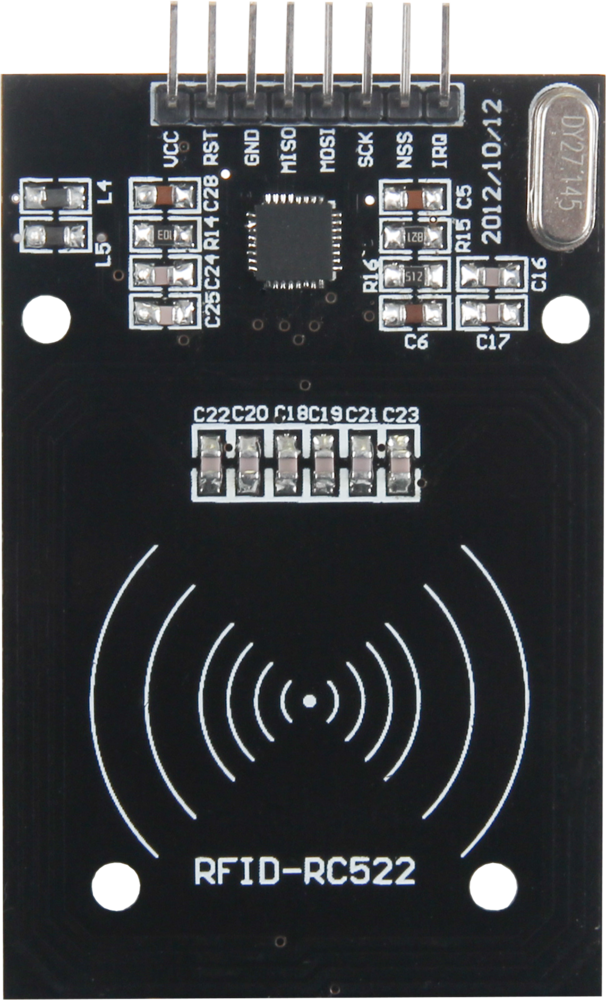
The RFID-RC522 is a compact and cost-effective RFID reader/writer module manufactured by Joy-it (Part ID: RC522). Operating at a frequency of 13.56 MHz, this module is designed for reading and writing RFID tags and cards. It supports the ISO/IEC 14443A/MIFARE protocol, making it ideal for a wide range of wireless communication applications.
Explore Projects Built with RFID-RC522
 Open Project in Cirkit Designer
 Open Project in Cirkit Designer
 Open Project in Cirkit Designer
 Open Project in Cirkit Designer
Explore Projects Built with RFID-RC522
Open Project in Cirkit DesignerOpen Project in Cirkit DesignerOpen Project in Cirkit DesignerOpen Project in Cirkit DesignerCommon Applications
- Access Control Systems: Secure entry systems for homes, offices, and vehicles.
- Inventory Management: Tracking and managing inventory in warehouses or retail stores.
- Identification Systems: Personal identification in schools, libraries, or events.
- Payment Systems: Contactless payment terminals.
- Automation Projects: Integration with microcontrollers like Arduino for custom IoT solutions.
Technical Specifications
Key Technical Details
| Parameter | Value |
|---|---|
| Operating Voltage | 2.5V to 3.3V (logic level: 3.3V) |
| Operating Current | 13-26 mA |
| Operating Frequency | 13.56 MHz |
| Communication Interface | SPI, I2C, UART |
| Maximum Data Rate | 10 Mbps (SPI) |
| Supported Protocols | ISO/IEC 14443A/MIFARE |
| Reading Distance | Up to 5 cm |
| Dimensions | 40 mm x 60 mm |
Pin Configuration and Descriptions
The RFID-RC522 module has 8 pins for interfacing. Below is the pinout and description:
| Pin | Name | Description |
|---|---|---|
| 1 | VCC | Power supply input (3.3V). Do not connect to 5V directly. |
| 2 | RST | Reset pin. Used to reset the module. Active LOW. |
| 3 | GND | Ground connection. |
| 4 | IRQ | Interrupt pin. Can be used to signal events to the microcontroller. |
| 5 | MISO/SCL | SPI Master-In-Slave-Out (MISO) or I2C Clock (SCL). |
| 6 | MOSI/SDA | SPI Master-Out-Slave-In (MOSI) or I2C Data (SDA). |
| 7 | SCK | SPI Clock. |
| 8 | NSS/SDA | SPI Chip Select (NSS) or I2C Address Select (SDA). |
Usage Instructions
Connecting the RFID-RC522 to an Arduino UNO
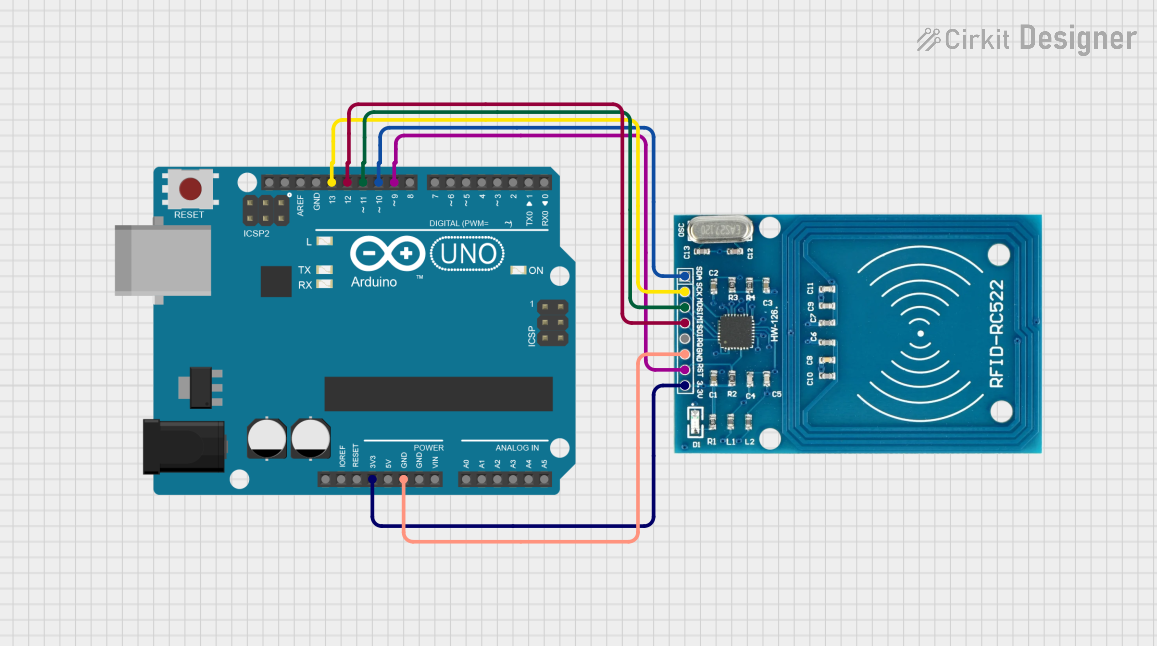
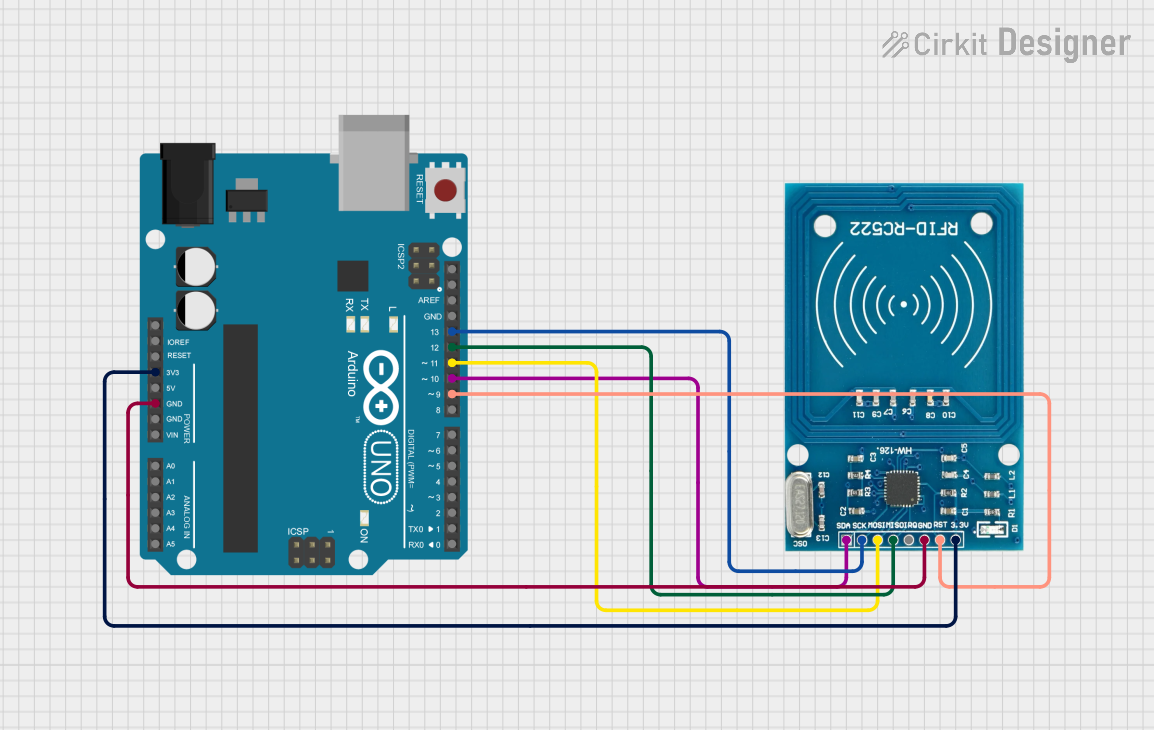
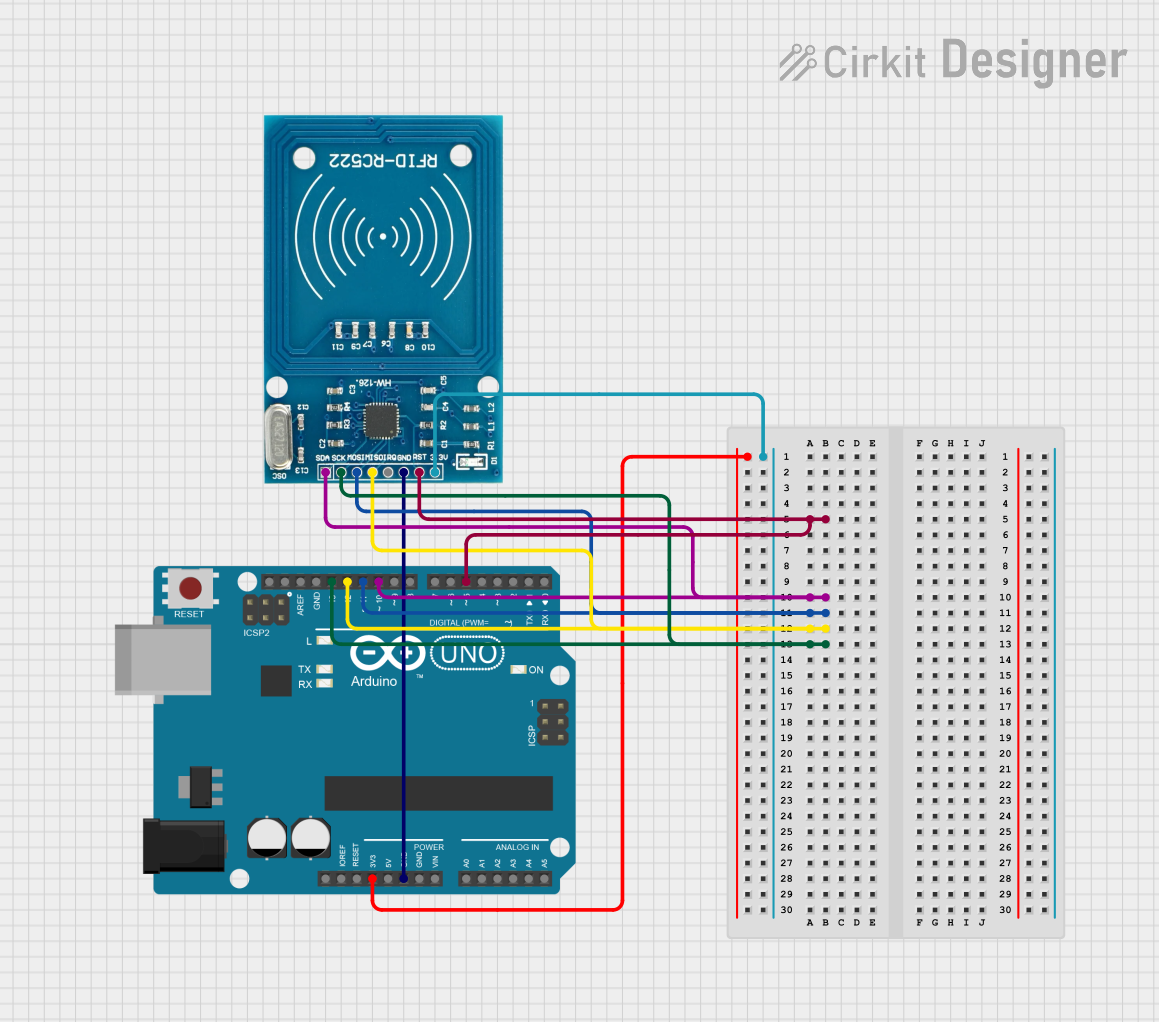
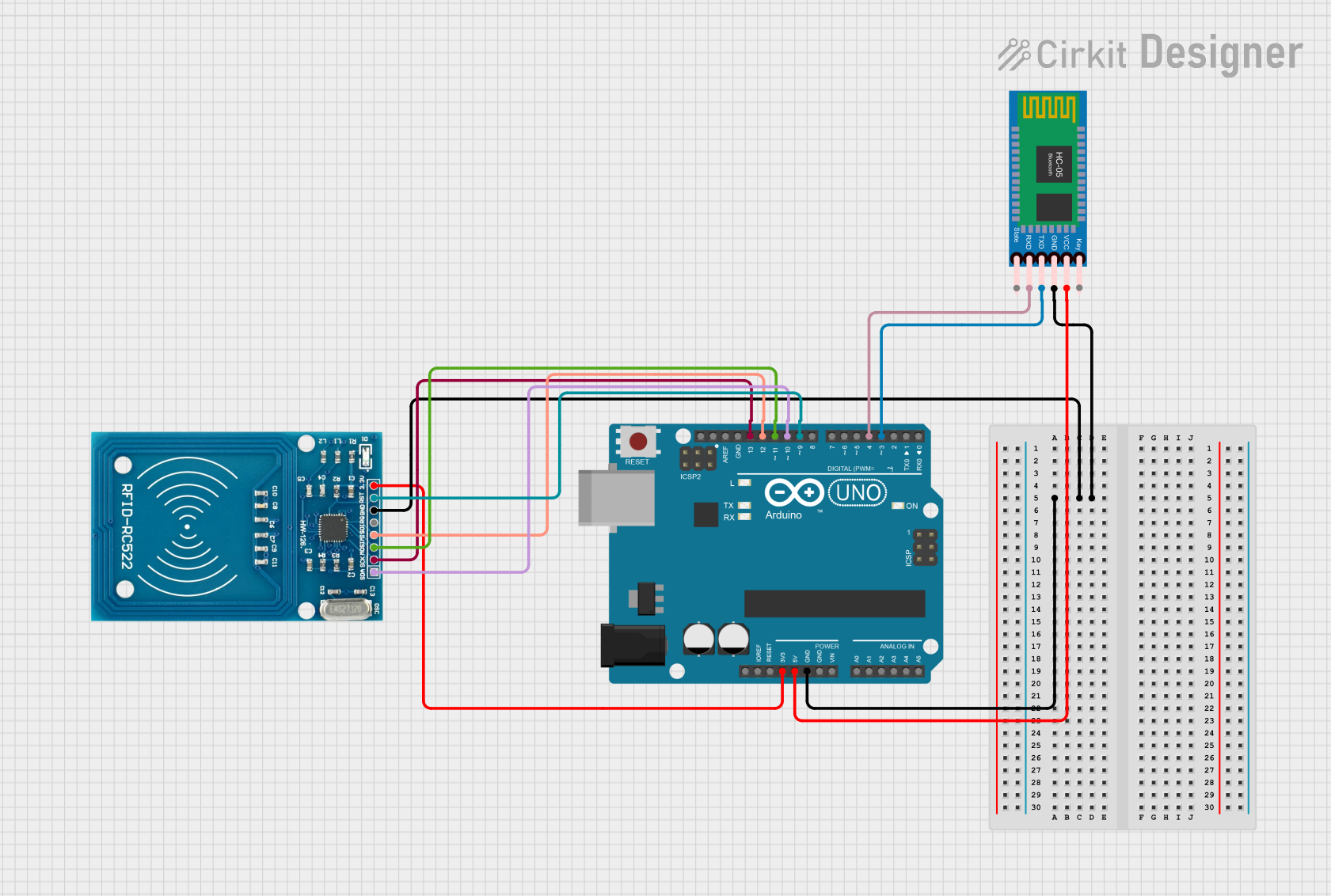
The RFID-RC522 module can be easily interfaced with an Arduino UNO using the SPI communication protocol. Below is the wiring guide:
| RFID-RC522 Pin | Arduino UNO Pin |
|---|---|
| VCC | 3.3V |
| GND | GND |
| RST | Pin 9 |
| IRQ | Not connected |
| MISO | Pin 12 |
| MOSI | Pin 11 |
| SCK | Pin 13 |
| NSS | Pin 10 |
Sample Arduino Code
The following code demonstrates how to use the RFID-RC522 module with an Arduino UNO to read RFID tags:
#include <SPI.h>
#include <MFRC522.h>

// Define RFID-RC522 pins
#define RST_PIN 9  // Reset pin connected to Arduino pin 9
#define SS_PIN 10  // Slave Select pin connected to Arduino pin 10

MFRC522 rfid(SS_PIN, RST_PIN); // Create an instance of the MFRC522 class

void setup() {
  Serial.begin(9600); // Initialize serial communication
  SPI.begin();        // Initialize SPI bus
  rfid.PCD_Init();    // Initialize the RFID module
  Serial.println("Place your RFID tag near the reader...");
}

void loop() {
  // Check if a new RFID card is present
  if (!rfid.PICC_IsNewCardPresent()) {
    return; // Exit if no card is detected
  }

  // Check if the card can be read
  if (!rfid.PICC_ReadCardSerial()) {
    return; // Exit if the card cannot be read
  }

  // Print the UID of the card
  Serial.print("Card UID: ");
  for (byte i = 0; i < rfid.uid.size; i++) {
    Serial.print(rfid.uid.uidByte[i] < 0x10 ? " 0" : " ");
    Serial.print(rfid.uid.uidByte[i], HEX);
  }
  Serial.println();

  // Halt the card to stop further communication
  rfid.PICC_HaltA();
}
Important Considerations
- Power Supply: Ensure the module is powered with 3.3V. Connecting it to 5V may damage the module.
- Logic Level: The module operates at 3.3V logic. Use a level shifter if interfacing with 5V logic devices.
- Antenna Placement: Ensure there are no metal objects near the antenna to avoid interference.
- Tag Distance: The reading distance is up to 5 cm. Ensure the tag is within this range for reliable operation.
Troubleshooting and FAQs
Common Issues and Solutions
Module Not Responding
- Cause: Incorrect wiring or power supply.
- Solution: Double-check the connections and ensure the module is powered with 3.3V.
Card Not Detected
- Cause: Card is out of range or not compatible.
- Solution: Ensure the card is within 5 cm of the antenna and supports ISO/IEC 14443A.
Garbage Data in Serial Monitor
- Cause: Incorrect baud rate in the Serial Monitor.
- Solution: Set the Serial Monitor baud rate to 9600.
Interference with Other Devices
- Cause: Nearby metal objects or other RF devices.
- Solution: Remove metal objects and ensure the module is not near other RF devices.
FAQs
Can the RFID-RC522 module write data to RFID tags?
- Yes, the module supports both reading and writing operations for compatible RFID tags.
What is the maximum range of the RFID-RC522?
- The maximum reading distance is approximately 5 cm, depending on the tag and environmental conditions.
Can I use the RFID-RC522 with a 5V microcontroller?
- Yes, but you must use a logic level shifter to convert the 5V signals to 3.3V.
What types of RFID tags are supported?
- The module supports ISO/IEC 14443A/MIFARE tags, including MIFARE Classic 1K and 4K.
This concludes the documentation for the RFID-RC522 module. For further assistance, refer to the manufacturer's datasheet or community forums.