The MAX98357A is a high-performance digital audio amplifier designed to deliver high-quality audio output with minimal distortion. It integrates a built-in digital-to-analog converter (DAC) and supports I2S (Inter-IC Sound) audio input, making it a versatile choice for audio applications. The MAX98357A is optimized for low power consumption and compact designs, making it ideal for portable audio devices, smart speakers, and other embedded audio systems.
Explore Projects Built with MAX98357A
Use Cirkit Designer to design, explore, and prototype these projects online. Some projects support real-time simulation. Click "Open Project" to start designing instantly!
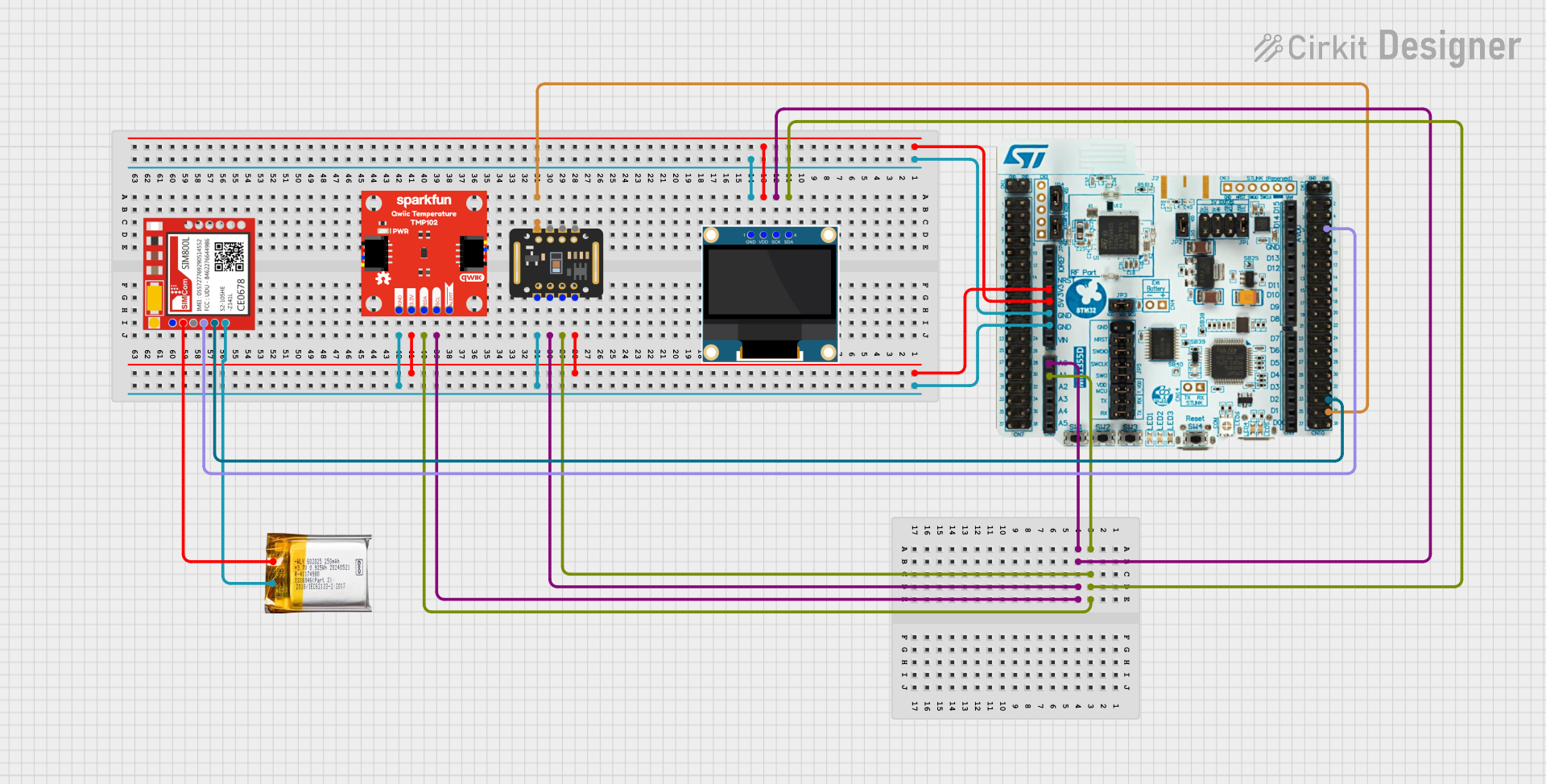
This circuit is a multi-sensor data acquisition system that uses a Nucleo WB55RG microcontroller to interface with a digital temperature sensor (TMP102), a pulse oximeter and heart-rate sensor (MAX30102), and a 0.96" OLED display via I2C. Additionally, it includes a Sim800l module for GSM communication, powered by a 3.7V LiPo battery.
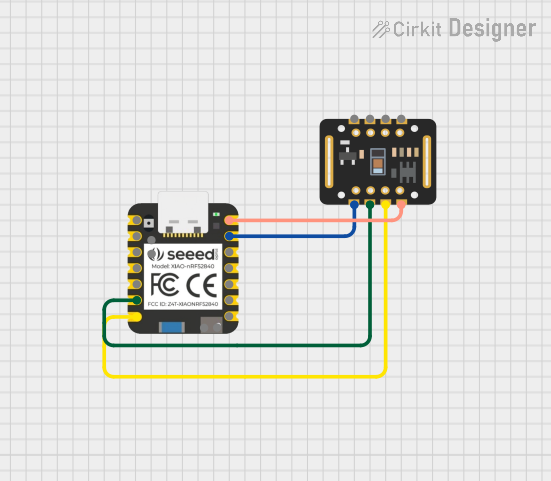
This circuit integrates a Seeed Studio nRF52840 microcontroller with a MAX30102 sensor module. The microcontroller powers the sensor and communicates with it via I2C protocol, enabling functionalities such as heart rate and SpO2 monitoring.
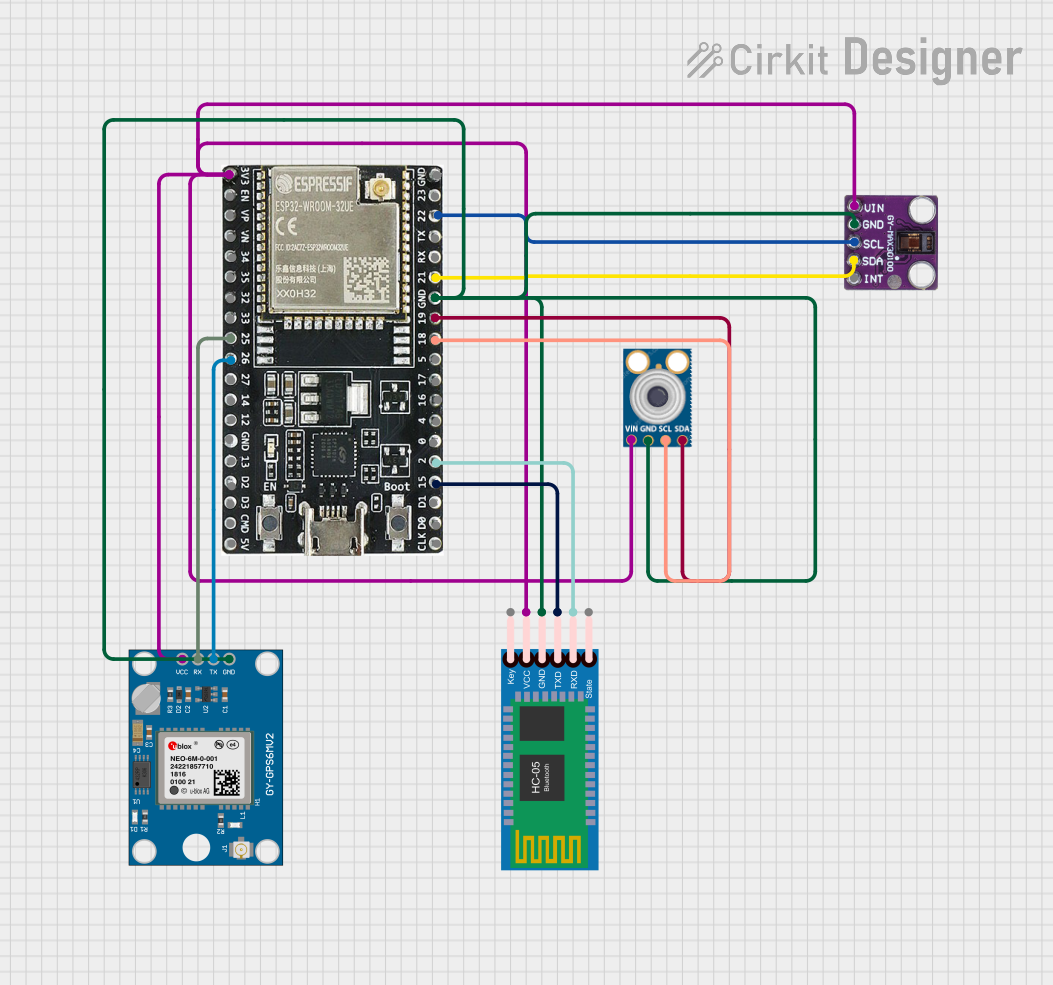
This circuit features an ESP32-WROOM-32UE microcontroller as the central processing unit, interfacing with a variety of sensors and modules. It includes a MAX30100 pulse oximeter and heart-rate sensor, an MLX90614 infrared thermometer, an HC-05 Bluetooth module for wireless communication, and a Neo 6M GPS module for location tracking. All components are powered by a common voltage supply and are connected to specific GPIO pins on the ESP32 for data exchange, with the sensors using I2C communication and the modules using UART.
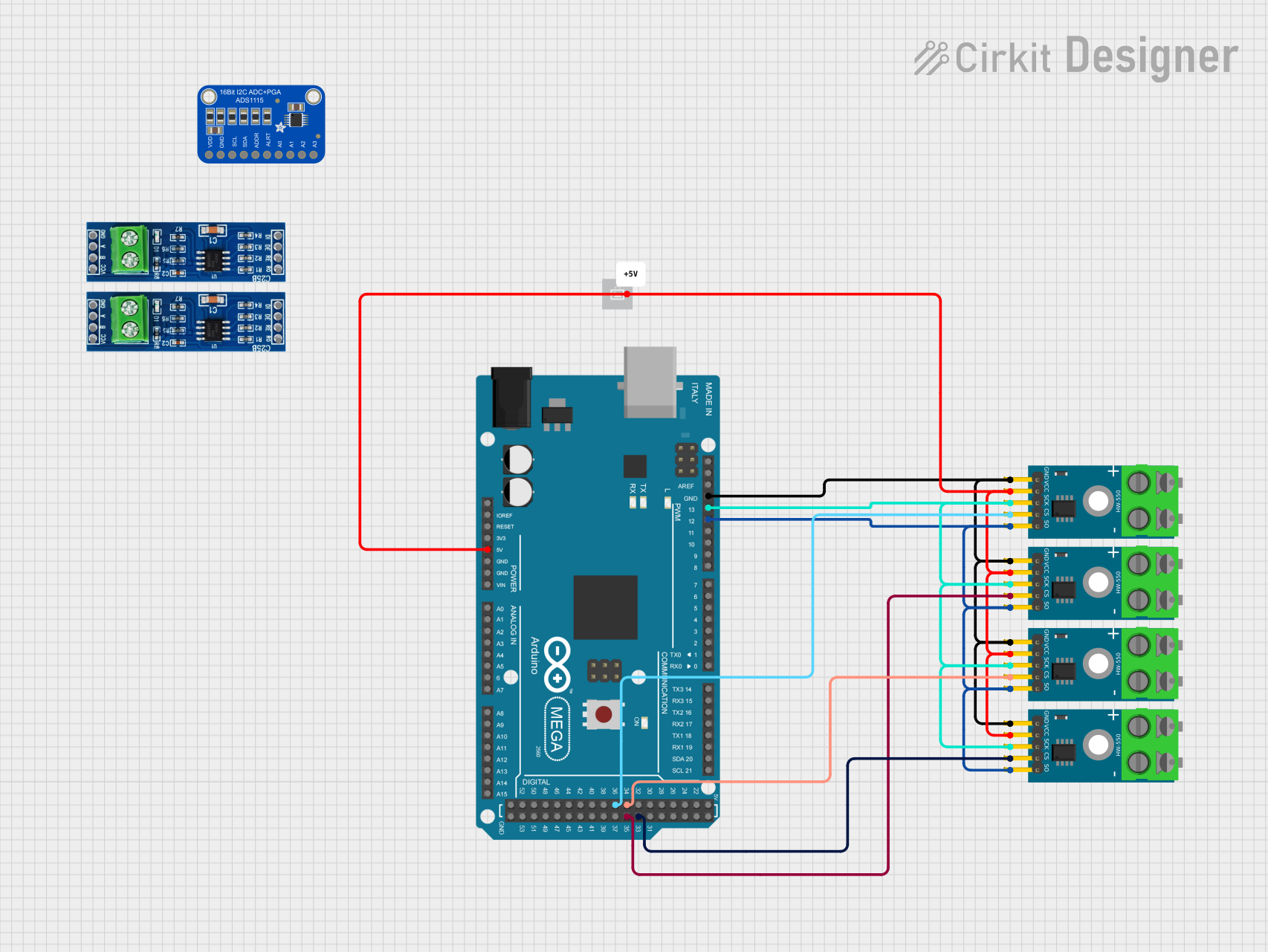
This circuit is designed to interface with multiple MAX6675 thermocouple-to-digital converter modules using an Arduino Mega 2560 as the central processing unit. The Arduino reads temperature data from the MAX6675 modules over a shared SPI bus, with individual chip select (CS) lines for each module to enable multiplexing. The circuit is likely used for monitoring multiple temperature points, possibly in an industrial setting where precise temperature control and monitoring are critical.
Portable audio devices (e.g., MP3 players, Bluetooth speakers)
Smart speakers and voice assistants
IoT devices with audio output
Home automation systems
Embedded systems requiring high-quality audio playback
Technical Specifications
The following table outlines the key technical details of the MAX98357A:
Parameter
Value
Supply Voltage (VDD)
2.5V to 5.5V
Output Power
3.2W at 4Ω load, 10% THD+N
Input Format
I2S (Inter-IC Sound)
Sampling Rates Supported
8kHz to 96kHz
Signal-to-Noise Ratio (SNR)
98dB
Total Harmonic Distortion
0.013% (1kHz, 1W, 8Ω load)
Shutdown Current
0.5µA
Operating Temperature
-40°C to +85°C
Pin Configuration and Descriptions
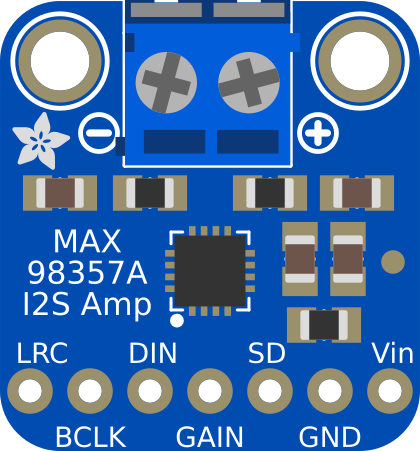
The MAX98357A is available in a compact 9-pin WLP (Wafer-Level Package). Below is the pinout and description:
Pin Name
Pin Number
Description
GND
A1
Ground connection
VDD
A2
Power supply input (2.5V to 5.5V)
SD_MODE
A3
Shutdown and mode selection pin
DIN
B1
I2S data input
BCLK
B2
I2S bit clock input
LRCLK
B3
I2S left-right clock input
OUT+
C1
Positive speaker output
OUT-
C2
Negative speaker output
GAIN
C3
Gain selection pin (low or high gain)
Usage Instructions
How to Use the MAX98357A in a Circuit
Power Supply: Connect the VDD pin to a stable power source within the range of 2.5V to 5.5V. Connect the GND pin to the ground of the circuit.
I2S Audio Input:
Connect the DIN pin to the I2S data line of your microcontroller or audio source.
Connect the BCLK pin to the I2S bit clock line.
Connect the LRCLK pin to the I2S left-right clock line.
Speaker Connection: Connect the OUT+ and OUT- pins to the terminals of a speaker. Ensure the speaker impedance matches the amplifier's specifications (e.g., 4Ω or 8Ω).
Gain Selection: Use the GAIN pin to set the desired gain level. Refer to the datasheet for specific gain configurations.
Shutdown and Mode Selection: Use the SD_MODE pin to enable or disable the amplifier and configure its mode of operation.
Important Considerations and Best Practices
Use decoupling capacitors (e.g., 10µF and 0.1µF) close to the VDD pin to ensure stable operation.
Ensure proper grounding to minimize noise and distortion.
Use a low-impedance speaker for optimal performance.
Avoid exceeding the maximum voltage and current ratings to prevent damage to the component.
If using with a microcontroller, ensure the I2S configuration matches the MAX98357A's supported sampling rates and data format.
Example: Connecting the MAX98357A to an Arduino UNO
The MAX98357A can be connected to an Arduino UNO for audio playback using the I2S protocol. Below is an example wiring and code:
Wiring:
MAX98357A Pin
Arduino UNO Pin
GND
GND
VDD
5V
DIN
Pin 11 (I2S Data)
BCLK
Pin 9 (I2S Bit Clock)
LRCLK
Pin 10 (I2S LR Clock)
OUT+
Speaker Terminal 1
OUT-
Speaker Terminal 2
Arduino Code:
#include <I2S.h> // Include the I2S library for audio playback

void setup() {
  // Initialize the I2S interface
  if (!I2S.begin(I2S_PHILIPS_MODE, 44100)) {
    // Check if I2S initialization failed
    while (1) {
      // Stay in an infinite loop if initialization fails
    }
  }
}

void loop() {
  // Send audio data to the MAX98357A
  // Replace this with actual audio data in your application
  I2S.write(0); // Send a sample value of 0 (silence)
}
Notes:
The Arduino UNO does not natively support I2S. You may need an external I2S-compatible microcontroller (e.g., ESP32) for full functionality.
Ensure the audio data format matches the MAX98357A's requirements (e.g., 16-bit, 44.1kHz).
Troubleshooting and FAQs
Common Issues and Solutions
No Audio Output:
Verify the power supply voltage is within the specified range (2.5V to 5.5V).
Check the I2S connections and ensure the microcontroller is configured correctly.
Ensure the speaker is properly connected to the OUT+ and OUT- pins.
Distorted Audio:
Ensure the speaker impedance matches the amplifier's specifications.
Check for noise or instability in the power supply.
Verify the I2S data format and sampling rate are compatible with the MAX98357A.
Overheating:
Ensure the amplifier is not driving a load below the recommended impedance.
Check for short circuits in the speaker connections.
FAQs
Q: Can the MAX98357A drive headphones?
A: The MAX98357A is designed for driving speakers, not headphones. Using it with headphones may result in poor performance or damage to the component.
Q: What is the maximum sampling rate supported?
A: The MAX98357A supports sampling rates from 8kHz to 96kHz.
Q: Can I use the MAX98357A with a 3.3V microcontroller?
A: Yes, the MAX98357A is compatible with 3.3V logic levels and can operate with a 3.3V power supply.
Q: Does the MAX98357A require an external DAC?
A: No, the MAX98357A has a built-in DAC, so no external DAC is required.

 Open Project in Cirkit Designer