
How to Use UPS battery: Examples, Pinouts, and Specs
 Design with UPS battery in Cirkit Designer
Introduction
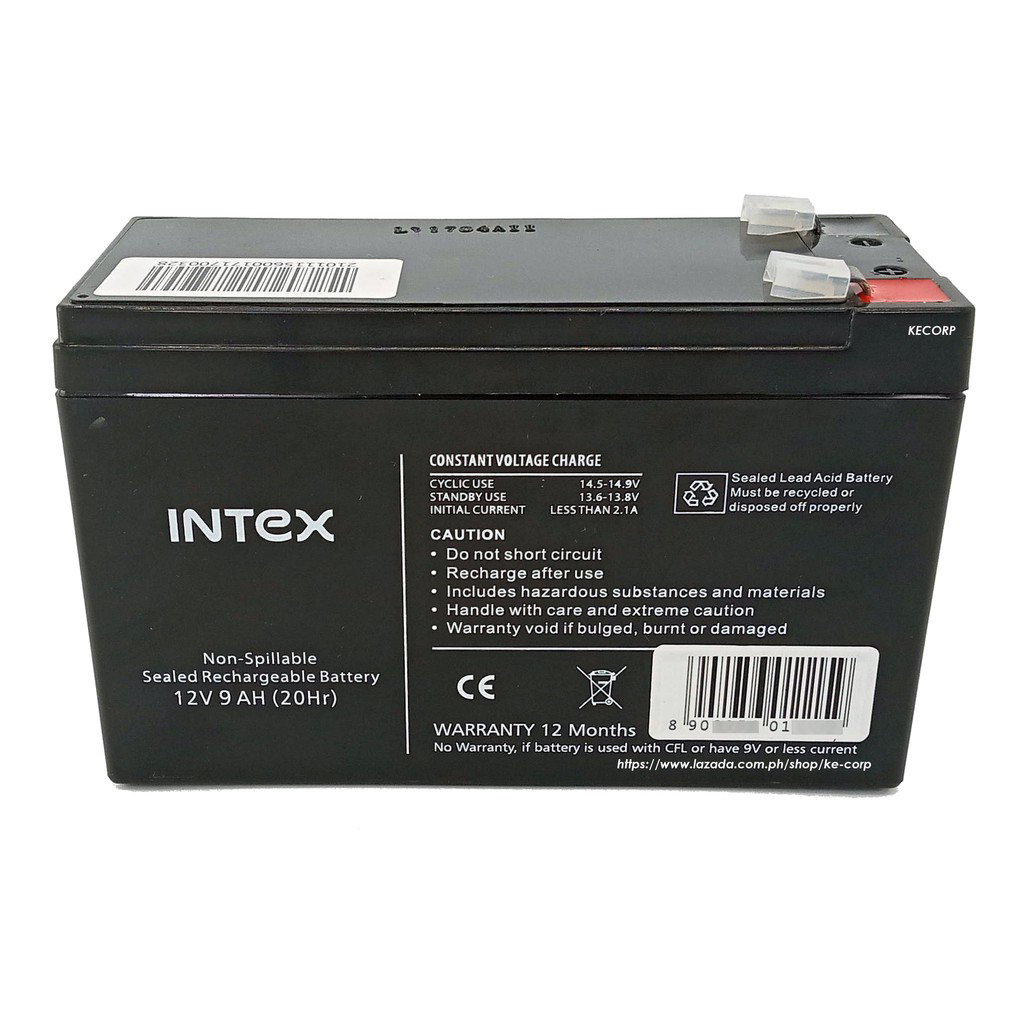
A UPS (Uninterruptible Power Supply) battery is a critical component in power backup systems. It is designed to provide emergency power to a load, such as a computer, medical equipment, or telecommunications device, when the primary power source, typically the mains electricity, fails. UPS batteries ensure continuity of operation and prevent data loss or damage to electrical equipment during power outages.
Explore Projects Built with UPS battery
 Open Project in Cirkit Designer
 Open Project in Cirkit Designer
 Open Project in Cirkit Designer
 Open Project in Cirkit Designer
Explore Projects Built with UPS battery
Open Project in Cirkit DesignerOpen Project in Cirkit DesignerOpen Project in Cirkit DesignerOpen Project in Cirkit DesignerCommon Applications and Use Cases
- Computer systems and data centers
- Medical and laboratory equipment
- Telecommunication systems
- Industrial control systems
- Security systems
Technical Specifications
Key Technical Details
| Specification | Description |
|---|---|
| Voltage | Typically 12V or 24V (varies by model) |
| Capacity | Ranges from a few Ah (Ampere-hours) to several hundred Ah |
| Chemistry | Commonly Lead-Acid, Li-ion, or NiMH |
| Cycle Life | Depends on battery type and depth of discharge |
| Operating Temperature | Varies by model, often 0°C to 40°C |
Pin Configuration and Descriptions
UPS batteries typically come with two terminals:
| Terminal | Description |
|---|---|
| Positive (+) | The terminal to connect to the positive side of the load or charging circuit |
| Negative (-) | The terminal to connect to the negative side of the load or charging circuit |
Usage Instructions
How to Use the UPS Battery in a Circuit
- Installation: Ensure the UPS battery is installed in a compatible UPS system according to the manufacturer's instructions.
- Connection: Connect the positive terminal of the battery to the positive input of the UPS and the negative terminal to the negative input.
- Charging: Allow the UPS to charge the battery fully before use. This may take several hours.
- Operation: The UPS will automatically switch to battery power when it detects a loss of mains electricity.
Important Considerations and Best Practices
- Ventilation: Lead-acid batteries can produce hydrogen gas; ensure proper ventilation.
- Temperature: Avoid exposing the battery to extreme temperatures to prevent capacity loss.
- Maintenance: Regularly check the battery's state of charge and health.
- Recycling: Dispose of UPS batteries properly, as they contain hazardous materials.
Troubleshooting and FAQs
Common Issues
- Battery not charging: Check connections, ensure the UPS is plugged in, and the battery is not at the end of its life.
- Reduced runtime: The battery may be aging or damaged. Test the battery's capacity and replace if necessary.
- Swollen battery case: Indicates overcharging or failure. Replace the battery and check the UPS charging system.
Solutions and Tips for Troubleshooting
- Battery Replacement: Use only compatible batteries recommended by the UPS manufacturer.
- Regular Testing: Perform regular tests to ensure the UPS switches to battery power correctly.
- Professional Help: For complex issues, consult with a professional or the manufacturer's support.
FAQs
Q: How long does a UPS battery last? A: The lifespan of a UPS battery varies but typically ranges from 3 to 5 years.
Q: Can I replace the UPS battery myself? A: Yes, if you follow the manufacturer's guidelines and take appropriate safety precautions.
Q: How do I know when to replace my UPS battery? A: Replace the battery if it fails to hold a charge, provides reduced runtime, or shows physical signs of damage.
Q: Is it safe to keep a UPS battery plugged in all the time? A: Yes, UPS systems are designed to be plugged in continuously and will manage the charging process to maintain the battery.
Example Code for Arduino UNO Connection
// This example assumes the use of a UPS battery to power an Arduino UNO
// during a power outage. The Arduino monitors the mains power status and
// switches to UPS battery power if mains power is lost.

int mainsPowerPin = 2; // Connect to a sensor that detects mains power status
int batteryPowerPin = 3; // Connect to a sensor that detects battery power status

void setup() {
  pinMode(mainsPowerPin, INPUT);
  pinMode(batteryPowerPin, INPUT);
  Serial.begin(9600);
}

void loop() {
  bool mainsPower = digitalRead(mainsPowerPin);
  bool batteryPower = digitalRead(batteryPowerPin);

  if (!mainsPower && batteryPower) {
    // Mains power is out, and the battery is providing power
    Serial.println("Switched to UPS battery power.");
  } else if (mainsPower) {
    // Mains power is available
    Serial.println("Running on mains power.");
  } else {
    // Neither mains power nor battery power is available
    Serial.println("No power available.");
  }

  delay(1000); // Wait for 1 second before checking again
}
Note: The above code is a conceptual example. In practice, a UPS system would handle the power switching automatically, and the Arduino would not need to monitor power sources unless it's part of a larger system that requires such functionality.