
How to Use Capteur de courant: Examples, Pinouts, and Specs
 Design with Capteur de courant in Cirkit Designer
Introduction
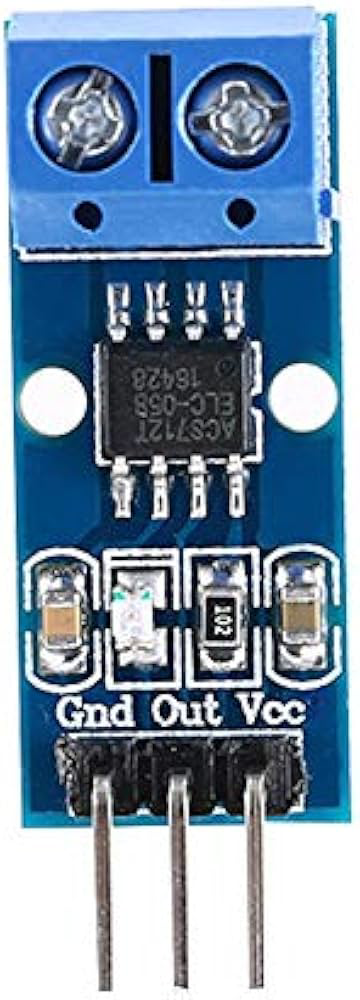
The Capteur de courant (current sensor) is a device designed to detect and measure the flow of electric current in a circuit. Manufactured by Arduino with the part ID "UNO," this sensor is widely used in applications requiring current monitoring and control. It provides accurate and real-time current measurements, making it ideal for projects involving power management, motor control, and energy monitoring.
Explore Projects Built with Capteur de courant
 Open Project in Cirkit Designer
 Open Project in Cirkit Designer
 Open Project in Cirkit Designer
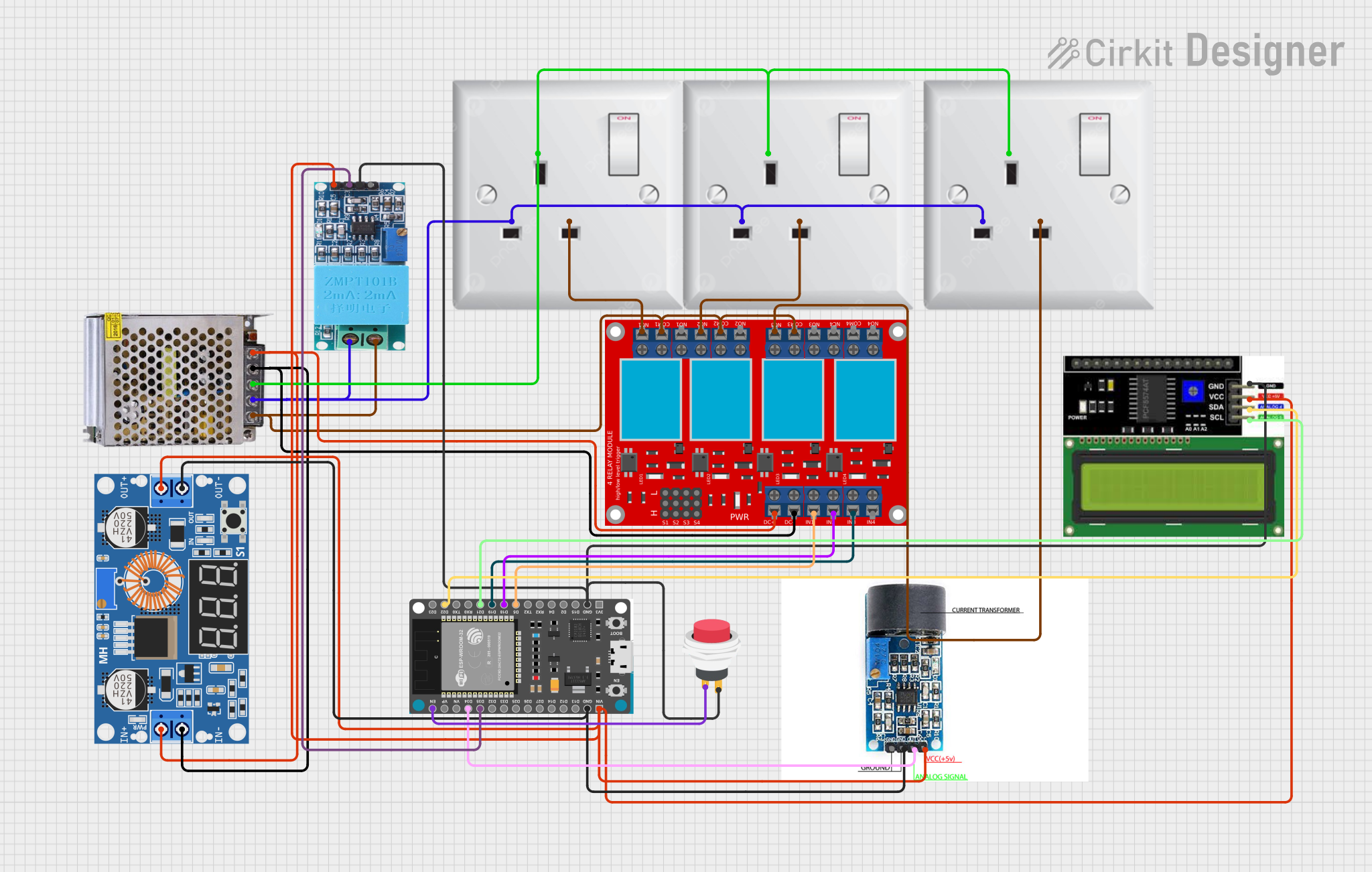 Open Project in Cirkit Designer
Explore Projects Built with Capteur de courant
Open Project in Cirkit DesignerOpen Project in Cirkit DesignerOpen Project in Cirkit DesignerOpen Project in Cirkit DesignerCommon Applications and Use Cases
- Monitoring current in power supply circuits
- Measuring current consumption in motors and appliances
- Energy monitoring in renewable energy systems
- Overcurrent protection in electronic devices
- Battery management systems
Technical Specifications
The Capteur de courant is designed to work seamlessly with Arduino boards, including the Arduino UNO. Below are the key technical details:
Key Specifications
- Operating Voltage: 5V DC
- Current Measurement Range: -20A to +20A
- Output Signal: Analog voltage proportional to current
- Accuracy: ±1% (typical)
- Sensitivity: 100mV/A
- Response Time: <5 µs
- Operating Temperature: -40°C to +85°C
- Dimensions: 25mm x 20mm x 15mm
Pin Configuration and Descriptions
The Capteur de courant typically has three pins for connection. The table below describes each pin:
| Pin Name | Description |
|---|---|
| VCC | Power supply input (5V DC) |
| GND | Ground connection |
| OUT | Analog output signal proportional to current |
Usage Instructions
How to Use the Capteur de courant in a Circuit
Connect the Sensor to the Arduino UNO:
- Connect the VCC pin of the sensor to the 5V pin on the Arduino UNO.
- Connect the GND pin of the sensor to the GND pin on the Arduino UNO.
- Connect the OUT pin of the sensor to an analog input pin (e.g., A0) on the Arduino UNO.
Place the Sensor in the Circuit:
- Ensure the current-carrying wire passes through the sensor's detection area (if applicable).
- For bidirectional current measurement, ensure the wire is properly aligned with the sensor's orientation.
Read the Output:
- Use the Arduino's analog-to-digital converter (ADC) to read the voltage from the OUT pin.
- Convert the voltage reading to current using the sensor's sensitivity (e.g., 100mV/A).
Important Considerations and Best Practices
- Ensure the sensor is powered with a stable 5V DC supply for accurate readings.
- Avoid placing the sensor near strong magnetic fields, as they may interfere with measurements.
- Use proper insulation and safety precautions when working with high-current circuits.
- Calibrate the sensor if necessary to improve accuracy in your specific application.
Example Code for Arduino UNO
Below is an example Arduino sketch to read current values from the Capteur de courant:
// Define the analog pin connected to the sensor's OUT pin
const int sensorPin = A0;

// Define the sensor's sensitivity in mV per Ampere (100mV/A)
const float sensitivity = 0.1; // 100mV = 0.1V

void setup() {
  // Initialize serial communication for debugging
  Serial.begin(9600);
}

void loop() {
  // Read the analog value from the sensor
  int sensorValue = analogRead(sensorPin);

  // Convert the analog value to voltage (5V reference, 10-bit ADC)
  float voltage = sensorValue * (5.0 / 1023.0);

  // Calculate the current in Amperes
  float current = voltage / sensitivity;

  // Print the current value to the Serial Monitor
  Serial.print("Current: ");
  Serial.print(current);
  Serial.println(" A");

  // Wait for 500ms before the next reading
  delay(500);
}
Troubleshooting and FAQs
Common Issues and Solutions
No Output or Incorrect Readings:
- Cause: Incorrect wiring or loose connections.
- Solution: Double-check all connections, ensuring the sensor is properly powered and connected to the Arduino.
Fluctuating or Noisy Readings:
- Cause: Electrical noise or interference.
- Solution: Add a capacitor (e.g., 0.1µF) between the sensor's OUT pin and GND to filter noise.
Readings Do Not Match Expected Values:
- Cause: Calibration issue or incorrect sensitivity value.
- Solution: Verify the sensor's sensitivity and calibrate the system using a known current source.
Sensor Overheating:
- Cause: Exceeding the sensor's current measurement range.
- Solution: Ensure the current in the circuit does not exceed the sensor's maximum rating of ±20A.
FAQs
Q1: Can this sensor measure both AC and DC currents?
A1: Yes, the Capteur de courant can measure both AC and DC currents, but additional processing may be required for AC current measurements.
Q2: How do I improve the accuracy of the sensor?
A2: Use a stable power supply, minimize noise in the circuit, and calibrate the sensor with a known current source.
Q3: Can I use this sensor with microcontrollers other than Arduino?
A3: Yes, the sensor can be used with other microcontrollers, provided they have an analog input pin and a 5V power supply.
Q4: What happens if the current exceeds the sensor's range?
A4: The sensor may saturate, resulting in inaccurate readings. Prolonged exposure to excessive current may damage the sensor.