A Peltier module, also known as a thermoelectric cooler (TEC), is a solid-state device that transfers heat from one side to the other when an electric current is applied. This creates a temperature difference, enabling the module to function as a heat pump for cooling or heating purposes. Peltier modules are compact, lightweight, and highly reliable, making them ideal for applications requiring precise temperature control.
Explore Projects Built with Peltier Module
Use Cirkit Designer to design, explore, and prototype these projects online. Some projects support real-time simulation. Click "Open Project" to start designing instantly!
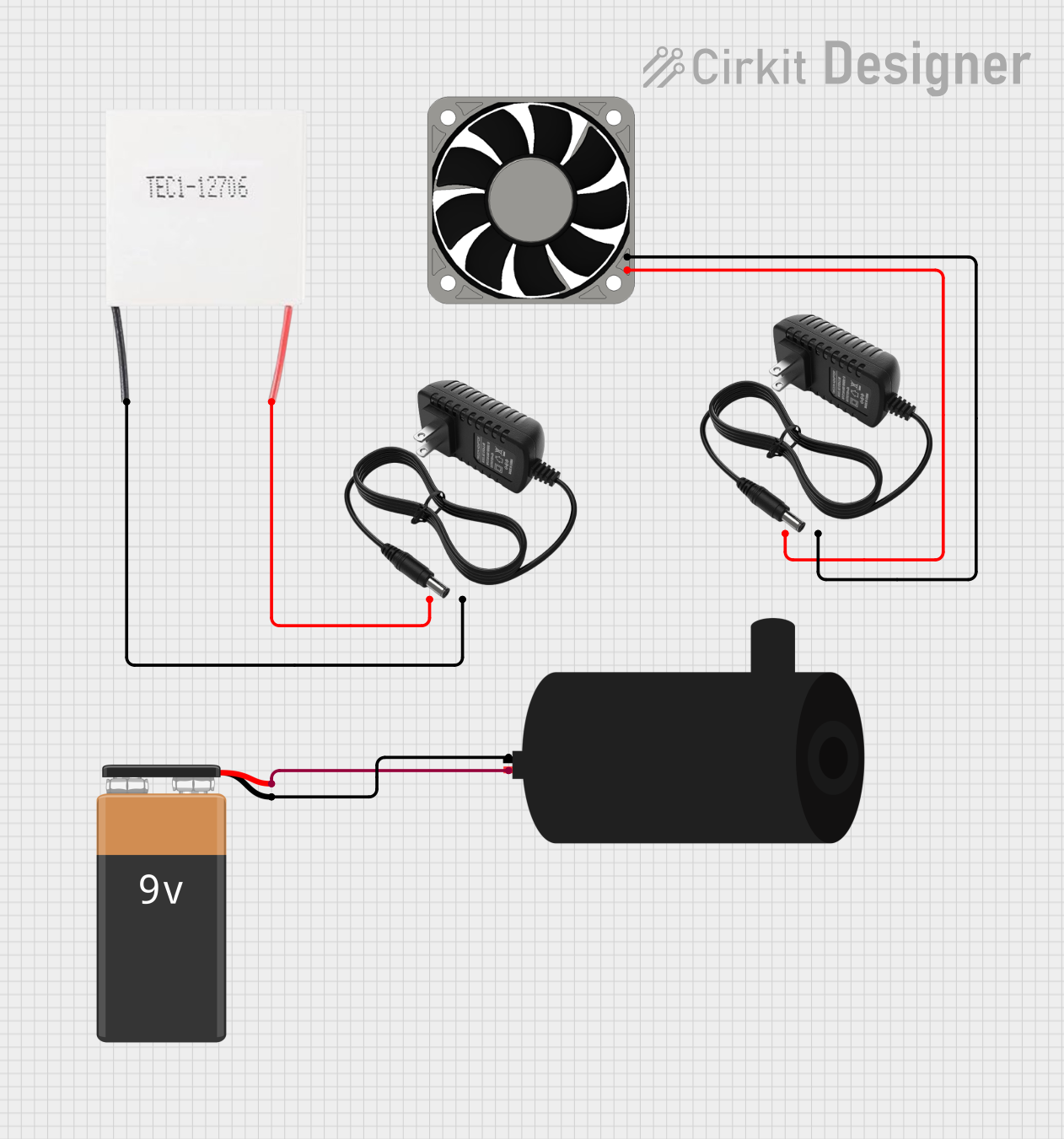
This circuit consists of a Peltier module and a 40mm 12V fan, each powered by their own dedicated 12V power supplies, indicating that they are likely used for a cooling application where the Peltier module generates a temperature differential and the fan dissipates heat. Additionally, there is a water pump powered by a 9V battery, which suggests that this circuit may be part of a system that requires liquid circulation, possibly for cooling or heating purposes.
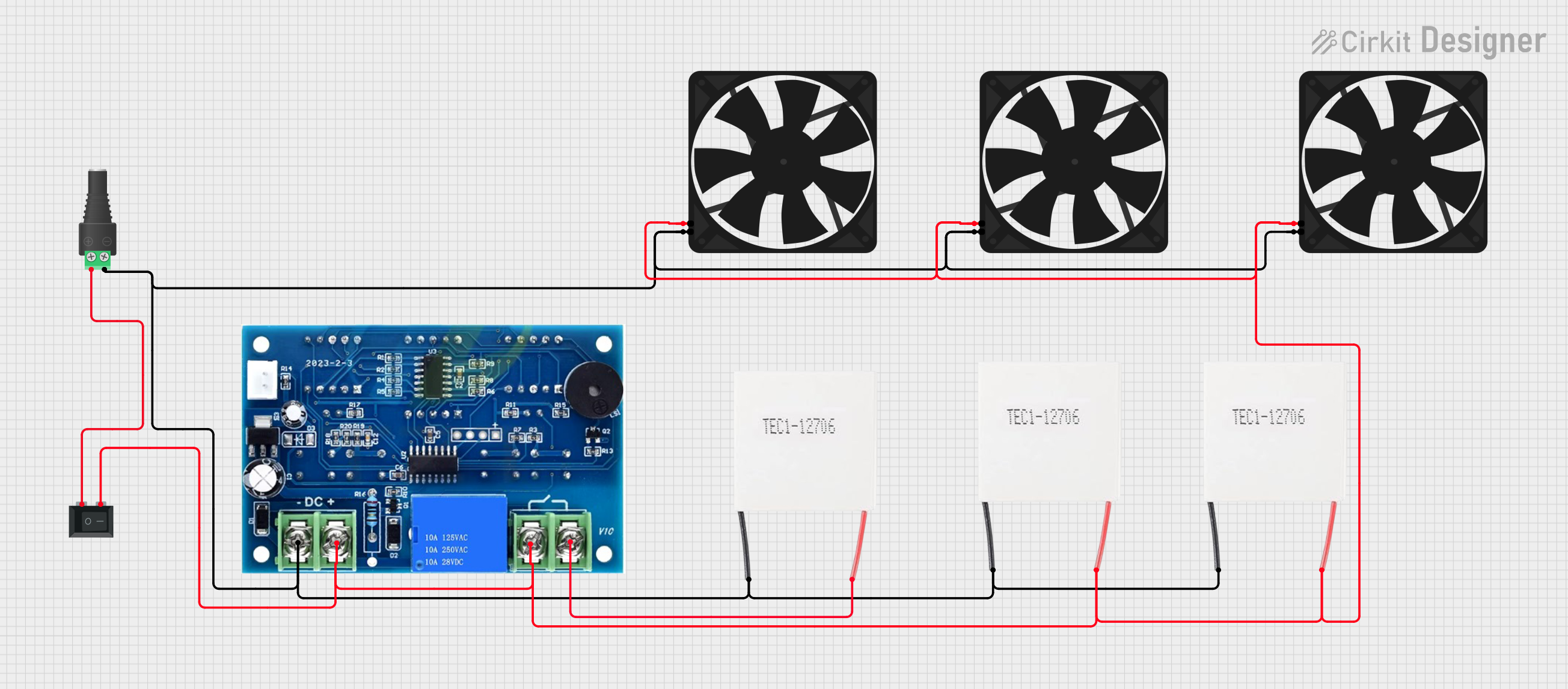
This circuit consists of multiple Peltier modules and fans connected in parallel to a digital power supply, with a rocker switch (SPST) controlling the power flow to one of the Peltier modules and multiple fans. The 2.1mm Barrel Jack with Terminal Block serves as the power input connector, and the rocker switch allows for selective enabling or disabling of the connected devices. The circuit is designed to provide cooling or heating through the Peltier modules while the fans assist in heat dissipation or air circulation.
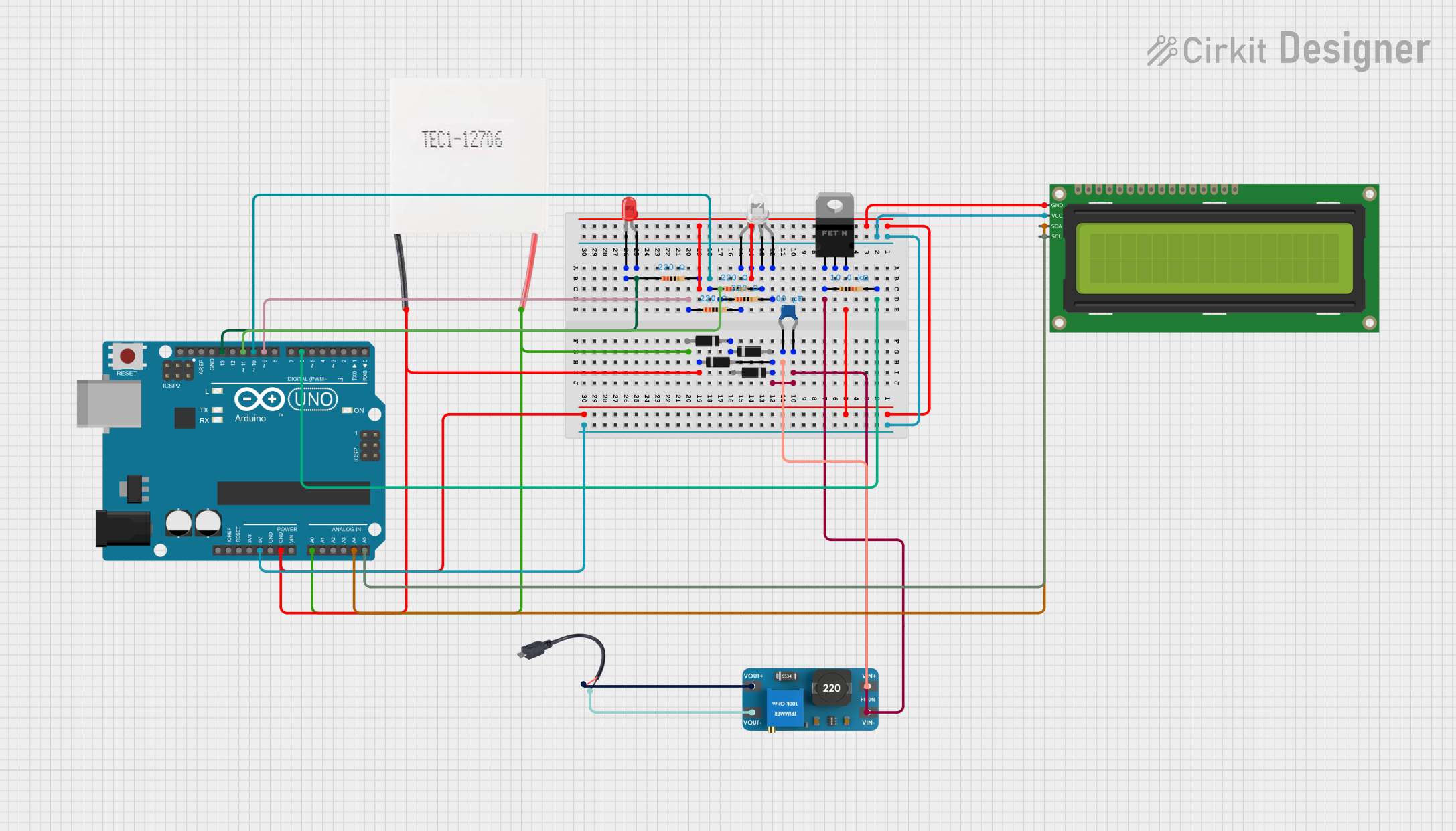
This circuit uses an Arduino UNO to control a Peltier module for heating or cooling, and displays information on a 16x2 I2C LCD. It also includes an RGB LED and a red LED for visual indicators, with a boost converter to manage power from a Micro USB source.
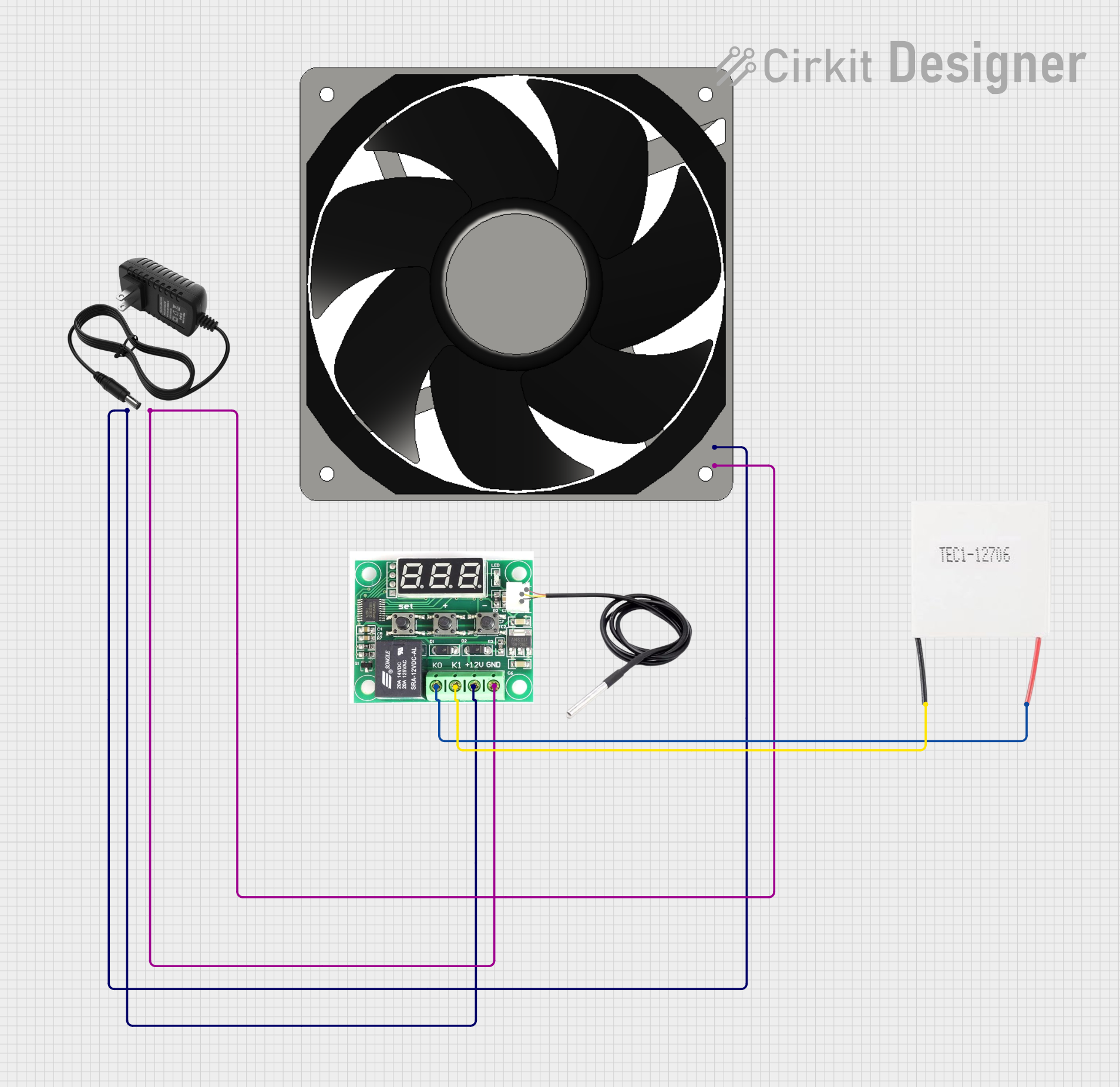
This circuit is a temperature control system that uses a W1209 thermostat module to regulate a Peltier module and a 12V fan. The 12V power supply provides power to the W1209 module and the fan, while the W1209 controls the Peltier module based on temperature readings.
Below are the general technical specifications for a standard Peltier module. Note that specific models may vary, so always refer to the datasheet of the module you are using.
Parameter
Typical Value
Description
Operating Voltage (V)
12V
Voltage required to operate the module.
Operating Current (A)
5A
Current drawn during operation.
Maximum Temperature ΔT
70°C
Maximum temperature difference between sides.
Maximum Power (W)
60W
Maximum heat pumping capacity.
Dimensions (mm)
40 x 40 x 3.6
Physical size of the module.
Hot Side Temperature
Up to 85°C
Maximum allowable temperature on the hot side.
Cold Side Temperature
-40°C to 25°C
Typical temperature range on the cold side.
Pin Configuration and Descriptions
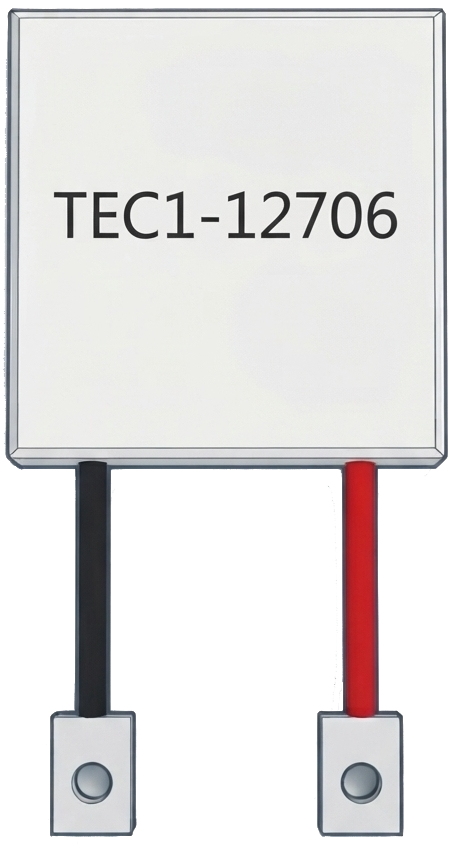
Peltier modules typically have two wires for electrical connections:
Wire Color
Function
Red
Positive terminal (connect to +V)
Black
Negative terminal (connect to GND)
Usage Instructions
How to Use the Component in a Circuit
Power Supply: Use a DC power supply that matches the voltage and current requirements of the Peltier module. For example, a 12V, 5A power supply is commonly used.
Heat Dissipation: Attach a heatsink or cooling fan to the hot side of the module to dissipate heat effectively. Failure to do so may cause the module to overheat and fail.
Polarity: Connect the red wire to the positive terminal of the power supply and the black wire to the negative terminal. Reversing the polarity will reverse the heating and cooling sides.
Temperature Control: Use a temperature controller or a PWM (Pulse Width Modulation) circuit to regulate the power supplied to the module for precise temperature control.
Important Considerations and Best Practices
Thermal Interface Material: Apply thermal paste or a thermal pad between the Peltier module and the heatsink to improve heat transfer efficiency.
Avoid Overheating: Always ensure proper heat dissipation on the hot side. Overheating can permanently damage the module.
Power Supply Selection: Use a power supply with sufficient current capacity to avoid voltage drops or instability.
Mechanical Stress: Avoid bending or applying excessive force to the module, as it is fragile and can crack.
Example: Using a Peltier Module with Arduino UNO
Below is an example of controlling a Peltier module using an Arduino UNO and a MOSFET for PWM-based temperature control.
// Example code to control a Peltier module using Arduino UNO
// and a MOSFET for PWM-based power regulation.

const int pwmPin = 9; // PWM pin connected to the MOSFET gate
const int potPin = A0; // Analog pin connected to a potentiometer

void setup() {
  pinMode(pwmPin, OUTPUT); // Set the PWM pin as output
  pinMode(potPin, INPUT);  // Set the potentiometer pin as input
}

void loop() {
  int potValue = analogRead(potPin); // Read the potentiometer value (0-1023)
  int pwmValue = map(potValue, 0, 1023, 0, 255);
  // Map the potentiometer value to PWM range (0-255)

  analogWrite(pwmPin, pwmValue);
  // Output the PWM signal to control the Peltier module
}
Note: Ensure the MOSFET used can handle the current requirements of the Peltier module. A heatsink may also be required for the MOSFET.
Troubleshooting and FAQs
Common Issues and Solutions
Module Overheating
Cause: Insufficient heat dissipation on the hot side.
Solution: Attach a larger heatsink or use a cooling fan to improve heat dissipation.
No Temperature Difference
Cause: Incorrect wiring or insufficient power supply.
Solution: Verify the polarity of the connections and ensure the power supply meets the voltage and current requirements.
Module Not Working
Cause: Physical damage or exceeding the maximum temperature rating.
Solution: Inspect the module for cracks or damage. Replace if necessary. Ensure proper thermal management in future use.
Uneven Cooling
Cause: Poor thermal contact between the module and heatsink.
Solution: Apply thermal paste or use a thermal pad to improve contact.
FAQs
Q: Can I use a Peltier module without a heatsink?
A: No, a heatsink is essential to dissipate heat from the hot side. Without it, the module will overheat and fail.
Q: Can I reverse the heating and cooling sides?
A: Yes, reversing the polarity of the power supply will reverse the heating and cooling sides.
Q: How do I control the temperature of the Peltier module?
A: Use a temperature controller or a PWM circuit to regulate the power supplied to the module.
Q: Can I stack multiple Peltier modules?
A: Yes, stacking is possible for higher temperature differences, but ensure proper thermal management and alignment.
This concludes the documentation for the Peltier module. Always refer to the specific datasheet of your module for precise details.

 Open Project in Cirkit Designer