
How to Use HC-05 Bluetooth Module: Examples, Pinouts, and Specs
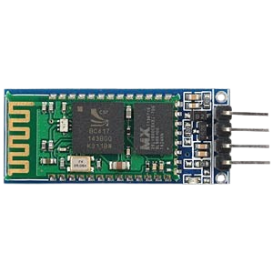
 Design with HC-05 Bluetooth Module in Cirkit Designer
Introduction
The HC-05 Bluetooth Module, manufactured by Bluetooth Serial Port Profile (Part ID: HC-05), is a versatile wireless communication module designed for short-range data transfer. It operates using Bluetooth technology and is widely used in embedded systems, IoT devices, and robotics. The module supports both master and slave modes, making it suitable for a variety of applications requiring wireless communication.
Explore Projects Built with HC-05 Bluetooth Module
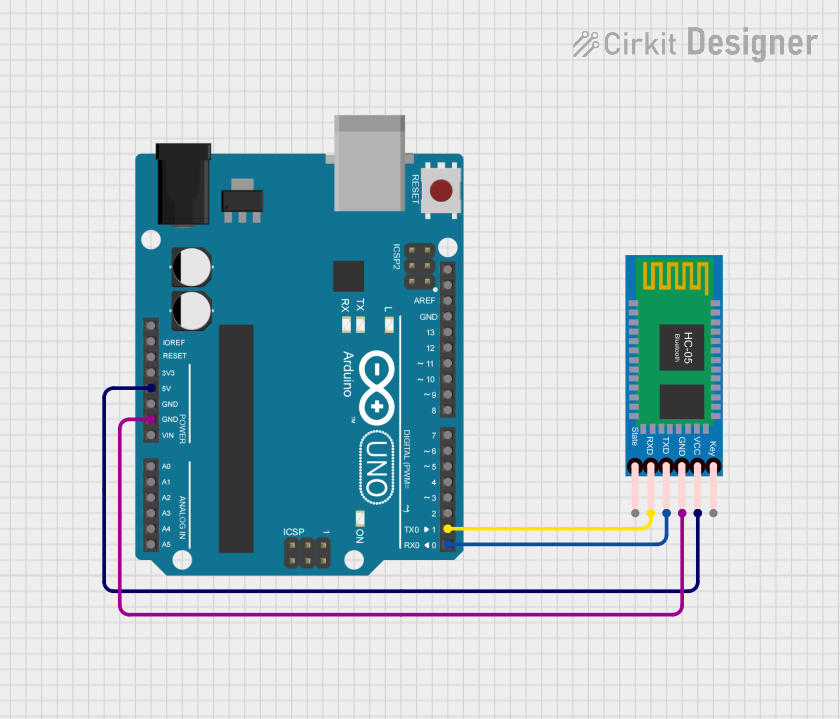 Open Project in Cirkit Designer
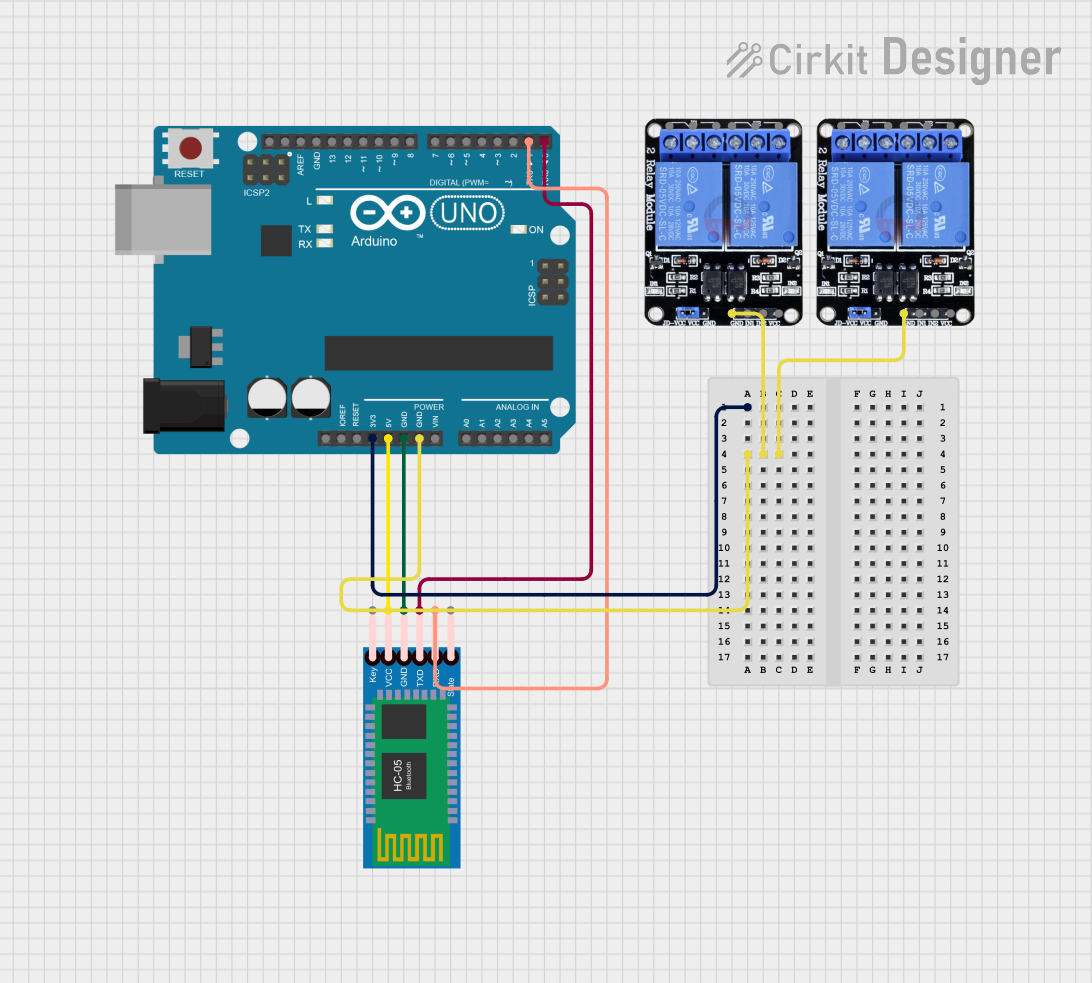 Open Project in Cirkit Designer
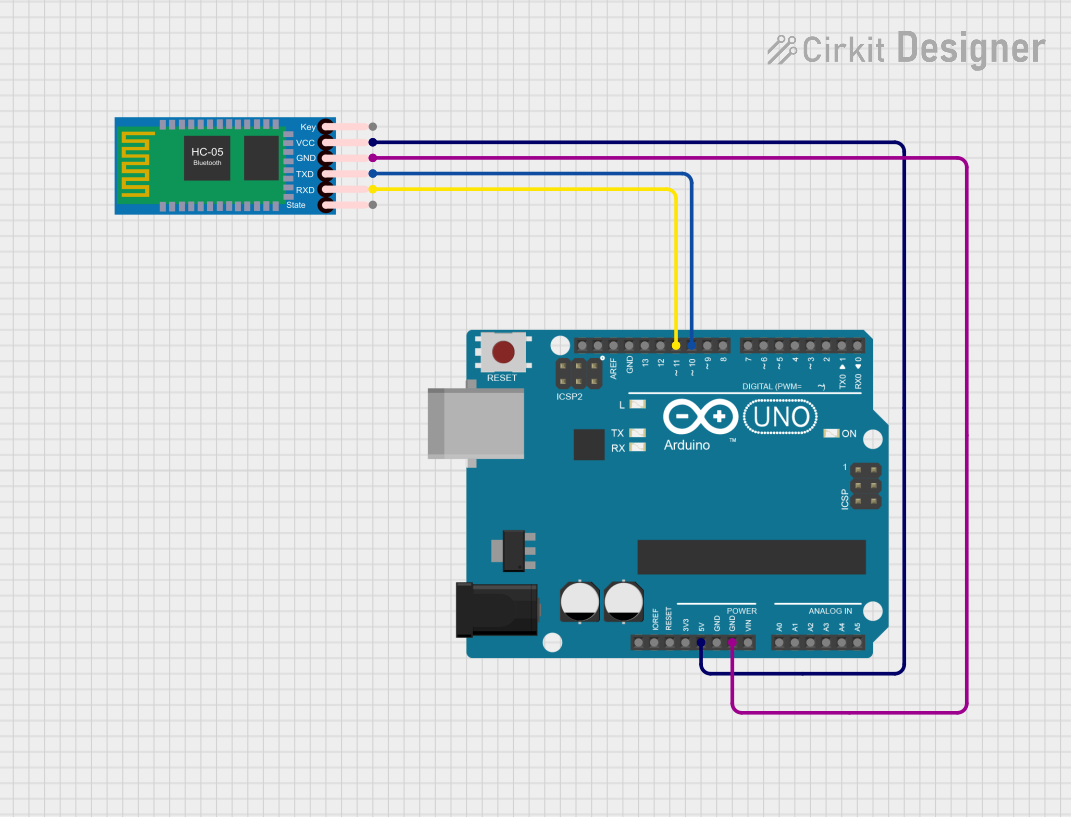 Open Project in Cirkit Designer
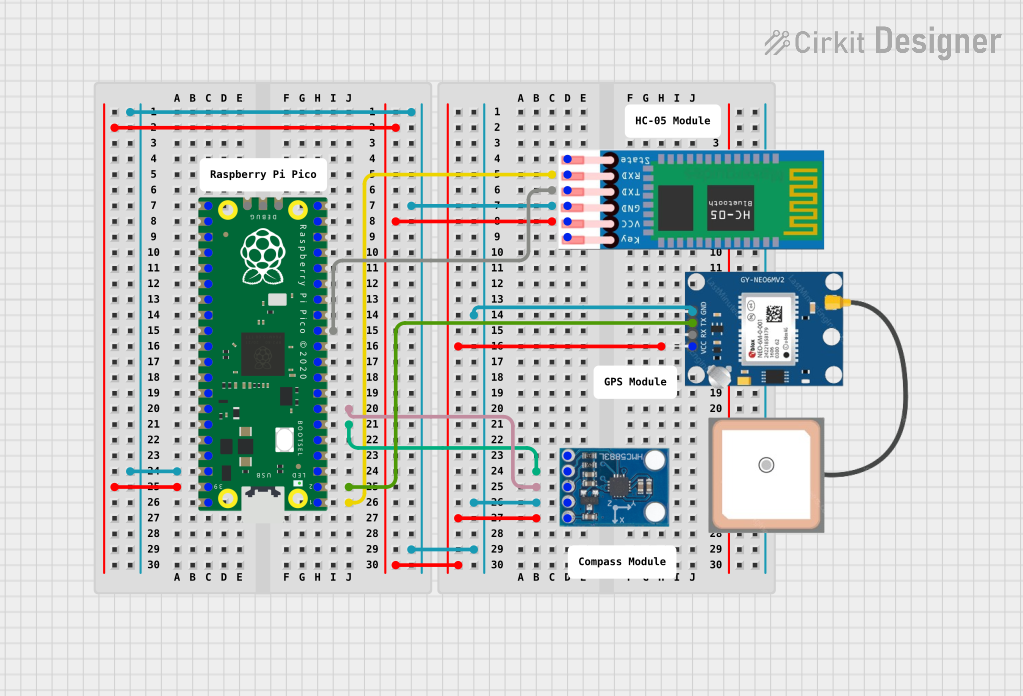 Open Project in Cirkit Designer
Explore Projects Built with HC-05 Bluetooth Module
Open Project in Cirkit DesignerOpen Project in Cirkit DesignerOpen Project in Cirkit DesignerOpen Project in Cirkit DesignerCommon Applications and Use Cases
- Wireless communication between microcontrollers and devices
- IoT applications for data transfer
- Remote control systems
- Robotics and automation
- Wireless sensor networks
- Serial communication replacement for wired connections
Technical Specifications
Key Technical Details
- Bluetooth Version: 2.0 + EDR (Enhanced Data Rate)
- Operating Voltage: 3.3V to 5V
- Operating Current: 30mA (typical)
- Communication Protocol: UART (Universal Asynchronous Receiver-Transmitter)
- Baud Rate: Configurable (default: 9600 bps)
- Range: Up to 10 meters (line of sight)
- Modes: Master and Slave
- Default PIN Code: 1234
- Dimensions: 37.5mm x 15.2mm x 2.5mm
Pin Configuration and Descriptions
The HC-05 module has 6 pins, as described in the table below:
| Pin Name | Pin Number | Description |
|---|---|---|
| VCC | 1 | Power supply input (3.3V to 5V). |
| GND | 2 | Ground connection. |
| TXD | 3 | Transmit data pin (connects to RXD of the microcontroller). |
| RXD | 4 | Receive data pin (connects to TXD of the microcontroller). |
| EN (Key) | 5 | Enable pin for entering AT command mode (active HIGH). |
| STATE | 6 | Indicates the connection status (LOW: not connected, HIGH: connected). |
Usage Instructions
How to Use the HC-05 in a Circuit
- Powering the Module: Connect the VCC pin to a 3.3V or 5V power source and the GND pin to ground.
- Connecting to a Microcontroller:
- Connect the TXD pin of the HC-05 to the RXD pin of the microcontroller.
- Connect the RXD pin of the HC-05 to the TXD pin of the microcontroller. Use a voltage divider if the microcontroller operates at 5V logic levels to avoid damaging the RXD pin.
- Configuring the Module:
- To configure the module, set the EN (Key) pin HIGH and use AT commands via a serial terminal.
- Example AT commands:
AT: Test the connection.AT+NAME=YourDeviceName: Set the module name.AT+PSWD=YourPIN: Set the pairing PIN.AT+ROLE=0: Set the module to slave mode (default).
- Pairing with a Device:
- Search for the HC-05 module on your Bluetooth-enabled device.
- Pair using the default PIN (1234) or the PIN you configured.
Important Considerations and Best Practices
- Ensure proper voltage levels to avoid damaging the module. Use a voltage regulator or divider if necessary.
- Keep the module away from sources of interference (e.g., high-frequency circuits) to maintain a stable connection.
- Use a pull-up resistor on the EN (Key) pin if you frequently switch between AT command mode and data mode.
- For reliable communication, ensure the baud rate of the microcontroller matches the HC-05's baud rate.
Example Code for Arduino UNO
Below is an example of how to use the HC-05 module with an Arduino UNO for basic serial communication:
#include <SoftwareSerial.h>

// Define RX and TX pins for SoftwareSerial
SoftwareSerial BTSerial(10, 11); // RX = Pin 10, TX = Pin 11

void setup() {
  // Initialize hardware serial for debugging
  Serial.begin(9600);
  // Initialize Bluetooth serial communication
  BTSerial.begin(9600); // Default baud rate of HC-05
  Serial.println("HC-05 Bluetooth Module Initialized");
}

void loop() {
  // Check if data is available from Bluetooth
  if (BTSerial.available()) {
    char data = BTSerial.read(); // Read data from HC-05
    Serial.print("Received: ");
    Serial.println(data); // Print received data to Serial Monitor
  }

  // Check if data is available from Serial Monitor
  if (Serial.available()) {
    char data = Serial.read(); // Read data from Serial Monitor
    BTSerial.write(data); // Send data to HC-05
    Serial.print("Sent: ");
    Serial.println(data); // Print sent data to Serial Monitor
  }
}
Troubleshooting and FAQs
Common Issues and Solutions
Module Not Powering On:
- Ensure the VCC pin is connected to a 3.3V or 5V power source.
- Check for loose connections or damaged wires.
Unable to Pair with a Device:
- Verify the module is powered on and in discoverable mode.
- Ensure the correct PIN (default: 1234) is used during pairing.
- Check for interference or obstacles between the module and the device.
No Data Transmission:
- Confirm the TXD and RXD pins are correctly connected to the microcontroller.
- Ensure the baud rate of the microcontroller matches the HC-05's baud rate.
- Use a voltage divider on the RXD pin if the microcontroller operates at 5V logic levels.
AT Commands Not Working:
- Ensure the EN (Key) pin is set HIGH to enter AT command mode.
- Use a serial terminal with the correct baud rate (default: 38400 bps in AT mode).
FAQs
Q: Can the HC-05 module be used with a 5V microcontroller?
A: Yes, but a voltage divider is recommended on the RXD pin to prevent damage, as the HC-05 operates at 3.3V logic levels.
Q: How do I reset the HC-05 to factory settings?
A: Enter AT command mode and send the AT+ORGL command to reset the module to its default settings.
Q: What is the difference between master and slave modes?
A: In master mode, the HC-05 initiates connections with other devices. In slave mode, it waits for incoming connections.
Q: Can I change the default baud rate?
A: Yes, use the AT command AT+UART=<baud rate>,0,0 to set a new baud rate. For example, AT+UART=115200,0,0.
By following this documentation, users can effectively integrate the HC-05 Bluetooth Module into their projects and troubleshoot common issues.