A PWM (Pulse Width Modulation) motor speed controller is an electronic device that regulates the speed of a DC motor by adjusting the pulse width of the input signal. By varying the duration of the "on" time in each pulse cycle, the controller effectively controls the average voltage delivered to the motor, thus controlling its speed. PWM controllers are favored for their efficiency, as they minimize power loss by switching transistors between fully on and fully off states, rather than operating in their resistive region.
Explore Projects Built with PWM motor speed controller
Use Cirkit Designer to design, explore, and prototype these projects online. Some projects support real-time simulation. Click "Open Project" to start designing instantly!
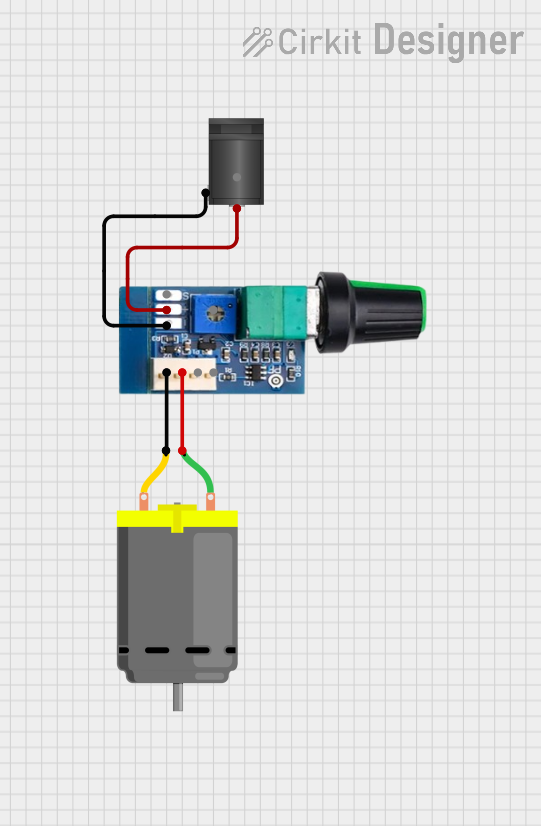
This circuit controls the speed of a DC motor using a 12V PWM speed controller. Power is supplied to the speed controller through a 2.1mm DC barrel jack, which then modulates the voltage and current to the motor's terminals to adjust its speed. There is no microcontroller code involved, indicating that the speed control is likely adjusted manually via the speed controller's onboard settings.
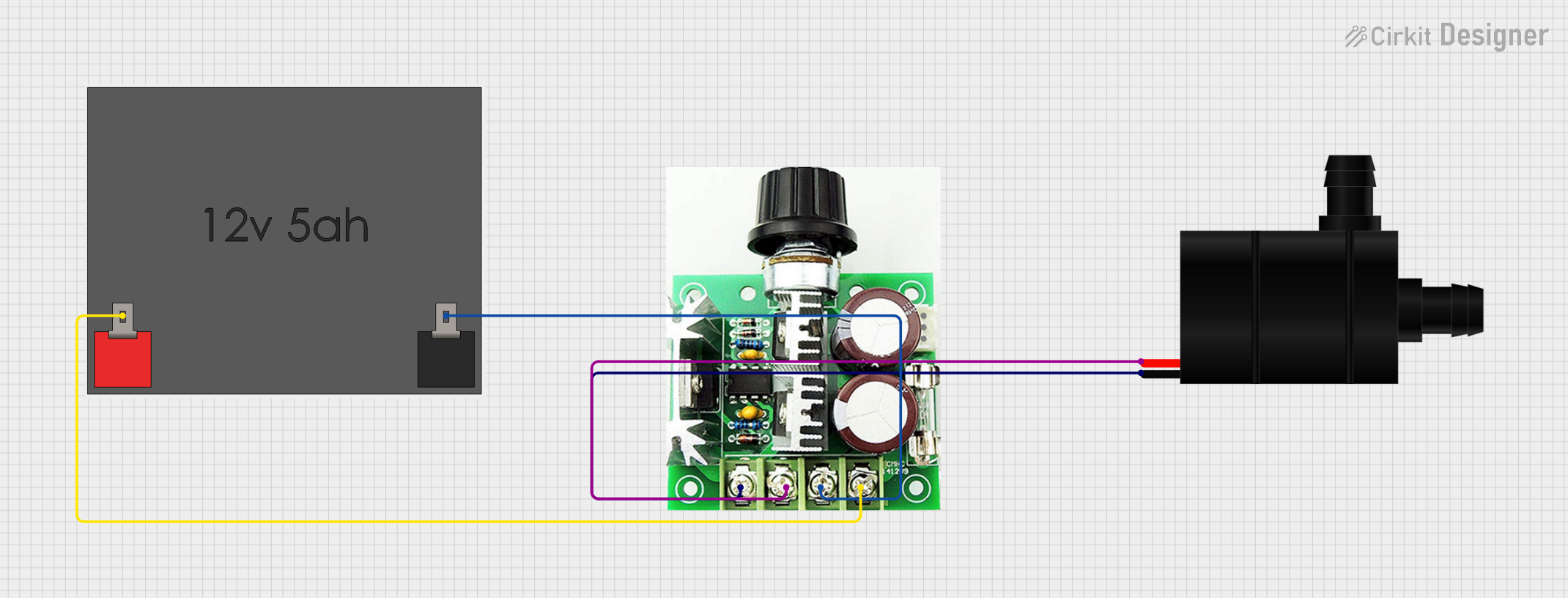
This circuit is designed to control the speed of a water pump using a PWM DC motor speed controller. The 12V5Ah battery provides power to the speed controller, which in turn regulates the power supplied to the water pump, allowing for adjustable flow rates. There is no microcontroller code provided, indicating that the speed control is likely adjusted manually via the PWM controller.
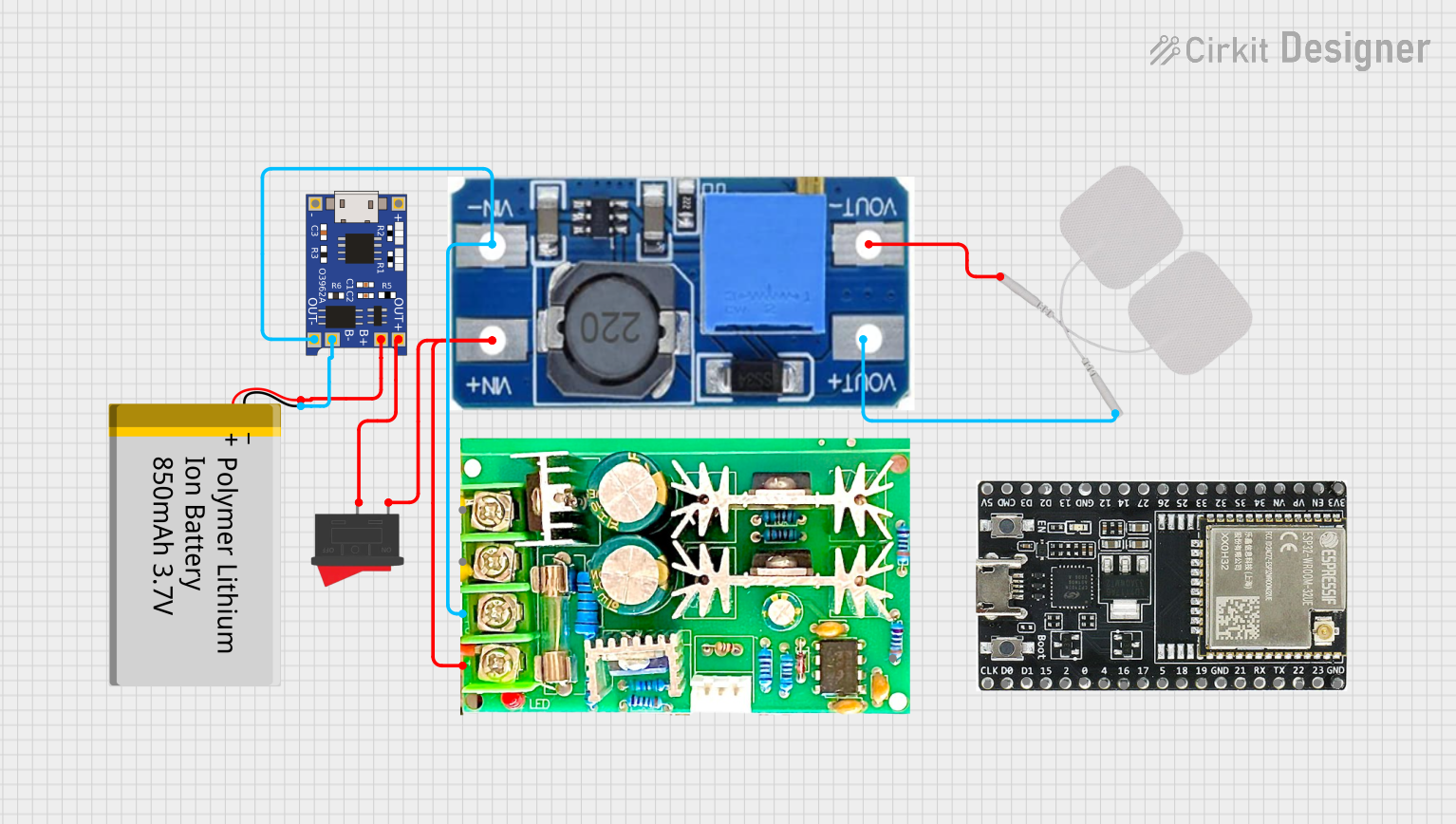
This circuit is designed to control the speed of a motor using a PWM motor speed controller powered by a Lithium-Ion battery. The TP4056 module manages battery charging, while a step-up boost converter regulates the voltage supplied to the motor and an Elektro Pad. A rocker switch is included to control the power flow to the motor speed controller.
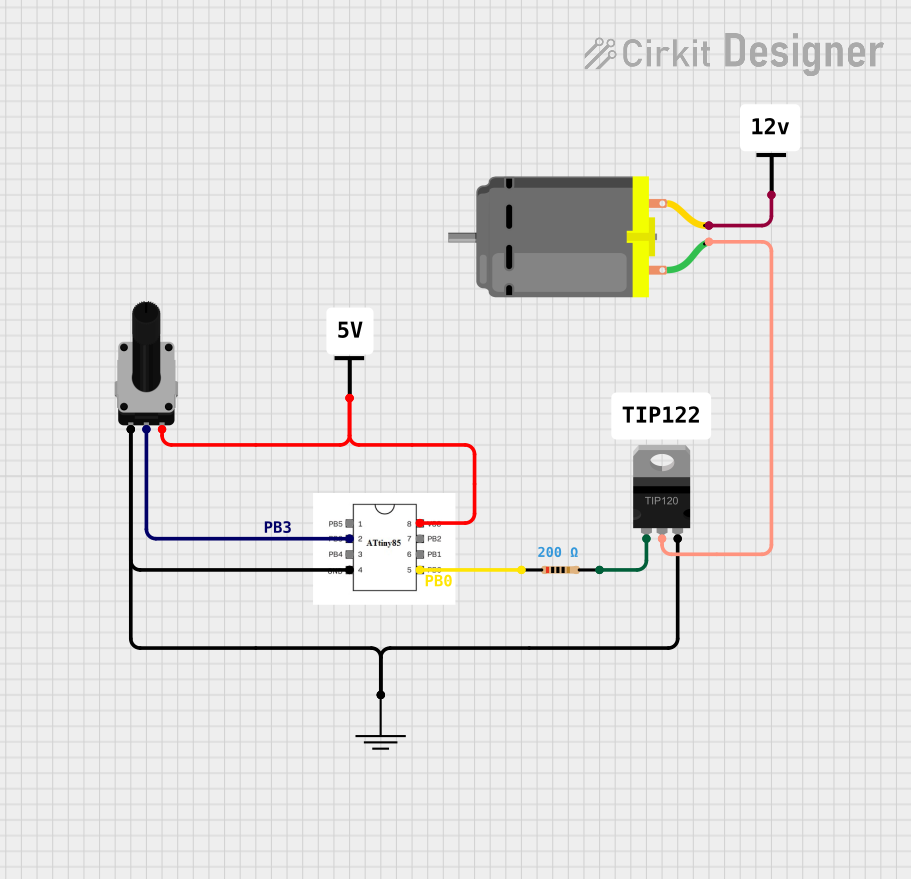
This circuit is designed to control the speed of a DC motor using a PWM signal from an ATtiny85 microcontroller. The motor's speed is adjusted by a rotary potentiometer, and a TIP120 Darlington transistor acts as a switch to regulate the motor's power supply, with a resistor to limit the base current.
Robotics: Precise motor control for movement and positioning.
Consumer Electronics: Speed control in devices like fans, drills, and toys.
Automotive: Controlling the speed of DC motors in electric vehicles.
Industrial Automation: Conveyor systems, pumps, and process control systems.
Technical Specifications
Key Technical Details
Operating Voltage Range: Typically 3V to 60V DC
Current Rating: Up to 20A (varies by model)
Frequency Range: 1kHz to 25kHz (model specific)
Efficiency: Typically > 95%
Control Method: PWM based on potentiometer input or digital signal
Pin Configuration and Descriptions
Pin Number
Name
Description
1
Vcc
Connect to the positive terminal of the power supply
2
GND
Connect to the ground of the power supply
3
OUT+
Connect to the positive terminal of the motor
4
OUT-
Connect to the negative terminal of the motor
5
PWM
PWM signal input (optional for external control)
6
VR
Connect to the wiper of the potentiometer for speed control
Usage Instructions
How to Use the Component in a Circuit
Connect the power supply to the Vcc and GND pins of the controller.
Attach the motor to the OUT+ and OUT- terminals.
For manual speed control, connect a potentiometer to the VR pin.
(Optional) For digital control, apply a PWM signal to the PWM input pin.
Important Considerations and Best Practices
Ensure the power supply voltage and current do not exceed the controller's ratings.
Use a heat sink if the controller is expected to handle currents near its maximum rating.
Keep the PWM frequency within the specified range for optimal performance.
Use appropriate wire gauge for connections to handle the expected current.
Protect the circuit with a fuse or circuit breaker to prevent damage from overcurrent conditions.
Troubleshooting and FAQs
Common Issues
Motor not spinning: Check connections, power supply, and ensure the potentiometer is not set to minimum.
Motor speed not changing: Verify the PWM signal is within the correct frequency and duty cycle range.
Overheating: Ensure adequate cooling and that the current draw is within specifications.
Solutions and Tips for Troubleshooting
Double-check wiring and solder joints for any loose connections or shorts.
Measure the input voltage and current to ensure they match the controller's requirements.
Use an oscilloscope to verify the PWM signal's frequency and duty cycle.
If using a microcontroller, ensure the code is generating the correct PWM output.
FAQs
Q: Can I control the motor speed using an Arduino?
A: Yes, you can use an Arduino to generate a PWM signal to control the motor speed.
Q: What is the maximum motor size I can control with this device?
A: It depends on the specific model's current rating. Check the technical specifications for the maximum current rating.
Q: Can I use this controller with an AC motor?
A: No, this controller is designed for DC motors only.
Example Code for Arduino UNO
// Define the PWM pin connected to the PWM input of the controller
const int pwmPin = 3; // Must be a PWM-capable pin

void setup() {
  // Set the PWM pin as an output
  pinMode(pwmPin, OUTPUT);
}

void loop() {
  // Increase motor speed gradually
  for (int dutyCycle = 0; dutyCycle <= 255; dutyCycle++) {
    analogWrite(pwmPin, dutyCycle);
    delay(10); // Short delay to observe speed change
  }

  // Decrease motor speed gradually
  for (int dutyCycle = 255; dutyCycle >= 0; dutyCycle--) {
    analogWrite(pwmPin, dutyCycle);
    delay(10); // Short delay to observe speed change
  }
}
Note: The analogWrite function on Arduino UNO uses a default frequency of approximately 490Hz for pins 3, 9, 10, and 11, and 980Hz for pins 5 and 6. Ensure that the PWM frequency is compatible with your motor controller.
This documentation provides a comprehensive guide to using a PWM motor speed controller. For further assistance, consult the manufacturer's datasheet or contact technical support.

 Open Project in Cirkit Designer