
How to Use Battery AAx6 9v: Examples, Pinouts, and Specs
 Design with Battery AAx6 9v in Cirkit Designer
Introduction
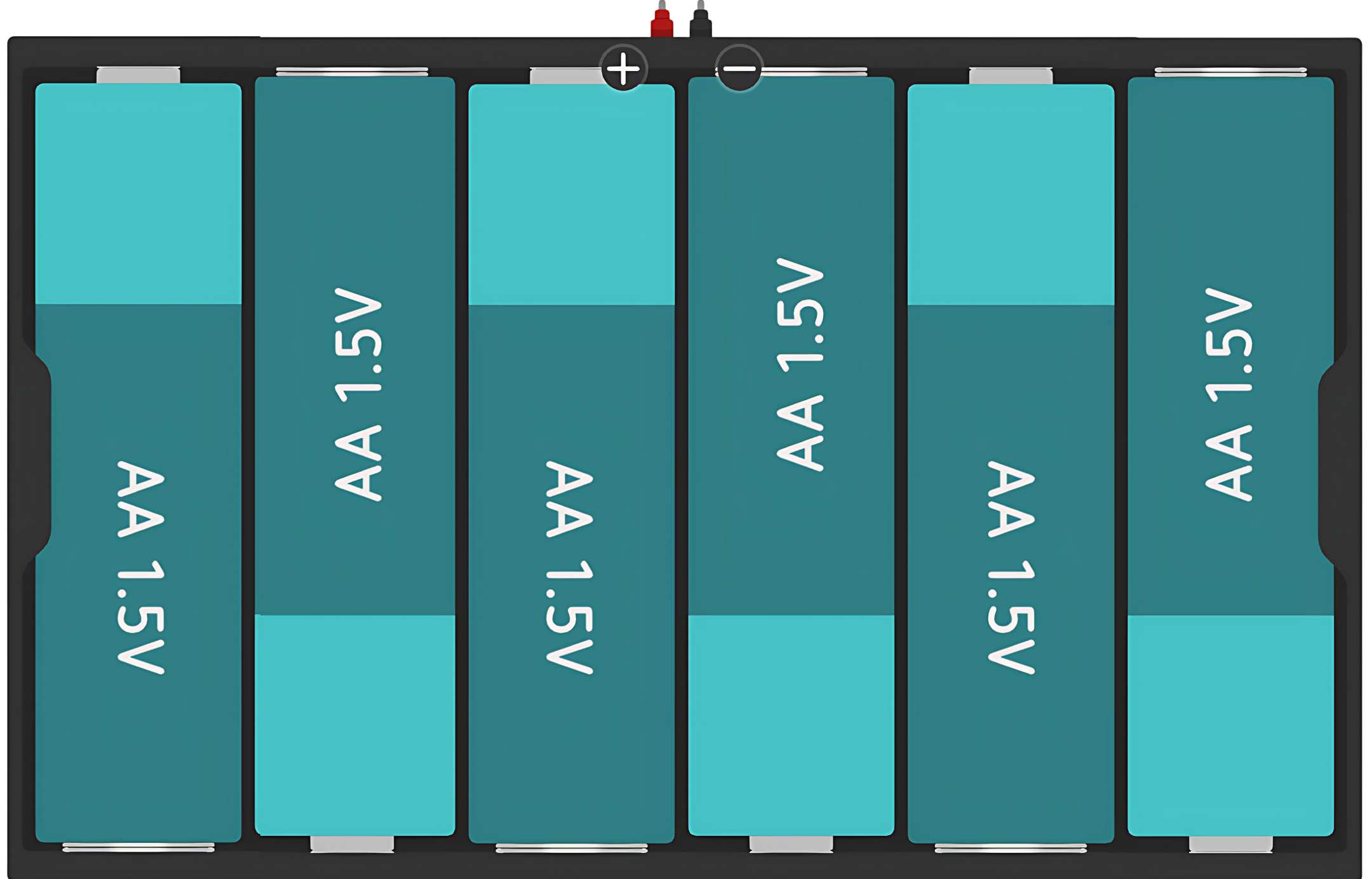
The Battery Holder for 6 AA batteries is a simple and convenient way to power electronic projects that require a 9V power supply. This holder is designed to connect six AA batteries in series, thereby combining their voltage to produce a total output of 9 volts. Common applications include portable devices, DIY electronics projects, robotics, and as a backup power source for devices that require a steady 9V supply.
Explore Projects Built with Battery AAx6 9v
 Open Project in Cirkit Designer
 Open Project in Cirkit Designer
 Open Project in Cirkit Designer
 Open Project in Cirkit Designer
Explore Projects Built with Battery AAx6 9v
Open Project in Cirkit DesignerOpen Project in Cirkit DesignerOpen Project in Cirkit DesignerOpen Project in Cirkit DesignerTechnical Specifications
Key Technical Details
- Nominal Voltage Output: 9V (when using six 1.5V AA batteries)
- Maximum Recommended Current: Varies based on the batteries used (consult battery manufacturer's specifications)
- Material: Typically plastic casing with metal contacts
- Connector Type: Often includes a standard 9V battery snap connector
Pin Configuration and Descriptions
The battery holder typically does not have pins but rather two leads or a snap connector. Below is a description of the connector:
| Connector Type | Description |
|---|---|
| Positive Lead (Red) | Connects to the positive terminal of the circuit |
| Negative Lead (Black) | Connects to the negative terminal of the circuit |
Usage Instructions
How to Use the Component in a Circuit
- Inserting Batteries: Open the battery holder and insert six AA batteries following the polarity markings inside the holder.
- Connecting to a Circuit: Use the leads or snap connector to connect the battery holder to your circuit. Ensure correct polarity by connecting the red lead to the positive terminal and the black lead to the negative terminal of your circuit.
- Securing Connections: If using leads, solder or use terminal blocks to secure the connections to prevent power interruptions.
Important Considerations and Best Practices
- Battery Orientation: Always insert batteries according to the indicated polarity. Reversing polarity can damage your circuit.
- Battery Type: Use batteries of the same type and brand for optimal performance. Mixing old and new batteries or different brands can result in uneven discharge and potential leakage.
- Voltage Check: Before connecting to your circuit, use a multimeter to check that the output voltage is close to 9V.
- Storage: When not in use, remove batteries to prevent leakage and corrosion in the battery holder.
Troubleshooting and FAQs
Common Issues
- Low Voltage Output: Ensure all batteries are properly inserted and have sufficient charge. Replace batteries if necessary.
- Intermittent Power: Check for loose connections or broken leads. Secure or replace connections as needed.
- No Power: Verify that the battery holder's contacts are clean and free from corrosion. Clean with a soft brush or cloth if necessary.
FAQs
Q: Can I use rechargeable AA batteries in this holder? A: Yes, you can use rechargeable AA batteries, but ensure they are all fully charged and of the same type.
Q: What happens if I mix different brands of batteries? A: Mixing brands can lead to uneven discharge rates and reduced performance. It may also increase the risk of battery leakage.
Q: How do I dispose of used batteries? A: Follow your local regulations for battery disposal. Do not throw batteries in the regular trash.
Q: Can I use this battery holder with an Arduino UNO? A: Yes, you can power an Arduino UNO with this battery holder, but ensure that the input voltage is within the Arduino's specified range.
Example Code for Arduino UNO
// This example demonstrates how to power an Arduino UNO using the 9V battery holder.
// No specific code is required to power the board; simply connect the battery holder.

void setup() {
  // Initialize digital pin LED_BUILTIN as an output.
  pinMode(LED_BUILTIN, OUTPUT);
}

void loop() {
  // Turn the LED on (HIGH is the voltage level)
  digitalWrite(LED_BUILTIN, HIGH);
  // Wait for a second
  delay(1000);
  // Turn the LED off by making the voltage LOW
  digitalWrite(LED_BUILTIN, LOW);
  // Wait for a second
  delay(1000);
}
Note: When using the battery holder to power an Arduino UNO, ensure that the voltage does not exceed the board's maximum voltage input to prevent damage.