
How to Use Real-time clock DS-3231: Examples, Pinouts, and Specs
 Design with Real-time clock DS-3231 in Cirkit Designer
Introduction
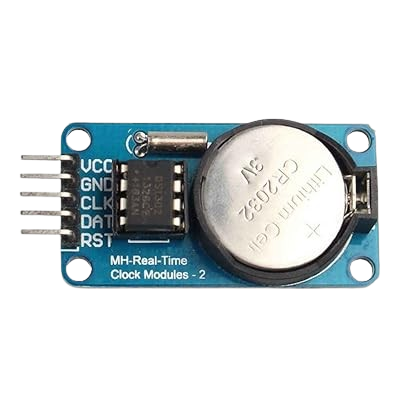
The DS-3231 is a highly accurate real-time clock (RTC) module with an integrated temperature-compensated crystal oscillator (TCXO). It is designed to provide precise timekeeping by tracking seconds, minutes, hours, day, date, month, and year, with leap-year compensation valid up to 2100. The DS-3231 is widely used in applications requiring reliable timekeeping, such as data logging, alarms, and scheduling in microcontroller-based projects and embedded systems.
Explore Projects Built with Real-time clock DS-3231
 Open Project in Cirkit Designer
 Open Project in Cirkit Designer
 Open Project in Cirkit Designer
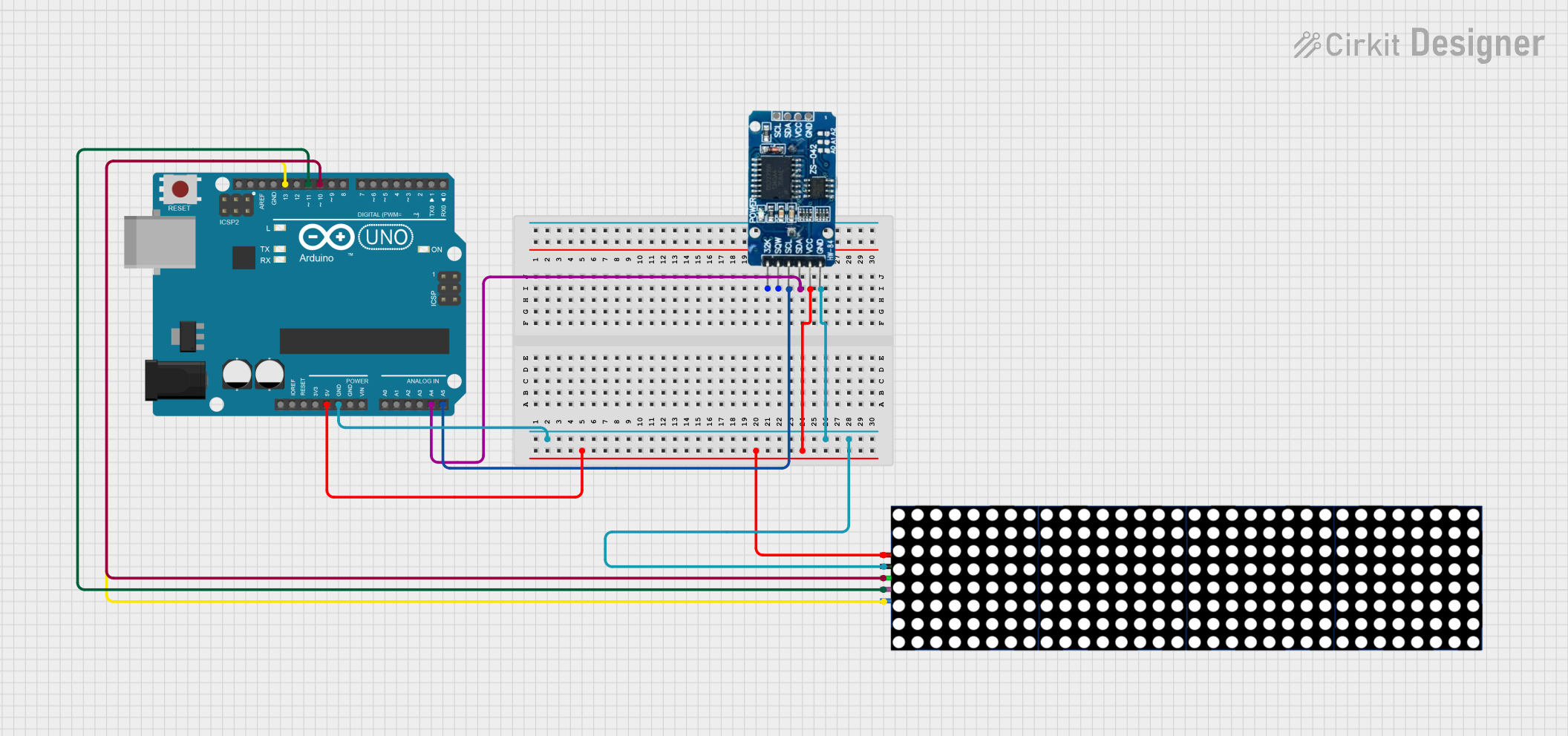 Open Project in Cirkit Designer
Explore Projects Built with Real-time clock DS-3231
Open Project in Cirkit DesignerOpen Project in Cirkit DesignerOpen Project in Cirkit DesignerOpen Project in Cirkit DesignerCommon Applications and Use Cases
- Timekeeping in microcontroller projects (e.g., Arduino, Raspberry Pi)
- Data logging systems
- Alarm clocks and timers
- Industrial automation systems
- IoT devices requiring accurate time synchronization
- Event scheduling and timestamping
Technical Specifications
The DS-3231 offers robust performance and features that make it a preferred choice for timekeeping applications. Below are its key technical specifications:
Key Technical Details
- Operating Voltage: 2.3V to 5.5V
- Current Consumption: 500 µA (typical at 3.3V)
- Timekeeping Accuracy: ±2 ppm from 0°C to +40°C, ±3.5 ppm from -40°C to +85°C
- Temperature Compensation: Built-in temperature sensor with compensation
- Interface: I²C (Inter-Integrated Circuit) protocol
- Backup Battery Support: CR2032 coin cell battery (optional)
- Operating Temperature Range: -40°C to +85°C
- Memory: 32 bytes of non-volatile RAM for user data
- Alarm Functions: Two programmable alarms
- Square-Wave Output: Configurable frequencies (1Hz, 1.024kHz, 4.096kHz, 8.192kHz)
Pin Configuration and Descriptions
The DS-3231 module typically comes with a 5-pin header. Below is the pinout description:
| Pin | Name | Description |
|---|---|---|
| 1 | GND | Ground connection |
| 2 | VCC | Power supply input (2.3V to 5.5V) |
| 3 | SDA | Serial Data Line for I²C communication |
| 4 | SCL | Serial Clock Line for I²C communication |
| 5 | SQW/INT | Square-wave output or interrupt output (configurable via software) |
Usage Instructions
The DS-3231 is easy to integrate into circuits, especially with microcontrollers like the Arduino UNO. Below are the steps to use the DS-3231 in a project:
Connecting the DS-3231 to an Arduino UNO
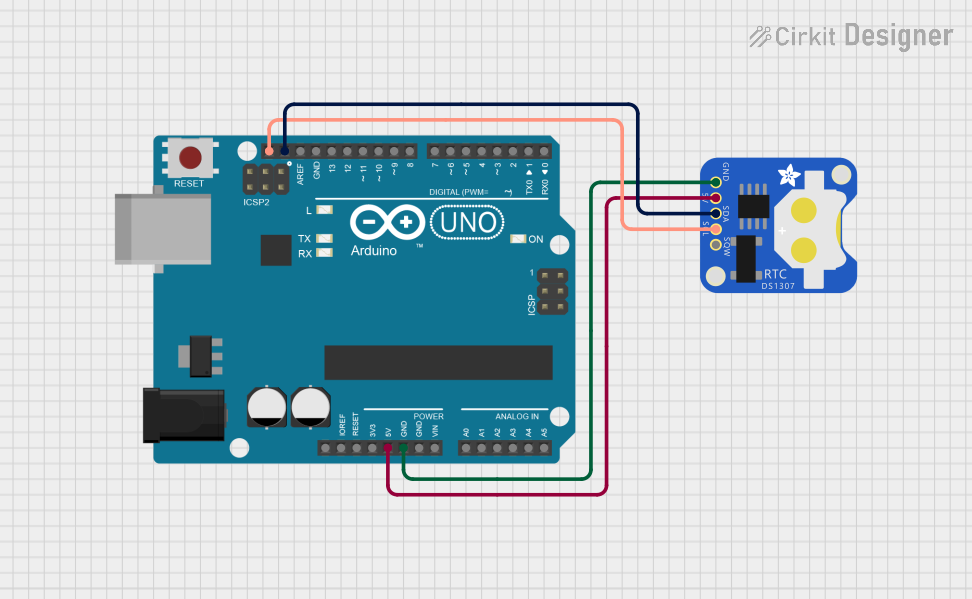
- Power the Module: Connect the
VCCpin to the Arduino's5Vpin and theGNDpin to the Arduino'sGND. - I²C Communication: Connect the
SDApin to the Arduino'sA4pin and theSCLpin to the Arduino'sA5pin (for older Arduino boards). For newer boards like the Arduino UNO R3, use the dedicatedSDAandSCLpins. - Optional Connection: If you need a square-wave output, connect the
SQW/INTpin to a digital input pin on the Arduino.
Example Arduino Code
The following example demonstrates how to read the time and date from the DS-3231 using the popular RTClib library:
#include <Wire.h>
#include <RTClib.h>

// Create an RTC object
RTC_DS3231 rtc;

void setup() {
  Serial.begin(9600); // Initialize serial communication
  Wire.begin();       // Initialize I²C communication

  if (!rtc.begin()) {
    Serial.println("Couldn't find RTC. Check connections!");
    while (1); // Halt execution if RTC is not found
  }

  if (rtc.lostPower()) {
    Serial.println("RTC lost power, setting the time!");
    // Set the RTC to the current date and time
    rtc.adjust(DateTime(F(__DATE__), F(__TIME__)));
  }
}

void loop() {
  DateTime now = rtc.now(); // Get the current date and time

  // Print the current date and time to the Serial Monitor
  Serial.print(now.year(), DEC);
  Serial.print('/');
  Serial.print(now.month(), DEC);
  Serial.print('/');
  Serial.print(now.day(), DEC);
  Serial.print(" ");
  Serial.print(now.hour(), DEC);
  Serial.print(':');
  Serial.print(now.minute(), DEC);
  Serial.print(':');
  Serial.print(now.second(), DEC);
  Serial.println();

  delay(1000); // Wait for 1 second before updating
}
Important Considerations and Best Practices
- Backup Battery: Install a CR2032 coin cell battery to ensure the RTC keeps time even when the main power supply is disconnected.
- Pull-Up Resistors: The I²C lines (
SDAandSCL) may require pull-up resistors (typically 4.7kΩ) if not already included on the module. - Temperature Compensation: The DS-3231 automatically adjusts for temperature variations, ensuring high accuracy without user intervention.
- Library Support: Use libraries like
RTCliborDS3231for simplified communication and configuration.
Troubleshooting and FAQs
Common Issues and Solutions
RTC Not Detected
- Cause: Incorrect wiring or faulty connections.
- Solution: Double-check the connections, ensuring
SDAandSCLare connected to the correct pins. Verify the power supply voltage.
Incorrect Time or Date
- Cause: RTC lost power or was not initialized properly.
- Solution: Use the
rtc.adjust()function to set the correct time and date.
No Output on Serial Monitor
- Cause: Serial communication not initialized or incorrect baud rate.
- Solution: Ensure
Serial.begin(9600)is called in thesetup()function and the Serial Monitor is set to 9600 baud.
Square-Wave Output Not Working
- Cause: Square-wave output not configured.
- Solution: Use the appropriate library functions to enable and configure the square-wave output.
FAQs
Q1: Can the DS-3231 operate without a backup battery?
A1: Yes, but it will lose track of time when the main power supply is disconnected.
Q2: How accurate is the DS-3231?
A2: The DS-3231 has an accuracy of ±2 ppm from 0°C to +40°C, which translates to a drift of about 1 minute per year.
Q3: Can I use the DS-3231 with 3.3V microcontrollers?
A3: Yes, the DS-3231 operates within a voltage range of 2.3V to 5.5V, making it compatible with both 3.3V and 5V systems.
Q4: What happens if the temperature sensor fails?
A4: The DS-3231 will continue to function as a standard RTC, but its accuracy may degrade without temperature compensation.