
How to Use DHT11: Examples, Pinouts, and Specs
 Design with DHT11 in Cirkit Designer
Introduction
The DHT11 is a digital temperature and humidity sensor manufactured by KeyeStudio. It provides accurate readings of temperature in Celsius and relative humidity in percentage. The sensor is compact, easy to use, and widely adopted in applications requiring environmental monitoring. Its digital output makes it ideal for integration with microcontrollers and development boards like the Arduino UNO.
Explore Projects Built with DHT11
 Open Project in Cirkit Designer
 Open Project in Cirkit Designer
 Open Project in Cirkit Designer
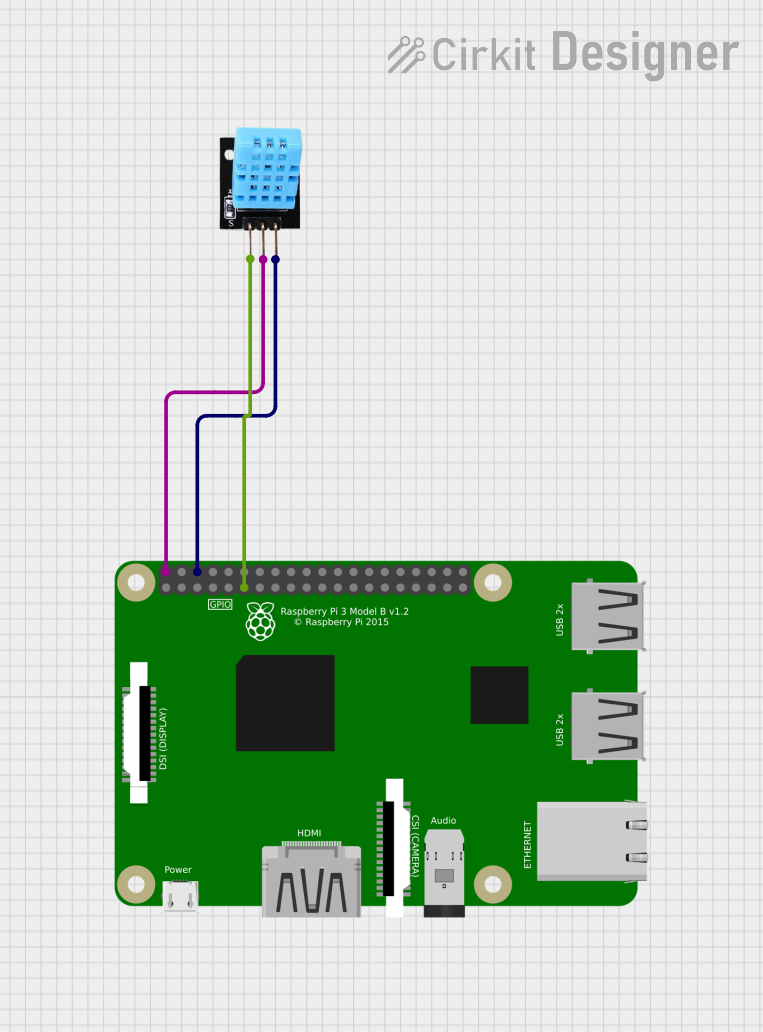 Open Project in Cirkit Designer
Explore Projects Built with DHT11
Open Project in Cirkit DesignerOpen Project in Cirkit DesignerOpen Project in Cirkit DesignerOpen Project in Cirkit DesignerCommon Applications and Use Cases
- Weather monitoring stations
- HVAC (Heating, Ventilation, and Air Conditioning) systems
- Greenhouse and agricultural monitoring
- IoT (Internet of Things) devices for environmental sensing
- Home automation systems
Technical Specifications
The DHT11 sensor is designed for low-cost and low-power applications. Below are its key technical details:
| Parameter | Value |
|---|---|
| Operating Voltage | 3.3V to 5.5V |
| Operating Current | 0.3mA (measuring), 60µA (standby) |
| Temperature Range | 0°C to 50°C |
| Temperature Accuracy | ±2°C |
| Humidity Range | 20% to 90% RH |
| Humidity Accuracy | ±5% RH |
| Sampling Period | 1 second |
| Communication Protocol | Single-wire digital signal |
Pin Configuration and Descriptions
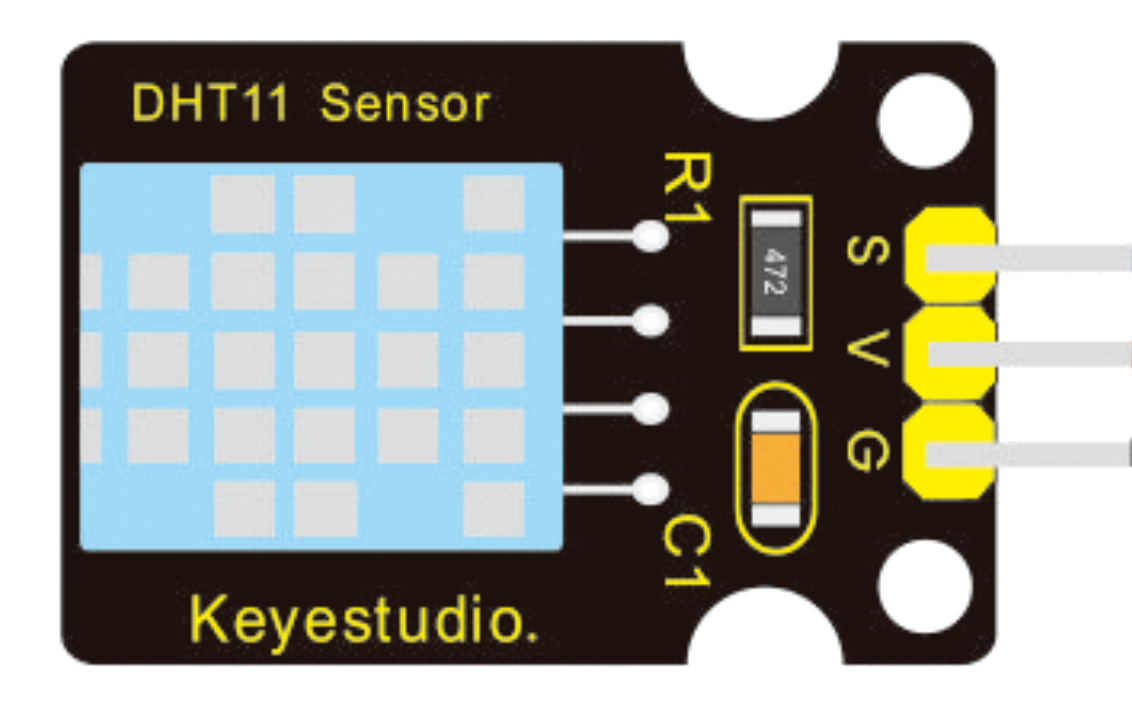
The DHT11 sensor typically has four pins, but some modules may have only three pins. Below is the pinout for the standard DHT11 module:
| Pin Number | Pin Name | Description |
|---|---|---|
| 1 | VCC | Power supply pin (3.3V to 5.5V) |
| 2 | DATA | Digital signal output for temperature and humidity |
| 3 | NC (or GND) | Not connected (or Ground in some modules) |
| 4 | GND | Ground pin |
Note: For modules with only three pins, the NC pin is omitted, and the pinout is VCC, DATA, and GND.
Usage Instructions
How to Use the DHT11 in a Circuit
- Power the Sensor: Connect the VCC pin to a 3.3V or 5V power source and the GND pin to ground.
- Connect the Data Pin: Attach the DATA pin to a digital input pin on your microcontroller (e.g., Arduino UNO). Use a 10kΩ pull-up resistor between the DATA pin and VCC to ensure stable communication.
- Read Data: Use a compatible library or write custom code to read temperature and humidity data from the sensor.
Important Considerations and Best Practices
- Sampling Interval: The DHT11 has a minimum sampling period of 1 second. Avoid reading data more frequently to prevent inaccurate results.
- Environmental Conditions: Ensure the sensor is not exposed to condensation or extreme temperatures beyond its operating range.
- Wiring Length: Keep the wiring between the sensor and microcontroller as short as possible to reduce signal degradation.
- Pull-Up Resistor: Always use a pull-up resistor on the DATA pin to maintain reliable communication.
Example Code for Arduino UNO
Below is an example of how to use the DHT11 sensor with an Arduino UNO. This code uses the popular DHT library.
#include <DHT.h>

// Define the pin where the DHT11 is connected
#define DHTPIN 2  // Connect the DATA pin of DHT11 to digital pin 2

// Define the type of DHT sensor
#define DHTTYPE DHT11  // DHT11 sensor

// Initialize the DHT sensor
DHT dht(DHTPIN, DHTTYPE);

void setup() {
  Serial.begin(9600);  // Start serial communication at 9600 baud
  Serial.println("DHT11 Sensor Initialization");
  dht.begin();  // Initialize the DHT sensor
}

void loop() {
  delay(2000);  // Wait 2 seconds between readings

  // Read temperature and humidity
  float humidity = dht.readHumidity();
  float temperature = dht.readTemperature();

  // Check if the readings are valid
  if (isnan(humidity) || isnan(temperature)) {
    Serial.println("Failed to read from DHT sensor!");
    return;
  }

  // Print the results to the Serial Monitor
  Serial.print("Humidity: ");
  Serial.print(humidity);
  Serial.print(" %\t");
  Serial.print("Temperature: ");
  Serial.print(temperature);
  Serial.println(" °C");
}
Note: Install the
DHTlibrary in the Arduino IDE by navigating to Sketch > Include Library > Manage Libraries, then search for "DHT" and install the library by Adafruit.
Troubleshooting and FAQs
Common Issues and Solutions
No Data or Incorrect Readings
- Cause: Missing pull-up resistor on the DATA pin.
- Solution: Add a 10kΩ pull-up resistor between the DATA pin and VCC.
Sensor Not Responding
- Cause: Incorrect wiring or loose connections.
- Solution: Double-check the wiring and ensure all connections are secure.
Frequent Communication Errors
- Cause: Long wiring between the sensor and microcontroller.
- Solution: Shorten the wiring or use shielded cables to reduce interference.
Inconsistent Readings
- Cause: Sampling too frequently.
- Solution: Ensure a delay of at least 1 second between readings.
FAQs
Q: Can the DHT11 measure negative temperatures?
A: No, the DHT11 can only measure temperatures in the range of 0°C to 50°C.
Q: Can I use the DHT11 with a 3.3V microcontroller?
A: Yes, the DHT11 operates within a voltage range of 3.3V to 5.5V, making it compatible with 3.3V systems.
Q: How do I extend the sensor's cable length?
A: Use shielded cables and keep the length as short as possible to minimize signal degradation. Adding a capacitor near the sensor may also help stabilize the signal.
Q: Is the DHT11 waterproof?
A: No, the DHT11 is not waterproof. For outdoor or high-humidity applications, consider using a waterproof sensor like the DHT22 or AM2301.
By following this documentation, you can effectively integrate the DHT11 sensor into your projects for reliable temperature and humidity monitoring.