
How to Use esp 32 sim800l: Examples, Pinouts, and Specs
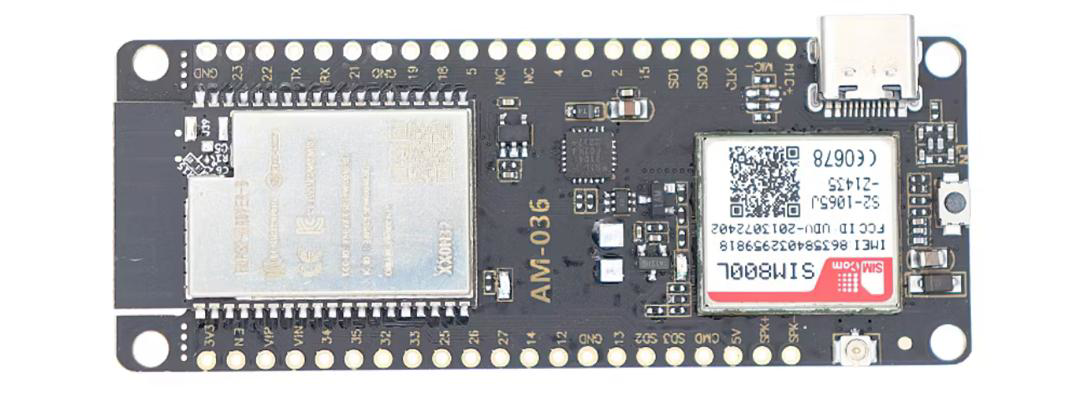
 Design with esp 32 sim800l in Cirkit Designer
Introduction
The ESP32 SIM800L is a powerful combination of the ESP32 microcontroller and the SIM800L GSM/GPRS module. This pairing enables users to create IoT projects with cellular connectivity, allowing for SMS, voice calls, and internet access over a GSM network. The ESP32 provides robust processing power and Wi-Fi/Bluetooth capabilities, while the SIM800L adds GSM functionality, making this combination ideal for remote monitoring, IoT applications, and smart devices.
Explore Projects Built with esp 32 sim800l
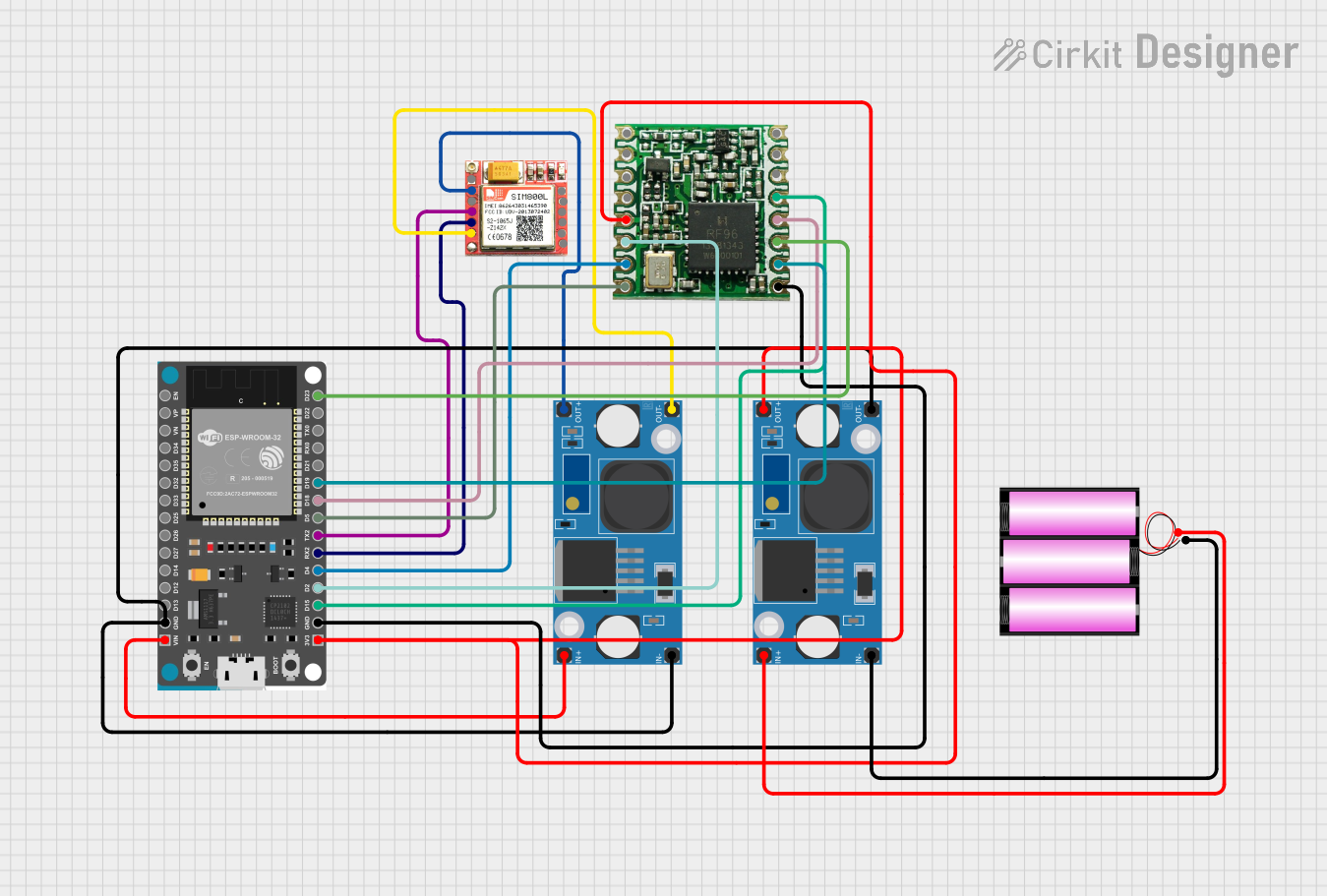 Open Project in Cirkit Designer
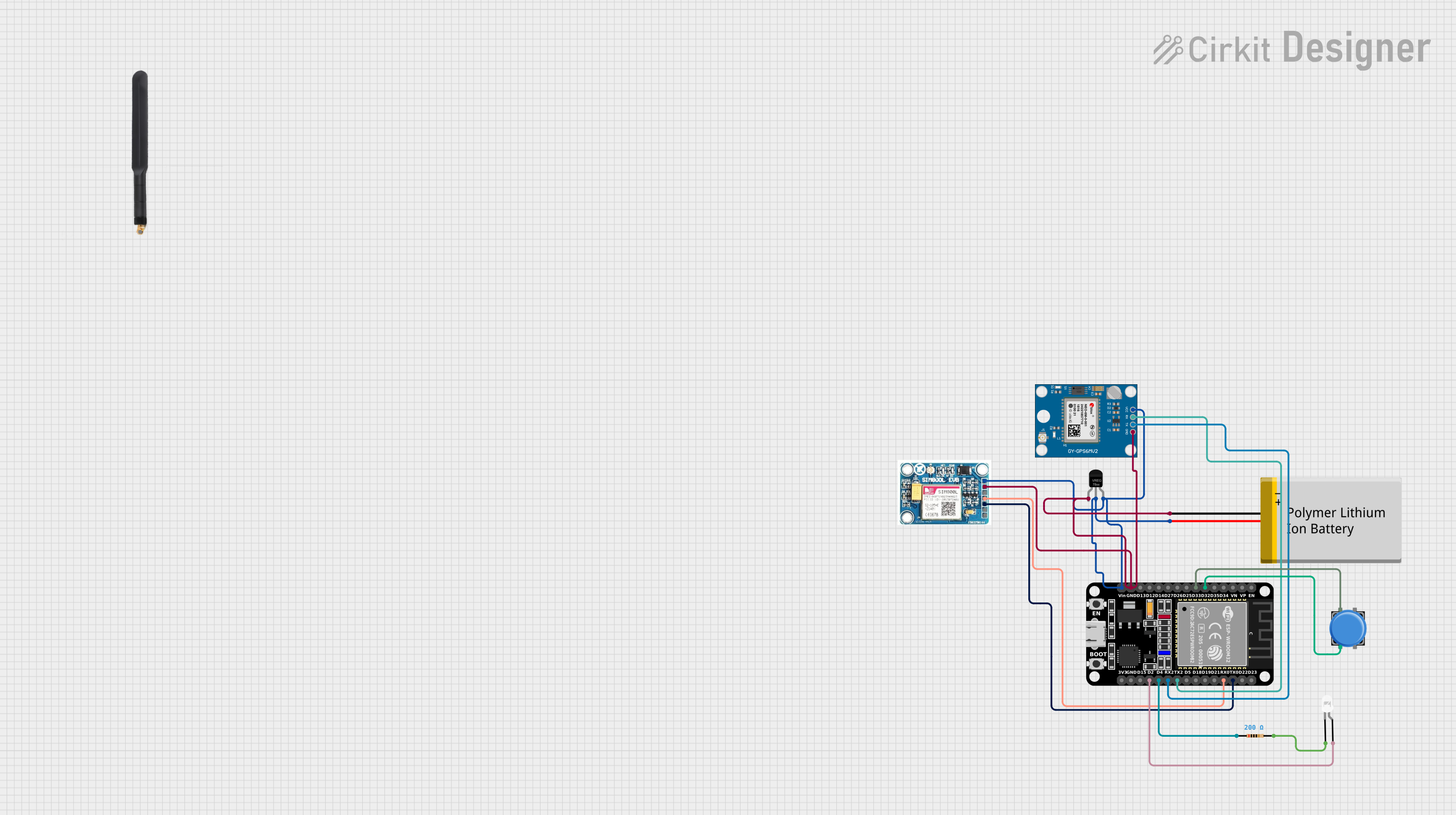 Open Project in Cirkit Designer
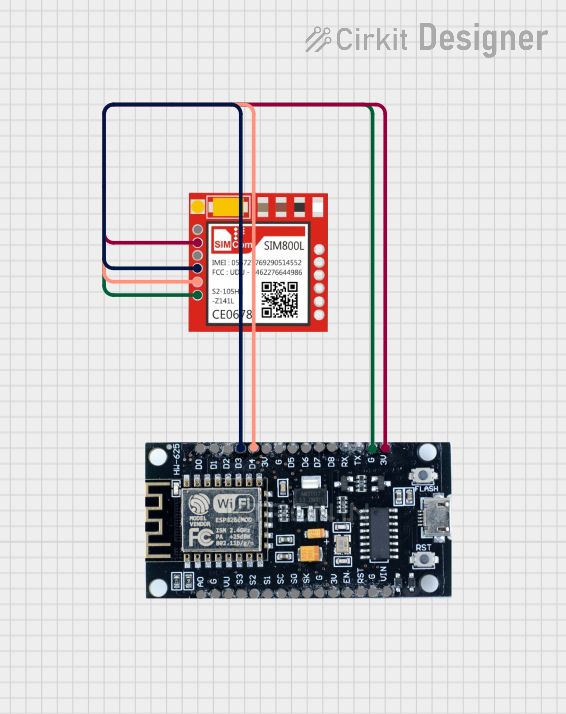 Open Project in Cirkit Designer
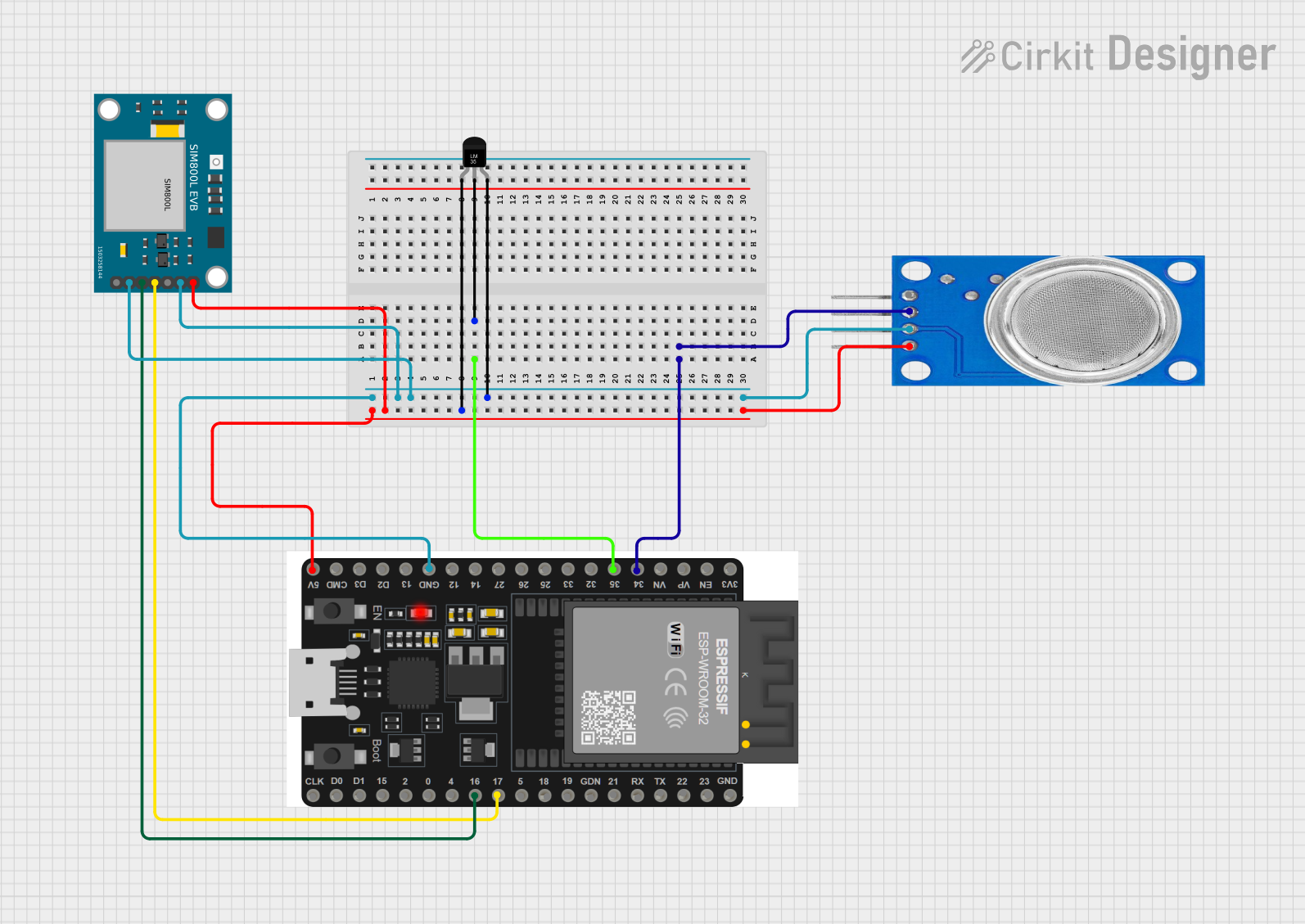 Open Project in Cirkit Designer
Explore Projects Built with esp 32 sim800l
Open Project in Cirkit DesignerOpen Project in Cirkit DesignerOpen Project in Cirkit DesignerOpen Project in Cirkit DesignerCommon Applications and Use Cases
- Remote data logging and monitoring
- SMS-based control systems
- IoT devices in areas without Wi-Fi
- GPS tracking systems (when paired with a GPS module)
- Smart home automation with cellular backup
Technical Specifications
ESP32 Specifications
| Parameter | Value |
|---|---|
| Microcontroller | Tensilica Xtensa LX6 dual-core |
| Operating Voltage | 3.3V |
| Flash Memory | 4MB (varies by model) |
| Wi-Fi | 802.11 b/g/n |
| Bluetooth | BLE and Bluetooth Classic |
| GPIO Pins | 34 |
| Operating Temperature | -40°C to 125°C |
SIM800L Specifications
| Parameter | Value |
|---|---|
| Operating Voltage | 3.4V - 4.4V |
| Operating Current | 1.0A (peak), ~20mA (idle) |
| Frequency Bands | Quad-band 850/900/1800/1900 MHz |
| Communication Protocol | AT Commands over UART |
| SIM Card Support | Micro SIM |
| GPRS Data Rate | Up to 85.6 kbps |
| Operating Temperature | -40°C to 85°C |
Pin Configuration
ESP32 Pinout
| Pin Name | Description |
|---|---|
| VIN | Power input (5V) |
| GND | Ground |
| GPIO0 | General-purpose I/O |
| GPIO1 | UART TX (default) |
| GPIO3 | UART RX (default) |
| GPIO21 | I2C SDA |
| GPIO22 | I2C SCL |
SIM800L Pinout
| Pin Name | Description |
|---|---|
| VCC | Power input (3.4V - 4.4V) |
| GND | Ground |
| TXD | UART Transmit |
| RXD | UART Receive |
| RST | Reset |
| NET | Network status indicator |
Usage Instructions
Connecting the ESP32 to the SIM800L
- Power Supply: Ensure the SIM800L module is powered with a stable 3.7V to 4.2V supply. Use a step-down regulator if necessary, as the ESP32 operates at 3.3V.
- Wiring:
- Connect the SIM800L
TXDpin to the ESP32RXpin (e.g., GPIO16). - Connect the SIM800L
RXDpin to the ESP32TXpin (e.g., GPIO17). - Connect the SIM800L
GNDpin to the ESP32GND. - Power the SIM800L using a separate power source if the ESP32 cannot provide sufficient current.
- Connect the SIM800L
- Antenna: Attach an external antenna to the SIM800L for better signal reception.
- SIM Card: Insert a micro SIM card with an active data plan or SMS/call balance.
Example Code for Sending SMS
Below is an example of how to send an SMS using the ESP32 and SIM800L:
#include <HardwareSerial.h>

// Create a hardware serial object for SIM800L communication
HardwareSerial sim800l(1);

void setup() {
  // Initialize serial communication for debugging
  Serial.begin(115200);

  // Initialize SIM800L communication on UART2 (GPIO16 and GPIO17)
  sim800l.begin(9600, SERIAL_8N1, 16, 17); // RX=16, TX=17

  // Wait for the SIM800L to initialize
  delay(3000);
  Serial.println("Initializing SIM800L...");

  // Send AT command to check communication
  sim800l.println("AT");
  delay(1000);
  while (sim800l.available()) {
    Serial.write(sim800l.read()); // Print SIM800L response
  }

  // Set SMS text mode
  sim800l.println("AT+CMGF=1"); // Set SMS mode to text
  delay(1000);
  while (sim800l.available()) {
    Serial.write(sim800l.read());
  }

  // Send SMS command
  sim800l.println("AT+CMGS=\"+1234567890\""); // Replace with recipient's number
  delay(1000);
  sim800l.println("Hello from ESP32 and SIM800L!"); // SMS content
  delay(1000);
  sim800l.write(26); // Send Ctrl+Z to indicate end of message
  delay(5000);

  Serial.println("SMS sent!");
}

void loop() {
  // Nothing to do here
}
Important Considerations
- Power Supply: The SIM800L requires a stable power source capable of providing up to 2A during transmission bursts. Use a capacitor (e.g., 1000µF) near the module to stabilize the voltage.
- Antenna Placement: Ensure the antenna is placed away from other components to avoid interference.
- Baud Rate: The default baud rate for the SIM800L is 9600. Ensure your code matches this setting.
- Signal Strength: Use the
AT+CSQcommand to check signal strength. A value of 10 or higher is recommended for reliable operation.
Troubleshooting and FAQs
Common Issues
SIM800L Not Responding to AT Commands
- Solution: Check the wiring between the ESP32 and SIM800L. Ensure the RX and TX pins are correctly connected.
- Tip: Verify the power supply voltage and current are within the SIM800L's requirements.
SMS Not Sending
- Solution: Ensure the SIM card has sufficient balance and is inserted correctly.
- Tip: Check the recipient's phone number format (e.g., include the country code).
Frequent Restarts or Unstable Operation
- Solution: Use a dedicated power supply for the SIM800L. Add a capacitor to stabilize the voltage.
- Tip: Ensure the antenna is securely connected and placed in an area with good signal reception.
No Network Connection
- Solution: Use the
AT+CREG?command to check network registration status. - Tip: Verify the SIM card is activated and supports the GSM bands used in your region.
- Solution: Use the
FAQs
Can I use the ESP32's 3.3V pin to power the SIM800L? No, the SIM800L requires 3.7V to 4.2V and can draw up to 2A during operation. Use a separate power source.
How do I check the SIM800L's firmware version? Send the
AT+GMRcommand to the SIM800L. It will return the firmware version.Can I use the SIM800L for internet access? Yes, the SIM800L supports GPRS. Use AT commands like
AT+SAPBRandAT+HTTPto configure and access the internet.What is the maximum SMS length supported? The SIM800L supports SMS messages up to 160 characters in text mode. For longer messages, use concatenated SMS.
This documentation provides a comprehensive guide to using the ESP32 SIM800L module for various IoT applications.