
Cirkit Designer
Your all-in-one circuit design IDE
Home /
Component Documentation
How to Use Lipo Baterry 3S: Examples, Pinouts, and Specs
 Design with Lipo Baterry 3S in Cirkit Designer
Introduction
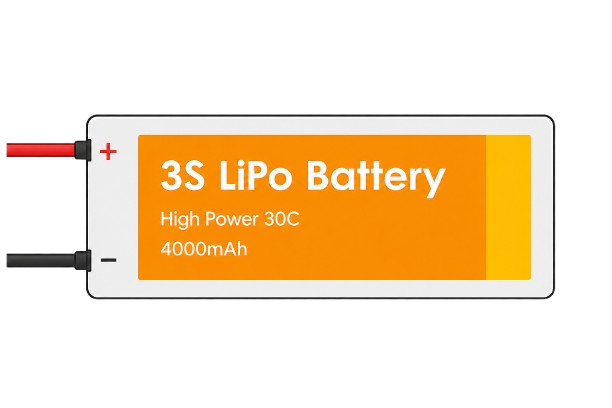
- The Lipo Battery 3S is a lithium polymer battery with three cells connected in series, providing a nominal voltage of 11.1V (3.7V per cell). It is known for its high energy density, lightweight design, and ability to deliver high current.
- Common applications include RC vehicles, drones, portable electronics, robotics, and other devices requiring a compact and efficient power source.
Explore Projects Built with Lipo Baterry 3S
Battery-Powered 18650 Li-ion Charger with USB Output and Adjustable Voltage Regulator
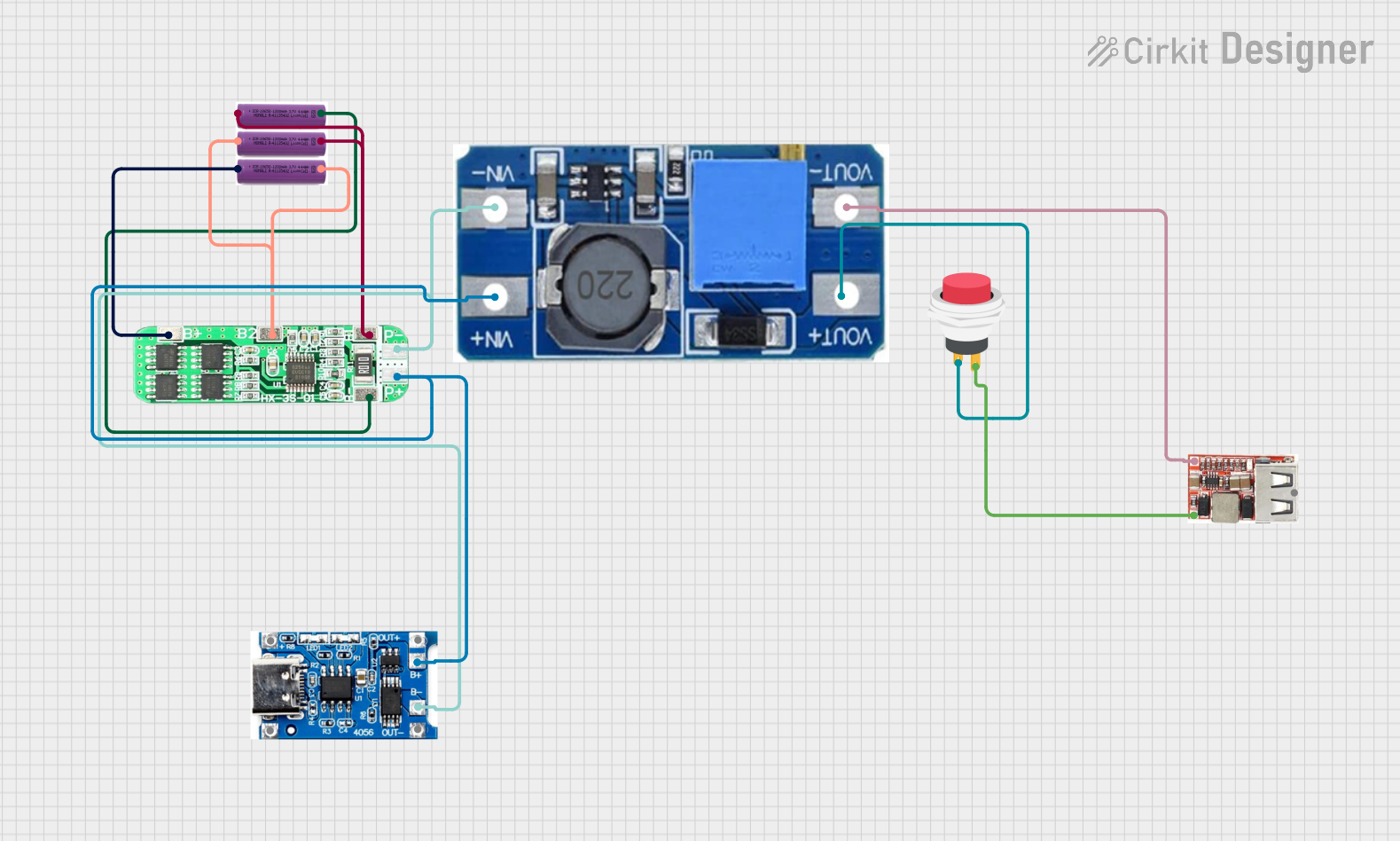
This circuit is a battery management and power supply system that uses three 3.7V batteries connected to a 3S 10A Li-ion 18650 Charger Protection Board Module for balanced charging and protection. The system includes a TP4056 Battery Charging Protection Module for additional charging safety, a Step Up Boost Power Converter to regulate and boost the voltage, and a USB regulator to provide a stable 5V output, controlled by a push switch.
Open Project in Cirkit Designer3S 18650 Battery Pack with Protection Board for Safe Charging
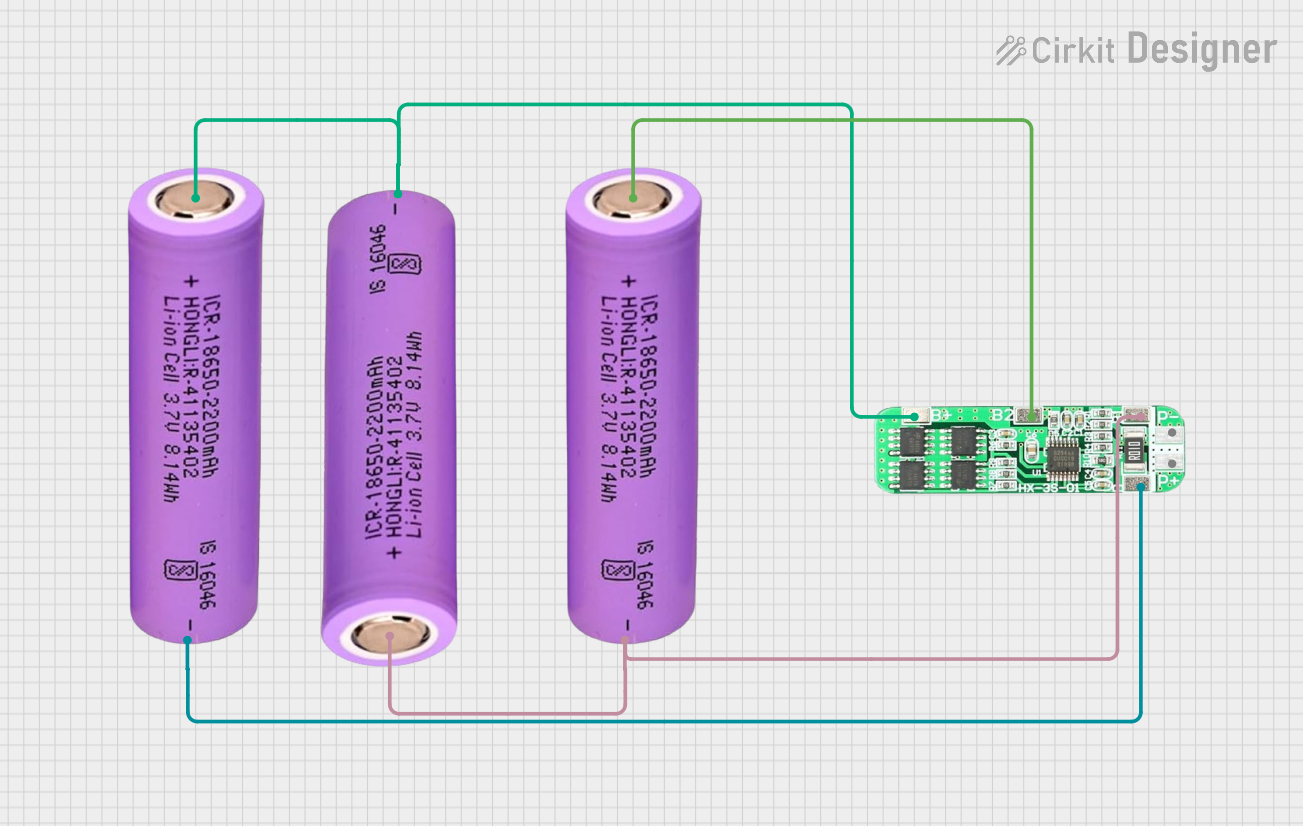
This circuit consists of three 18650 batteries connected in series to a 3S 10A Li-ion 18650 Charger Protection Board Module. The protection board manages the charging and discharging of the battery pack, ensuring safe operation by balancing the cells and providing overcharge, over-discharge, and short-circuit protection.
Open Project in Cirkit DesignerBattery-Powered UPS System with Waveshare UPS 3S and Solar Charger
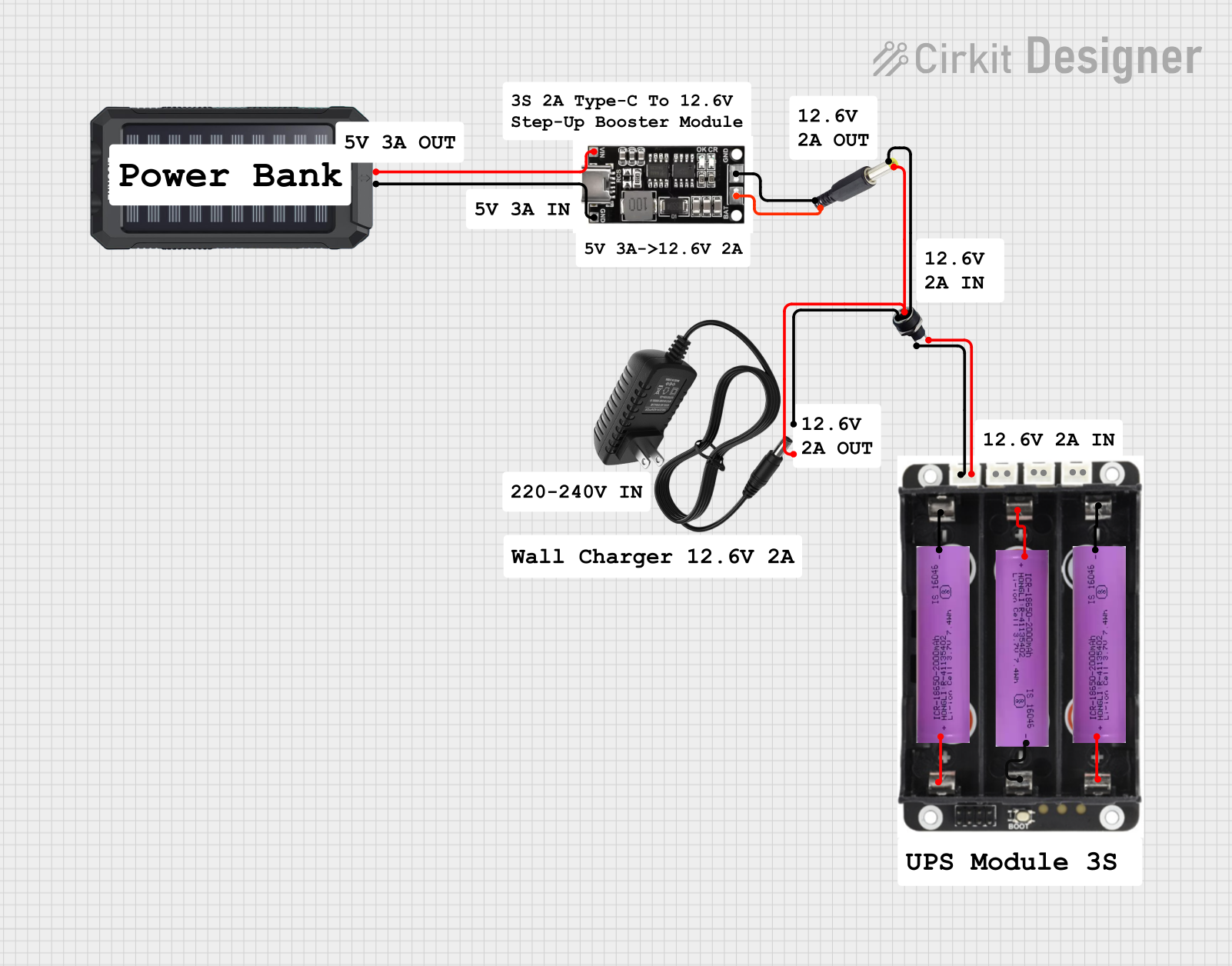
This circuit is a power management system that integrates a 12V power supply, a solar charger power bank, and multiple Li-ion batteries to provide a stable power output. The Waveshare UPS 3S manages the input from the power sources and batteries, ensuring continuous power delivery. The MRB045 module is used to interface the solar charger with the rest of the system.
Open Project in Cirkit Designer18650 Li-ion Battery Pack with 4S40A BMS and XL4016 Voltage Regulator for Battery-Powered Applications
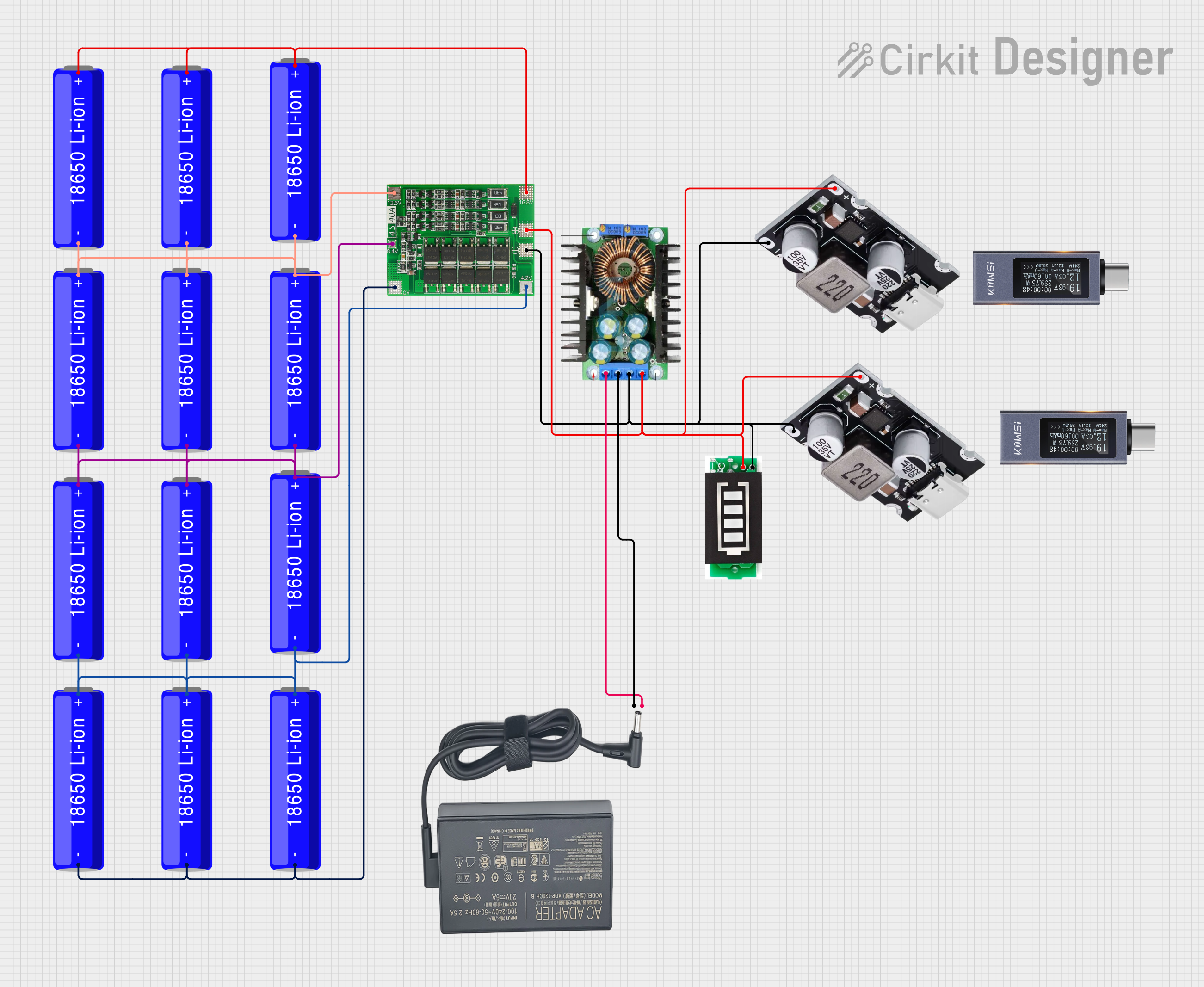
This circuit is a battery management and charging system for a 4S Li-ion battery pack. It includes multiple 18650 Li-ion batteries connected to a 4S40A BMS for balancing and protection, a battery indicator for monitoring charge status, and an XL4016 module for voltage regulation. The system is designed to be charged via a 20V input from a charger.
Open Project in Cirkit DesignerExplore Projects Built with Lipo Baterry 3S
Battery-Powered 18650 Li-ion Charger with USB Output and Adjustable Voltage Regulator
This circuit is a battery management and power supply system that uses three 3.7V batteries connected to a 3S 10A Li-ion 18650 Charger Protection Board Module for balanced charging and protection. The system includes a TP4056 Battery Charging Protection Module for additional charging safety, a Step Up Boost Power Converter to regulate and boost the voltage, and a USB regulator to provide a stable 5V output, controlled by a push switch.
Open Project in Cirkit Designer3S 18650 Battery Pack with Protection Board for Safe Charging
This circuit consists of three 18650 batteries connected in series to a 3S 10A Li-ion 18650 Charger Protection Board Module. The protection board manages the charging and discharging of the battery pack, ensuring safe operation by balancing the cells and providing overcharge, over-discharge, and short-circuit protection.
Open Project in Cirkit DesignerBattery-Powered UPS System with Waveshare UPS 3S and Solar Charger
This circuit is a power management system that integrates a 12V power supply, a solar charger power bank, and multiple Li-ion batteries to provide a stable power output. The Waveshare UPS 3S manages the input from the power sources and batteries, ensuring continuous power delivery. The MRB045 module is used to interface the solar charger with the rest of the system.
Open Project in Cirkit Designer18650 Li-ion Battery Pack with 4S40A BMS and XL4016 Voltage Regulator for Battery-Powered Applications
This circuit is a battery management and charging system for a 4S Li-ion battery pack. It includes multiple 18650 Li-ion batteries connected to a 4S40A BMS for balancing and protection, a battery indicator for monitoring charge status, and an XL4016 module for voltage regulation. The system is designed to be charged via a 20V input from a charger.
Open Project in Cirkit DesignerTechnical Specifications
- Nominal Voltage: 11.1V (3.7V per cell)
- Fully Charged Voltage: 12.6V (4.2V per cell)
- Discharge Cutoff Voltage: 9.0V (3.0V per cell)
- Capacity: Typically ranges from 1000mAh to 5000mAh (varies by model)
- Maximum Discharge Rate: Varies by model, often expressed as a "C" rating (e.g., 20C, 30C)
- Connector Types: XT60, Deans, JST, or other connectors depending on the model
- Weight: Varies by capacity, typically between 100g and 400g
- Dimensions: Varies by capacity, typically rectangular in shape
Pin Configuration and Descriptions
| Pin/Connector Name | Description |
|---|---|
| Main Power Leads | Positive (+) and Negative (-) terminals for delivering power to the load. |
| Balance Connector | Multi-pin connector used for monitoring and balancing individual cells. |
Example Balance Connector Pinout (for a 3S Lipo Battery)
| Pin Number | Function |
|---|---|
| 1 | Negative terminal of Cell 1 |
| 2 | Positive terminal of Cell 1 |
| 3 | Positive terminal of Cell 2 |
| 4 | Positive terminal of Cell 3 |
Usage Instructions
Charging the Battery:
- Use a dedicated Lipo battery charger that supports 3S configurations.
- Set the charger to the correct cell count (3S) and capacity (e.g., 2200mAh).
- Always charge the battery in a fireproof bag or on a non-flammable surface.
- Monitor the charging process to avoid overcharging or overheating.
Connecting the Battery:
- Ensure the device's voltage and current requirements match the battery's specifications.
- Connect the main power leads to the device, ensuring correct polarity.
- If using a balance charger, connect the balance connector to the charger's balance port.
Discharging the Battery:
- Avoid discharging below 9.0V (3.0V per cell) to prevent damage.
- Use a voltage alarm or battery monitor to track the voltage during use.
- Allow the battery to cool down after use before recharging.
Storage:
- Store the battery at a voltage of approximately 3.8V per cell (11.4V for 3S).
- Keep the battery in a cool, dry place away from flammable materials.
Example Arduino UNO Code for Monitoring Voltage
The following code demonstrates how to monitor the voltage of a 3S Lipo battery using an Arduino UNO and a voltage divider circuit.
// Define the analog pin connected to the voltage divider
const int voltagePin = A0;

// Define the voltage divider ratio (adjust based on your resistor values)
// Example: R1 = 10k ohms, R2 = 2k ohms
const float voltageDividerRatio = 6.0;

// Define the reference voltage of the Arduino (typically 5V)
const float referenceVoltage = 5.0;

void setup() {
  Serial.begin(9600); // Initialize serial communication
}

void loop() {
  // Read the analog value from the voltage divider
  int analogValue = analogRead(voltagePin);

  // Convert the analog value to a voltage
  float batteryVoltage = (analogValue * referenceVoltage / 1023.0) * voltageDividerRatio;

  // Print the battery voltage to the Serial Monitor
  Serial.print("Battery Voltage: ");
  Serial.print(batteryVoltage);
  Serial.println(" V");

  // Add a delay to avoid flooding the Serial Monitor
  delay(1000);
}
Important Notes:
- Use appropriate resistor values in the voltage divider to ensure the input voltage to the Arduino does not exceed 5V.
- This code provides an approximate voltage reading. For precise measurements, calibrate the voltage divider and account for any inaccuracies.
Troubleshooting and FAQs
Common Issues
Battery Swelling:
- Cause: Overcharging, over-discharging, or physical damage.
- Solution: Stop using the battery immediately. Dispose of it safely following local regulations.
Battery Not Charging:
- Cause: Faulty charger, damaged balance connector, or over-discharged battery.
- Solution: Check the charger and connectors. If the battery voltage is too low, use a charger with a recovery mode.
Shortened Battery Life:
- Cause: Frequent over-discharging or improper storage.
- Solution: Avoid discharging below 9.0V and store the battery at the recommended voltage.
Device Shuts Down Prematurely:
- Cause: Voltage drops below the device's cutoff threshold.
- Solution: Use a higher-capacity battery or reduce the device's power consumption.
FAQs
Q: Can I use a 3S Lipo battery with a 12V device?
- A: Yes, but ensure the device can handle the voltage range (9.0V to 12.6V). Use a voltage regulator if necessary.
Q: How do I balance charge a 3S Lipo battery?
- A: Connect the balance connector to the charger's balance port and follow the charger's instructions for balance charging.
Q: What is the "C" rating on the battery?
- A: The "C" rating indicates the maximum safe discharge rate. For example, a 2200mAh battery with a 20C rating can deliver up to 44A (2200mAh × 20).
Q: How do I safely dispose of a damaged Lipo battery?
- A: Discharge the battery completely, submerge it in saltwater for 24 hours, and dispose of it at a battery recycling facility.