
How to Use MKE-S14_DHT11: Examples, Pinouts, and Specs
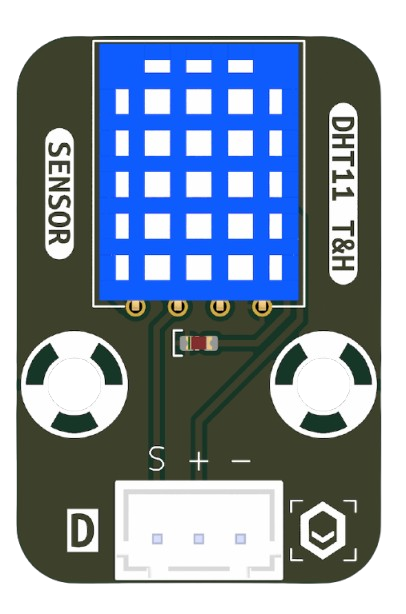
 Design with MKE-S14_DHT11 in Cirkit Designer
Introduction
The MKE-S14_DHT11 is a digital temperature and humidity sensor manufactured by MakerEdu.vn (Part ID: Sensor). It is designed to provide accurate and reliable measurements of environmental conditions, including temperature and relative humidity. The DHT11 features a single-wire digital interface, making it easy to integrate into microcontroller-based projects. Its compact size and low power consumption make it ideal for a wide range of applications.
Explore Projects Built with MKE-S14_DHT11
 Open Project in Cirkit Designer
 Open Project in Cirkit Designer
 Open Project in Cirkit Designer
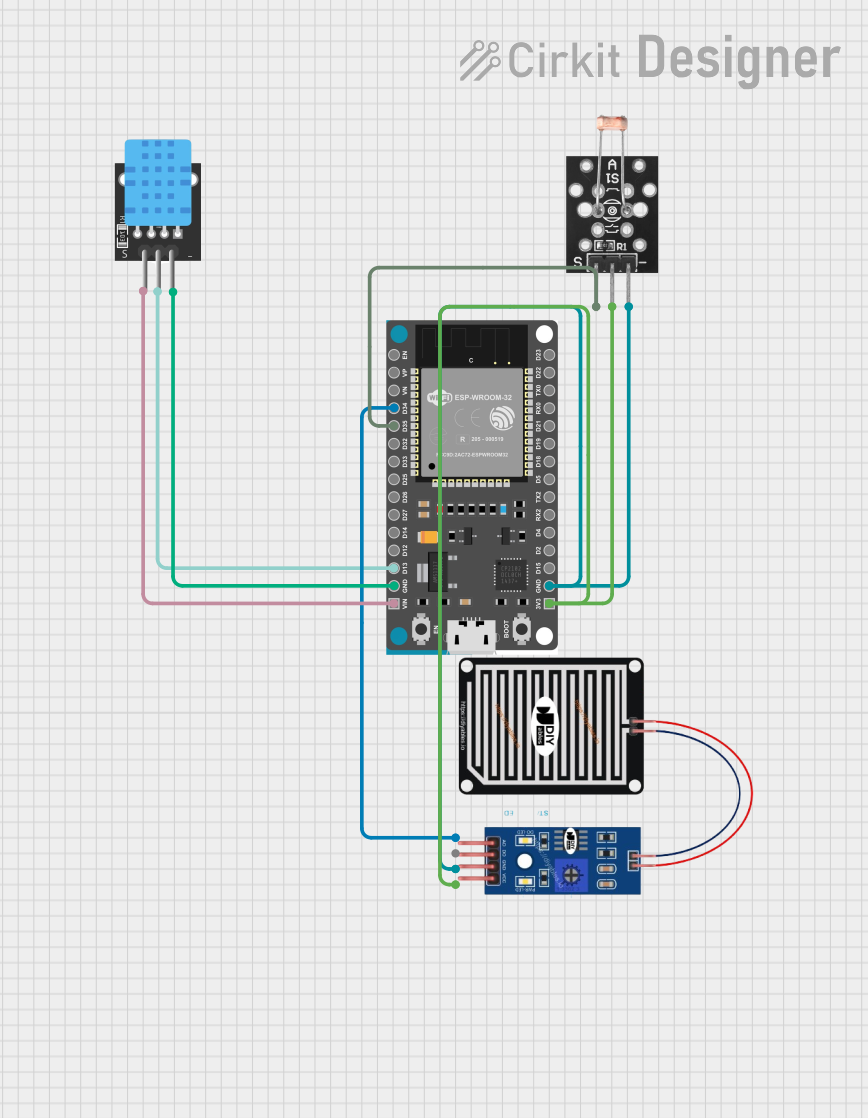 Open Project in Cirkit Designer
Explore Projects Built with MKE-S14_DHT11
Open Project in Cirkit DesignerOpen Project in Cirkit DesignerOpen Project in Cirkit DesignerOpen Project in Cirkit DesignerCommon Applications
- Home automation systems (e.g., smart thermostats, HVAC monitoring)
- Weather stations and environmental monitoring
- Agricultural and greenhouse control systems
- IoT (Internet of Things) devices
- Educational and DIY electronics projects
Technical Specifications
The following table outlines the key technical details of the MKE-S14_DHT11 sensor:
| Parameter | Value |
|---|---|
| Operating Voltage | 3.3V to 5.5V |
| Operating Current | 0.3 mA (measuring), 60 µA (standby) |
| Temperature Range | 0°C to 50°C |
| Temperature Accuracy | ±2°C |
| Humidity Range | 20% to 90% RH |
| Humidity Accuracy | ±5% RH |
| Sampling Period | 1 second |
| Communication Interface | Single-wire digital |
| Dimensions | 15.5mm x 12mm x 5.5mm |
Pin Configuration and Descriptions
The MKE-S14_DHT11 sensor has four pins, as described in the table below:
| Pin Number | Pin Name | Description |
|---|---|---|
| 1 | VCC | Power supply pin (3.3V to 5.5V) |
| 2 | DATA | Single-wire digital data output |
| 3 | NC | Not connected (leave unconnected or floating) |
| 4 | GND | Ground pin (connect to the ground of the circuit) |
Usage Instructions
How to Use the MKE-S14_DHT11 in a Circuit
- Power the Sensor: Connect the VCC pin to a 3.3V or 5V power source and the GND pin to the ground.
- Data Communication: Connect the DATA pin to a digital input/output pin on your microcontroller. Use a pull-up resistor (typically 10kΩ) between the DATA pin and VCC to ensure reliable communication.
- Timing Requirements: The sensor requires a 1-second delay between consecutive readings to ensure accurate data.
- Library Support: Many microcontroller platforms, such as Arduino, have libraries available for the DHT11 sensor, simplifying its integration.
Important Considerations and Best Practices
- Avoid Rapid Sampling: The DHT11 has a sampling period of 1 second. Reading data more frequently may result in inaccurate measurements.
- Environmental Conditions: Ensure the sensor is used within its specified temperature and humidity range for optimal performance.
- Placement: Avoid placing the sensor in areas with high airflow or direct sunlight, as this may affect accuracy.
- Pull-Up Resistor: Always use a pull-up resistor on the DATA pin to ensure stable communication.
Example Code for Arduino UNO
Below is an example of how to use the MKE-S14_DHT11 sensor with an Arduino UNO. This code uses the popular DHT library.
#include <DHT.h>

// Define the pin connected to the DATA pin of the DHT11 sensor
#define DHTPIN 2

// Define the type of DHT sensor (DHT11 in this case)
#define DHTTYPE DHT11

// Initialize the DHT sensor
DHT dht(DHTPIN, DHTTYPE);

void setup() {
  Serial.begin(9600);  // Start the serial communication
  dht.begin();         // Initialize the DHT sensor
  Serial.println("MKE-S14_DHT11 Sensor Initialized");
}

void loop() {
  delay(2000);  // Wait 2 seconds between readings

  // Read temperature and humidity values
  float humidity = dht.readHumidity();
  float temperature = dht.readTemperature();

  // Check if the readings are valid
  if (isnan(humidity) || isnan(temperature)) {
    Serial.println("Failed to read from DHT sensor!");
    return;
  }

  // Print the readings to the Serial Monitor
  Serial.print("Humidity: ");
  Serial.print(humidity);
  Serial.print(" %\t");
  Serial.print("Temperature: ");
  Serial.print(temperature);
  Serial.println(" °C");
}
Troubleshooting and FAQs
Common Issues
No Data Output
- Cause: Incorrect wiring or missing pull-up resistor.
- Solution: Double-check the wiring and ensure a 10kΩ pull-up resistor is connected between the DATA pin and VCC.
Inaccurate Readings
- Cause: Sampling too frequently or environmental interference.
- Solution: Ensure a delay of at least 1 second between readings and place the sensor in a stable environment.
"Failed to Read from DHT Sensor" Error
- Cause: Loose connections or damaged sensor.
- Solution: Verify all connections are secure and test with a known working sensor.
FAQs
Q: Can the DHT11 measure negative temperatures?
A: No, the DHT11 can only measure temperatures in the range of 0°C to 50°C.
Q: Can I use the DHT11 with a 3.3V microcontroller?
A: Yes, the DHT11 operates within a voltage range of 3.3V to 5.5V, making it compatible with 3.3V systems.
Q: Do I need an external library to use the DHT11 with Arduino?
A: While you can write your own code, it is recommended to use the DHT library for simplicity and reliability.
Q: What is the purpose of the NC pin?
A: The NC (Not Connected) pin is unused and can be left floating or unconnected.
By following this documentation, you can effectively integrate the MKE-S14_DHT11 sensor into your projects and troubleshoot common issues with ease.