
How to Use 12V 20A Toggle Switch: Examples, Pinouts, and Specs
 Design with 12V 20A Toggle Switch in Cirkit Designer
Introduction
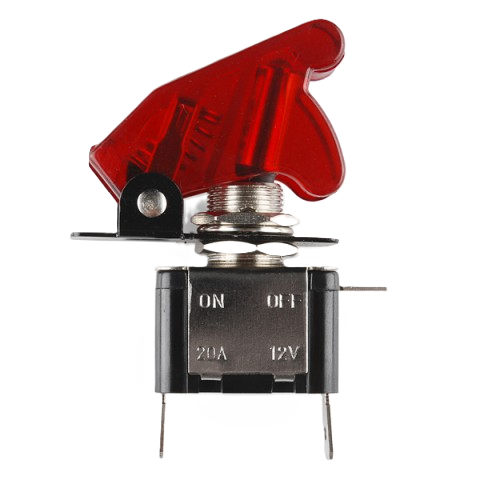
The 12V 20A Toggle Switch is a robust and reliable mechanical switch designed to control electrical circuits. It is rated for 12 volts and can handle up to 20 amps of current, making it suitable for a wide range of applications. The switch features a simple on/off operation, allowing users to easily control the flow of electricity in their circuits. Its durable construction ensures long-lasting performance, even in demanding environments.
Explore Projects Built with 12V 20A Toggle Switch
 Open Project in Cirkit Designer
 Open Project in Cirkit Designer
 Open Project in Cirkit Designer
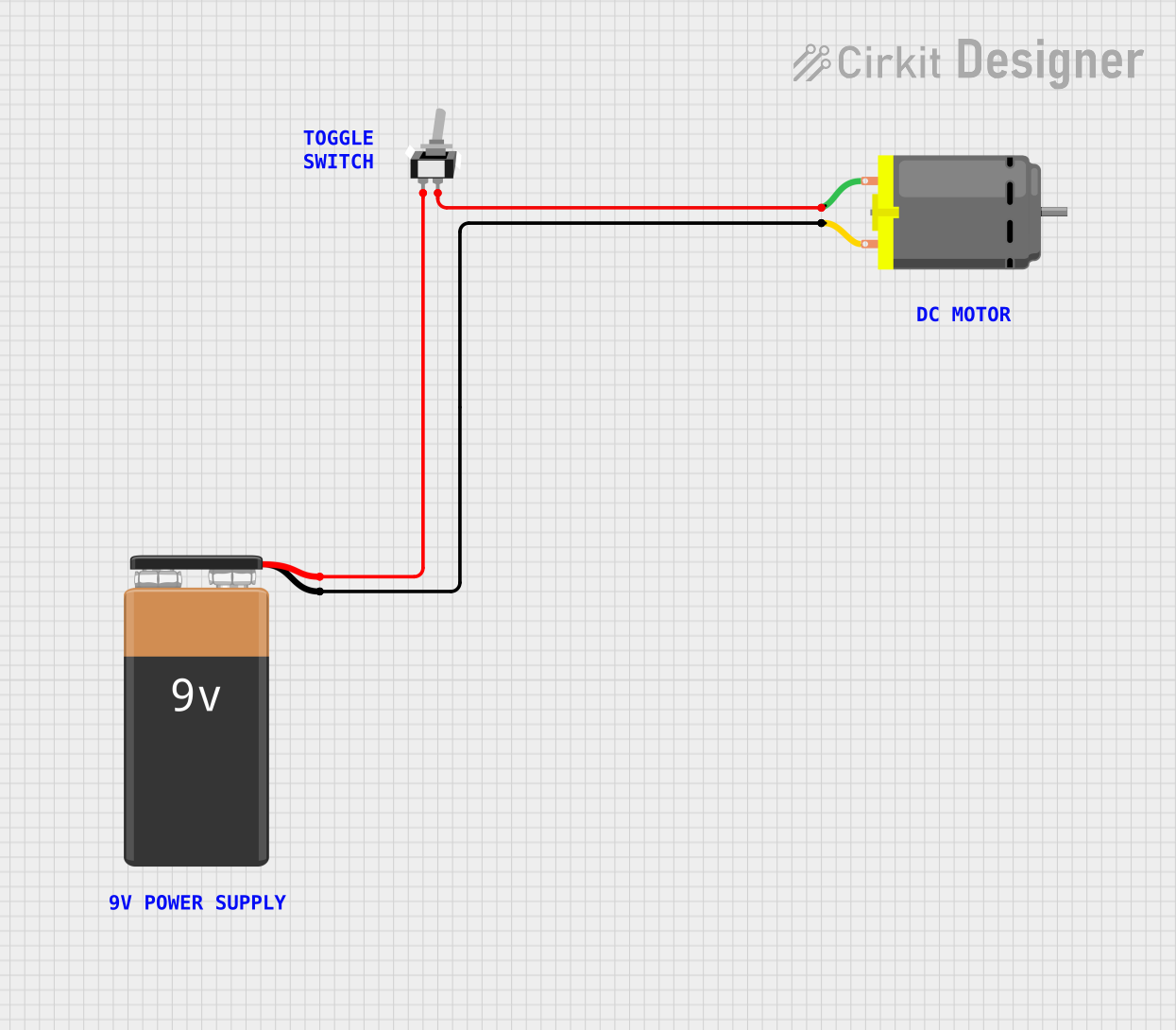 Open Project in Cirkit Designer
Explore Projects Built with 12V 20A Toggle Switch
Open Project in Cirkit DesignerOpen Project in Cirkit DesignerOpen Project in Cirkit DesignerOpen Project in Cirkit DesignerCommon Applications and Use Cases
- Automotive systems (e.g., controlling lights, fans, or auxiliary devices)
- Marine equipment (e.g., bilge pumps, navigation lights)
- Industrial machinery and tools
- DIY electronics projects
- Home appliances and lighting systems
Technical Specifications
Below are the key technical details of the 12V 20A Toggle Switch:
| Parameter | Specification |
|---|---|
| Voltage Rating | 12V DC |
| Current Rating | 20A |
| Switch Type | SPST (Single Pole Single Throw) |
| Operation | On/Off |
| Material | Metal and plastic housing |
| Mounting Hole Diameter | 12mm |
| Terminal Type | Screw or solder terminals |
| Operating Temperature | -25°C to 85°C |
Pin Configuration and Descriptions
The 12V 20A Toggle Switch typically has two terminals for SPST operation:
| Pin | Description |
|---|---|
| Pin 1 | Input terminal (connect to power source) |
| Pin 2 | Output terminal (connect to load) |
Usage Instructions
How to Use the Component in a Circuit
- Prepare the Circuit: Ensure the circuit operates within the switch's voltage (12V) and current (20A) ratings. Exceeding these ratings may damage the switch or cause unsafe conditions.
- Mount the Switch: Drill a 12mm hole in the desired mounting surface. Insert the switch and secure it using the provided nut.
- Connect the Terminals:
- Connect Pin 1 to the positive terminal of the power source.
- Connect Pin 2 to the positive terminal of the load (e.g., a light or motor).
- Ensure all connections are secure and insulated to prevent short circuits.
- Test the Circuit: Toggle the switch to the "On" position to activate the load. Toggle it to the "Off" position to disconnect the load.
Important Considerations and Best Practices
- Current Handling: Ensure the connected load does not exceed 20A. Use a fuse in the circuit for added protection.
- Wire Gauge: Use wires with an appropriate gauge to handle the current (e.g., 12 AWG for 20A).
- Polarity: While the switch itself is not polarity-sensitive, ensure proper polarity for the connected load.
- Environment: Avoid exposing the switch to excessive moisture or dust unless it is specifically rated for such conditions.
Example: Connecting to an Arduino UNO
While the 12V 20A Toggle Switch is not directly connected to an Arduino UNO due to its high current rating, it can be used to control a relay module, which in turn controls high-power devices. Below is an example of how to use the switch with a relay and Arduino:
Circuit Description
- The toggle switch controls the power to a 12V relay module.
- The relay module is triggered by the Arduino to control a high-power load.
Arduino Code Example
// Arduino code to control a relay module using a toggle switch
const int toggleSwitchPin = 2; // Pin connected to the toggle switch
const int relayPin = 8;        // Pin connected to the relay module

void setup() {
  pinMode(toggleSwitchPin, INPUT_PULLUP); // Configure toggle switch pin as input
  pinMode(relayPin, OUTPUT);             // Configure relay pin as output
  digitalWrite(relayPin, LOW);           // Ensure relay is off initially
}

void loop() {
  int switchState = digitalRead(toggleSwitchPin); // Read the toggle switch state

  if (switchState == LOW) { // If switch is ON (assuming active LOW)
    digitalWrite(relayPin, HIGH); // Turn on the relay
  } else {
    digitalWrite(relayPin, LOW);  // Turn off the relay
  }
}
Note: The toggle switch in this example is used to control the relay module's power. Ensure the relay module and load are rated for the desired voltage and current.
Troubleshooting and FAQs
Common Issues and Solutions
Switch Does Not Turn On the Load:
- Cause: Loose or incorrect wiring.
- Solution: Double-check all connections and ensure the switch terminals are securely connected.
Switch Overheats:
- Cause: Load exceeds the 20A current rating.
- Solution: Reduce the load or use a switch with a higher current rating.
Intermittent Operation:
- Cause: Poor contact or damaged terminals.
- Solution: Inspect the terminals for corrosion or damage and clean/replace as needed.
Switch Fails to Toggle:
- Cause: Mechanical failure or debris inside the switch.
- Solution: Replace the switch if it is mechanically damaged.
FAQs
Q1: Can this switch be used for AC circuits?
A1: No, this switch is specifically rated for 12V DC. Using it with AC circuits may result in failure or unsafe operation.
Q2: Is the switch waterproof?
A2: Unless explicitly stated by the manufacturer, this switch is not waterproof. Use a waterproof cover or enclosure for outdoor or wet environments.
Q3: Can I use this switch to control multiple devices?
A3: Yes, as long as the total current of all devices does not exceed 20A.
Q4: What happens if I exceed the current rating?
A4: Exceeding the 20A rating may cause the switch to overheat, fail, or pose a fire hazard. Always stay within the specified ratings.
By following this documentation, you can safely and effectively use the 12V 20A Toggle Switch in your projects.