
How to Use Battery lithium 18650 12V: Examples, Pinouts, and Specs
 Design with Battery lithium 18650 12V in Cirkit Designer
Introduction
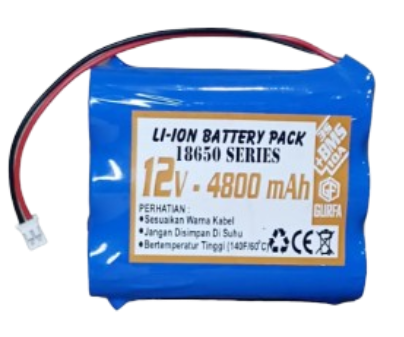
The Battery Lithium 18650 12V is a rechargeable lithium-ion battery pack with a nominal voltage of 12V. It is composed of multiple 18650 cells connected in series and/or parallel to achieve the desired voltage and capacity. Known for its high energy density, long cycle life, and lightweight design, this battery is widely used in portable electronics, electric vehicles, power tools, and renewable energy storage systems. Its compact size and reliable performance make it a popular choice for applications requiring efficient and long-lasting power sources.
Explore Projects Built with Battery lithium 18650 12V
 Open Project in Cirkit Designer
 Open Project in Cirkit Designer
 Open Project in Cirkit Designer
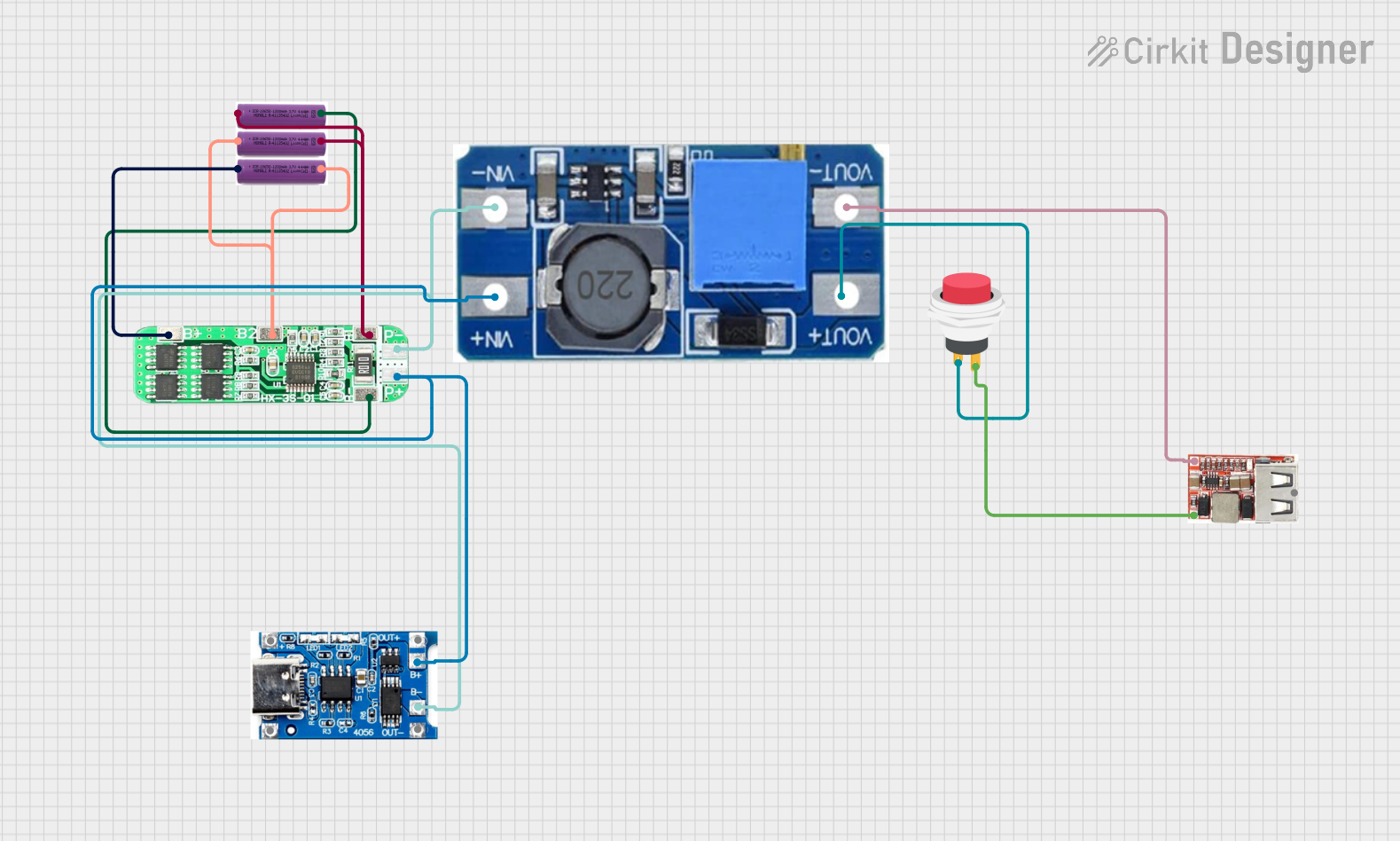 Open Project in Cirkit Designer
Explore Projects Built with Battery lithium 18650 12V
Open Project in Cirkit DesignerOpen Project in Cirkit DesignerOpen Project in Cirkit DesignerOpen Project in Cirkit DesignerCommon Applications
- Portable electronic devices (e.g., laptops, cameras, and drones)
- Electric vehicles and e-bikes
- Solar energy storage systems
- Power tools and robotics
- Uninterruptible power supplies (UPS)
Technical Specifications
Below are the key technical details of the Battery Lithium 18650 12V:
| Parameter | Specification |
|---|---|
| Nominal Voltage | 12V |
| Nominal Capacity | Typically 2000–5000 mAh (varies by model) |
| Chemistry | Lithium-ion (Li-ion) |
| Charge Voltage | 12.6V (maximum) |
| Discharge Cutoff Voltage | 9V (minimum) |
| Maximum Discharge Current | 10A (varies by model) |
| Charging Current | Standard: 0.5C, Maximum: 1C |
| Cycle Life | 300–500 cycles (depending on usage) |
| Operating Temperature | Charge: 0°C to 45°C, Discharge: -20°C to 60°C |
| Dimensions | Varies based on configuration |
| Weight | Varies based on configuration |
Pin Configuration
The Battery Lithium 18650 12V typically has three main terminals:
| Pin | Label | Description |
|---|---|---|
| 1 | + (Positive) | Positive terminal for power output |
| 2 | - (Negative) | Negative terminal for power output |
| 3 | BMS (Optional) | Battery Management System terminal for monitoring and protection |
Note: Some battery packs include a Battery Management System (BMS) for overcharge, over-discharge, and short-circuit protection.
Usage Instructions
How to Use the Battery in a Circuit
- Connection: Connect the positive terminal (
+) to the positive rail of your circuit and the negative terminal (-) to the ground rail. Ensure proper polarity to avoid damage. - Charging: Use a compatible lithium-ion battery charger with a maximum output voltage of 12.6V. Avoid overcharging or using an incompatible charger.
- Discharging: Ensure the load does not exceed the maximum discharge current rating of the battery. Use a fuse or current-limiting circuit for added safety.
- Protection: If the battery pack does not include a BMS, consider adding one to protect against overcharging, over-discharging, and short circuits.
Important Considerations
- Avoid Overcharging: Always use a charger with a cutoff voltage of 12.6V to prevent overcharging, which can damage the battery or cause safety hazards.
- Prevent Deep Discharge: Do not allow the battery voltage to drop below 9V, as this can reduce its lifespan.
- Temperature Management: Operate the battery within the specified temperature range to ensure optimal performance and safety.
- Storage: Store the battery in a cool, dry place at around 50% charge for long-term storage.
Example: Using the Battery with an Arduino UNO
The Battery Lithium 18650 12V can power an Arduino UNO through its VIN pin. Below is an example of connecting the battery to the Arduino:
- Connect the positive terminal of the battery to the VIN pin of the Arduino.
- Connect the negative terminal of the battery to the GND pin of the Arduino.
Here is a simple Arduino code example to blink an LED while powered by the battery:
// Simple LED Blink Example
// This code blinks an LED connected to pin 13 of the Arduino UNO

void setup() {
  pinMode(13, OUTPUT); // Set pin 13 as an output
}

void loop() {
  digitalWrite(13, HIGH); // Turn the LED on
  delay(1000);            // Wait for 1 second
  digitalWrite(13, LOW);  // Turn the LED off
  delay(1000);            // Wait for 1 second
}
Note: Ensure the battery voltage is within the acceptable range for the Arduino UNO (7–12V via VIN).
Troubleshooting and FAQs
Common Issues and Solutions
Battery Not Charging
- Cause: Faulty charger or damaged BMS.
- Solution: Verify the charger output voltage and ensure it matches the battery's charging requirements. Check the BMS for faults.
Battery Drains Quickly
- Cause: High self-discharge rate or excessive load.
- Solution: Test the battery's capacity using a battery tester. Reduce the load or replace the battery if its capacity has degraded.
Battery Overheats During Use
- Cause: Overcurrent or operation outside the recommended temperature range.
- Solution: Ensure the load does not exceed the maximum discharge current. Operate the battery within the specified temperature range.
Arduino Not Powering On
- Cause: Incorrect wiring or insufficient voltage.
- Solution: Double-check the connections and ensure the battery voltage is within the Arduino's operating range.
FAQs
Q: Can I use this battery for solar energy storage?
- A: Yes, the Battery Lithium 18650 12V is suitable for solar energy storage when paired with a compatible charge controller.
Q: How do I know when the battery is fully charged?
- A: The battery is fully charged when the charger indicates completion (usually via an LED) or when the voltage reaches 12.6V.
Q: Is it safe to connect multiple 12V battery packs in series or parallel?
- A: Yes, but ensure all packs have the same capacity and charge level. Use a BMS for added safety.
Q: How long will the battery last?
- A: The lifespan depends on usage and charging habits. Typically, it lasts 300–500 charge cycles under normal conditions.
By following these guidelines and best practices, you can maximize the performance and lifespan of your Battery Lithium 18650 12V.