
Cirkit Designer
Your all-in-one circuit design IDE
Home /
Component Documentation
How to Use Fan - Ventilator: Examples, Pinouts, and Specs
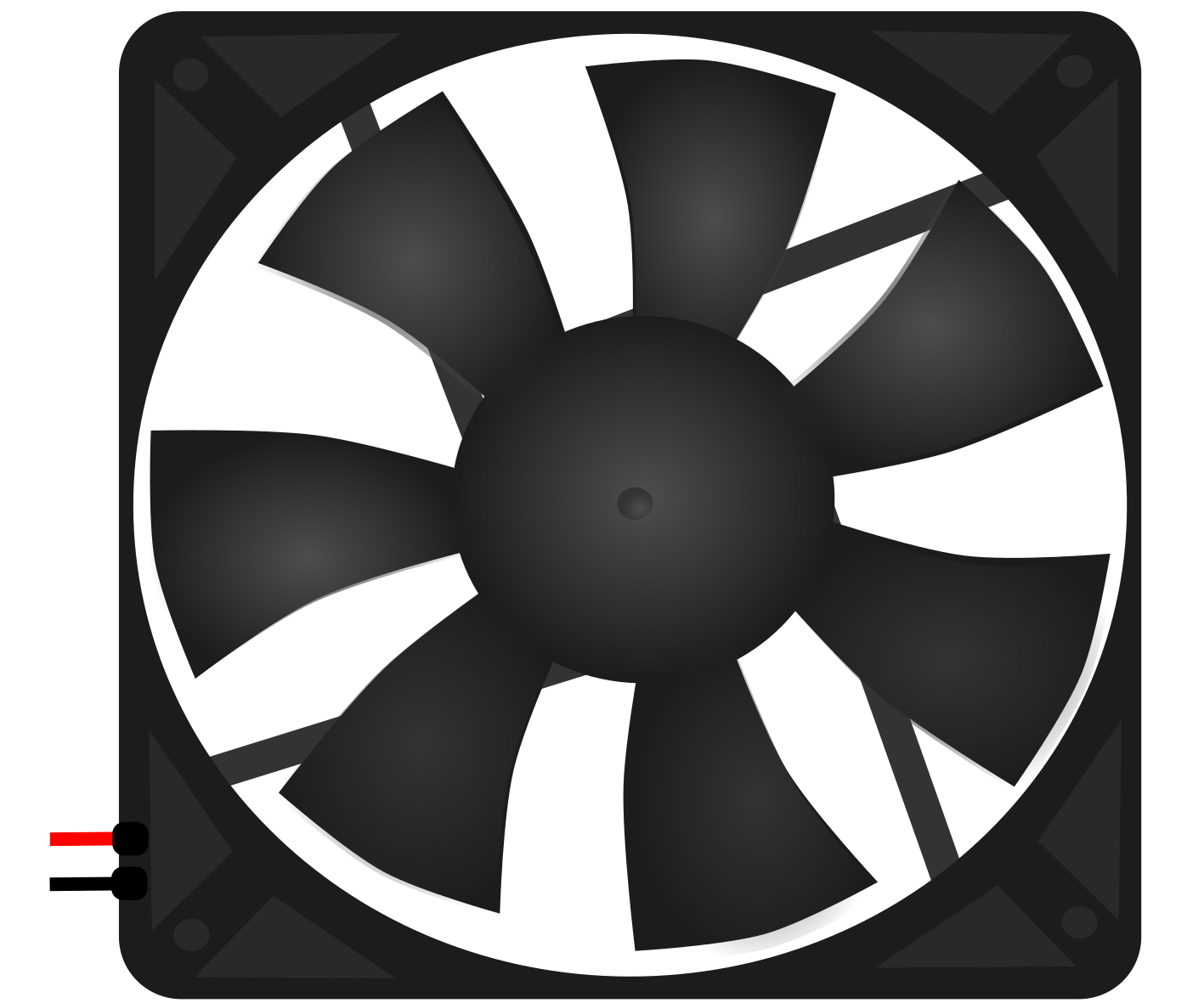
 Design with Fan - Ventilator in Cirkit Designer
Introduction
- A fan or ventilator is an electromechanical device used to create airflow by converting electrical energy into mechanical motion. It is commonly used for cooling, ventilation, and air circulation in various applications.
- Common applications include:
- Cooling electronic components (e.g., CPUs, power supplies, and enclosures)
- Ventilation in HVAC systems
- Air circulation in appliances and industrial equipment
Explore Projects Built with Fan - Ventilator
Battery-Powered IR Sensor Controlled Fan with LED Indicator
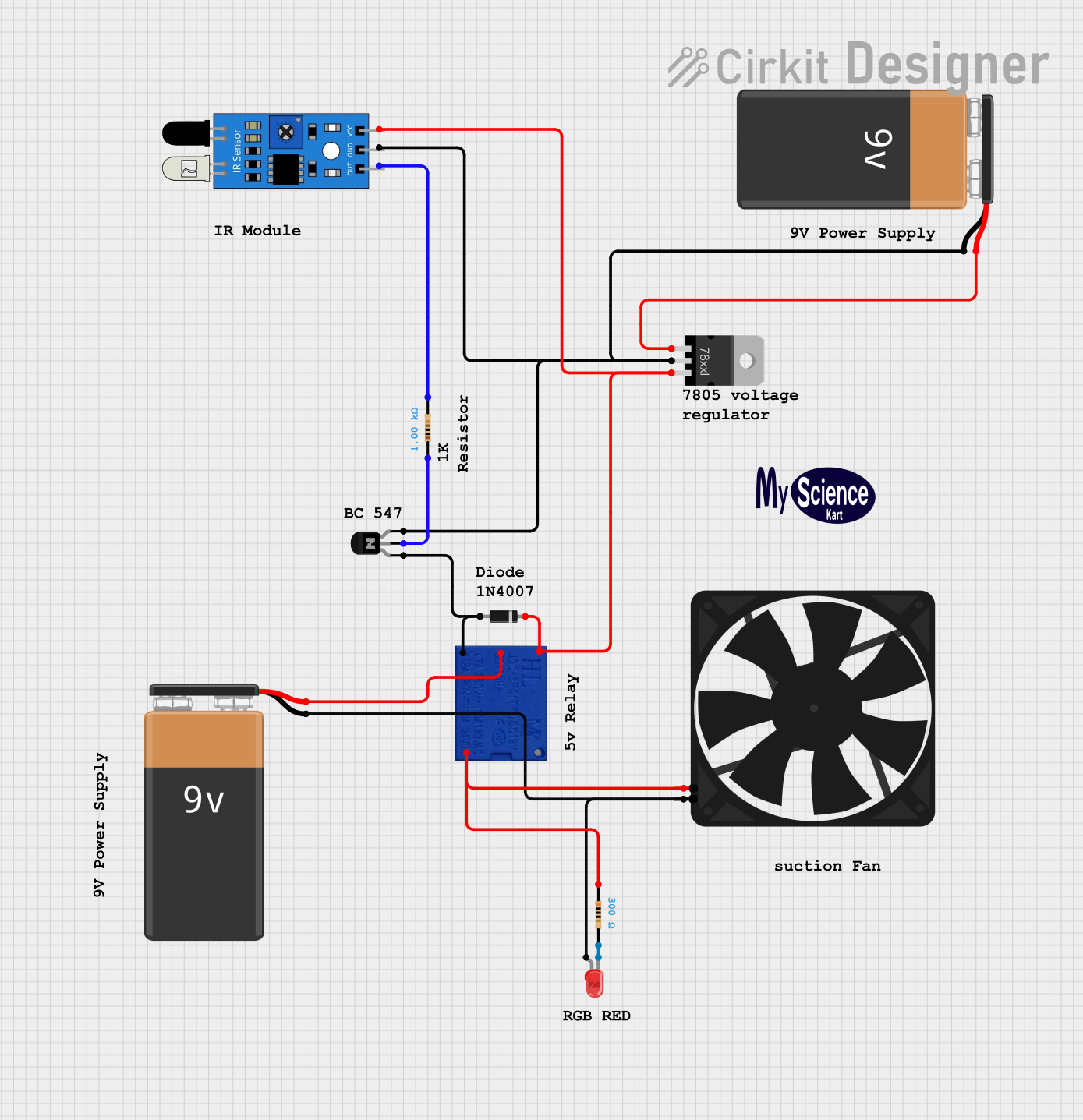
This circuit is a fan control system that uses an IR sensor to detect motion and activate a relay, which in turn powers a fan. The circuit includes a voltage regulator to step down the voltage from a 9V battery to 5V, and an NPN transistor to control the relay coil, with an LED indicator to show the status of the fan.
Open Project in Cirkit DesignerMQ-4 Gas Sensor Controlled Exhaust Fan System
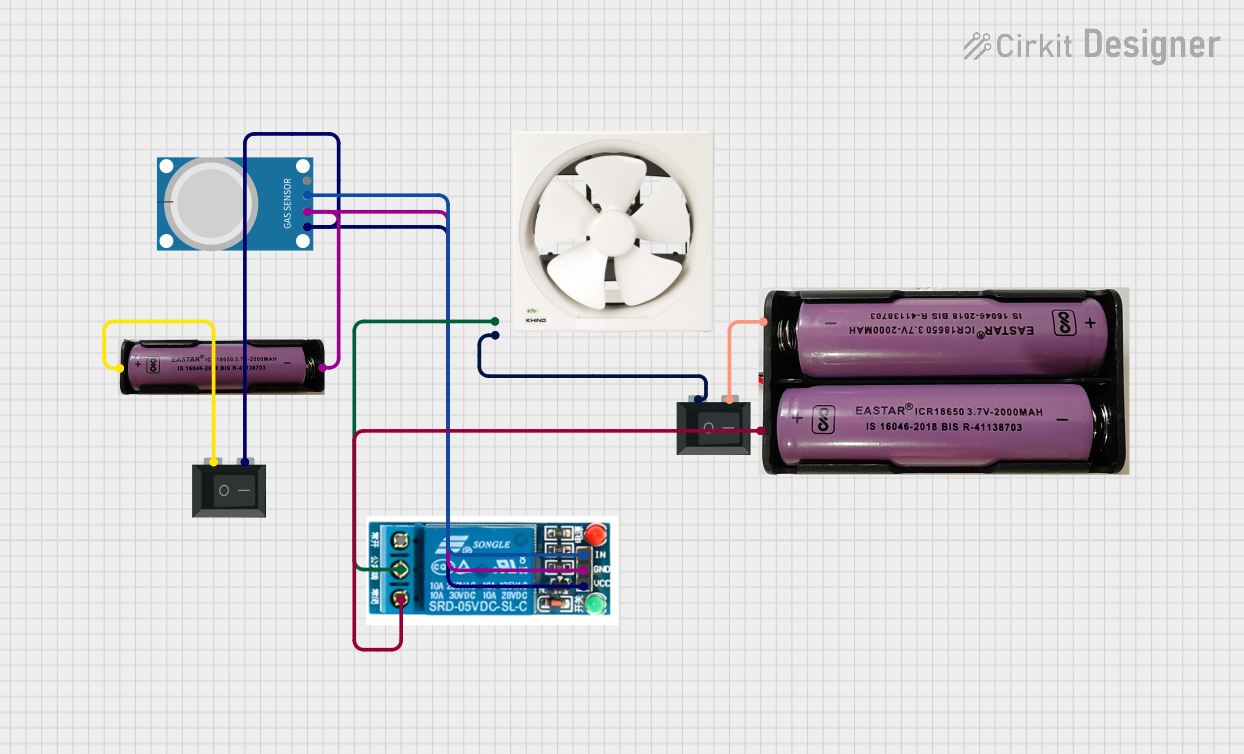
This circuit features an MQ-4 gas sensor connected to a 5V relay, which likely controls the activation of an exhaust fan based on the gas concentration levels detected. The relay switches power from a 7.4V source to the fan, with two rocker switches acting as manual on/off controls for the power supply to the relay and the fan. The circuit is designed to provide safety by automatically activating ventilation when potentially dangerous gas levels are detected.
Open Project in Cirkit DesignerArduino UNO-Based Smart Fan Control System with Bluetooth and Temperature Sensor
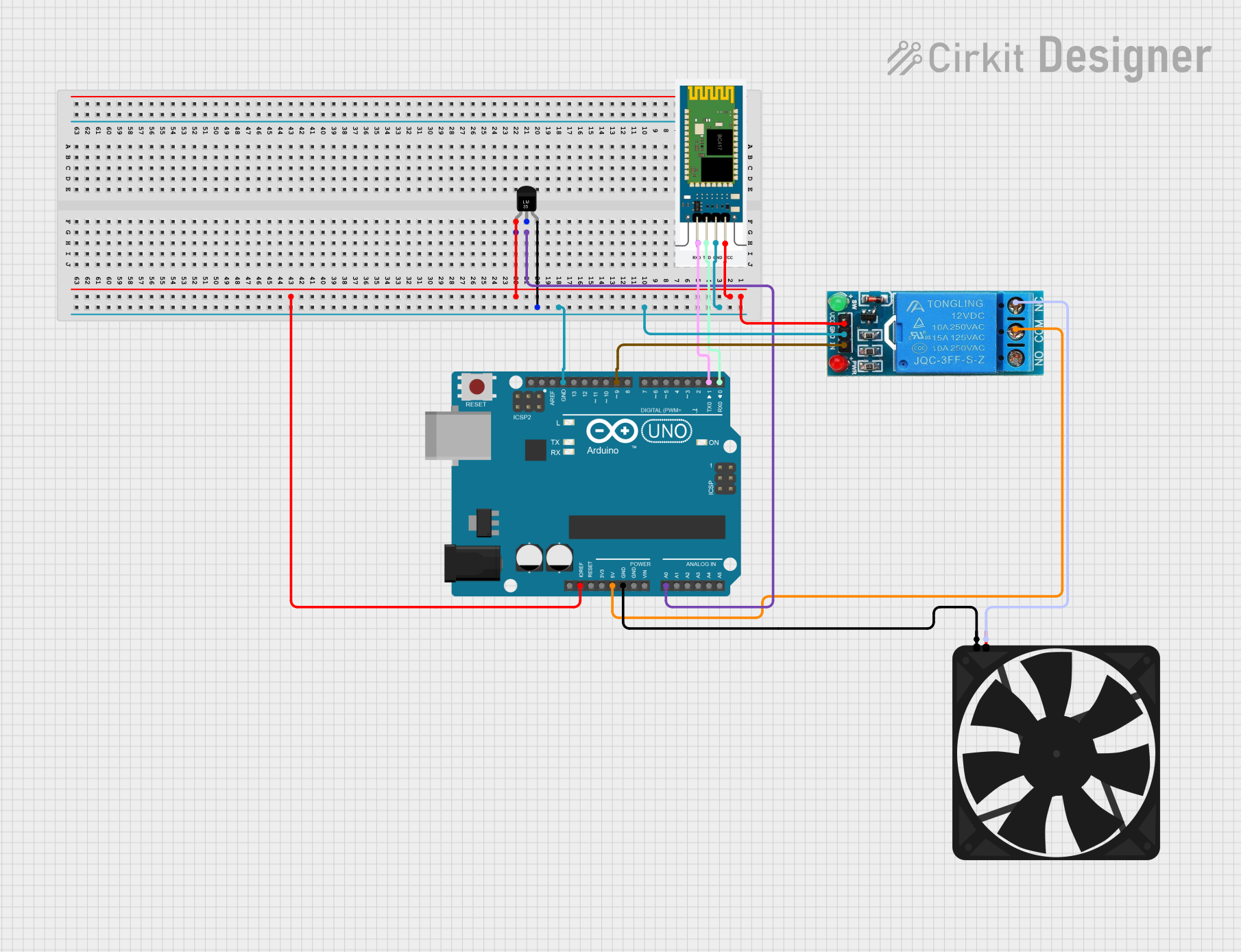
This circuit is a temperature-controlled fan system using an Arduino UNO, an LM35 temperature sensor, and a relay module. The Arduino reads the temperature from the LM35 sensor and controls the fan via the relay based on a predefined temperature threshold, with the option for manual override through Bluetooth commands using an HC-06 module.
Open Project in Cirkit DesignerArduino UNO Temperature-Based Fan Speed Control with LCD Display and LED Alert
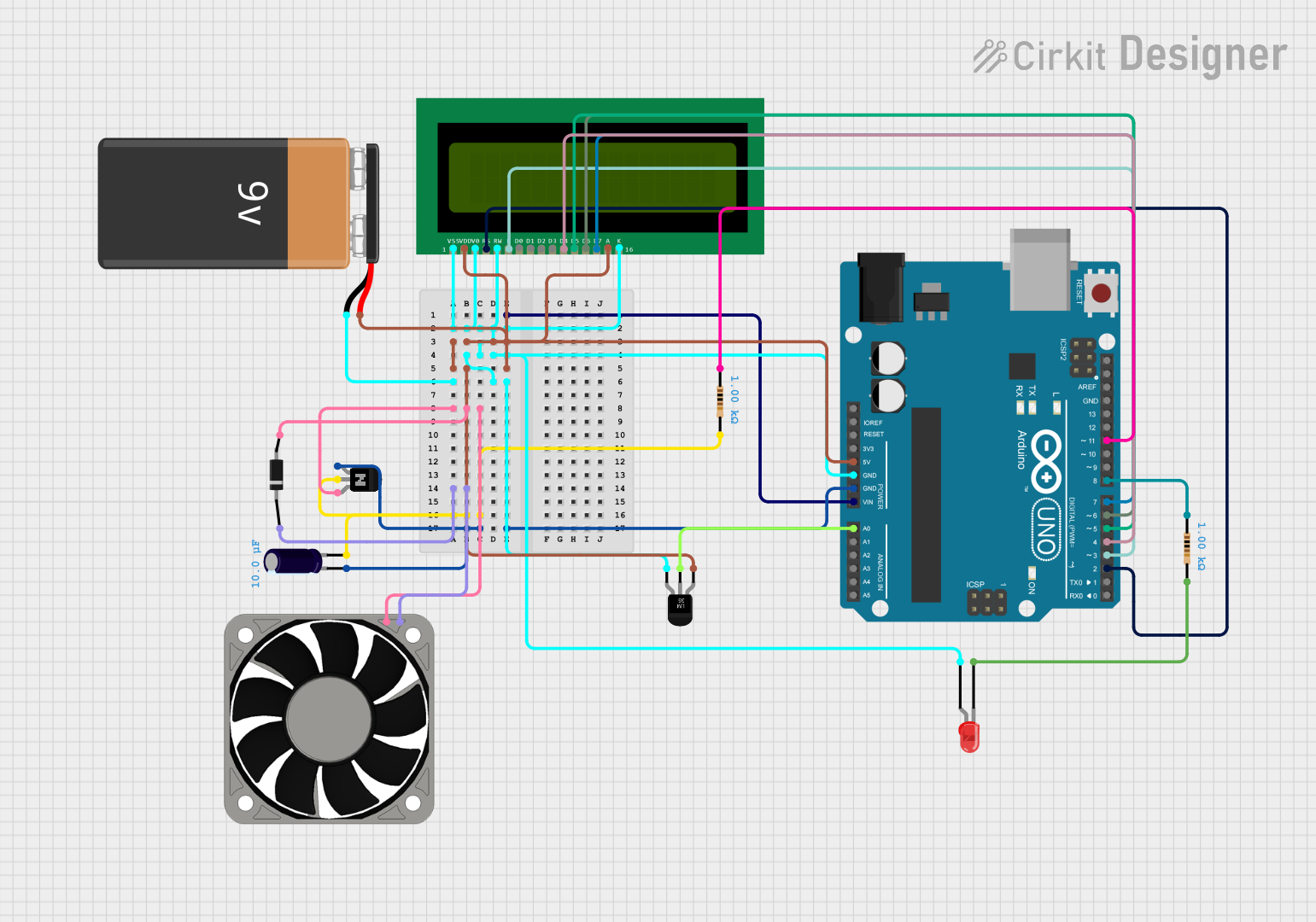
This circuit is a temperature-based fan speed control and monitoring system. It uses an LM35 temperature sensor to read the ambient temperature, an Arduino UNO to process the data and control the fan speed via a transistor, and a 16x2 LCD to display the temperature and fan speed. An LED is also included to indicate when the temperature exceeds a maximum threshold.
Open Project in Cirkit DesignerExplore Projects Built with Fan - Ventilator
Battery-Powered IR Sensor Controlled Fan with LED Indicator
This circuit is a fan control system that uses an IR sensor to detect motion and activate a relay, which in turn powers a fan. The circuit includes a voltage regulator to step down the voltage from a 9V battery to 5V, and an NPN transistor to control the relay coil, with an LED indicator to show the status of the fan.
Open Project in Cirkit DesignerMQ-4 Gas Sensor Controlled Exhaust Fan System
This circuit features an MQ-4 gas sensor connected to a 5V relay, which likely controls the activation of an exhaust fan based on the gas concentration levels detected. The relay switches power from a 7.4V source to the fan, with two rocker switches acting as manual on/off controls for the power supply to the relay and the fan. The circuit is designed to provide safety by automatically activating ventilation when potentially dangerous gas levels are detected.
Open Project in Cirkit DesignerArduino UNO-Based Smart Fan Control System with Bluetooth and Temperature Sensor
This circuit is a temperature-controlled fan system using an Arduino UNO, an LM35 temperature sensor, and a relay module. The Arduino reads the temperature from the LM35 sensor and controls the fan via the relay based on a predefined temperature threshold, with the option for manual override through Bluetooth commands using an HC-06 module.
Open Project in Cirkit DesignerArduino UNO Temperature-Based Fan Speed Control with LCD Display and LED Alert
This circuit is a temperature-based fan speed control and monitoring system. It uses an LM35 temperature sensor to read the ambient temperature, an Arduino UNO to process the data and control the fan speed via a transistor, and a 16x2 LCD to display the temperature and fan speed. An LED is also included to indicate when the temperature exceeds a maximum threshold.
Open Project in Cirkit DesignerTechnical Specifications
Key Technical Details:
- Operating Voltage: 5V, 12V, or 24V (depending on the model)
- Current Rating: 0.1A to 0.5A
- Power Consumption: Typically 0.5W to 5W
- Speed: 1000 to 5000 RPM (Revolutions Per Minute)
- Airflow: 10 to 100 CFM (Cubic Feet per Minute)
- Noise Level: 20 to 40 dBA
- Bearing Type: Sleeve or Ball Bearing
- Connector Type: 2-pin, 3-pin, or 4-pin
Pin Configuration and Descriptions:
2-Pin Fan
| Pin Number | Name | Description |
|---|---|---|
| 1 | VCC | Positive power supply (e.g., 12V) |
| 2 | GND | Ground connection |
3-Pin Fan
| Pin Number | Name | Description |
|---|---|---|
| 1 | VCC | Positive power supply (e.g., 12V) |
| 2 | GND | Ground connection |
| 3 | Tachometer | Outputs a signal for speed feedback |
4-Pin Fan
| Pin Number | Name | Description |
|---|---|---|
| 1 | VCC | Positive power supply (e.g., 12V) |
| 2 | GND | Ground connection |
| 3 | Tachometer | Outputs a signal for speed feedback |
| 4 | PWM | Pulse Width Modulation for speed control |
Usage Instructions
How to Use the Component in a Circuit:
- Identify the fan type (2-pin, 3-pin, or 4-pin) and ensure compatibility with your power supply and control system.
- Connect the VCC pin to the positive terminal of the power supply and the GND pin to the ground.
- For 3-pin fans, connect the tachometer pin to a microcontroller or monitoring circuit to measure fan speed.
- For 4-pin fans, connect the PWM pin to a microcontroller or PWM signal generator to control the fan speed.
Important Considerations and Best Practices:
- Ensure the fan's voltage and current ratings match your power supply to avoid damage.
- Use a flyback diode across the fan terminals to protect against voltage spikes caused by inductive loads.
- For 4-pin fans, use a PWM signal with a frequency of 25 kHz for optimal speed control.
- Avoid obstructing the airflow to maintain efficient cooling or ventilation.
- Regularly clean the fan to prevent dust buildup, which can reduce performance and increase noise.
Example Code for Arduino UNO (4-Pin Fan with PWM Control):
// This code demonstrates how to control a 4-pin fan using PWM on an Arduino UNO.
// Connect the fan's PWM pin to Arduino pin 9, VCC to 12V, and GND to ground.

const int fanPWM = 9; // PWM pin connected to the fan's PWM input

void setup() {
  pinMode(fanPWM, OUTPUT); // Set the PWM pin as an output
}

void loop() {
  analogWrite(fanPWM, 128); // Set fan speed to 50% (128 out of 255)
  delay(5000); // Run at 50% speed for 5 seconds

  analogWrite(fanPWM, 255); // Set fan speed to 100% (255 out of 255)
  delay(5000); // Run at full speed for 5 seconds

  analogWrite(fanPWM, 0); // Turn off the fan
  delay(5000); // Fan remains off for 5 seconds
}
Troubleshooting and FAQs
Common Issues:
- Fan does not spin:
- Check the power supply voltage and current to ensure they meet the fan's requirements.
- Verify the connections to the VCC and GND pins.
- Inspect the fan for physical obstructions or damage.
- Fan spins but at low speed:
- Ensure the PWM signal (for 4-pin fans) is configured correctly.
- Check for dust buildup or mechanical resistance.
- Fan is noisy:
- Clean the fan blades and bearings to remove dust and debris.
- Replace the fan if the bearings are worn out.
- Tachometer signal not working:
- Verify the connection between the tachometer pin and the microcontroller.
- Ensure the microcontroller is configured to read the tachometer signal correctly.
- Fan does not spin:
FAQs:
- Can I use a 12V fan with a 5V power supply?
- No, the fan will not operate correctly. Always match the fan's voltage rating with the power supply.
- What is the purpose of the PWM pin on a 4-pin fan?
- The PWM pin allows precise speed control by varying the duty cycle of the PWM signal.
- How do I measure the fan's speed using the tachometer pin?
- The tachometer pin outputs a square wave signal. Measure the frequency of this signal to calculate the fan's RPM.
- Can I use a 12V fan with a 5V power supply?