
How to Use AC Plug 2 Pin: Examples, Pinouts, and Specs
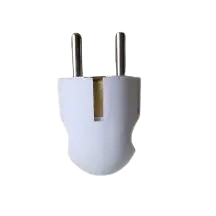
 Design with AC Plug 2 Pin in Cirkit Designer
Introduction
The AC Plug 2 Pin (Type C Plug) is a widely used electrical connector designed to connect devices to an alternating current (AC) power supply. This plug is commonly found in household appliances and consumer electronics. Its simple two-pin design ensures ease of use and compatibility with standard Type C power sockets, which are prevalent in many regions worldwide.
Explore Projects Built with AC Plug 2 Pin
 Open Project in Cirkit Designer
 Open Project in Cirkit Designer
 Open Project in Cirkit Designer
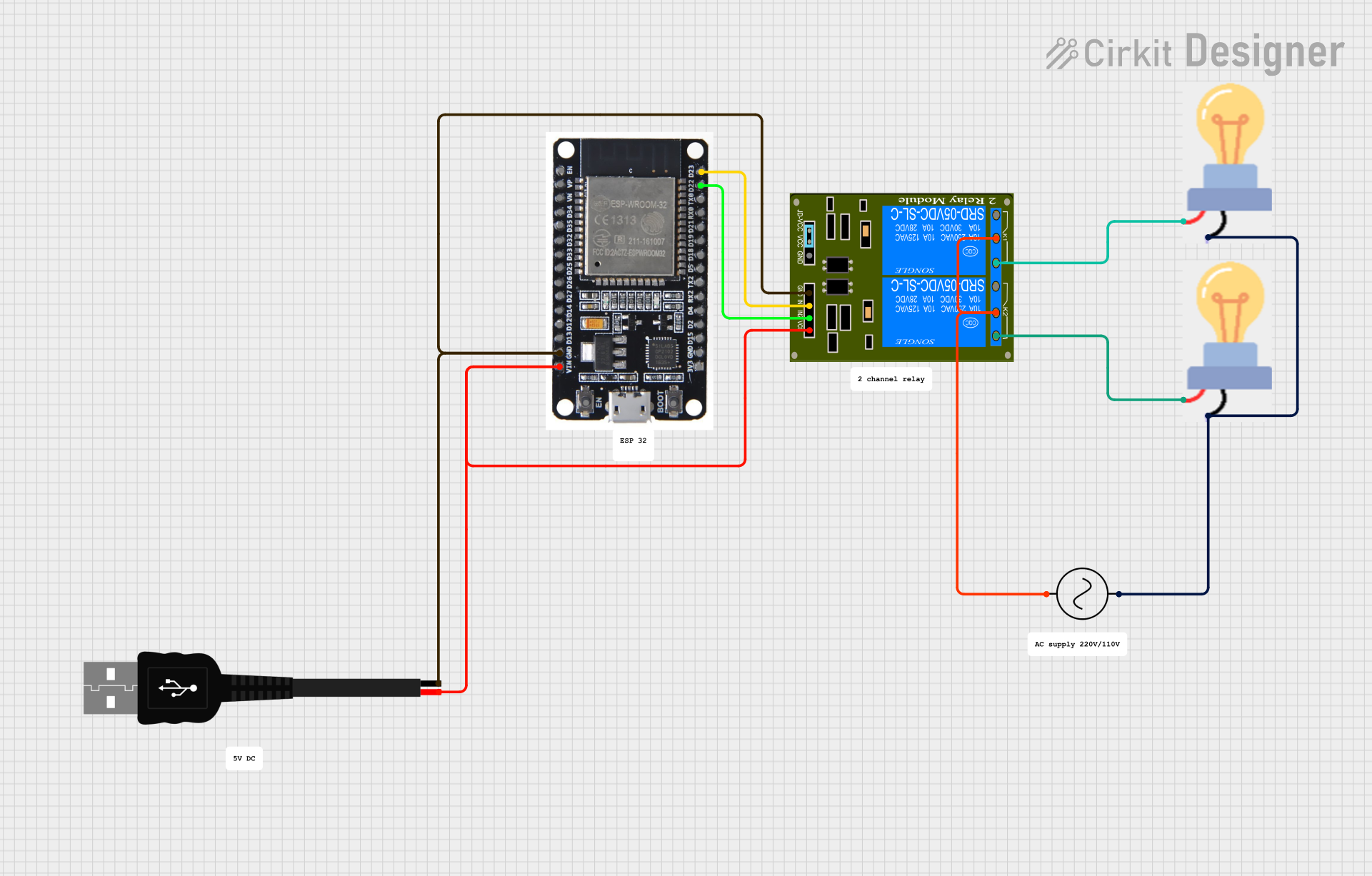 Open Project in Cirkit Designer
Explore Projects Built with AC Plug 2 Pin
Open Project in Cirkit DesignerOpen Project in Cirkit DesignerOpen Project in Cirkit DesignerOpen Project in Cirkit DesignerCommon Applications and Use Cases
- Powering small household appliances (e.g., lamps, fans, and chargers)
- Connecting low-power electronic devices to AC mains
- Temporary or portable power connections for tools and gadgets
- Use in regions where Type C sockets are standard (e.g., Europe, Asia, and parts of South America)
Technical Specifications
The following table outlines the key technical details of the AC Plug 2 Pin (Type C Plug):
| Parameter | Specification |
|---|---|
| Manufacturer | Generic |
| Part ID | Type C Plug |
| Voltage Rating | 220V - 240V AC |
| Current Rating | Up to 2.5A |
| Frequency | 50Hz - 60Hz |
| Pin Type | Two round pins (4.0mm diameter) |
| Pin Spacing | 19mm (center-to-center) |
| Material | Thermoplastic or thermoset polymer |
| Safety Standards | IEC 60884-1 compliant |
Pin Configuration and Descriptions
The AC Plug 2 Pin has a straightforward design with two identical pins. The table below describes the pin configuration:
| Pin | Description | Function |
|---|---|---|
| Pin 1 | Live (L) | Carries the live AC voltage |
| Pin 2 | Neutral (N) | Completes the AC circuit |
Note: This plug does not include a ground (earth) pin, making it suitable only for devices that do not require grounding.
Usage Instructions
How to Use the Component in a Circuit
Inspect the Plug and Socket:
- Ensure the AC Plug 2 Pin is compatible with the socket (Type C).
- Check for any visible damage to the plug or socket before use.
Connect the Plug:
- Insert the two pins of the plug into the corresponding holes of the Type C socket.
- Ensure a snug fit to avoid loose connections, which can cause overheating.
Power the Device:
- Once connected, switch on the power supply to energize the connected device.
Disconnect Safely:
- Turn off the power supply before unplugging the device.
- Gently pull the plug by its body (not the cord) to avoid damaging the wires.
Important Considerations and Best Practices
- Voltage and Current Ratings: Ensure the connected device does not exceed the plug's voltage (240V) and current (2.5A) ratings.
- No Grounding: Since this plug lacks a ground pin, it should only be used with double-insulated or low-power devices that do not require grounding.
- Avoid Overloading: Do not use the plug with high-power appliances such as heaters or refrigerators.
- Environmental Conditions: Use the plug in dry environments to prevent electrical hazards. Avoid exposure to water or moisture.
Example: Connecting to an Arduino UNO
While the AC Plug 2 Pin itself is not directly connected to an Arduino UNO, it can be used to power an external power supply or adapter that provides DC voltage to the Arduino. Below is an example of how to use an AC adapter with the Arduino UNO:
/* Example: Blinking an LED with Arduino UNO powered via an AC adapter
   Ensure the AC Plug 2 Pin is connected to a compatible AC adapter
   that outputs 9V or 12V DC to the Arduino's power jack. */

int ledPin = 13; // Pin connected to the onboard LED

void setup() {
  pinMode(ledPin, OUTPUT); // Set the LED pin as an output
}

void loop() {
  digitalWrite(ledPin, HIGH); // Turn the LED on
  delay(1000);                // Wait for 1 second
  digitalWrite(ledPin, LOW);  // Turn the LED off
  delay(1000);                // Wait for 1 second
}
Warning: Always ensure the AC adapter's output voltage and current are within the Arduino UNO's specifications (7-12V DC, 1A max).
Troubleshooting and FAQs
Common Issues Users Might Face
Loose Connection:
- Problem: The plug does not fit securely into the socket.
- Solution: Ensure the socket is compatible with the Type C plug. Replace worn-out sockets or plugs.
Overheating:
- Problem: The plug becomes hot during use.
- Solution: Check if the connected device exceeds the plug's current rating (2.5A). Reduce the load or use a higher-rated plug.
Device Not Powering On:
- Problem: The connected device does not receive power.
- Solution: Verify that the socket is live and the plug is properly inserted. Check the device and its power cord for faults.
Sparking During Connection:
- Problem: Sparks are visible when inserting the plug into the socket.
- Solution: Ensure the socket is switched off before inserting the plug. If sparking persists, consult an electrician.
FAQs
Q1: Can the AC Plug 2 Pin be used in outdoor environments?
A1: No, this plug is not designed for outdoor use. Use it only in dry, indoor environments to avoid electrical hazards.
Q2: Is this plug compatible with Type F sockets?
A2: No, the AC Plug 2 Pin (Type C) is not compatible with Type F sockets, which have additional grounding contacts.
Q3: Can I use this plug with high-power appliances?
A3: No, this plug is rated for a maximum current of 2.5A and is unsuitable for high-power devices like heaters or air conditioners.
Q4: What safety precautions should I take when using this plug?
A4: Always inspect the plug and socket for damage, avoid overloading, and keep the plug away from water or moisture.
By following this documentation, users can safely and effectively utilize the AC Plug 2 Pin (Type C Plug) for their electrical needs.