
How to Use 6-Way Fuse Box: Examples, Pinouts, and Specs
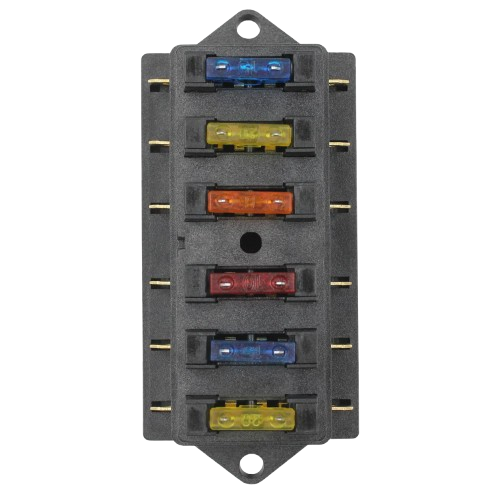
 Design with 6-Way Fuse Box in Cirkit Designer
Introduction
A 6-way fuse box is an essential electrical component designed to house and organize up to six individual fuses. It serves as a centralized hub for protecting multiple circuits within an electrical system. By isolating and safeguarding each circuit, the fuse box prevents damage caused by overcurrent or short circuits, ensuring the safety and reliability of the connected devices.
Explore Projects Built with 6-Way Fuse Box
 Open Project in Cirkit Designer
 Open Project in Cirkit Designer
 Open Project in Cirkit Designer
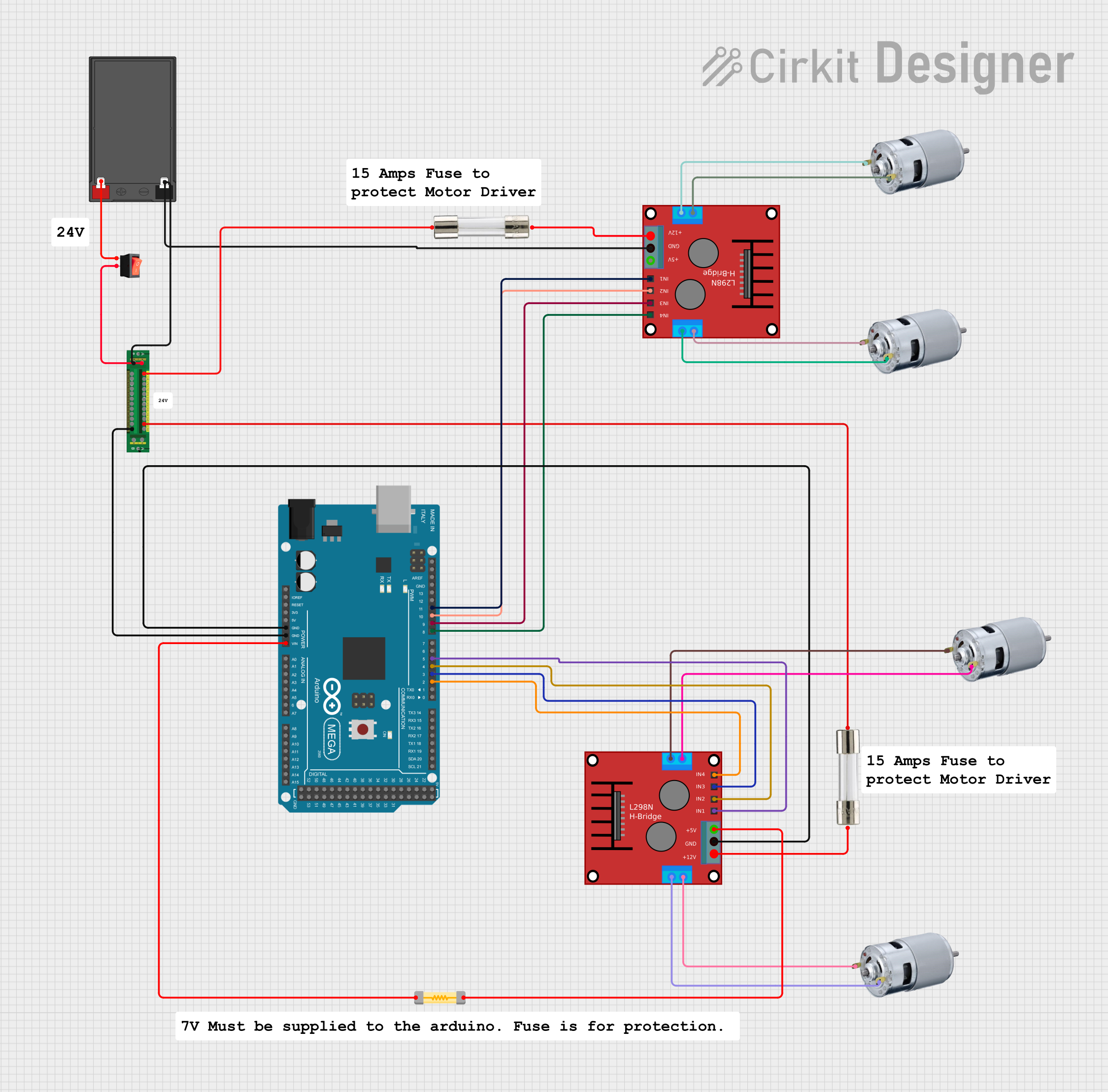 Open Project in Cirkit Designer
Explore Projects Built with 6-Way Fuse Box
Open Project in Cirkit DesignerOpen Project in Cirkit DesignerOpen Project in Cirkit DesignerOpen Project in Cirkit DesignerCommon Applications and Use Cases
- Automotive electrical systems (e.g., cars, boats, RVs)
- Home or industrial electrical installations
- Solar power systems
- DIY electronics projects requiring multiple circuit protection
- Any system requiring organized and accessible fuse management
Technical Specifications
The following table outlines the key technical details of a typical 6-way fuse box:
| Specification | Details |
|---|---|
| Number of Fuse Slots | 6 |
| Fuse Type | Standard blade fuses (e.g., ATC/ATO) |
| Voltage Rating | 12V to 32V DC |
| Maximum Current Rating | 30A per circuit (varies by model) |
| Material | Flame-retardant plastic housing |
| Input Terminal | Single power input (e.g., M5 screw) |
| Output Terminals | 6 individual circuit outputs |
| Indicator LEDs | Optional (lights up when a fuse blows) |
| Mounting | Screw or adhesive mounting options |
Pin Configuration and Descriptions
The 6-way fuse box typically has the following connections:
| Pin/Terminal | Description |
|---|---|
| Input Terminal | Connects to the positive power supply (e.g., battery). |
| Output Terminals | Six individual terminals for connecting circuits. Each terminal corresponds to one fuse slot. |
| Ground Terminal | Optional ground connection for LED indicators (if present). |
Usage Instructions
How to Use the 6-Way Fuse Box in a Circuit
- Mount the Fuse Box: Secure the fuse box in a convenient and accessible location using screws or adhesive mounts.
- Connect the Power Supply:
- Attach the positive wire from the power source (e.g., battery) to the input terminal of the fuse box.
- Ensure the connection is secure and insulated to prevent short circuits.
- Install Fuses:
- Insert the appropriate blade fuses into the fuse slots. The fuse rating should match the current requirements of the connected circuits.
- Connect Circuits:
- Attach the positive wires of the circuits to the corresponding output terminals.
- If the fuse box includes LED indicators, connect the ground terminal to the negative power supply.
- Test the System:
- Power on the system and verify that all circuits are functioning correctly.
- Check the LED indicators (if present) to ensure no fuses are blown.
Important Considerations and Best Practices
- Fuse Ratings: Always use fuses with the correct current rating for each circuit. Overrated fuses may not provide adequate protection, while underrated fuses may blow unnecessarily.
- Wire Gauge: Use wires with an appropriate gauge to handle the current of each circuit safely.
- Secure Connections: Ensure all connections are tight and insulated to prevent accidental short circuits.
- Labeling: Label each circuit for easy identification and maintenance.
- LED Indicators: If the fuse box includes LED indicators, ensure the ground terminal is properly connected for the LEDs to function.
Example: Connecting to an Arduino UNO
A 6-way fuse box can be used to protect multiple peripherals connected to an Arduino UNO. Below is an example of how to wire the fuse box to power an Arduino and its peripherals:
- Connect the positive terminal of a 12V DC power supply to the input terminal of the fuse box.
- Insert a 1A fuse into one slot for the Arduino UNO.
- Connect the output terminal corresponding to the 1A fuse to the VIN pin of the Arduino UNO.
- Use additional fuse slots to protect other peripherals (e.g., motors, sensors).
// Example Arduino code for a simple LED circuit
// This assumes the LED is powered through a fuse-protected circuit.

const int ledPin = 13; // Pin connected to the LED

void setup() {
  pinMode(ledPin, OUTPUT); // Set the LED pin as an output
}

void loop() {
  digitalWrite(ledPin, HIGH); // Turn the LED on
  delay(1000);                // Wait for 1 second
  digitalWrite(ledPin, LOW);  // Turn the LED off
  delay(1000);                // Wait for 1 second
}
Troubleshooting and FAQs
Common Issues and Solutions
No Power to Circuits:
- Cause: Blown fuse or loose connection.
- Solution: Check and replace the blown fuse. Ensure all connections are secure.
LED Indicator Not Working:
- Cause: Ground terminal not connected or LED malfunction.
- Solution: Verify the ground connection. If the LED is faulty, replace the fuse box or use an external indicator.
Frequent Fuse Blowing:
- Cause: Overcurrent in the circuit or incorrect fuse rating.
- Solution: Check the circuit for faults or excessive current draw. Replace the fuse with the correct rating.
Overheating Fuse Box:
- Cause: Exceeding the maximum current rating or poor ventilation.
- Solution: Reduce the load on the fuse box or improve ventilation around it.
FAQs
Q: Can I use the 6-way fuse box for AC circuits?
A: No, this fuse box is designed for DC circuits only, typically 12V to 32V.Q: What happens if I use a higher-rated fuse than required?
A: The circuit may not be adequately protected, increasing the risk of damage or fire.Q: Can I connect multiple wires to one output terminal?
A: It is not recommended. Use a distribution block or additional fuse boxes for proper circuit management.Q: How do I know if a fuse is blown?
A: If the fuse box has LED indicators, the corresponding LED will light up. Otherwise, visually inspect the fuse for a broken filament.