Introduction
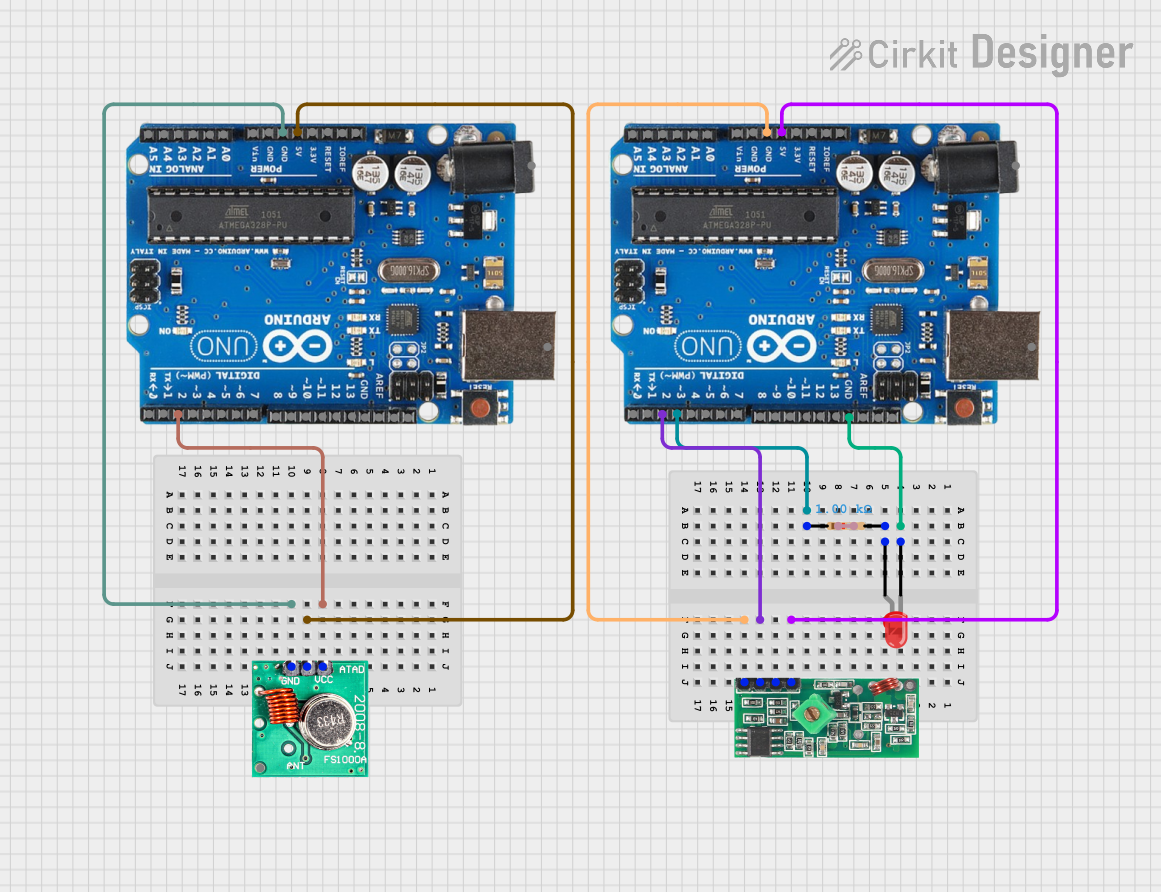
The RF 433 TRANSMITTER, manufactured by Open-Smart, is a compact and cost-effective radio frequency module designed for wireless communication. Operating at 433 MHz, this module is widely used in applications such as remote controls, wireless sensor networks, and home automation systems. It enables unidirectional data transmission, making it ideal for transmitting signals over short distances.
Common Applications
- Remote control systems (e.g., garage doors, lighting systems)
- Wireless sensor networks
- Home automation and IoT devices
- Alarm and security systems
- Data transmission between microcontrollers
Technical Specifications
The RF 433 TRANSMITTER is designed for low-power, short-range communication. Below are its key technical details:
Pin Configuration and Descriptions
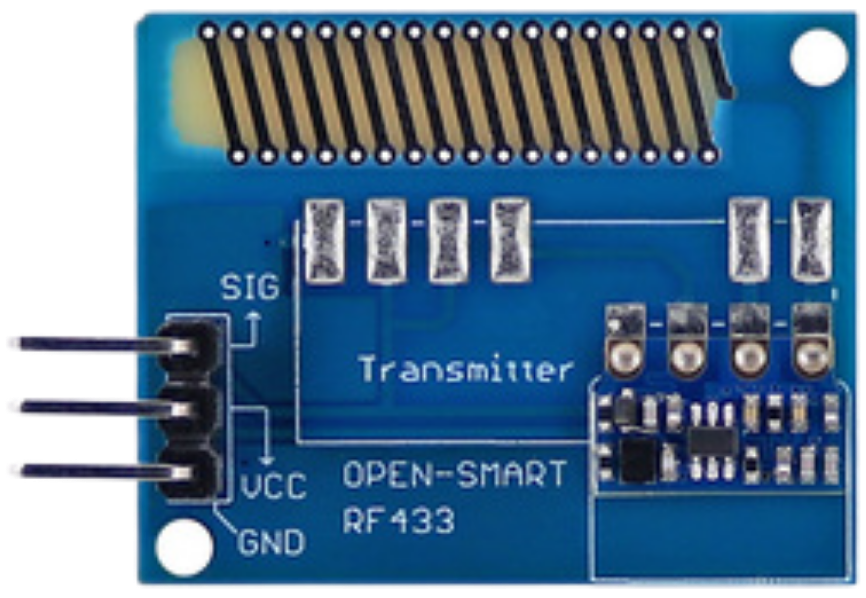
The RF 433 TRANSMITTER module has a simple 3-pin interface:
Usage Instructions
How to Use the RF 433 TRANSMITTER in a Circuit
- Power Supply: Connect the
VCC pin to a 3.3V or 5V power source and the GND pin to the ground of your circuit.
- Data Input: Connect the
DATA pin to the data output of a microcontroller (e.g., Arduino UNO). This pin will transmit the digital signal provided by the microcontroller.
- Antenna: For optimal performance, attach a 17 cm wire to the antenna pad or pin on the module. This acts as an external antenna to improve the transmission range.
Important Considerations
- Power Supply: Ensure a stable power supply to avoid signal distortion or reduced range.
- Antenna Placement: Place the antenna in an open area, away from metal objects or other sources of interference.
- Data Encoding: Use a suitable encoding library (e.g., VirtualWire or RadioHead for Arduino) to ensure reliable data transmission.
- Line of Sight: For maximum range, maintain a clear line of sight between the transmitter and receiver.
Example: Connecting RF 433 TRANSMITTER to Arduino UNO
Below is an example of how to use the RF 433 TRANSMITTER with an Arduino UNO to send data:
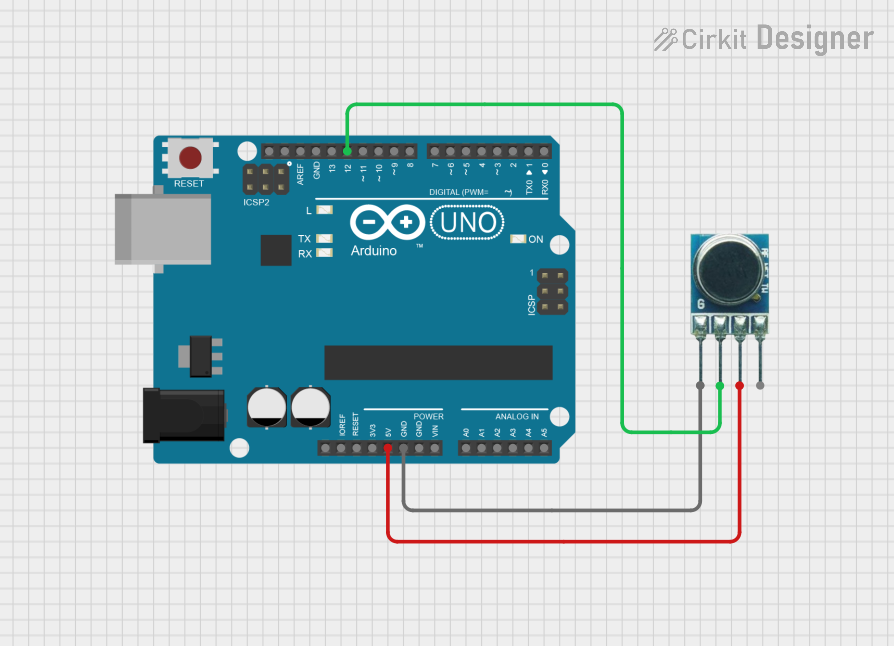
Circuit Connections
- Connect the
VCC pin of the RF 433 TRANSMITTER to the 5V pin on the Arduino.
- Connect the
GND pin of the RF 433 TRANSMITTER to the GND pin on the Arduino.
- Connect the
DATA pin of the RF 433 TRANSMITTER to digital pin 12 on the Arduino.
Arduino Code Example
#include <VirtualWire.h> // Include the VirtualWire library for RF communication

void setup() {
  vw_set_tx_pin(12); // Set the DATA pin for the RF transmitter
  vw_setup(2000);    // Set the transmission speed to 2000 bits per second
}

void loop() {
  const char *message = "Hello, RF 433!"; // Message to be transmitted
  vw_send((uint8_t *)message, strlen(message)); // Send the message
  vw_wait_tx(); // Wait until the message is fully transmitted
  delay(1000);  // Wait 1 second before sending the next message
}
Notes:
- Install the VirtualWire library in your Arduino IDE before uploading the code.
- Adjust the transmission speed (
vw_setup) and message content as needed for your application.
Troubleshooting and FAQs
Common Issues and Solutions
No Signal Received
- Cause: Incorrect wiring or loose connections.
- Solution: Double-check all connections, especially the
DATA pin.
Short Transmission Range
- Cause: Missing or improperly placed antenna.
- Solution: Attach a 17 cm wire to the antenna pad and ensure it is positioned away from interference.
Data Corruption
- Cause: High noise levels or lack of proper encoding.
- Solution: Use a library like VirtualWire or RadioHead to encode and decode data.
Module Overheating
- Cause: Exceeding the operating voltage.
- Solution: Ensure the power supply is within the 3.3V - 5V range.
FAQs
Q1: Can the RF 433 TRANSMITTER work without an antenna?
A1: While it can work without an antenna, the transmission range will be significantly reduced. Adding a 17 cm wire as an antenna is highly recommended.
Q2: What is the maximum range of the RF 433 TRANSMITTER?
A2: The module can achieve up to 100 meters of range in an open, line-of-sight environment. Obstacles and interference may reduce this range.
Q3: Can I use multiple RF 433 TRANSMITTER modules in the same area?
A3: Yes, but ensure that each transmitter operates on a unique data protocol to avoid interference.
Q4: Is the RF 433 TRANSMITTER compatible with 3.3V microcontrollers?
A4: Yes, the module operates within a voltage range of 3.3V to 5V, making it compatible with both 3.3V and 5V systems.
By following this documentation, you can effectively integrate the RF 433 TRANSMITTER into your projects for reliable wireless communication.

 Open Project in Cirkit Designer