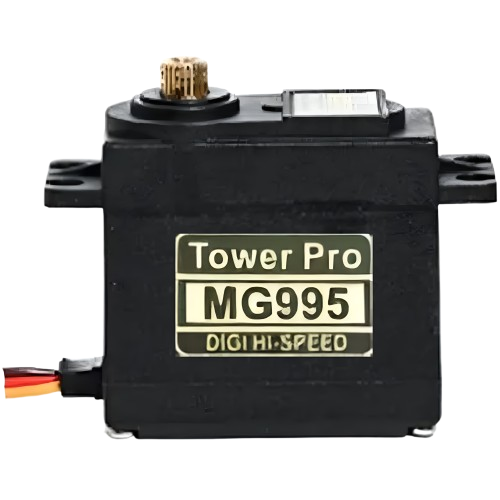
The Tower Pro MG995 DIGI HI-SPEED Servo Motor is a high-torque digital servo motor renowned for its precision, speed, and reliability. It is widely used in robotics, remote-controlled (RC) vehicles, drones, and other applications requiring precise angular motion. With its metal gear construction and digital control circuitry, the MG995 offers durability and consistent performance, making it a popular choice for hobbyists and professionals alike.
Explore Projects Built with Tower Pro MG995 DIGI HI-SPEED Servo Moto
Use Cirkit Designer to design, explore, and prototype these projects online. Some projects support real-time simulation. Click "Open Project" to start designing instantly!
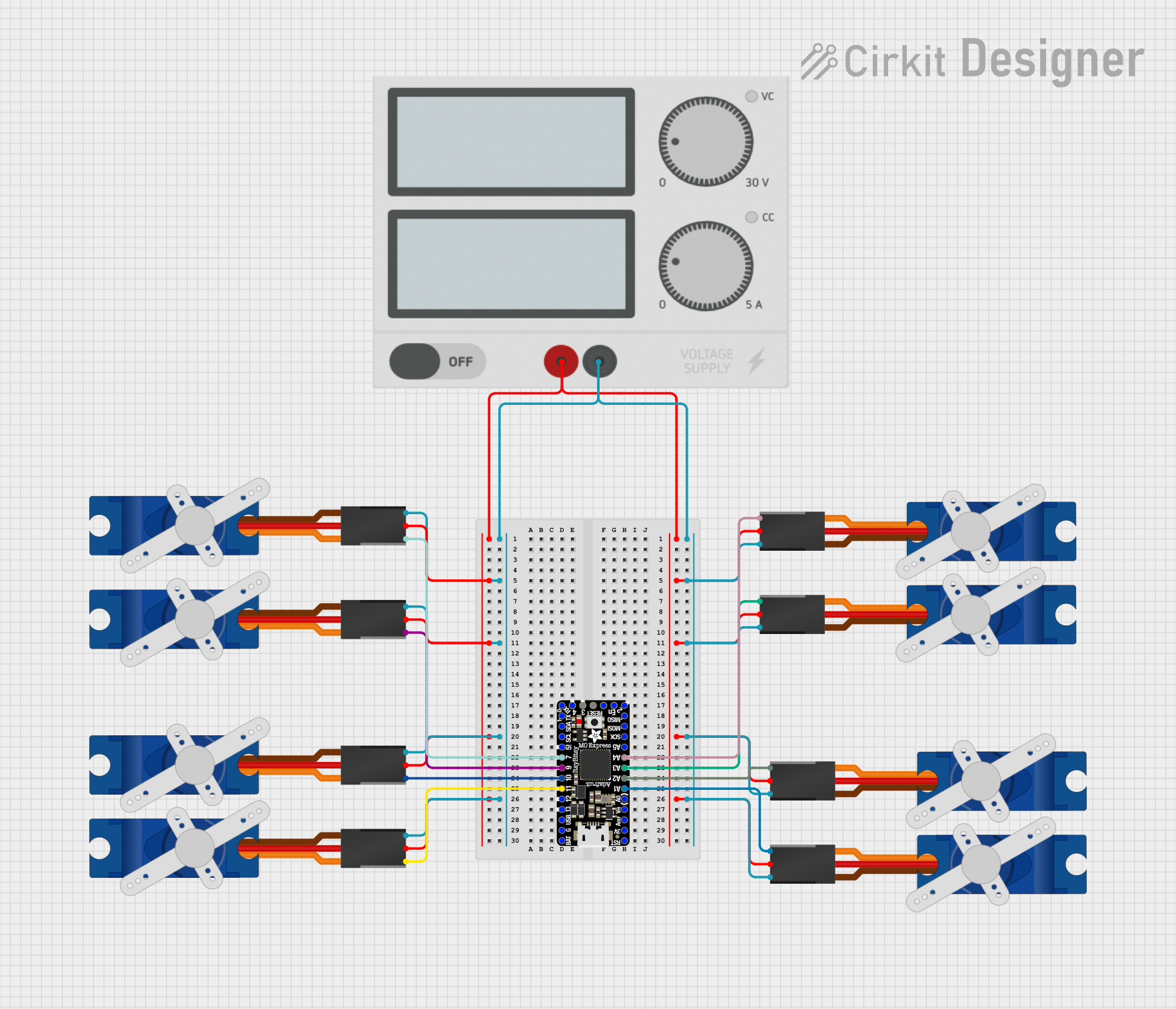
This circuit consists of an Itsy Bitsy M0 Express microcontroller connected to eight Tower Pro SG90 servos. Each servo is controlled by a different digital or analog output pin on the microcontroller. A single power supply provides +5V and GND to all servos, and the microcontroller is configured with some of its pins interconnected for potential programming or operational purposes.
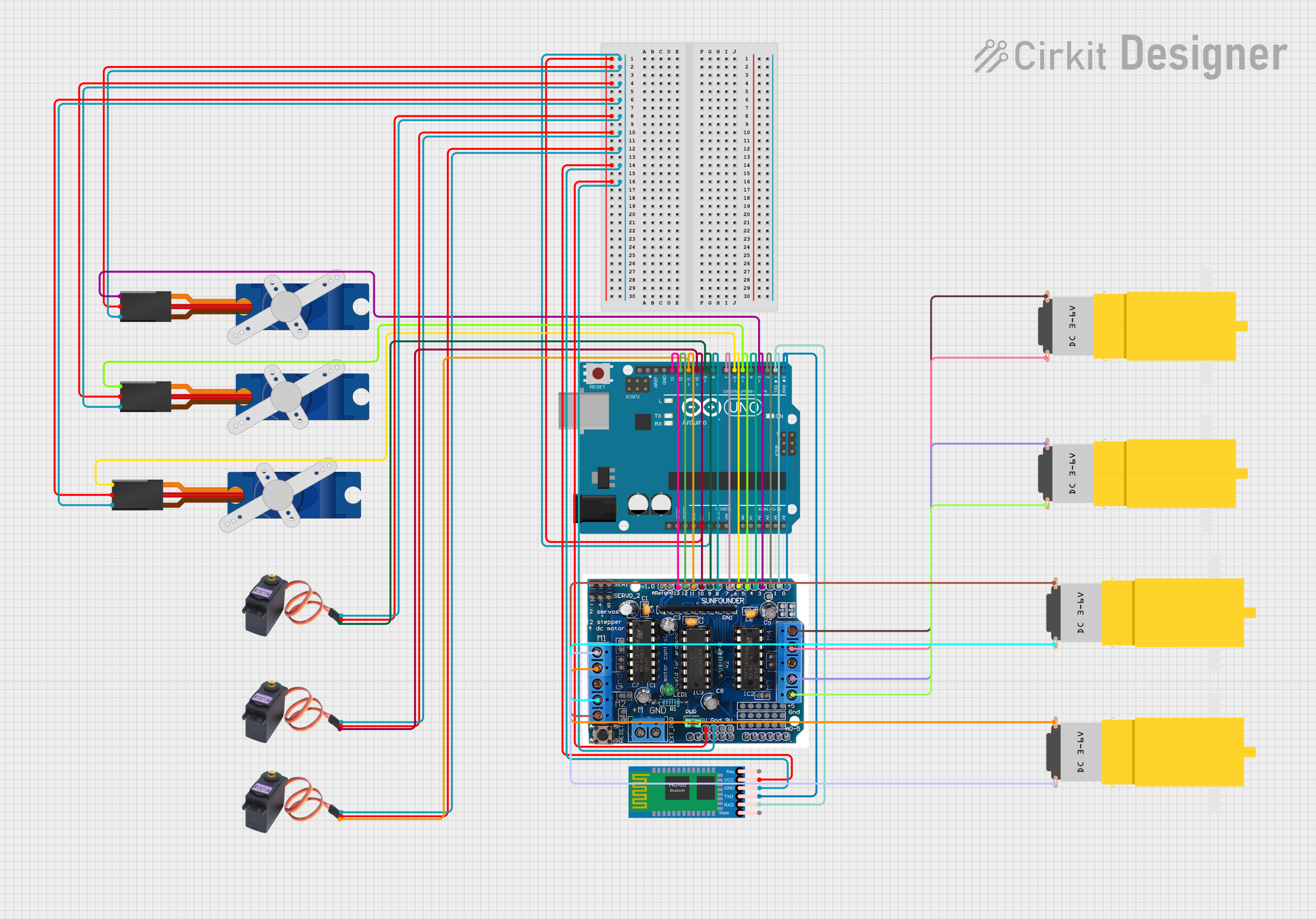
This circuit is designed to control multiple servos and DC motors through an Arduino UNO, which is interfaced with an L293D motor driver shield and an HC-05 Bluetooth module for wireless communication. The Arduino controls three Tower Pro SG90 servos and three MG996R servos, as well as four hobby motors, with the ability to receive commands via Bluetooth. The code provided initializes and controls the servos and motors, demonstrating basic movement and wireless control capabilities.
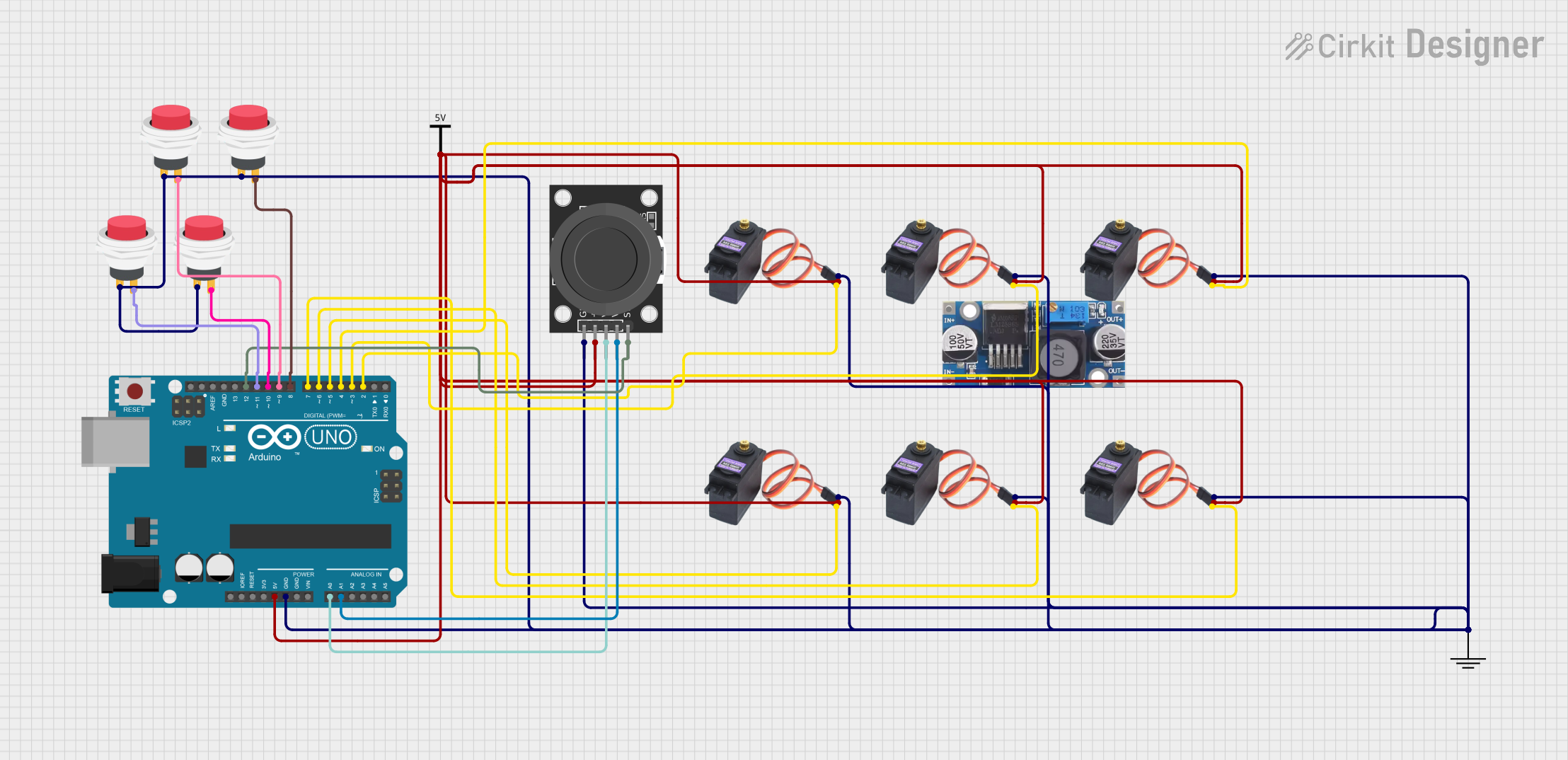
This is a servo control system featuring an Arduino UNO that processes input from a dual-axis joystick and push switches to operate multiple MG996R servo motors. It is designed for precise multi-axis control, potentially for applications like robotics or remote-controlled mechanisms.
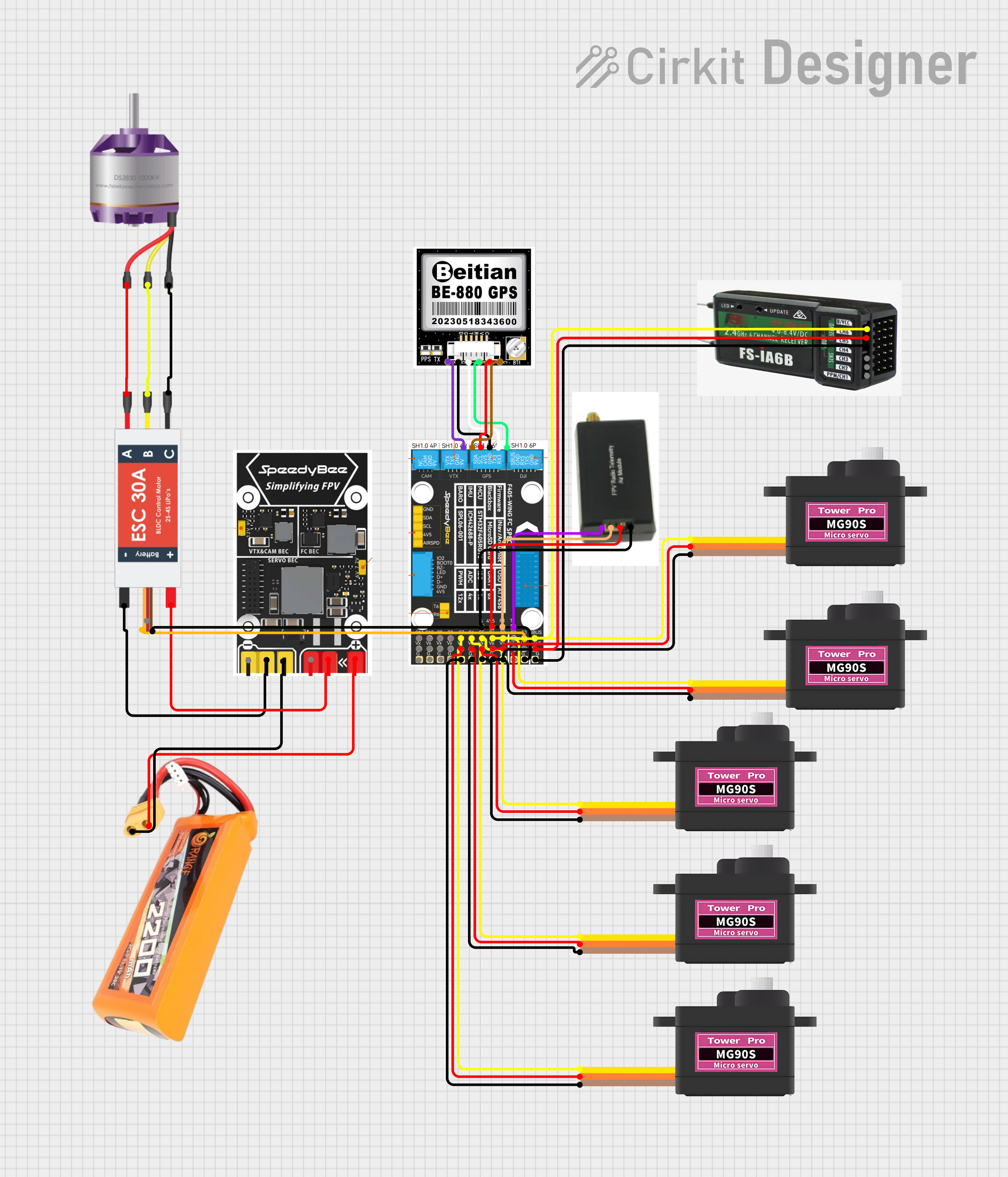
This circuit is designed for a remote-controlled vehicle or drone, featuring a flight controller that manages a brushless motor, servomotors for actuation, telemetry for data communication, and a GPS module for positioning. It is powered by a lipo battery and includes a receiver for remote control inputs.
Below are the key technical details of the Tower Pro MG995 Servo Motor:
Parameter
Value
Operating Voltage
4.8V to 7.2V
Stall Torque
9.4 kg·cm (4.8V), 11 kg·cm (6V)
Operating Speed
0.20 sec/60° (4.8V), 0.16 sec/60° (6V)
Control Signal
PWM (Pulse Width Modulation)
PWM Pulse Range
500 µs to 2500 µs
Angle Range
0° to 180°
Gear Type
Metal
Weight
55g
Dimensions
40.7mm x 19.7mm x 42.9mm
Pin Configuration
The MG995 servo motor has a 3-pin connector for interfacing with a microcontroller or power source. The pinout is as follows:
Pin
Wire Color
Description
1
Brown
Ground (GND)
2
Red
Power Supply (VCC)
3
Orange
Signal (PWM Input)
Usage Instructions
Connecting the MG995 Servo Motor
Power Supply: Connect the red wire to a power source (4.8V to 7.2V). Ensure the power supply can provide sufficient current (at least 2A) to handle the motor's peak load.
Ground: Connect the brown wire to the ground (GND) of your circuit.
Signal: Connect the orange wire to the PWM output pin of your microcontroller (e.g., Arduino).
Important Considerations
Power Requirements: Use a separate power supply for the servo motor to avoid voltage drops or interference with the microcontroller.
PWM Signal: Ensure the PWM signal is within the specified range (500 µs to 2500 µs) to avoid damaging the servo.
Mounting: Secure the servo motor properly to prevent vibrations or misalignment during operation.
Overloading: Avoid exceeding the torque rating to prevent overheating or damage to the motor.
Example: Controlling the MG995 with Arduino UNO
Below is an example code to control the MG995 servo motor using an Arduino UNO:
#include <Servo.h> // Include the Servo library

Servo myServo; // Create a Servo object to control the MG995

void setup() {
  myServo.attach(9); // Attach the servo to pin 9 on the Arduino
  // Ensure the pin supports PWM output
}

void loop() {
  myServo.write(0); // Move the servo to 0 degrees
  delay(1000); // Wait for 1 second

  myServo.write(90); // Move the servo to 90 degrees
  delay(1000); // Wait for 1 second

  myServo.write(180); // Move the servo to 180 degrees
  delay(1000); // Wait for 1 second
}
Best Practices
Use a capacitor (e.g., 100 µF) across the power supply terminals to stabilize voltage.
Avoid sudden changes in angle to reduce stress on the motor.
Test the servo with a low load before integrating it into your project.
Troubleshooting and FAQs
Common Issues and Solutions
Servo Not Moving
Cause: Incorrect wiring or insufficient power supply.
Solution: Verify the wiring and ensure the power supply meets the voltage and current requirements.
Servo Jittering
Cause: Electrical noise or unstable power supply.
Solution: Add a capacitor across the power supply terminals and ensure proper grounding.
Overheating
Cause: Prolonged operation under high torque or incorrect PWM signal.
Solution: Reduce the load on the servo and verify the PWM signal is within the specified range.
Limited Range of Motion
Cause: PWM signal out of range or mechanical obstruction.
Solution: Check the PWM signal and ensure there are no physical obstructions.
FAQs
Q: Can I power the MG995 directly from the Arduino?
A: It is not recommended, as the Arduino cannot supply sufficient current for the servo motor. Use an external power supply.
Q: What is the maximum angle the MG995 can rotate?
A: The MG995 can rotate up to 180° when provided with the correct PWM signal.
Q: Can I use the MG995 for continuous rotation?
A: No, the MG995 is designed for positional control, not continuous rotation. For continuous rotation, use a modified servo or a dedicated continuous rotation motor.
Q: How do I prevent the servo from drawing too much current?
A: Use a current-limiting resistor or a motor driver circuit to manage the current draw.
By following this documentation, you can effectively integrate the Tower Pro MG995 DIGI HI-SPEED Servo Motor into your projects and troubleshoot common issues with ease.

 Open Project in Cirkit Designer