
How to Use 24V Relay: Examples, Pinouts, and Specs
 Design with 24V Relay in Cirkit Designer
Introduction
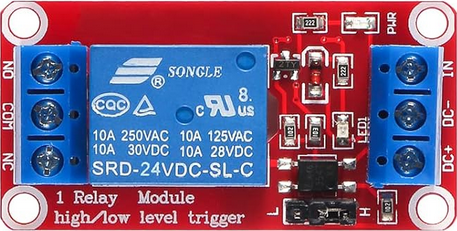
The 24V Relay is an electromechanical switch that uses an electromagnetic coil to open or close its internal contacts. This allows the control of a high voltage or high current circuit using a low voltage signal, typically operating at 24 volts. Relays are widely used in automation, industrial control systems, home appliances, and automotive applications. They provide electrical isolation between the control circuit and the load circuit, ensuring safety and reliability.
Explore Projects Built with 24V Relay
 Open Project in Cirkit Designer
 Open Project in Cirkit Designer
 Open Project in Cirkit Designer
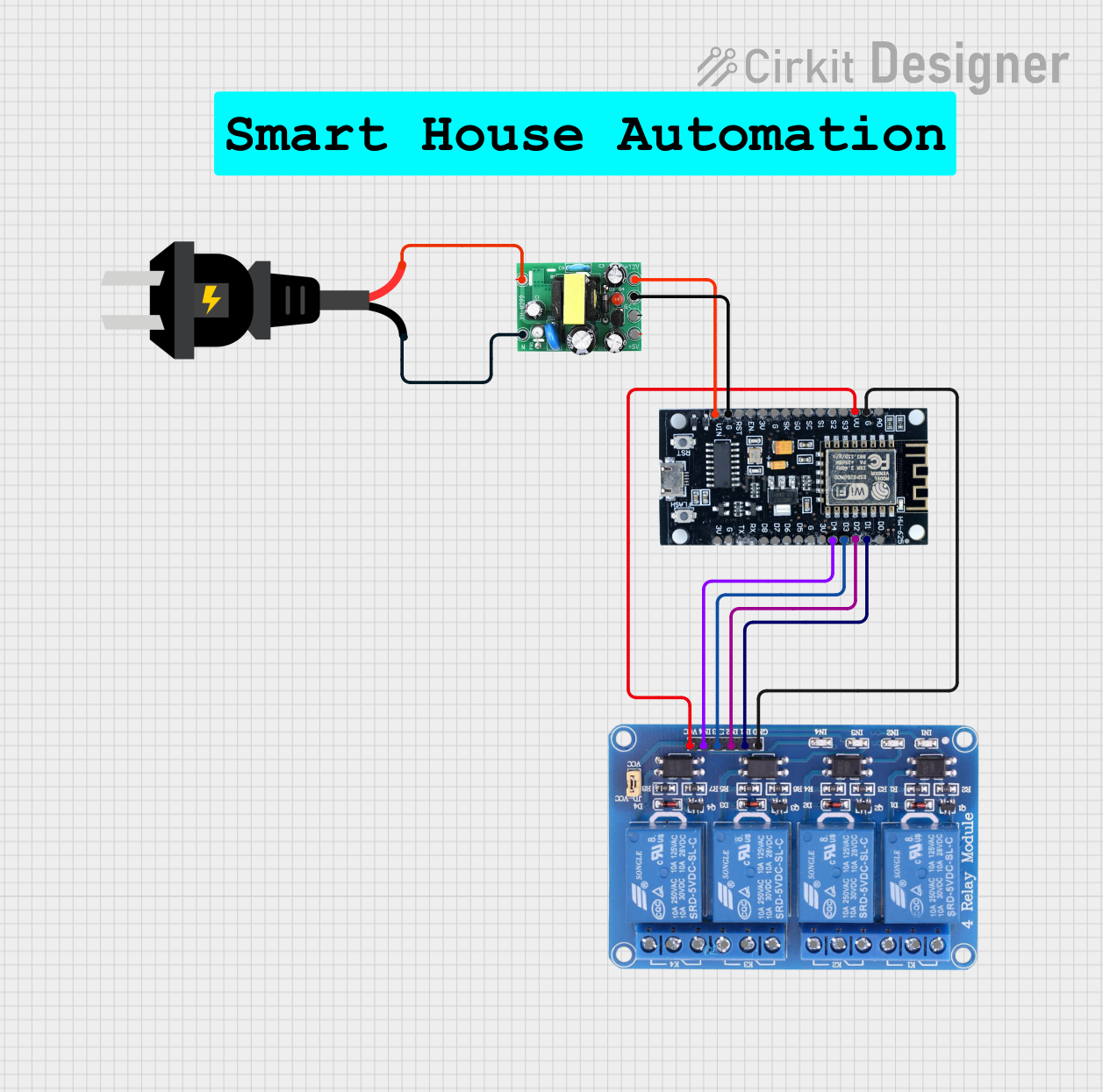 Open Project in Cirkit Designer
Explore Projects Built with 24V Relay
Open Project in Cirkit DesignerOpen Project in Cirkit DesignerOpen Project in Cirkit DesignerOpen Project in Cirkit DesignerCommon Applications
- Industrial automation systems
- Motor control circuits
- Home appliances (e.g., washing machines, HVAC systems)
- Automotive electronics
- Lighting control systems
- Power distribution and protection circuits
Technical Specifications
Key Technical Details
| Parameter | Value |
|---|---|
| Coil Voltage | 24V DC |
| Coil Resistance | Typically 200–300 ohms |
| Contact Configuration | SPDT (Single Pole Double Throw) or DPDT (Double Pole Double Throw) |
| Contact Voltage Rating | Up to 250V AC or 30V DC |
| Contact Current Rating | Typically 5A–30A |
| Switching Time | 5–15 ms (typical) |
| Insulation Resistance | ≥ 100 MΩ |
| Dielectric Strength | 1000V AC (coil to contacts) |
| Operating Temperature | -40°C to +85°C |
| Mechanical Life | ≥ 10 million operations |
| Electrical Life | ≥ 100,000 operations |
Pin Configuration and Descriptions
The pin configuration of a typical 24V relay depends on its type (e.g., SPDT or DPDT). Below is an example for a standard SPDT relay:
| Pin Number | Name | Description |
|---|---|---|
| 1 | Coil (+) | Positive terminal of the electromagnetic coil |
| 2 | Coil (-) | Negative terminal of the electromagnetic coil |
| 3 | Common (COM) | Common terminal for the switching contacts |
| 4 | Normally Open (NO) | Contact that is open when the relay is inactive |
| 5 | Normally Closed (NC) | Contact that is closed when the relay is inactive |
Usage Instructions
How to Use the 24V Relay in a Circuit
- Power the Coil: Connect the coil terminals (Pin 1 and Pin 2) to a 24V DC power source. Ensure the polarity is correct.
- Control the Load: Connect the load circuit to the Common (COM) terminal and either the Normally Open (NO) or Normally Closed (NC) terminal:
- Use the NO terminal if you want the circuit to close (turn on) when the relay is activated.
- Use the NC terminal if you want the circuit to open (turn off) when the relay is activated.
- Provide Isolation: Ensure the control circuit (connected to the coil) and the load circuit are electrically isolated.
- Add Protection: Use a flyback diode across the coil terminals to protect the circuit from voltage spikes when the relay is deactivated.
Important Considerations
- Current Rating: Ensure the relay's contact current rating matches or exceeds the load current.
- Voltage Rating: Verify that the relay's contact voltage rating is suitable for the load voltage.
- Flyback Diode: Always use a flyback diode (e.g., 1N4007) across the coil to prevent damage to the control circuit.
- Mounting: Secure the relay properly to avoid mechanical vibrations that could affect its operation.
- Testing: Test the relay in a low-power setup before connecting it to a high-power load.
Example: Connecting a 24V Relay to an Arduino UNO
Below is an example of how to control a 24V relay using an Arduino UNO:
Circuit Setup
- Connect the relay's coil terminals to a 24V power supply. Use a transistor (e.g., 2N2222) to switch the relay coil, as the Arduino cannot directly supply 24V.
- Use a 1kΩ resistor between the Arduino digital pin and the transistor base.
- Connect the relay's COM and NO terminals to the load circuit.
Arduino Code
// Define the pin connected to the transistor base
const int relayPin = 7;

void setup() {
  pinMode(relayPin, OUTPUT); // Set the relay pin as an output
  digitalWrite(relayPin, LOW); // Ensure the relay is off initially
}

void loop() {
  digitalWrite(relayPin, HIGH); // Activate the relay
  delay(5000); // Keep the relay on for 5 seconds
  digitalWrite(relayPin, LOW); // Deactivate the relay
  delay(5000); // Keep the relay off for 5 seconds
}
Notes
- Ensure the Arduino's ground is connected to the ground of the 24V power supply.
- Use an optocoupler if additional isolation is required between the Arduino and the relay.
Troubleshooting and FAQs
Common Issues
Relay Not Activating
- Cause: Insufficient voltage or current to the coil.
- Solution: Verify the power supply provides 24V DC and sufficient current for the relay.
Contacts Not Switching
- Cause: Faulty relay or incorrect wiring.
- Solution: Check the wiring and test the relay with a multimeter.
Voltage Spikes Damaging Circuit
- Cause: Absence of a flyback diode across the coil.
- Solution: Install a flyback diode (e.g., 1N4007) across the coil terminals.
Relay Buzzing Noise
- Cause: Insufficient or unstable coil voltage.
- Solution: Ensure the power supply provides a stable 24V DC.
Overheating
- Cause: Exceeding the relay's current or voltage ratings.
- Solution: Use a relay with appropriate ratings for your application.
FAQs
Q: Can I use a 24V relay with a 12V power supply?
A: No, the relay requires 24V DC to activate the coil. Using a lower voltage may result in unreliable operation.
Q: How do I know if my relay is SPDT or DPDT?
A: Check the relay's datasheet or inspect the pin configuration. SPDT relays have 5 pins, while DPDT relays typically have 8 pins.
Q: Can I control an AC load with a 24V relay?
A: Yes, as long as the relay's contact voltage and current ratings are suitable for the AC load.
Q: Why is a flyback diode necessary?
A: The flyback diode protects the control circuit from voltage spikes generated when the relay coil is de-energized.
Q: Can I use a 24V relay with an Arduino without a transistor?
A: No, the Arduino cannot directly supply 24V. Use a transistor or relay driver circuit to control the relay.