
How to Use Led Module White: Examples, Pinouts, and Specs
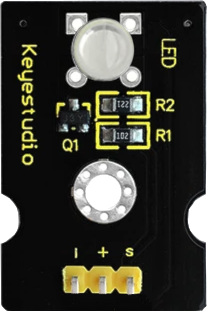
 Design with Led Module White in Cirkit Designer
Introduction
The Keyestudio LED Module White (KS0232) is a compact and efficient module featuring a bright white LED. It is designed for use in a variety of electronic projects, providing reliable illumination and visual indicators. The module is easy to integrate into circuits and is compatible with microcontrollers like Arduino, making it ideal for beginners and professionals alike.
Explore Projects Built with Led Module White
 Open Project in Cirkit Designer
 Open Project in Cirkit Designer
 Open Project in Cirkit Designer
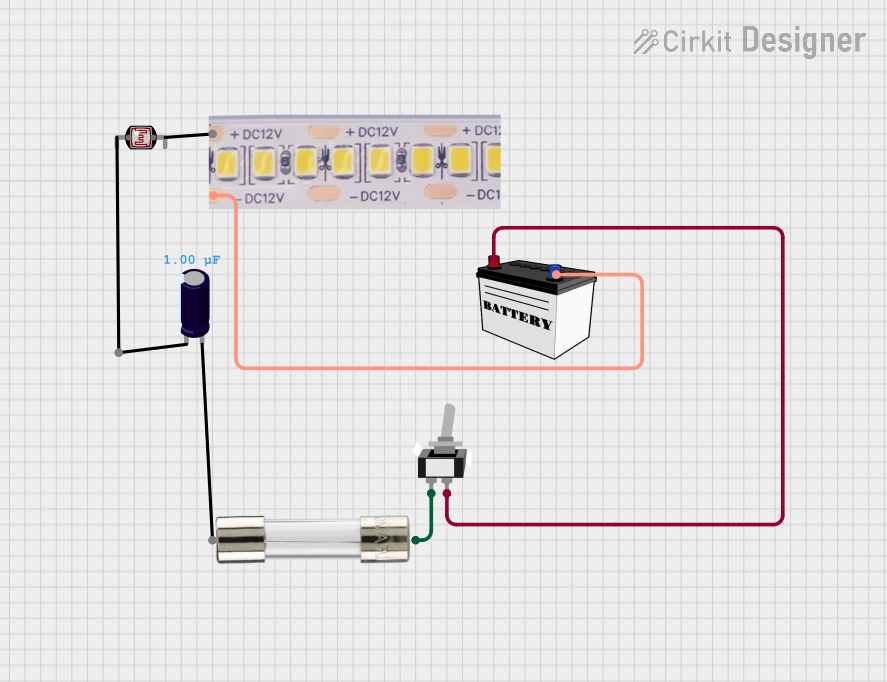 Open Project in Cirkit Designer
Explore Projects Built with Led Module White
Open Project in Cirkit DesignerOpen Project in Cirkit DesignerOpen Project in Cirkit DesignerOpen Project in Cirkit DesignerCommon Applications and Use Cases
- Status indicators in electronic devices
- Illumination for small-scale projects
- Visual feedback in Arduino-based systems
- DIY electronics and prototyping
- Educational projects and demonstrations
Technical Specifications
The following table outlines the key technical details of the Keyestudio LED Module White:
| Parameter | Specification |
|---|---|
| Manufacturer | Keyestudio |
| Part ID | KS0232 |
| Operating Voltage | 3.3V - 5V |
| Operating Current | 20mA (typical) |
| LED Color | White |
| Dimensions | 18mm x 15mm x 8mm |
| Mounting Type | PCB Mount |
| Connector Type | 3-pin header (VCC, GND, S) |
Pin Configuration and Descriptions
The module has a 3-pin header for easy connection. The pinout is as follows:
| Pin | Label | Description |
|---|---|---|
| 1 | VCC | Power supply input (3.3V - 5V) |
| 2 | GND | Ground connection |
| 3 | S | Signal pin to control the LED (active HIGH) |
Usage Instructions
How to Use the Component in a Circuit
- Power Supply: Connect the VCC pin to a 3.3V or 5V power source and the GND pin to the ground of your circuit.
- Control Signal: Use the S pin to control the LED. When the S pin is set HIGH, the LED will turn on. When set LOW, the LED will turn off.
- Resistor Consideration: The module includes an onboard current-limiting resistor, so no external resistor is required.
Example Circuit with Arduino UNO
Below is an example of how to connect and control the LED module using an Arduino UNO:
Circuit Connections
- Connect the VCC pin of the module to the 5V pin on the Arduino.
- Connect the GND pin of the module to the GND pin on the Arduino.
- Connect the S pin of the module to digital pin 9 on the Arduino.
Arduino Code
// Keyestudio LED Module White (KS0232) Example Code
// This code turns the LED on for 1 second and off for 1 second in a loop.

const int ledPin = 9; // Pin connected to the S pin of the LED module

void setup() {
  pinMode(ledPin, OUTPUT); // Set the LED pin as an output
}

void loop() {
  digitalWrite(ledPin, HIGH); // Turn the LED on
  delay(1000);                // Wait for 1 second
  digitalWrite(ledPin, LOW);  // Turn the LED off
  delay(1000);                // Wait for 1 second
}
Important Considerations and Best Practices
- Ensure the operating voltage does not exceed 5V to avoid damaging the module.
- Avoid looking directly at the LED when it is powered on, as the bright light may cause eye strain.
- If using multiple LED modules, ensure the total current draw does not exceed the power supply's capacity.
Troubleshooting and FAQs
Common Issues and Solutions
LED Does Not Light Up
- Cause: Incorrect wiring or insufficient power supply.
- Solution: Double-check the connections and ensure the VCC and GND pins are properly connected. Verify that the S pin is receiving a HIGH signal.
LED Flickers or Is Dim
- Cause: Insufficient current or loose connections.
- Solution: Ensure the power supply can provide at least 20mA of current. Check for secure connections.
Module Overheats
- Cause: Operating voltage exceeds 5V.
- Solution: Use a regulated power supply within the specified voltage range (3.3V - 5V).
FAQs
Q: Can I use this module with a 3.3V microcontroller?
A: Yes, the module is compatible with both 3.3V and 5V systems.
Q: Do I need an external resistor for this module?
A: No, the module includes an onboard current-limiting resistor.
Q: Can I control the brightness of the LED?
A: Yes, you can use PWM (Pulse Width Modulation) on the S pin to adjust the brightness.
Q: Is the module suitable for outdoor use?
A: The module is not weatherproof and should be used in dry, indoor environments unless additional protection is provided.