Cirkit Designer Logo
Cirkit Designer
Your all-in-one circuit design IDE
Home / 
Component Documentation

How to Use BH1750FVI: Examples, Pinouts, and Specs
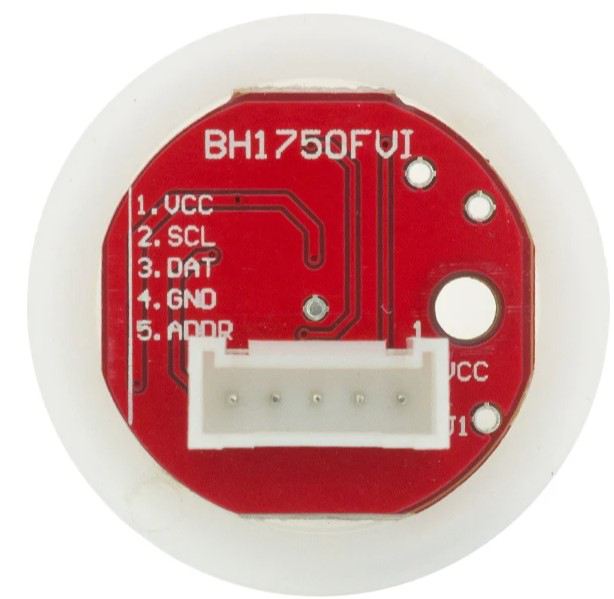

Image of BH1750FVI
Cirkit Designer LogoDesign with BH1750FVI in Cirkit Designer

Introduction

The Light Intensity Module Ball is a device designed to measure and control the intensity of light in a circuit. It is equipped with a light sensor that detects ambient light levels and outputs a corresponding signal, which can be used for monitoring or controlling light-dependent systems. This module is commonly used in applications such as photography for exposure control, horticulture for optimizing plant growth, and environmental monitoring to track light conditions.

Explore Projects Built with BH1750FVI
Use Cirkit Designer to design, explore, and prototype these projects online. Some projects support real-time simulation. Click "Open Project" to start designing instantly!
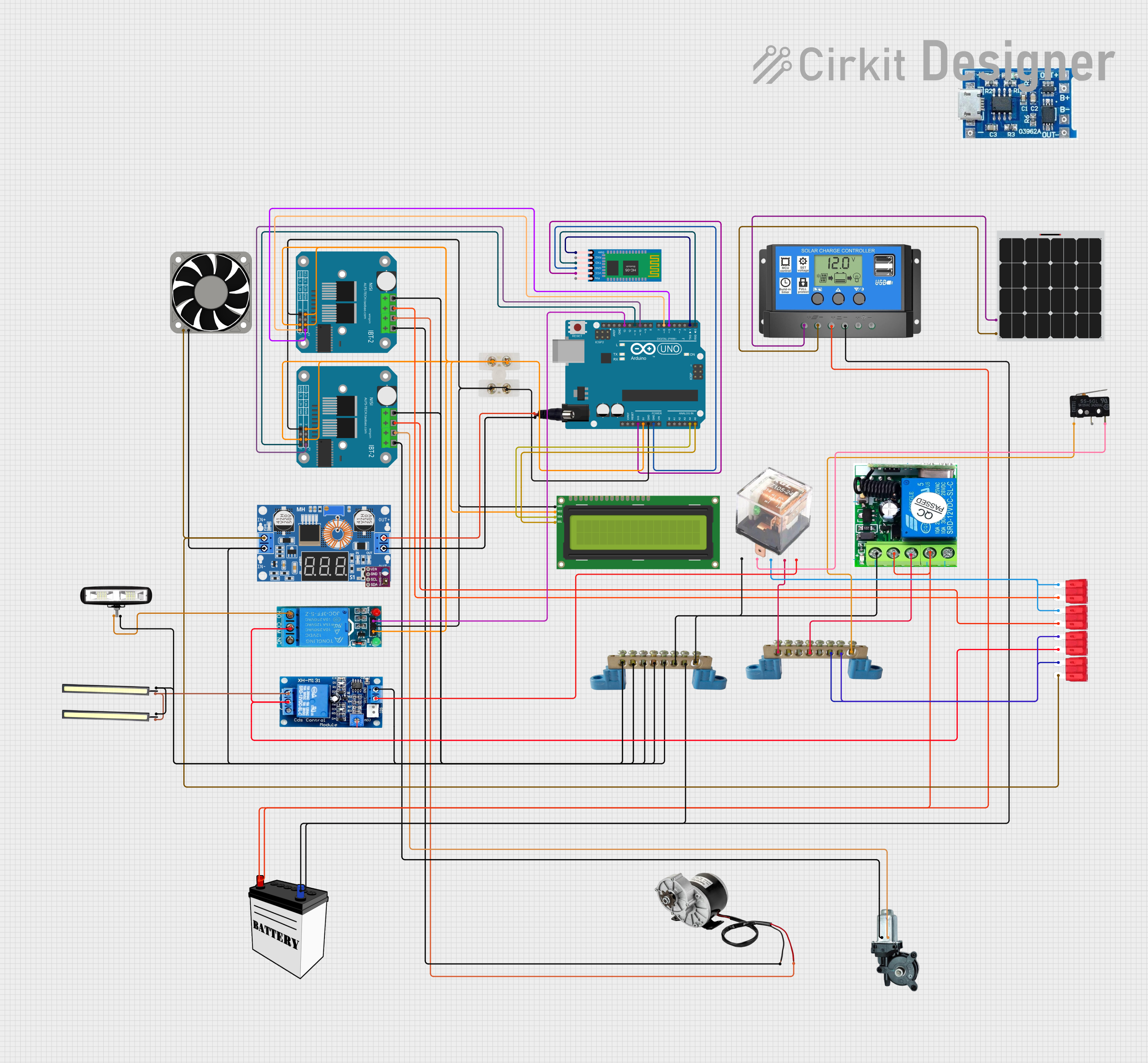
Arduino UNO Controlled Bluetooth Interface for Motorized Window and Environmental Sensing
Image of smart trolly: A project utilizing BH1750FVI in a practical application
This circuit features an Arduino UNO microcontroller interfacing with an HC-05 Bluetooth module for wireless control, an I2C LCD for display, and dual BTS7960 motor drivers to operate a high-power DC motor and a car power window motor. It includes a solar-powered charging system for the 12V battery, with power regulation and distribution managed by relays, fuses, and a buck converter. The system is designed for remote monitoring and control, with visual feedback provided by LEDs.
Cirkit Designer LogoOpen Project in Cirkit Designer
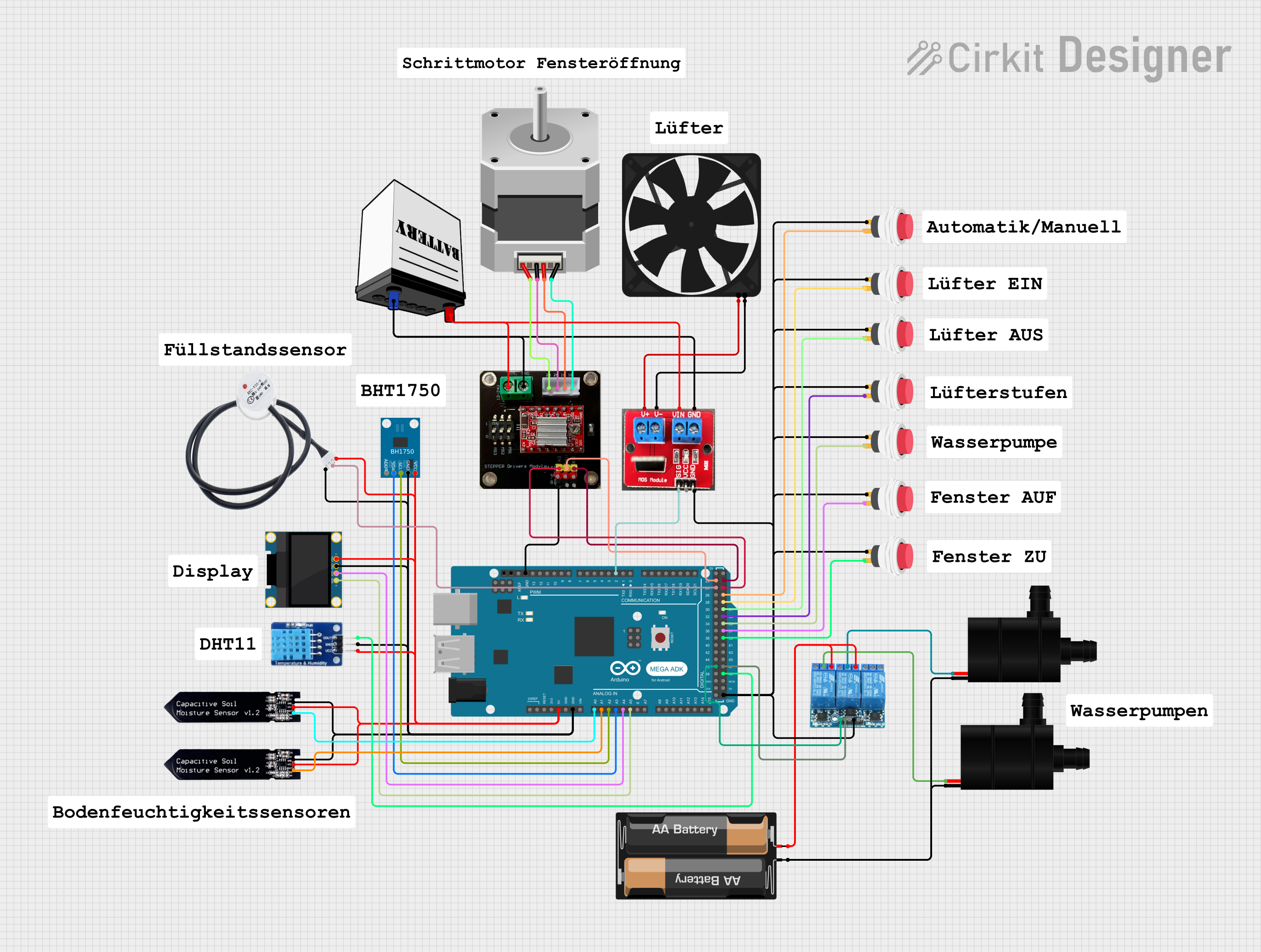
Arduino Mega ADK Automated Plant Watering and Environmental Monitoring System
Image of Automatisierungsprojekt Mega: A project utilizing BH1750FVI in a practical application
This circuit features an Arduino Mega ADK as the central microcontroller, interfacing with a variety of sensors and actuators. It includes a BH1750 light sensor and a DHT11 temperature and humidity sensor for environmental monitoring, both interfacing via I2C. The system controls a stepper motor via an A4988 driver, two water pumps through a 3-channel relay, and a fan using an IRF520 PWM module, with several push switches to trigger inputs. An OLED display provides a user interface, and soil moisture levels are monitored with two soil sensors. A non-contact water level sensor is also included for liquid level detection.
Cirkit Designer LogoOpen Project in Cirkit Designer
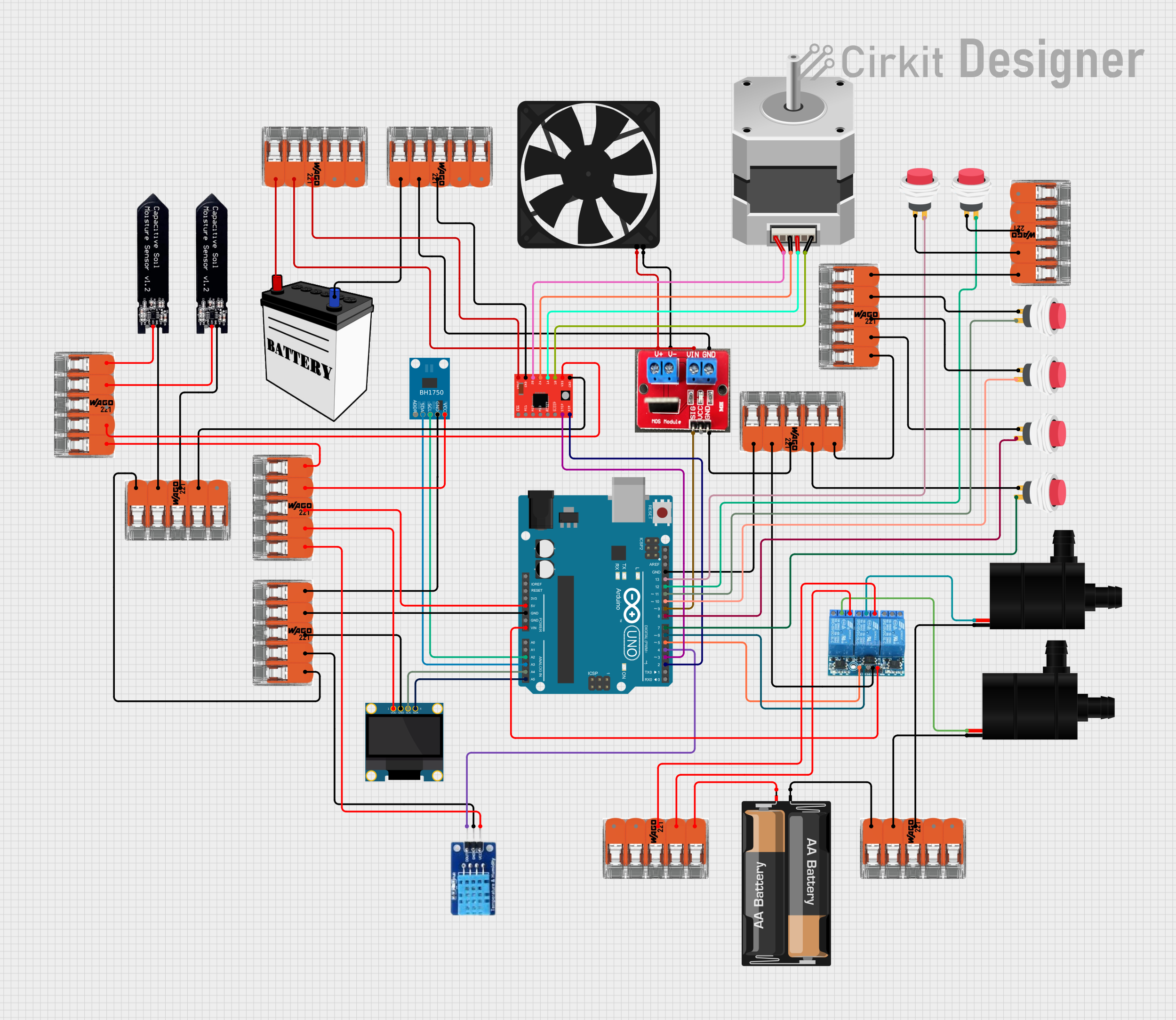
Arduino UNO Based Automated Plant Watering System with Environmental Monitoring
Image of Automatisierungsprojekt: A project utilizing BH1750FVI in a practical application
This circuit is designed to monitor environmental conditions and control peripheral devices. It features light and temperature/humidity sensing, visual output on an OLED display, and actuation of a fan, water pumps, and a stepper motor. Power management and distribution are facilitated by splicing connectors, and the system is controlled by an Arduino UNO, which currently has placeholder code for customization.
Cirkit Designer LogoOpen Project in Cirkit Designer
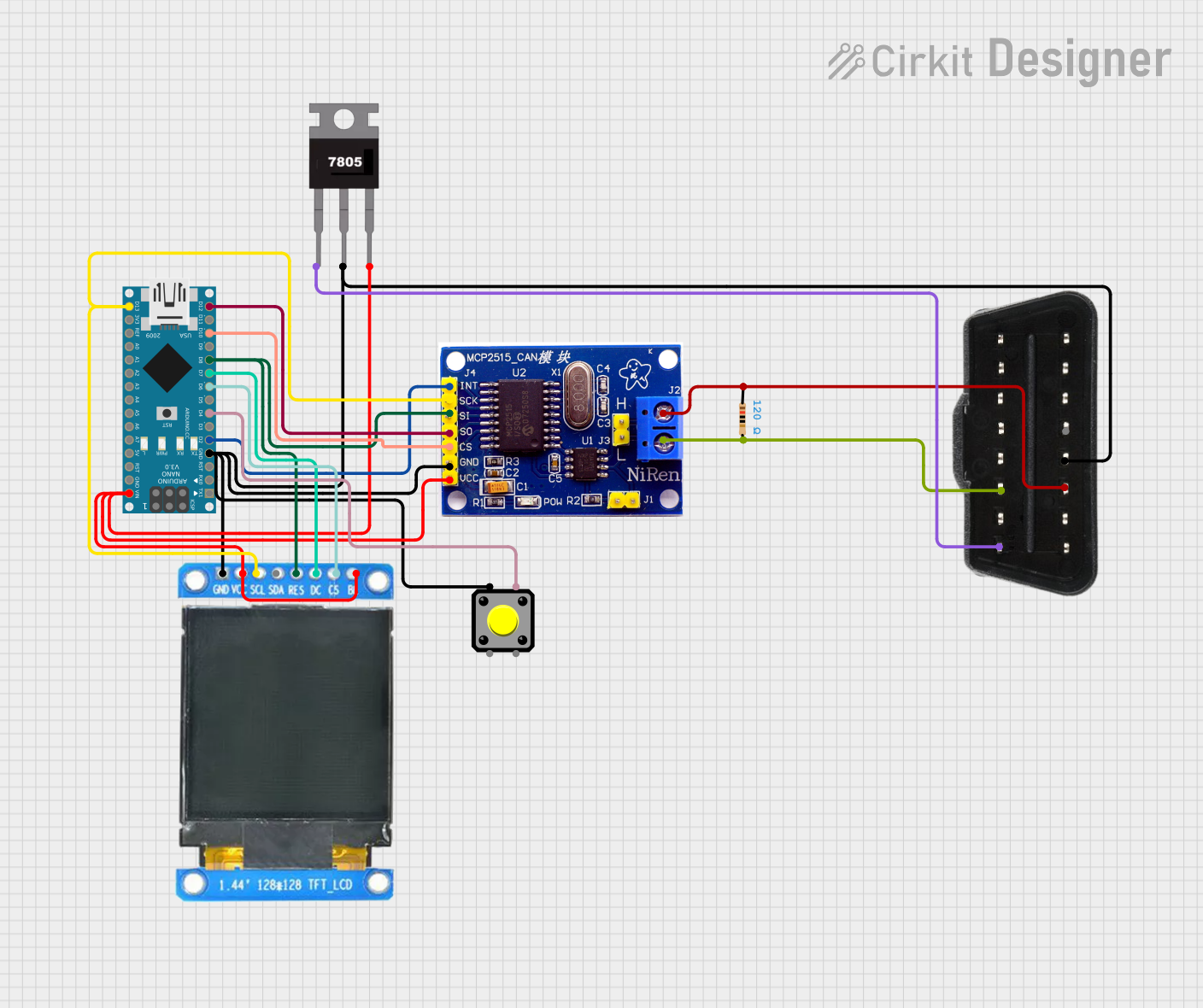
Arduino Nano OBD-II Data Logger with TFT Display and CAN Bus Interface
Image of inzynierka: A project utilizing BH1750FVI in a practical application
This circuit is an OBD-II vehicle diagnostic interface that uses an Arduino Nano to communicate with a vehicle's CAN bus via an MCP2515 CAN controller. It includes a 7805 voltage regulator to step down the vehicle's 12V supply to 5V, powering the Arduino and other components, and a 1.44-inch TFT display for visual output. A pushbutton is also included for user interaction.
Cirkit Designer LogoOpen Project in Cirkit Designer

Explore Projects Built with BH1750FVI

Use Cirkit Designer to design, explore, and prototype these projects online. Some projects support real-time simulation. Click "Open Project" to start designing instantly!
Image of smart trolly: A project utilizing BH1750FVI in a practical application
Arduino UNO Controlled Bluetooth Interface for Motorized Window and Environmental Sensing
This circuit features an Arduino UNO microcontroller interfacing with an HC-05 Bluetooth module for wireless control, an I2C LCD for display, and dual BTS7960 motor drivers to operate a high-power DC motor and a car power window motor. It includes a solar-powered charging system for the 12V battery, with power regulation and distribution managed by relays, fuses, and a buck converter. The system is designed for remote monitoring and control, with visual feedback provided by LEDs.
Cirkit Designer LogoOpen Project in Cirkit Designer
Image of Automatisierungsprojekt Mega: A project utilizing BH1750FVI in a practical application
Arduino Mega ADK Automated Plant Watering and Environmental Monitoring System
This circuit features an Arduino Mega ADK as the central microcontroller, interfacing with a variety of sensors and actuators. It includes a BH1750 light sensor and a DHT11 temperature and humidity sensor for environmental monitoring, both interfacing via I2C. The system controls a stepper motor via an A4988 driver, two water pumps through a 3-channel relay, and a fan using an IRF520 PWM module, with several push switches to trigger inputs. An OLED display provides a user interface, and soil moisture levels are monitored with two soil sensors. A non-contact water level sensor is also included for liquid level detection.
Cirkit Designer LogoOpen Project in Cirkit Designer
Image of Automatisierungsprojekt: A project utilizing BH1750FVI in a practical application
Arduino UNO Based Automated Plant Watering System with Environmental Monitoring
This circuit is designed to monitor environmental conditions and control peripheral devices. It features light and temperature/humidity sensing, visual output on an OLED display, and actuation of a fan, water pumps, and a stepper motor. Power management and distribution are facilitated by splicing connectors, and the system is controlled by an Arduino UNO, which currently has placeholder code for customization.
Cirkit Designer LogoOpen Project in Cirkit Designer
Image of inzynierka: A project utilizing BH1750FVI in a practical application
Arduino Nano OBD-II Data Logger with TFT Display and CAN Bus Interface
This circuit is an OBD-II vehicle diagnostic interface that uses an Arduino Nano to communicate with a vehicle's CAN bus via an MCP2515 CAN controller. It includes a 7805 voltage regulator to step down the vehicle's 12V supply to 5V, powering the Arduino and other components, and a 1.44-inch TFT display for visual output. A pushbutton is also included for user interaction.
Cirkit Designer LogoOpen Project in Cirkit Designer

Technical Specifications

  • Operating Voltage: 3.3V to 5V DC
  • Output Type: Analog and Digital
  • Light Sensitivity Range: 0 to 100,000 lux
  • Response Time: < 1 ms
  • Operating Temperature: -20°C to 70°C
  • Dimensions: 30mm x 20mm x 10mm

Pin Configuration and Descriptions

Pin Name Type Description
VCC Power Input Connect to a 3.3V or 5V DC power supply.
GND Ground Connect to the ground of the circuit.
AO Analog Output Outputs an analog voltage proportional to the detected light intensity.
DO Digital Output Outputs a HIGH or LOW signal based on the light intensity threshold (adjustable).

Usage Instructions

How to Use the Component in a Circuit

  1. Power the Module:
    Connect the VCC pin to a 3.3V or 5V power source and the GND pin to the ground of your circuit.

  2. Choose Output Type:

    • Use the AO pin if you need an analog signal to measure the exact light intensity.
    • Use the DO pin if you need a digital signal to detect whether the light intensity is above or below a threshold.
  3. Adjust the Threshold:
    The module includes a potentiometer to set the light intensity threshold for the digital output. Rotate the potentiometer clockwise or counterclockwise to adjust the sensitivity.

  4. Connect to a Microcontroller (Optional):
    If using an Arduino UNO, connect the AO pin to an analog input pin (e.g., A0) or the DO pin to a digital input pin (e.g., D2).

Important Considerations and Best Practices

  • Avoid exposing the module to extreme temperatures or humidity, as this may affect its performance.
  • Ensure the module is not directly exposed to water or other liquids.
  • When using the analog output, consider adding a capacitor to smooth out any noise in the signal.
  • For accurate measurements, avoid placing the module in areas with reflective surfaces that may distort light readings.

Example Code for Arduino UNO

The following code demonstrates how to read both the analog and digital outputs of the Light Intensity Module Ball using an Arduino UNO:

// Define pin connections
const int analogPin = A0; // Connect AO pin to A0 on Arduino
const int digitalPin = 2; // Connect DO pin to D2 on Arduino

void setup() {
  Serial.begin(9600); // Initialize serial communication at 9600 baud
  pinMode(digitalPin, INPUT); // Set digital pin as input
}

void loop() {
  // Read the analog value from the AO pin
  int lightLevel = analogRead(analogPin);
  
  // Read the digital value from the DO pin
  int lightThreshold = digitalRead(digitalPin);
  
  // Print the analog light intensity value
  Serial.print("Light Intensity (Analog): ");
  Serial.println(lightLevel);
  
  // Print the digital threshold status
  if (lightThreshold == HIGH) {
    Serial.println("Light intensity is above the threshold.");
  } else {
    Serial.println("Light intensity is below the threshold.");
  }
  
  delay(500); // Wait for 500ms before the next reading
}

Troubleshooting and FAQs

Common Issues Users Might Face

  1. No Output Signal:

    • Cause: Incorrect wiring or insufficient power supply.
    • Solution: Double-check all connections and ensure the power supply is within the operating voltage range.
  2. Inaccurate Readings:

    • Cause: Interference from reflective surfaces or electrical noise.
    • Solution: Place the module in a stable environment and consider adding a capacitor to the analog output.
  3. Digital Output Not Triggering:

    • Cause: Threshold not properly set.
    • Solution: Adjust the potentiometer to set the desired light intensity threshold.
  4. Module Overheating:

    • Cause: Operating outside the recommended voltage range.
    • Solution: Ensure the input voltage is between 3.3V and 5V.

FAQs

Q: Can this module be used outdoors?
A: Yes, but it should be protected from direct exposure to water or extreme weather conditions.

Q: What is the difference between the analog and digital outputs?
A: The analog output provides a continuous voltage proportional to the light intensity, while the digital output provides a HIGH or LOW signal based on the set threshold.

Q: How do I calibrate the module for specific light conditions?
A: Use the onboard potentiometer to adjust the threshold for the digital output. For analog output, you can calibrate in software by mapping the sensor's range to your desired scale.

Q: Can this module detect infrared light?
A: No, this module is designed to detect visible light and may not respond to infrared wavelengths.