
How to Use MQ-2: Examples, Pinouts, and Specs
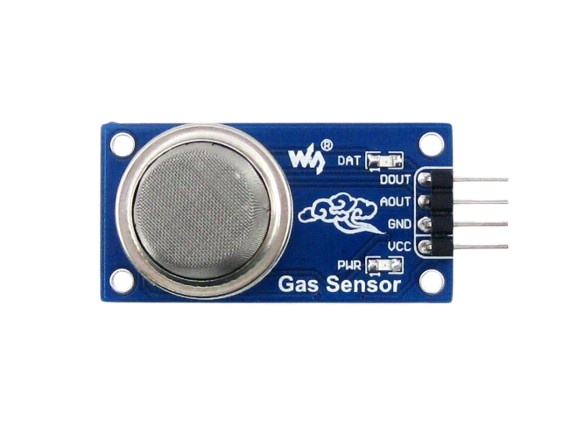
 Design with MQ-2 in Cirkit Designer
Introduction
The MQ-2, manufactured by Zanefac (Part ID: MQ-2), is a versatile gas sensor designed to detect a variety of gases, including LPG, propane, methane, and smoke. It operates on the principle of resistive change in the presence of target gases, producing an analog output proportional to the gas concentration. This sensor is widely used in applications such as gas leak detection, air quality monitoring, and safety systems.
Explore Projects Built with MQ-2
 Open Project in Cirkit Designer
 Open Project in Cirkit Designer
 Open Project in Cirkit Designer
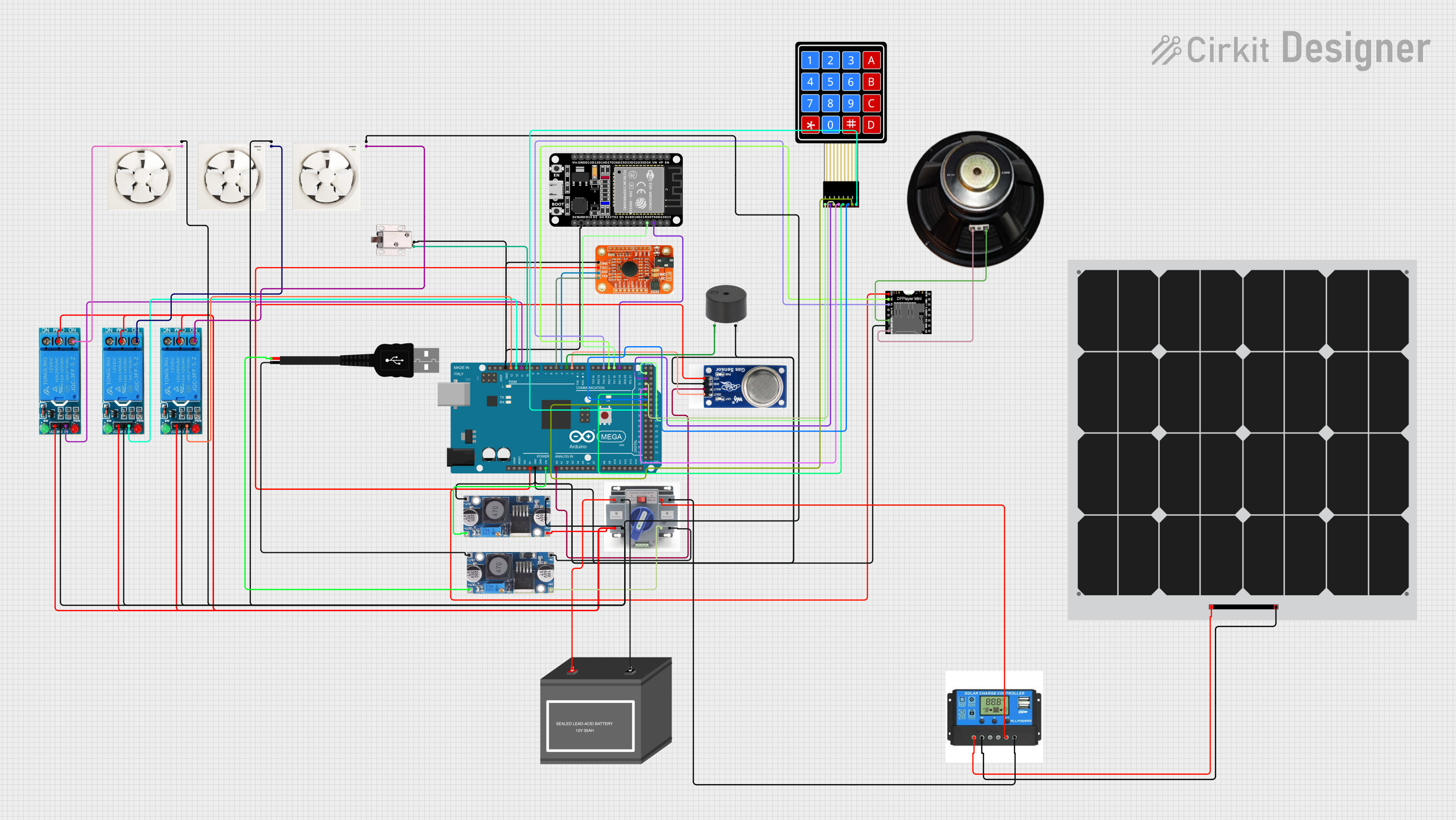 Open Project in Cirkit Designer
Explore Projects Built with MQ-2
Open Project in Cirkit DesignerOpen Project in Cirkit DesignerOpen Project in Cirkit DesignerOpen Project in Cirkit DesignerCommon Applications
- Gas leak detection in homes and industries
- Smoke detection in fire alarm systems
- Air quality monitoring systems
- IoT-based environmental monitoring projects
- Safety systems for detecting hazardous gas levels
Technical Specifications
The MQ-2 sensor is designed for ease of use and integration into various systems. Below are its key technical details:
Key Specifications
| Parameter | Value |
|---|---|
| Operating Voltage | 5V DC |
| Load Resistance (RL) | Adjustable (typically 10 kΩ) |
| Heater Voltage (VH) | 5V ± 0.2V |
| Power Consumption | ≤ 800 mW |
| Detection Range | 200 ppm – 10,000 ppm |
| Preheat Time | ≥ 24 hours for best accuracy |
| Output Signal | Analog (0–5V) |
| Sensitivity | Detects LPG, propane, methane, smoke, etc. |
Pin Configuration
The MQ-2 sensor typically comes with four pins. Below is the pinout description:
| Pin Number | Pin Name | Description |
|---|---|---|
| 1 | VCC | Power supply pin (5V DC) |
| 2 | GND | Ground pin |
| 3 | AOUT | Analog output pin (proportional to gas levels) |
| 4 | DOUT | Digital output pin (threshold-based signal) |
Usage Instructions
The MQ-2 sensor is straightforward to use in a circuit. Follow the steps below to integrate it into your project:
Circuit Connection
- Power Supply: Connect the
VCCpin to a 5V DC power source and theGNDpin to ground. - Analog Output: Connect the
AOUTpin to an analog input pin of your microcontroller (e.g., Arduino UNO) to read gas concentration levels. - Digital Output: Optionally, connect the
DOUTpin to a digital input pin of your microcontroller. Adjust the onboard potentiometer to set the gas concentration threshold for triggering the digital output.
Important Considerations
- Preheat Time: Allow the sensor to preheat for at least 24 hours before taking accurate measurements.
- Ventilation: Ensure proper ventilation around the sensor to avoid saturation and improve response time.
- Calibration: Calibrate the sensor in a known gas concentration environment for precise readings.
- Power Supply: Use a stable 5V power source to avoid fluctuations in sensor output.
Example Code for Arduino UNO
Below is an example of how to use the MQ-2 sensor with an Arduino UNO to read analog gas concentration levels:
// MQ-2 Gas Sensor Example Code
// Manufacturer: Zanefac
// Part ID: MQ-2
// This code reads the analog output of the MQ-2 sensor and prints the value
// to the Serial Monitor. Ensure the sensor is connected to the correct pins.

const int analogPin = A0; // Connect AOUT pin of MQ-2 to Arduino A0
int sensorValue = 0;      // Variable to store the sensor reading

void setup() {
  Serial.begin(9600); // Initialize serial communication at 9600 baud
  Serial.println("MQ-2 Gas Sensor Test");
}

void loop() {
  sensorValue = analogRead(analogPin); // Read the analog value from the sensor
  Serial.print("Gas Concentration (Analog Value): ");
  Serial.println(sensorValue); // Print the sensor value to the Serial Monitor
  delay(1000); // Wait for 1 second before the next reading
}
Best Practices
- Use a pull-down resistor on the
DOUTpin if using the digital output. - Avoid exposing the sensor to high concentrations of corrosive gases, as this may damage the sensing element.
- Place the sensor in an upright position for optimal performance.
Troubleshooting and FAQs
Common Issues and Solutions
| Issue | Possible Cause | Solution |
|---|---|---|
| No output from the sensor | Incorrect wiring or power supply issue | Verify connections and ensure 5V power |
| Unstable or fluctuating readings | Insufficient preheat time | Allow the sensor to preheat for 24 hours |
| Low sensitivity to target gases | Calibration not performed | Calibrate the sensor in a known gas environment |
| Digital output not triggering | Threshold not set correctly | Adjust the potentiometer on the sensor |
FAQs
Can the MQ-2 detect multiple gases simultaneously?
Yes, the MQ-2 can detect multiple gases, but it cannot differentiate between them. The output represents the combined concentration of all detectable gases.How do I calibrate the MQ-2 sensor?
To calibrate, expose the sensor to a known concentration of gas and adjust the load resistance (RL) or use software calibration to map the analog output to the gas concentration.What is the lifespan of the MQ-2 sensor?
The typical lifespan of the MQ-2 sensor is around 2–3 years, depending on usage and environmental conditions.Can the MQ-2 be used outdoors?
While the MQ-2 can be used outdoors, it should be protected from extreme weather conditions and direct exposure to water.
By following this documentation, you can effectively integrate and use the MQ-2 gas sensor in your projects.