
How to Use RaspberryPI 4: Examples, Pinouts, and Specs
 Design with RaspberryPI 4 in Cirkit Designer
Introduction
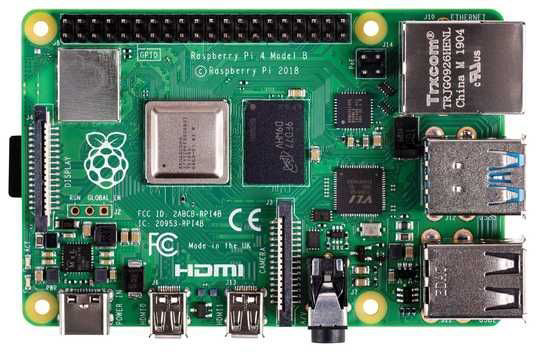
The Raspberry Pi 4, manufactured by Raspberry Pi, is a compact and affordable single-board computer designed for a wide range of applications. It features a powerful quad-core processor, multiple USB ports, dual micro-HDMI outputs, and GPIO pins for interfacing with various electronic components. This versatile device is ideal for projects in programming, robotics, IoT, media centers, and more. Its small form factor and robust capabilities make it a popular choice for both hobbyists and professionals.
Explore Projects Built with RaspberryPI 4
 Open Project in Cirkit Designer
 Open Project in Cirkit Designer
 Open Project in Cirkit Designer
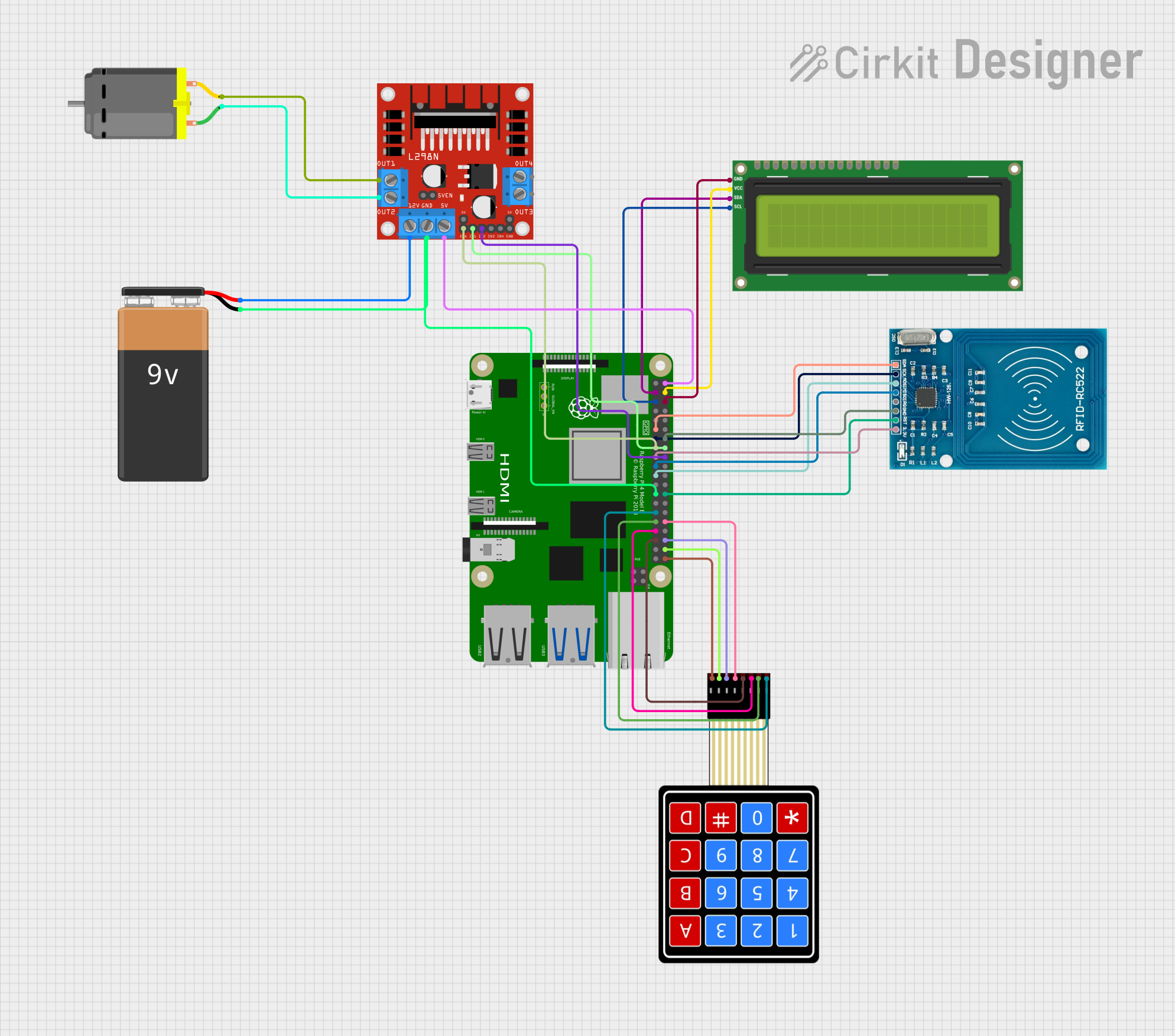 Open Project in Cirkit Designer
Explore Projects Built with RaspberryPI 4
Open Project in Cirkit DesignerOpen Project in Cirkit DesignerOpen Project in Cirkit DesignerOpen Project in Cirkit DesignerCommon Applications and Use Cases
- Programming and Education: Ideal for learning programming languages like Python, C++, and Java.
- IoT Projects: Acts as a hub for smart home devices and IoT systems.
- Media Centers: Can be used to build a home theater system with software like Kodi.
- Robotics: Controls motors, sensors, and other components in robotics projects.
- Web Servers: Functions as a lightweight web server for hosting websites or applications.
- Prototyping: Interfaces with sensors, actuators, and other peripherals for rapid prototyping.
Technical Specifications
Key Technical Details
| Specification | Details |
|---|---|
| Processor | Quad-core Cortex-A72 (ARM v8) 64-bit SoC @ 1.5GHz |
| RAM Options | 2GB, 4GB, or 8GB LPDDR4-3200 SDRAM |
| Storage | MicroSD card slot for storage and operating system |
| USB Ports | 2 × USB 3.0, 2 × USB 2.0 |
| HDMI Output | 2 × micro-HDMI ports (supports up to 4K resolution) |
| Ethernet | Gigabit Ethernet |
| Wireless Connectivity | Dual-band 802.11ac Wi-Fi, Bluetooth 5.0 |
| GPIO Pins | 40-pin GPIO header (compatible with previous Raspberry Pi models) |
| Power Supply | 5V/3A via USB-C or GPIO header |
| Dimensions | 85.6mm × 56.5mm × 17mm |
| Operating System | Raspberry Pi OS (formerly Raspbian), supports other Linux-based OS options |
GPIO Pin Configuration
The Raspberry Pi 4 features a 40-pin GPIO header. Below is the pinout configuration:
| Pin Number | Pin Name | Description |
|---|---|---|
| 1 | 3.3V Power | 3.3V power supply |
| 2 | 5V Power | 5V power supply |
| 3 | GPIO2 (SDA1) | I2C Data |
| 4 | 5V Power | 5V power supply |
| 5 | GPIO3 (SCL1) | I2C Clock |
| 6 | Ground | Ground |
| 7 | GPIO4 | General-purpose I/O |
| 8 | GPIO14 (TXD0) | UART Transmit |
| 9 | Ground | Ground |
| 10 | GPIO15 (RXD0) | UART Receive |
| ... | ... | ... |
| 39 | Ground | Ground |
| 40 | GPIO21 | General-purpose I/O |
For the full GPIO pinout, refer to the official Raspberry Pi documentation.
Usage Instructions
How to Use the Raspberry Pi 4 in a Circuit
Powering the Raspberry Pi 4:
- Use a 5V/3A USB-C power adapter to power the board.
- Alternatively, power it via the GPIO header (pins 2 and 6 for 5V and Ground).
Connecting Peripherals:
- Attach a monitor via the micro-HDMI ports.
- Connect a keyboard and mouse to the USB ports.
- Insert a microSD card with the operating system installed.
Using GPIO Pins:
- Connect sensors, LEDs, or other components to the GPIO pins.
- Use libraries like
RPi.GPIOorgpiozeroin Python to control the pins.
Networking:
- Connect to the internet via Ethernet or Wi-Fi for remote access and updates.
Important Considerations and Best Practices
- Cooling: The Raspberry Pi 4 can get hot under heavy loads. Use a heatsink or fan for cooling.
- Power Supply: Ensure a stable 5V/3A power supply to avoid performance issues.
- Static Protection: Handle the board carefully to avoid static damage to components.
- GPIO Voltage: GPIO pins operate at 3.3V. Avoid applying higher voltages to prevent damage.
Example: Blinking an LED with GPIO and Python
Below is an example of how to blink an LED connected to GPIO pin 17 using Python:
Import necessary libraries
import RPi.GPIO as GPIO # Library for GPIO control import time # Library for time delays
Pin configuration
LED_PIN = 17 # GPIO pin where the LED is connected
GPIO setup
GPIO.setmode(GPIO.BCM) # Use Broadcom pin numbering GPIO.setup(LED_PIN, GPIO.OUT) # Set the pin as an output
try: while True: GPIO.output(LED_PIN, GPIO.HIGH) # Turn the LED on time.sleep(1) # Wait for 1 second GPIO.output(LED_PIN, GPIO.LOW) # Turn the LED off time.sleep(1) # Wait for 1 second except KeyboardInterrupt: # Clean up GPIO settings on exit GPIO.cleanup()
---
Troubleshooting and FAQs
Common Issues and Solutions
The Raspberry Pi 4 does not boot:
- Ensure the microSD card is properly inserted and contains a valid operating system.
- Check the power supply for sufficient voltage and current.
Overheating:
- Use a heatsink or fan to cool the board.
- Avoid placing the Raspberry Pi in an enclosed space without ventilation.
No display on the monitor:
- Verify the micro-HDMI cable is securely connected.
- Ensure the monitor is set to the correct input source.
GPIO pins not working:
- Double-check the pin connections and ensure the correct pin numbering is used in the code.
- Verify that the GPIO pins are not damaged or shorted.
FAQs
Can I use the Raspberry Pi 4 with a battery?
- Yes, you can use a 5V battery pack with sufficient current output (3A recommended).
What operating systems are supported?
- The Raspberry Pi 4 supports Raspberry Pi OS, Ubuntu, and other Linux-based distributions.
Can I connect multiple displays?
- Yes, the Raspberry Pi 4 supports dual displays via its two micro-HDMI ports.
How do I reset the Raspberry Pi 4?
- Power cycle the board by disconnecting and reconnecting the power supply.
This documentation provides a comprehensive guide to using the Raspberry Pi 4 effectively in various projects. For additional resources, visit the official Raspberry Pi website.