
How to Use HC-05 Bluetooth Module: Examples, Pinouts, and Specs
 Design with HC-05 Bluetooth Module in Cirkit Designer
Introduction
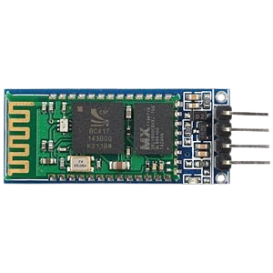
The HC-05 Bluetooth Module, manufactured by Bluetooth Serial Port Profile (Part ID: HC-05), is a versatile wireless communication module designed for short-range data transmission. It operates using the Bluetooth Serial Port Protocol (SPP) and is widely used in embedded systems to enable seamless communication between devices. The module supports both master and slave modes, making it suitable for a variety of applications.
Explore Projects Built with HC-05 Bluetooth Module
 Open Project in Cirkit Designer
 Open Project in Cirkit Designer
 Open Project in Cirkit Designer
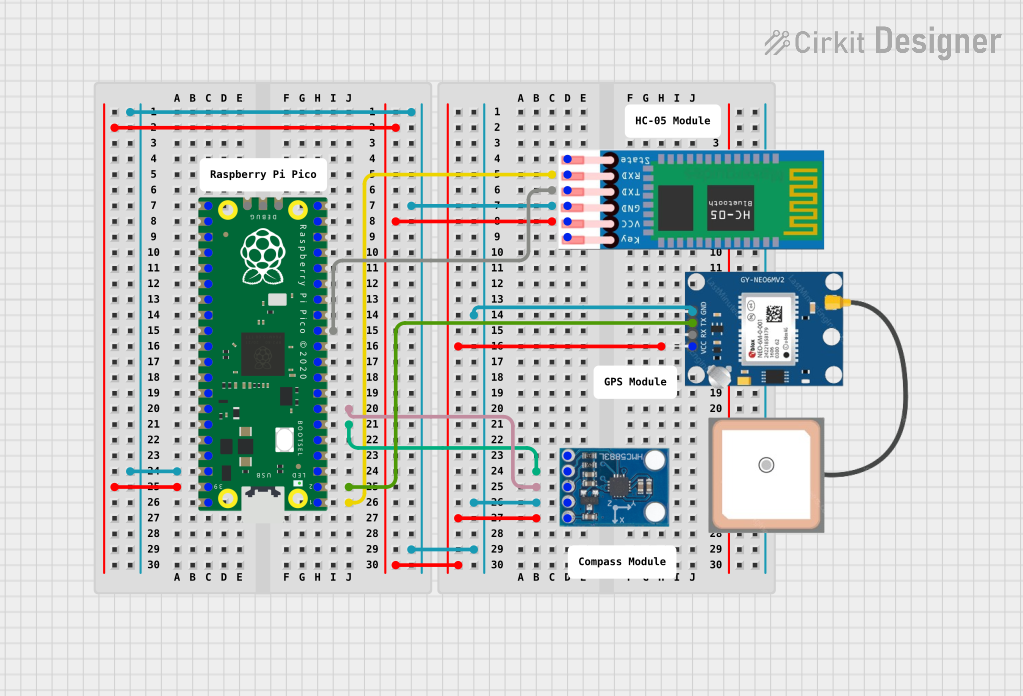 Open Project in Cirkit Designer
Explore Projects Built with HC-05 Bluetooth Module
Open Project in Cirkit DesignerOpen Project in Cirkit DesignerOpen Project in Cirkit DesignerOpen Project in Cirkit DesignerCommon Applications and Use Cases
- Wireless communication between microcontrollers and devices
- Remote control systems
- Data logging and monitoring
- Home automation
- Robotics and IoT projects
- Wireless sensor networks
Technical Specifications
The HC-05 Bluetooth Module is designed to provide reliable and efficient communication. Below are its key technical details:
General Specifications
| Parameter | Value |
|---|---|
| Bluetooth Version | 2.0 + EDR (Enhanced Data Rate) |
| Operating Voltage | 3.3V to 5V |
| Communication Protocol | UART (Universal Asynchronous Receiver-Transmitter) |
| Default Baud Rate | 9600 bps |
| Power Consumption | < 50mA |
| Range | Up to 10 meters (line of sight) |
| Operating Temperature | -20°C to +75°C |
Pin Configuration and Descriptions
The HC-05 module has 6 pins, as described in the table below:
| Pin Name | Pin Number | Description |
|---|---|---|
| EN/KEY | 1 | Enables AT command mode when pulled HIGH. Leave LOW for normal operation. |
| VCC | 2 | Power supply input (3.3V to 5V). |
| GND | 3 | Ground connection. |
| TXD | 4 | Transmit data pin (connect to RX of microcontroller). |
| RXD | 5 | Receive data pin (connect to TX of microcontroller). |
| STATE | 6 | Indicates connection status (HIGH when connected, LOW when disconnected). |
Usage Instructions
The HC-05 Bluetooth Module is easy to integrate into a circuit. Follow the steps below to use it effectively:
Connecting the HC-05 to a Microcontroller
- Power Supply: Connect the
VCCpin to a 3.3V or 5V power source and theGNDpin to ground. - UART Communication: Connect the
TXDpin of the HC-05 to theRXpin of the microcontroller, and theRXDpin of the HC-05 to theTXpin of the microcontroller. - AT Command Mode (Optional): To configure the module, pull the
EN/KEYpin HIGH and use AT commands via a serial terminal.
Example: Connecting HC-05 to Arduino UNO
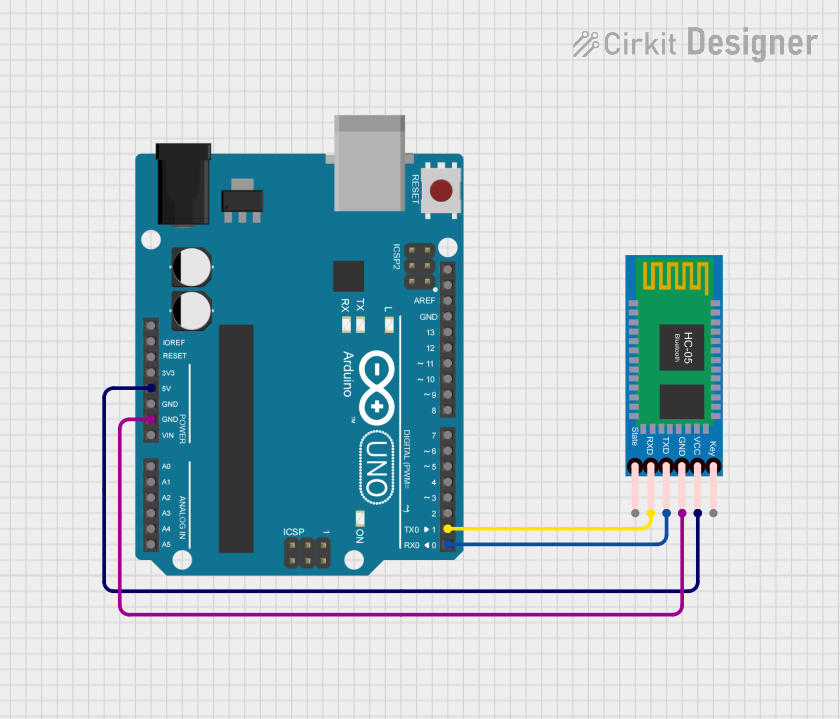
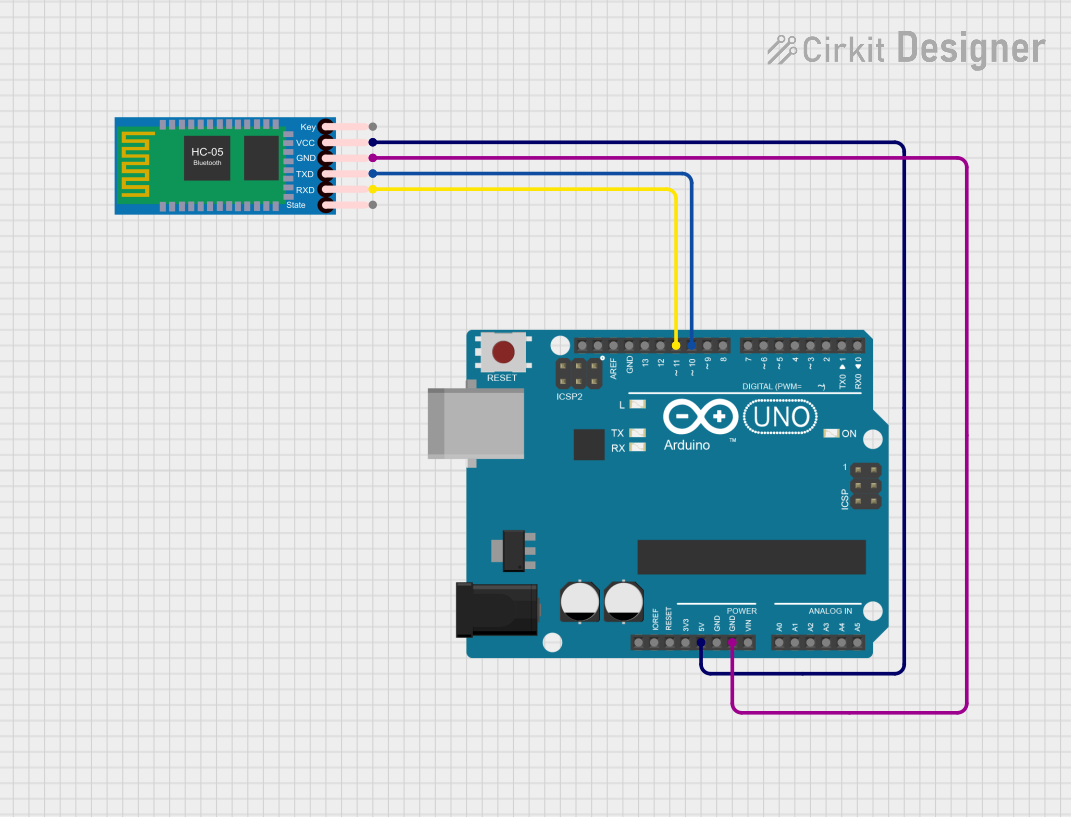
Below is an example of how to connect and use the HC-05 with an Arduino UNO:
Wiring Diagram
| HC-05 Pin | Arduino UNO Pin |
|---|---|
| VCC | 5V |
| GND | GND |
| TXD | Pin 10 (RX) |
| RXD | Pin 11 (TX) |
| EN/KEY | Not connected |
Arduino Code Example
#include <SoftwareSerial.h>

// Define RX and TX pins for SoftwareSerial
SoftwareSerial BTSerial(10, 11); // RX = Pin 10, TX = Pin 11

void setup() {
  // Start the hardware serial communication for debugging
  Serial.begin(9600);
  Serial.println("HC-05 Bluetooth Module Test");

  // Start the software serial communication with HC-05
  BTSerial.begin(9600); // Default baud rate of HC-05
  Serial.println("Enter AT commands:");
}

void loop() {
  // Check if data is available from HC-05
  if (BTSerial.available()) {
    char c = BTSerial.read();
    Serial.write(c); // Forward data to Serial Monitor
  }

  // Check if data is available from Serial Monitor
  if (Serial.available()) {
    char c = Serial.read();
    BTSerial.write(c); // Forward data to HC-05
  }
}
Important Considerations and Best Practices
- Voltage Levels: The RXD pin is not 5V tolerant. Use a voltage divider or level shifter if connecting to a 5V microcontroller.
- AT Command Mode: Use AT commands to configure the module (e.g., change baud rate, set name, or switch between master/slave modes).
- Connection Status: Monitor the
STATEpin to determine if the module is connected to a device. - Avoid Noise: Use decoupling capacitors near the power pins to reduce noise and ensure stable operation.
Troubleshooting and FAQs
Common Issues and Solutions
Module Not Responding to AT Commands
- Ensure the
EN/KEYpin is pulled HIGH. - Verify the baud rate is set to 9600 bps (default for AT mode).
- Check wiring connections for errors.
- Ensure the
No Data Transmission
- Confirm the
TXDandRXDpins are correctly connected to the microcontroller. - Ensure the paired device is within the module's range (10 meters).
- Confirm the
Unstable Connection
- Check for power supply stability. Use a regulated 3.3V or 5V source.
- Avoid interference from other Bluetooth devices operating nearby.
Cannot Pair with Another Device
- Ensure the module is in discoverable mode (flashing LED indicates this).
- Verify the pairing code (default is usually
1234or0000).
FAQs
Q: Can the HC-05 module work with 5V logic levels?
A: The TXD pin can output 5V logic, but the RXD pin is not 5V tolerant. Use a voltage divider or level shifter for safe operation with 5V microcontrollers.
Q: How do I reset the HC-05 module?
A: Disconnect the power supply, then reconnect it. Alternatively, use the AT command AT+RESET.
Q: Can I use the HC-05 for audio transmission?
A: No, the HC-05 is designed for serial data communication and does not support audio profiles.
Q: How do I switch between master and slave modes?
A: Use the AT command AT+ROLE=1 for master mode and AT+ROLE=0 for slave mode.
By following this documentation, you can effectively integrate and troubleshoot the HC-05 Bluetooth Module in your projects.